Jotform Sign vs. Nitro PDF Pro

Overview
ProductRatingMost Used ByProduct SummaryStarting Price
Jotform Sign
Score 10.0 out of 10
N/A
Jotform Sign enables users to create documents to be filled out and signed on any device by uploading an existing PDF document, choosing from 600+ ready-made templates, or building a document from scratch — and then sharing it with clients or coworkers to be completed online in a few quick clicks. Some uses cases include collecting waivers, lease agreements, or consent forms. Customizing document design is done with a drag-and-drop…
$0
Nitro PDF Pro
Score 8.4 out of 10
N/A
Nitro PDF Pro is a document management platform that supports PDF creation, modification, conversion, organization, review, and protection across Windows, Mac, and iOS environments. Key Capabilities Document Authoring & Modification: Native editing capabilities for PDF creation and content updates. Format Conversion: Conversion between PDF and standard office document formats. Document Organization & Management: File organization and management…
$7.50
Billed every 3 years. This is a subscription product with a 3-year fee of $270.00 per license. per seat
Pricing
Jotform SignNitro PDF Pro
Editions & Modules
Free
$0
Bronze
$39
per month
Silver
$49
per month
Gold
$129
per month
Nitro PDF Classic
$7.5/month
Billed every 3 years. This is a subscription product with a 3-year fee of $270.00 per license. per seat
Nitro PDF Standard
$15/month
This is a subscription product with a yearly fee of $180.00 per license. per seat
Nitro PDF Plus
Contact Sales
Offerings
Pricing Offerings
Jotform SignNitro PDF Pro
Free Trial
NoYes
Free/Freemium Version
YesNo
Premium Consulting/Integration Services
NoNo
Entry-level Setup FeeNo setup feeNo setup fee
Additional DetailsContact sales for enterprise pricing.
More Pricing Information
Community Pulse
Jotform SignNitro PDF Pro
Best Alternatives
Jotform SignNitro PDF Pro
Small Businesses
Foxit eSign
Foxit eSign
Score 9.2 out of 10
Tungsten Power PDF
Tungsten Power PDF
Score 9.8 out of 10
Medium-sized Companies
MSB Docs
MSB Docs
Score 9.4 out of 10
pdfFiller
pdfFiller
Score 9.0 out of 10
Enterprises
DocuSign
DocuSign
Score 8.7 out of 10
Bluebeam
Bluebeam
Score 9.1 out of 10
All AlternativesView all alternativesView all alternatives
User Ratings
Jotform SignNitro PDF Pro
Likelihood to Recommend
-
(0 ratings)
9.3
(17 ratings)
Likelihood to Renew
-
(0 ratings)
10.0
(1 ratings)
Usability
-
(0 ratings)
9.0
(4 ratings)
Performance
-
(0 ratings)
8.0
(1 ratings)
Support Rating
-
(0 ratings)
9.2
(3 ratings)
Ease of integration
-
(0 ratings)
5.0
(1 ratings)
User Testimonials
Jotform SignNitro PDF Pro
Likelihood to Recommend
JotForm
No answers on this topic
Nitro Inc
I run a professional services business from home. I need to edit documents quickly and easily and with minimal subscriptions to minimize overheads. I love that Nitro is a one-off payment to get a license to the software, and you can simply upgrade to the latest version if that's what you want, but you're not obligated to. I've been using the same version of Nitro for 7-8 years now. Despite the fact the upgraded versions have a lot of great, nice-to-have features, the version I'm on still does the job.
Read full review
Pros
JotForm
No answers on this topic
Nitro Inc
  • Ability to combine files SEAMLESSLY and order them around as necessary (so underrated)
  • Signing not only for yourself but for others. Helpful for those who have been granted the authority to sign for VPs and directors
  • Much easier to use than some other PDF viewing services
Read full review
Cons
JotForm
No answers on this topic
Nitro Inc
  • Converting from PDF to Microsoft Word can be complicated at times. Some parts of a document such as tables are not converted properly.
  • Sometimes it appears to be easier to save MS Word documents to PDF rather than using NPS to convert. It can be a bit slow to convert at times.
  • In my view, it wasn't user friendly at the beginning.
Read full review
Likelihood to Renew
JotForm
No answers on this topic
Nitro Inc
We will definitely be renewing the Nitro Productivity Suite. Saves the company a lot of money for something we use everyday
Read full review
Usability
JotForm
No answers on this topic
Nitro Inc
For the most part, the entire software is extremely easy to navigate and use. You won't need to follow tutorials or anything for the bulk of the core features, as it's all pretty seamlessly designed.
Read full review
Performance
JotForm
No answers on this topic
Nitro Inc
It works as advertised.
Read full review
Support Rating
JotForm
No answers on this topic
Nitro Inc
Nitro checks all the boxes for what we need. It is fairly priced, it allows us to read and edit PDF documents, convert PDF to MS Word and convert MS Word to PDF. It allows us to combine multiple files and do all the post processing like adding page numbers and adding headers and footers
Read full review
Alternatives Considered
JotForm
No answers on this topic
Nitro Inc
Every 1-2 years will do a check on current PDF options to include trialing the software. Have tried Foxit and several that seem to have failed in the marketplace. Over the last 4 years, I have always stuck with Nitro. Unfortunately, we still need to keep Adobe Acrobat (free version) installed to view a small percentage of some PDFs we receive.
Read full review
Return on Investment
JotForm
No answers on this topic
Nitro Inc
  • ROI was very quick as the license costs were so low. We purchased 8 licenses versus the initial 2 we were planning on for Adobe.
  • More people were able to use the product than we initially thought due to low purchase costs.
  • We haven't had any further costs to own the product after the initial purchase. We would need to purchase new licenses if we wanted to upgrade.
Read full review
ScreenShots

Jotform Sign Screenshots

Screenshot of Building documents: Turn existing PDFs into legally binding e-sign documents with a drag-and-drop builder.Screenshot of Automate document sharing: Assign roles in documents, set and send reminder notifications, and delegate tasks to individual team members. Invite participants by link and send out access codes to collaborate with people outside of a direct team.Screenshot of 600+ ready-made Jotform Sign templates: Don’t know where to start? Jotform offers hundreds of ready-made templates for any type of industry.Screenshot of Productivity with Jotform Sign Inbox: Jotform Sign Inbox provides instant notifications about signer actions, send out reminder emails, and download finalized PDF documents from one convenient location.Screenshot of Manage data and create visual reports: Jotform Tables helps users organize and manage compiled data in a way that works for the task. Users can also convert data into professional-looking reports to uncover new business insights and make informed decisions with Jotform Report Builder.Screenshot of E-sign processes with automation: Automation features to streamline a workflow. Add document signers to the signature approval flow to automatically approve or deny responses — then track and manage everything from an online dashboard.

Nitro PDF Pro Screenshots

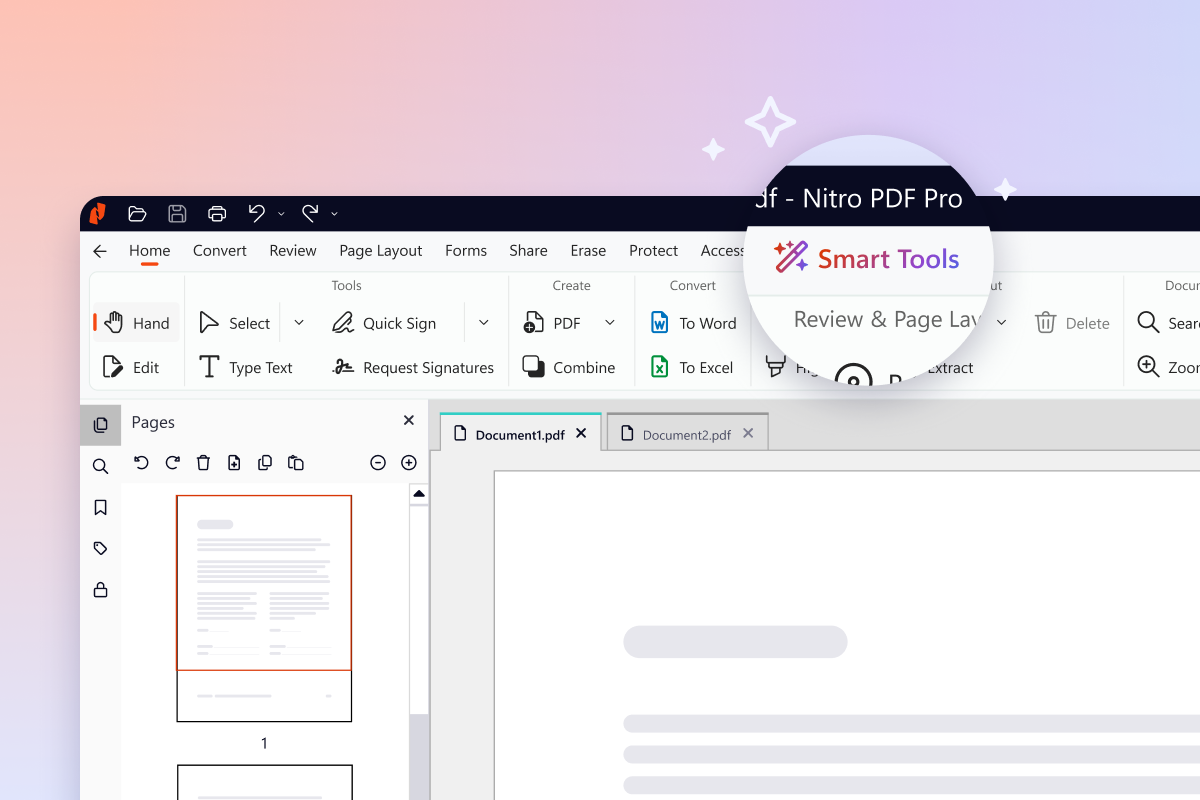
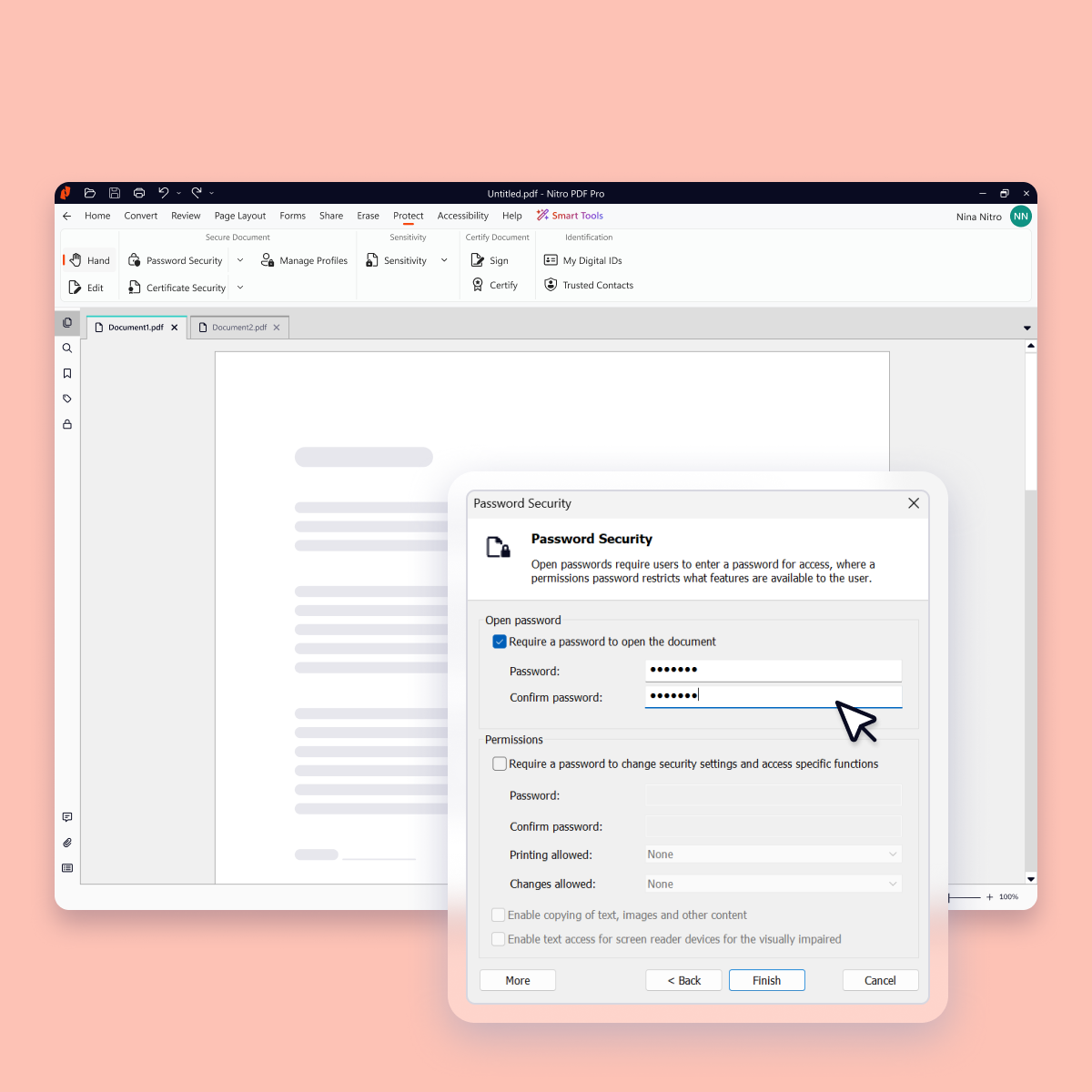
Screenshot of Version 26 (Nitro's latest version) introduces a new dedicated home for every AI-powered capability, giving you everything you need in one place to analyze content in any language, extract critical data, and protect sensitive information.Screenshot of Data-clearing capabilities like Redact and Remove Metadata now live together in one place, so the tool you need is where you'd expect it.Screenshot of Keep every document, and everything inside it, safe with advanced security features such as password protection, encryption, permission controls, and audit trails.Screenshot of Work together securely with Nitro's built-in collaboration tools. Gather and manage feedback across teams and devices with comments, highlights, and markup tools.Screenshot of Update, restructure, and optimize any PDF into exactly the document you want, organized the way you need, without switching back to the original file.Screenshot of Create and convert PDFs to and from popular formats like Word, Excel, PowerPoint, and image files while preserving layout and quality.