KeepSolid Sign is an electronic signature application from KeepSolid in New York, a privacy, security and VPN software company.
N/A
Scrive eSign
Score7.5 out of 10
N/A
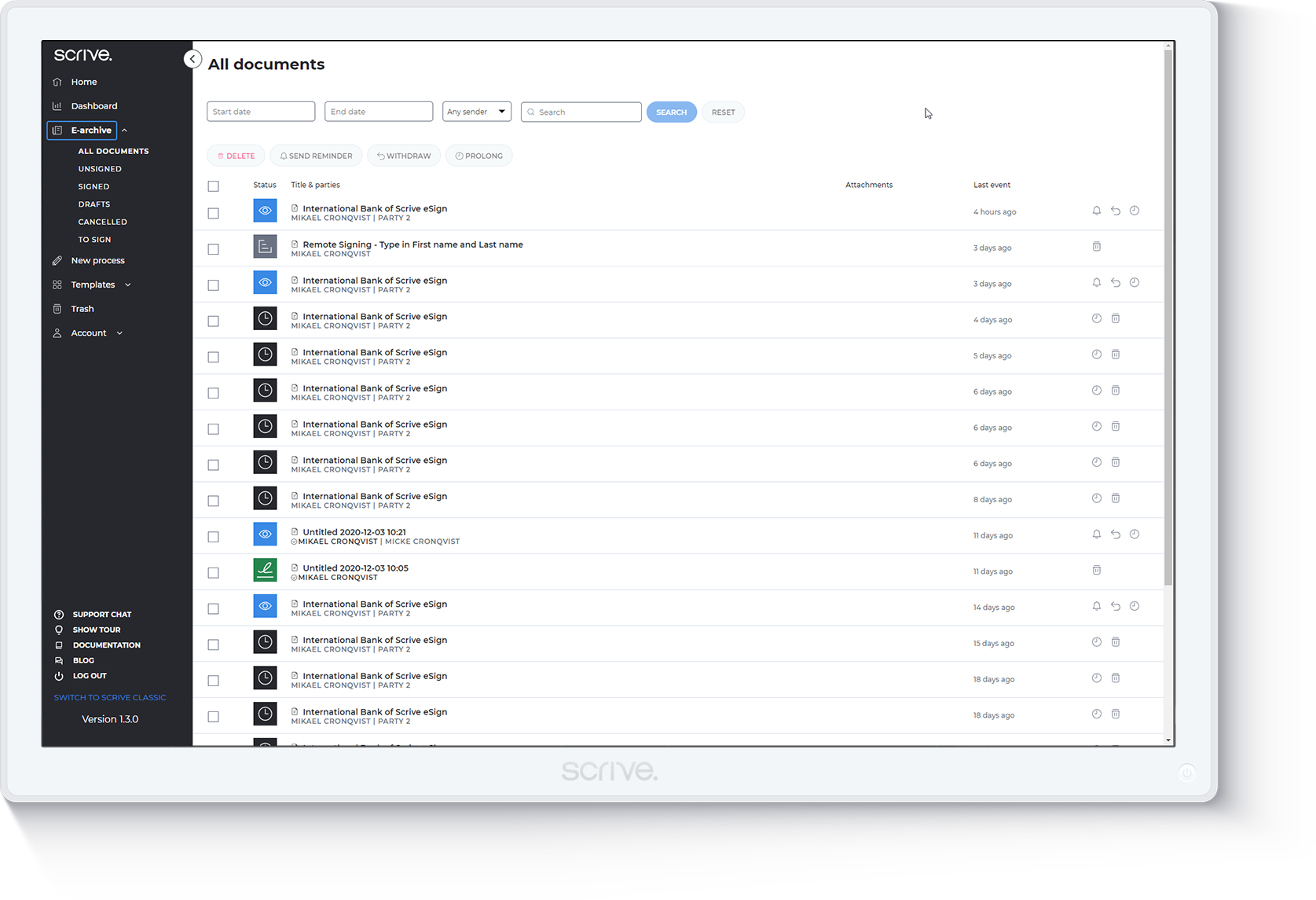
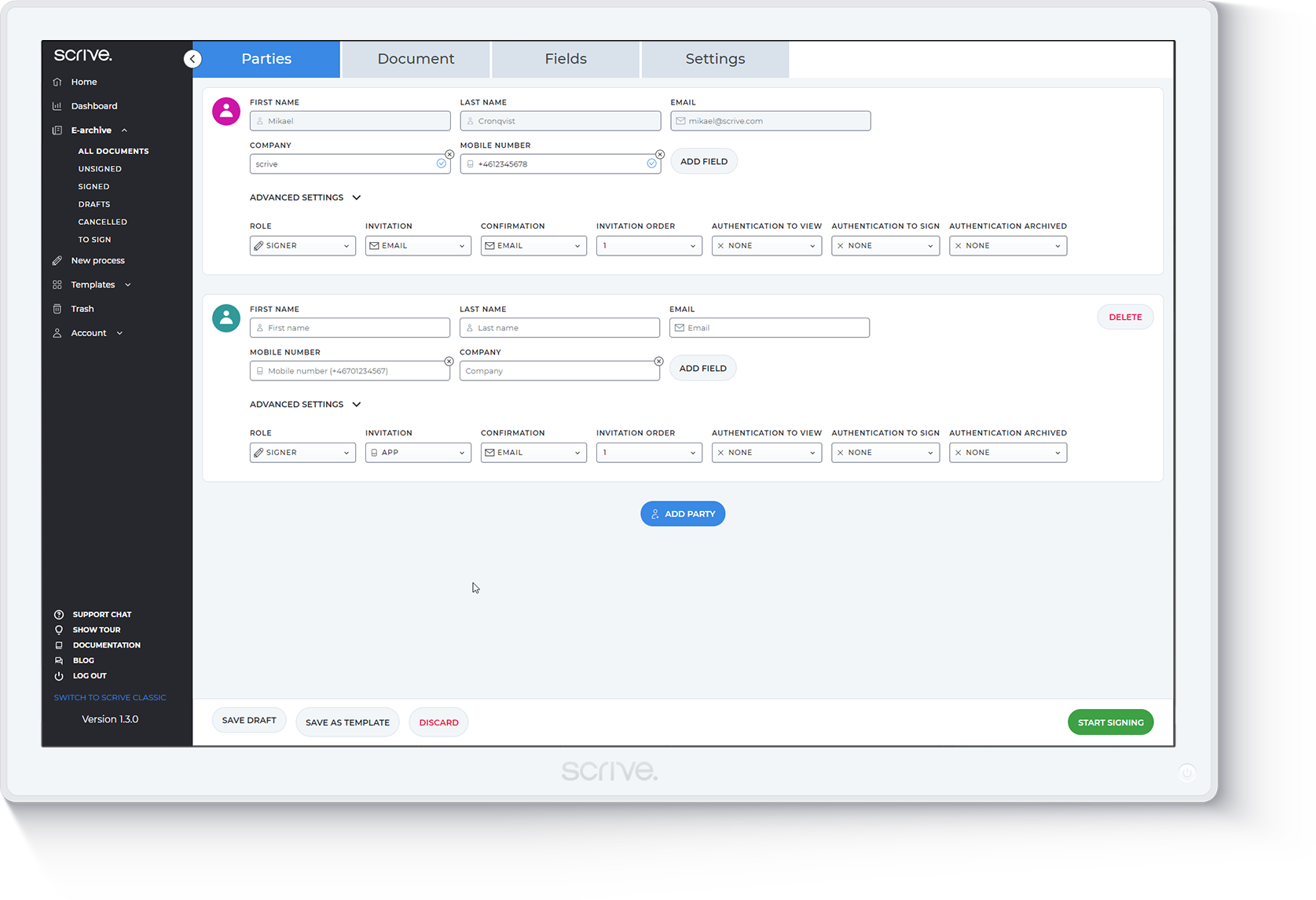
Scrive, headquartered in Stockholm, touts a compliant, secure esignature solution for companies along with an API supporting a branded and well-integrated enterprise esign solution.
I think this is a great application, and I would recommend it. The advantage of this application is that it can be used on any kind of device and any OS, so you don't need to worry about compatibility issues.
A de minimis incentive was given to thank the reviewer for their time. The incentive was not used to bias or drive a particular response, nor was the incentive contingent on a positive endorsement. More Info
It is really an intuitive to use and collaborative tool that can be helpful within an organization to create agreements and allow various kinds of reviews simultaneously. This ensures time is saved and even one can see the status of the document at any time and take actions accordingly. It sends out automatic reminder mails to users who haven't signed and provide feature for people to either accept or reject and not sign a document.
A de minimis incentive was given to thank the reviewer for their time. The incentive was not used to bias or drive a particular response, nor was the incentive contingent on a positive endorsement. More Info
A de minimis incentive was given to thank the reviewer for their time. The incentive was not used to bias or drive a particular response, nor was the incentive contingent on a positive endorsement. More Info
A de minimis incentive was given to thank the reviewer for their time. The incentive was not used to bias or drive a particular response, nor was the incentive contingent on a positive endorsement. More Info
I would like to see a way to have a waver that I can just have an overall generic link to, this way new guests at the circus school, just needs to go to one URL, fill in a waiver, and it will save it for them. *** this can remove the step of me having to enter their name and send it to them and save me time.
It was not very clear at first how to send contracts.
It was not very clear at first, how to edit and change contracts on line.
A de minimis incentive was given to thank the reviewer for their time. The incentive was not used to bias or drive a particular response, nor was the incentive contingent on a positive endorsement. More Info
A de minimis incentive was given to thank the reviewer for their time. The incentive was not used to bias or drive a particular response, nor was the incentive contingent on a positive endorsement. More Info
Customer support was incredible, they helped when I had one question about a bug with the archiving function. They got it sorted out, helped me understand what I did wrong, and even released a patch months later to prevent future users from falling into the same trap. I don't think there even was a language barrier, despite Scrive being a Swedish company.
A de minimis incentive was given to thank the reviewer for their time. The incentive was not used to bias or drive a particular response, nor was the incentive contingent on a positive endorsement. More Info
The thing is, DocuSign is surely the better performing product for now. But if for the same price you get unlimited sends with KeepSolid Sign (or significant savings with a team) then KeepSolid Sign, with all the work it needs to do is my tool of choice. Again, I can't speak for a team setting, I'm the only one who uses it, but I like it, as it works just fine for me.
A de minimis incentive was given to thank the reviewer for their time. The incentive was not used to bias or drive a particular response, nor was the incentive contingent on a positive endorsement. More Info
It is more intuitive and does not require its users to get any formal training to use the product. It allows automatic follow-ups with users who use the product. It can be deployed on all operating system and is compatible with most of the devices including mobile phone, laptop or personal computer.
A de minimis incentive was given to thank the reviewer for their time. The incentive was not used to bias or drive a particular response, nor was the incentive contingent on a positive endorsement. More Info
A de minimis incentive was given to thank the reviewer for their time. The incentive was not used to bias or drive a particular response, nor was the incentive contingent on a positive endorsement. More Info
A de minimis incentive was given to thank the reviewer for their time. The incentive was not used to bias or drive a particular response, nor was the incentive contingent on a positive endorsement. More Info