KROCK vs. Zenkit

Overview
ProductRatingMost Used ByProduct SummaryStarting Price
KROCK
Score 10.0 out of 10
N/A
KROCK is designed to help users manage creative projects effectively and painlessly. Krock offers tools for creative teams to manageme the review and approval process: build project pipelines assigns teammates for different tasks within different projects create storyboards share different types of files add visual comments on any media files create a limitless number of…
$0
per team
Zenkit
Score 8.0 out of 10
N/A
Zenkit is a collaborative SaaS platform for project management, database building and more. This solution enables users to follow their data through its entire lifecycle. Zenkit allows users to manage their data in any way they need to – build their own CRM, reporting system, or financial planner. Users can share their data and assign tasks to colleagues.
$9
per user
Pricing
KROCKZenkit
Editions & Modules
Trial
$0
per team
Plus
$69
per team
Pro
$99
per team
Solo
9,99
per user
Enterprise
Custom
per team
Plus
$9.00
per user
Business
$29.00
per user
Offerings
Pricing Offerings
KROCKZenkit
Free Trial
YesNo
Free/Freemium Version
NoYes
Premium Consulting/Integration Services
NoNo
Entry-level Setup FeeNo setup fee$9 per user
Additional DetailsSave 20% on any plans, when you choose annual billing
More Pricing Information
Community Pulse
KROCKZenkit
Features
KROCKZenkit
Project Management
Comparison of Project Management features of Product A and Product B
KROCK
-
Ratings
Zenkit
8.2
7 Ratings
6% above category average
Task Management00 Ratings9.87 Ratings
Scheduling00 Ratings8.67 Ratings
Workflow Automation00 Ratings5.56 Ratings
Team Collaboration00 Ratings9.67 Ratings
Support for Agile Methodology00 Ratings9.06 Ratings
Document Management00 Ratings6.26 Ratings
Mobile Access00 Ratings8.37 Ratings
Budget and Expense Management00 Ratings8.35 Ratings
Professional Services Automation
Comparison of Professional Services Automation features of Product A and Product B
KROCK
-
Ratings
Zenkit
8.0
5 Ratings
3% above category average
Project & financial reporting00 Ratings8.05 Ratings
Best Alternatives
KROCKZenkit
Small Businesses
Frame.io
Frame.io
Score 9.1 out of 10
Stackby
Stackby
Score 8.9 out of 10
Medium-sized Companies
Asana
Asana
Score 8.5 out of 10
InEight
InEight
Score 8.4 out of 10
Enterprises
Wrike
Wrike
Score 8.6 out of 10
InEight
InEight
Score 8.4 out of 10
All AlternativesView all alternativesView all alternatives
User Ratings
KROCKZenkit
Likelihood to Recommend
10.0
(1 ratings)
9.1
(7 ratings)
Support Rating
10.0
(1 ratings)
8.8
(5 ratings)
User Testimonials
KROCKZenkit
Likelihood to Recommend
KROCK
I would recommend KROCK to those in the creative industry who struggle with keeping client communication neat, missing deadlines, and spending too much time on project management rather than focusing on their result. KROCK is a good backend system for the creative process.
Read full review
Axonic Informationssysteme GmbH
Zenkit is a good tool to manage your own projects and sharing progress with colleagues. If you are looking for a tool to accomplish this use case, Zenkit would be my first recommendation.
Read full review
Pros
KROCK
  • Good usability--for clients, the team, and freelancers
  • The feedback feature is useful--it reduced client communication errors substantially
  • Provides transparency and insight into the work process for my clients
  • Ability to create different versions and present each of them to the clients
  • Relevant step sequence and project dashboard
Read full review
Axonic Informationssysteme GmbH
  • Multiple Views - Kanban.Cards, Lists, Tables & even Mindmaps
  • Addition of custom fields which included numbers
  • In table view this can be filtered & numbered fields can have totals at the top.
  • Zenkit has handy pre-buitl templates for different kinds of use such a CRM
  • Has the ability to change field content across cards via bulk action. Neat!
  • Can have formulas in Cutom fields
  • Calander syncs to Google calendar
  • Can bulk import Trello lists & cards easily
Read full review
Cons
KROCK
No answers on this topic
Axonic Informationssysteme GmbH
  • There are some instances where the dashboard gets laggy and buggy. But goes back to normal in a few minutes
  • Integrations still not that advanced--but there's still room for improvement
  • Not recommended for teams with more than 6 people-- you will need to upgrade your account to Premium.
Read full review
Support Rating
KROCK
There is an online support chat available. And the KROCK team reached out to me for detailed feedback on the platform and suggestions for improvements, which is truly considerate of them. They are always very kind, positive, and easy to ask for help, which is a pleasure.
Read full review
Axonic Informationssysteme GmbH
The support is always friendly and offers fast solutions if possible. Bugs were removed in the next hours after contacting the support. They have also a lot of tutorials and great documentation.
Read full review
Alternatives Considered
KROCK
Easier to use for our clients, which is important, as many of our clients only use the application for a short time and don't care to invest too much time or energy to learn the features. It has a clean and reliable dashboard and overall user interface.
Read full review
Axonic Informationssysteme GmbH
As described before, Zenkit adds a lot more flexibility to the things the other applications can do. But this also means that there is no predefined structure which might be helpful for some people. Zenkit is working on that and is releasing some apps building on the core, so that could improve over time.
Read full review
Return on Investment
KROCK
  • Saves a lot of time in communication, documentation, and project management
Read full review
Axonic Informationssysteme GmbH
  • For the price, it is definitely worth a punt.
  • Helped me manage tasks, processes and strategic goals thus saving time & being more efficient.
  • SImple to learn & plenty of tutorials so onboarding was straightforward.
Read full review
ScreenShots

KROCK Screenshots

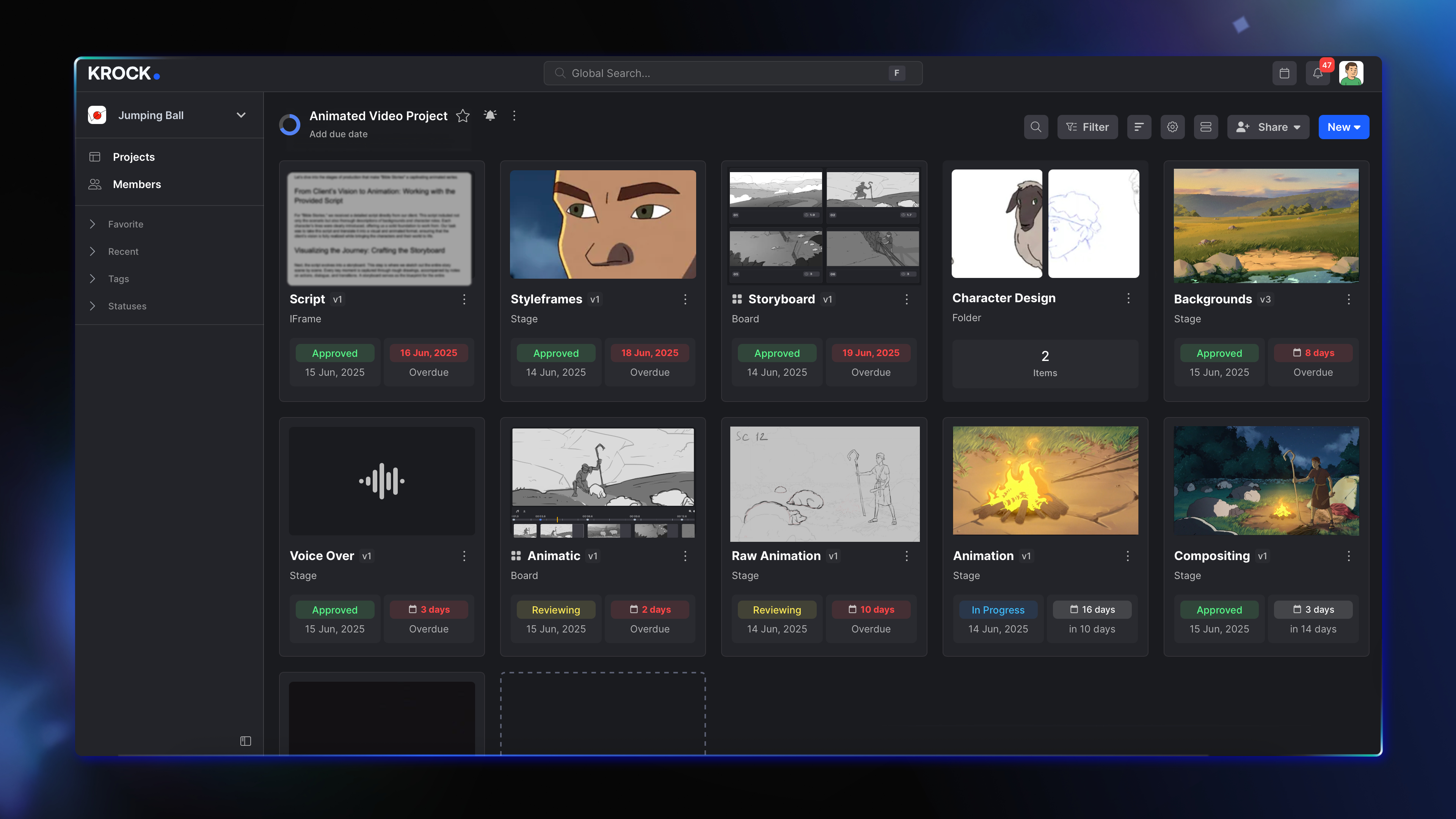
Screenshot of Build a custom pipeline for every project you manage, using a visual board with all the steps, assignees, due dates, and deliverables.Screenshot of Visualize everything in one place: deadlines, team progress on every task, and client reviews.Screenshot of Keep up with all the workload and adjust your schedule. Work better, deliver faster.Screenshot of Tap on an image or video and share your comments with your team or client.Screenshot of Forget about an endless thread of emails and messages from your clients and team members.Screenshot of Create limitless workspaces for different teams and clients. Get invited to someone´s workspaces as a member or freelancer.

Zenkit Screenshots

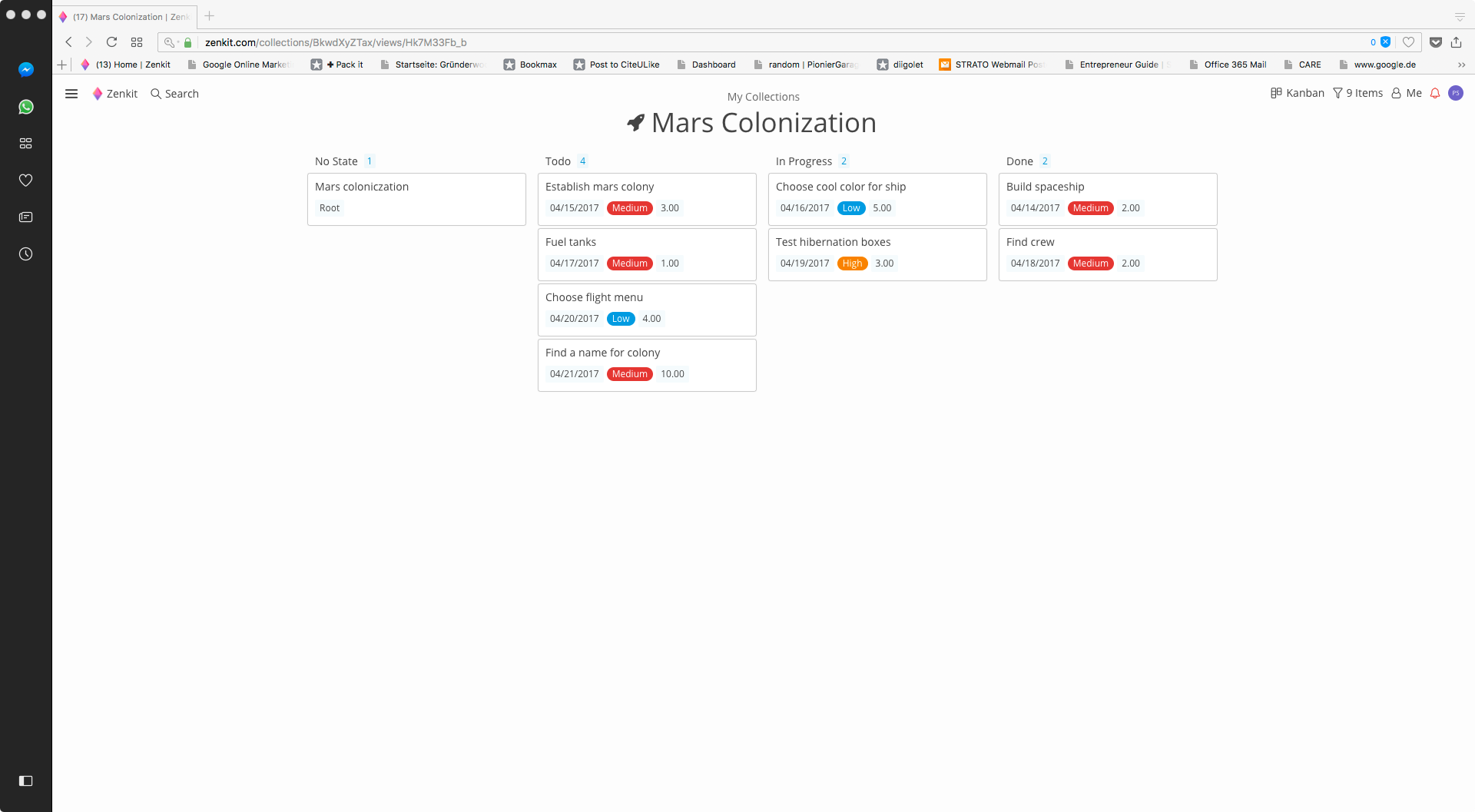
Screenshot of Homepage viewScreenshot of Kanban- View