TrustRadius: an HG Insights company

Save this comparison

Save this comparison

Add Product

Recommended Comparisons

    Overview
    ProductRatingMost Used ByProduct SummaryStarting Price

    KUKU.io

    Score1.1 out of 10
    Small Businesses (1-50 employees)
    KUKU.io social media tools allow users to schedule posts on 10 social networks, including Instagram, Facebook, Linkedin, Telegram, Twitter, Pinterest, Google+, OK.ru, Vk.com, and Tumblr, without any risks of a ban. KUKU.io is an official partner of these social networks. In KUKU.io social media analytics users can analyze content engagement compare posts with special filters (by clicks, likes, comments, shares), count reach and monitor team performance. Users can add colleagues in KUKU.io…

    $400

    per 200+ user accounts

    Moz Local

    Score8.9 out of 10
    N/AMoz Local is a Listing Management & Distribution software solution that enables users to actively manage location data to optimize local search performance. The solution also enables users to respond to reviews and analyze review sentiment on the most popular sites without having to visit them individually, delete duplicate listings, and engage with consumers to share news, offers, and updates across Google, Facebook and other directories.

    $20

    per month

    Pricing
    KUKU.ioMoz Local
    Editions & Modules
    White label solutions
    $400.00
    per 200+ user accounts
    Lite
    $20
    per month
    Preferred
    $30
    per month
    Elite
    $40
    per month
    Offerings
    Pricing Offerings
    KUKU.ioMoz Local
    Free Trial
    YesNo
    Free/Freemium Version
    YesNo
    Premium Consulting/Integration Services
    YesNo
    Entry-level Setup Fee$7 per 5 accounts and 500 postsNo setup fee
    Additional Details—Discounts are available for annual billing. Add-ons like Reviews AI and Listings AI are available on certain plans. A discount of up to 20% is available for annual billing.
    More Pricing Information
    Features
    KUKU.ioMoz Local
    Publishing
    Comparison of Publishing features of KUKU.io and Moz Local
    Feature
    KUKU.io
    4.2
    2 Ratings
    64% below category average
    Moz Local
    -
    Ratings
    Content planning and scheduling1.12 Ratings00 Ratings
    Workflow management7.31 Ratings00 Ratings
    Channel coverage/integration
    Comparison of Channel coverage/integration features of KUKU.io and Moz Local
    Feature
    KUKU.io
    2.4
    2 Ratings
    110% below category average
    Moz Local
    -
    Ratings
    Twitter1.12 Ratings00 Ratings
    Facebook1.01 Ratings00 Ratings
    LinkedIn1.12 Ratings00 Ratings
    Google+9.11 Ratings00 Ratings
    Instagram1.12 Ratings00 Ratings
    Pinterest1.01 Ratings00 Ratings
    Reporting/analytics
    Comparison of Reporting/analytics features of KUKU.io and Moz Local
    Feature
    KUKU.io
    1.0
    1 Ratings
    154% below category average
    Moz Local
    -
    Ratings
    Campaign success analytics1.01 Ratings00 Ratings
    Account management
    Comparison of Account management features of KUKU.io and Moz Local
    Feature
    KUKU.io
    1.0
    1 Ratings
    155% below category average
    Moz Local
    -
    Ratings
    Mobile access1.01 Ratings00 Ratings
    Best Alternatives
    KUKU.ioMoz Local
    Small Businesses
    Sendible
    Score7.2 out of 10
    No answers on this topic
    Medium-sized Companies
    Emplifi
    Score8.9 out of 10
    No answers on this topic
    Enterprises
    Salesforce Marketing Cloud Social Studio (discontinued)
    Score8.1 out of 10
    No answers on this topic
    All AlternativesView all alternativesView all alternatives
    User Ratings
    KUKU.ioMoz Local
    Likelihood to Recommend
    1.1
    (2 ratings)
    10.0
    (1 ratings)
    Support Rating
    1.0
    (1 ratings)
    -
    (0 ratings)
    User Testimonials
    KUKU.ioMoz Local
    Likelihood to Recommend
    XB Software
    If you would like a reliable scheduling tool, KUKU.io is not the one to use. If you like to share lots of industry news, secondary content, or content from your website/blog, be aware that KUKU.io will corrupt the preview headline. You would be far better off using another scheduling tool. I have now changed to a free tool and it has all the same capabilities without this corruption issue. I also used paid ones which are equally good.
    Read full review
    iContact
    Moz Local is a great alternative as well as a compliment to Yext. The service has a smaller network but is just as powerful. The dashboard is super easy to load your location information into and allows the product to do the work by distributing the data across platforms. Issues are easily identifiable and can easily be corrected. Depending on your service level package, you also can have access to reviews and be able to monitor those as you see fit. I would strongly recommend this service to anyone who has a local business they are looking to get seen across the web. For a larger business, I'd consider a larger company with a bigger network.
    Incentivized
    Read full review
    Pros
    XB Software
    • It is easy to use and setup.
    • Nice and clean UI
    • Great support if you need help or if you have any kind of feedback.
    Read full review
    iContact
    • Distribution of location data.
    • Dashboard super easy to use.
    • Low cost option that gets the job done.
    Incentivized
    Read full review
    Cons
    XB Software
    • io corrupts headlines of articles you reshare. When you schedule a post with a URL in it, the Title of the blog post that is displayed below the picture/preview gets corrupted. So if you add any text in with the URL, that will replace the headline. I have noticed this on both LinkedIn and Twitter.
    • Very poor support team. I have found that the support team at KUKU.io are extremely rude, unwilling to help you and take a long time to reply. On some occasions I have had to message them three times in the chatbot for them to even reply. None of these times has the issue been resolved. When I reported to them that KUKU.io was corrupting headlines, at first they refused to take responsibility. Finally, they admitted it was the platforms fault but said they were not doing anything at that time to fix it.
    • Analytics are poor. The analytics suite in KUKU.io does not give you anything analytics for LinkedIn. The ones it provides for Twitter you can get directly from Twitter. So no value is added there.
    • You cannot tag LinkedIn accounts. I use HubSpot to schedule social media posts which allows you to tag companies at least. KUKU.io cannot.
    Read full review
    iContact
    • Expansion of network.
    • Needs to be easier to access, too many clicks within Moz suite.
    • Generally speaking, they are solid.
    Incentivized
    Read full review
    Support Rating
    XB Software
    The support team are extremely rude and often unresponsive. All of the issues I have reported to Kuku has been responded to with "we are not looking to resolve this issue at this time." On a few occasions, they have tried to deny the issue lies with them, before evidence has been provided. Then, they have refused to fix the issue.
    Read full review
    iContact
    No answers on this topic
    Alternatives Considered
    XB Software
    I think Buffer is a great service, but I like the simplicity of KUKU.io and the engagement of the people working at KUKU.io
    Read full review
    iContact
    Moz is just as good as Yext, the only major difference is the size of the network.
    Incentivized
    Read full review
    Return on Investment
    XB Software
    • Since I am using KUKU.io it saved me a ton of time I am able to spend on other things.
    Read full review
    iContact
    • Information has been published which has helped ensure we are trusted amongst our customers.
    Incentivized
    Read full review
    ScreenShots

    KUKU.io Screenshots

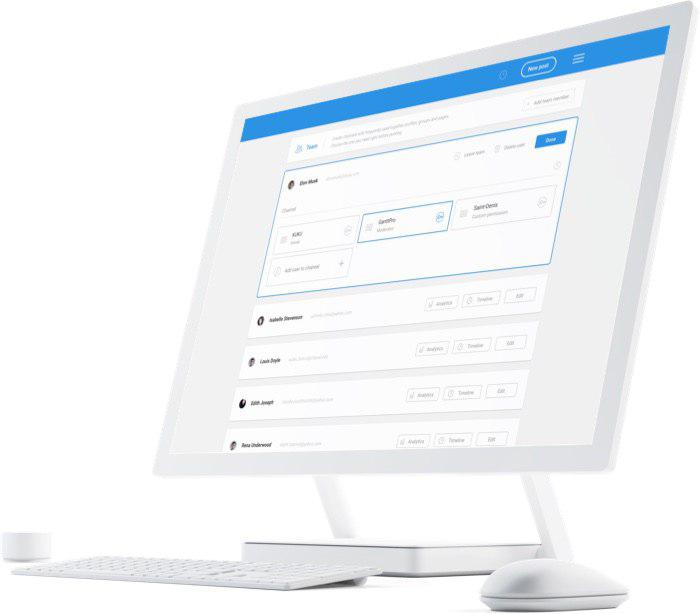
    Screenshot of Content Calendar with tags, pics, dates and editing optionScreenshot of Social media analytics to track engagement of your contentScreenshot of Posting tools. The variety of tools to automate posting. Editing functions in one window.Screenshot of Add your team member, give roles and edit access to your projects. Track team perfomance.

    Moz Local Screenshots

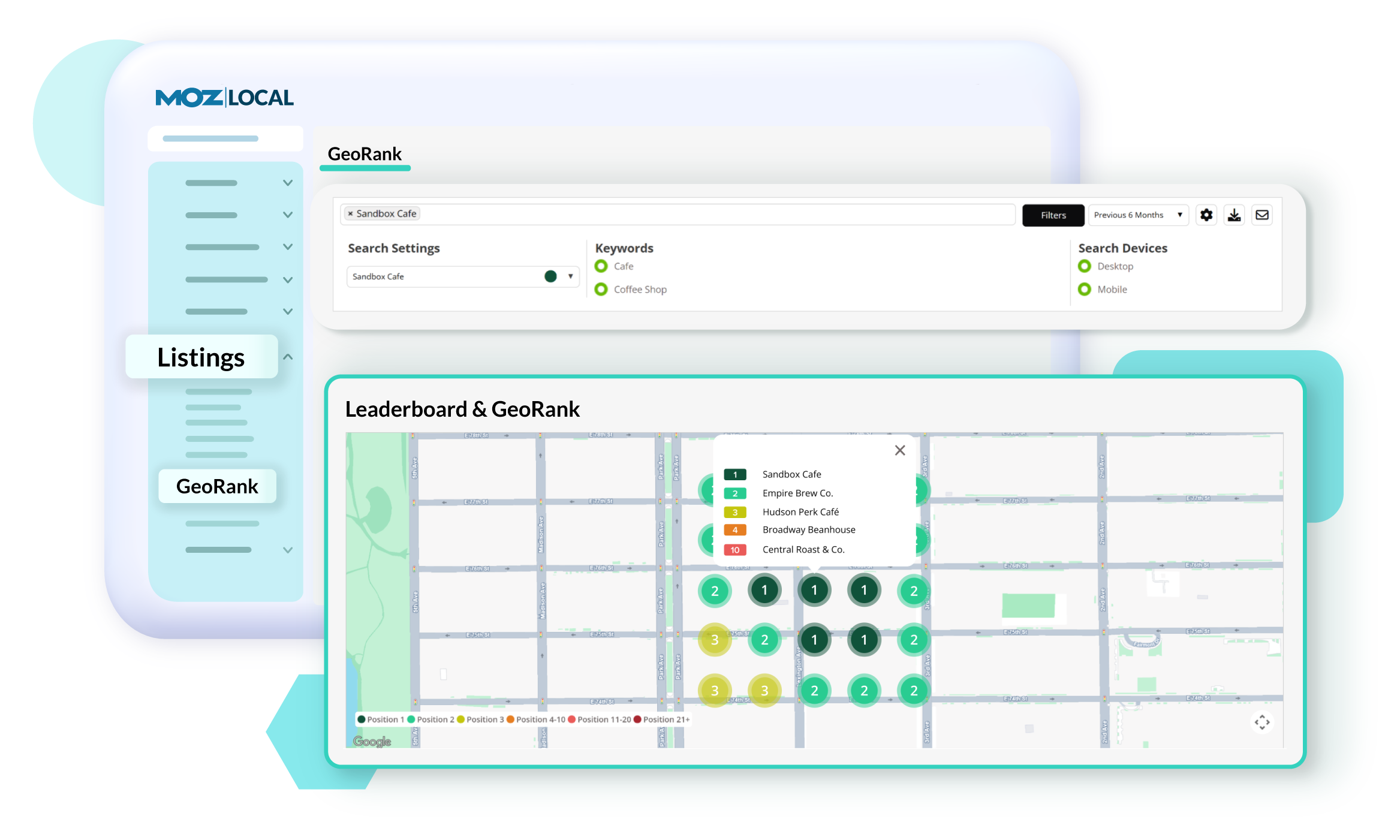
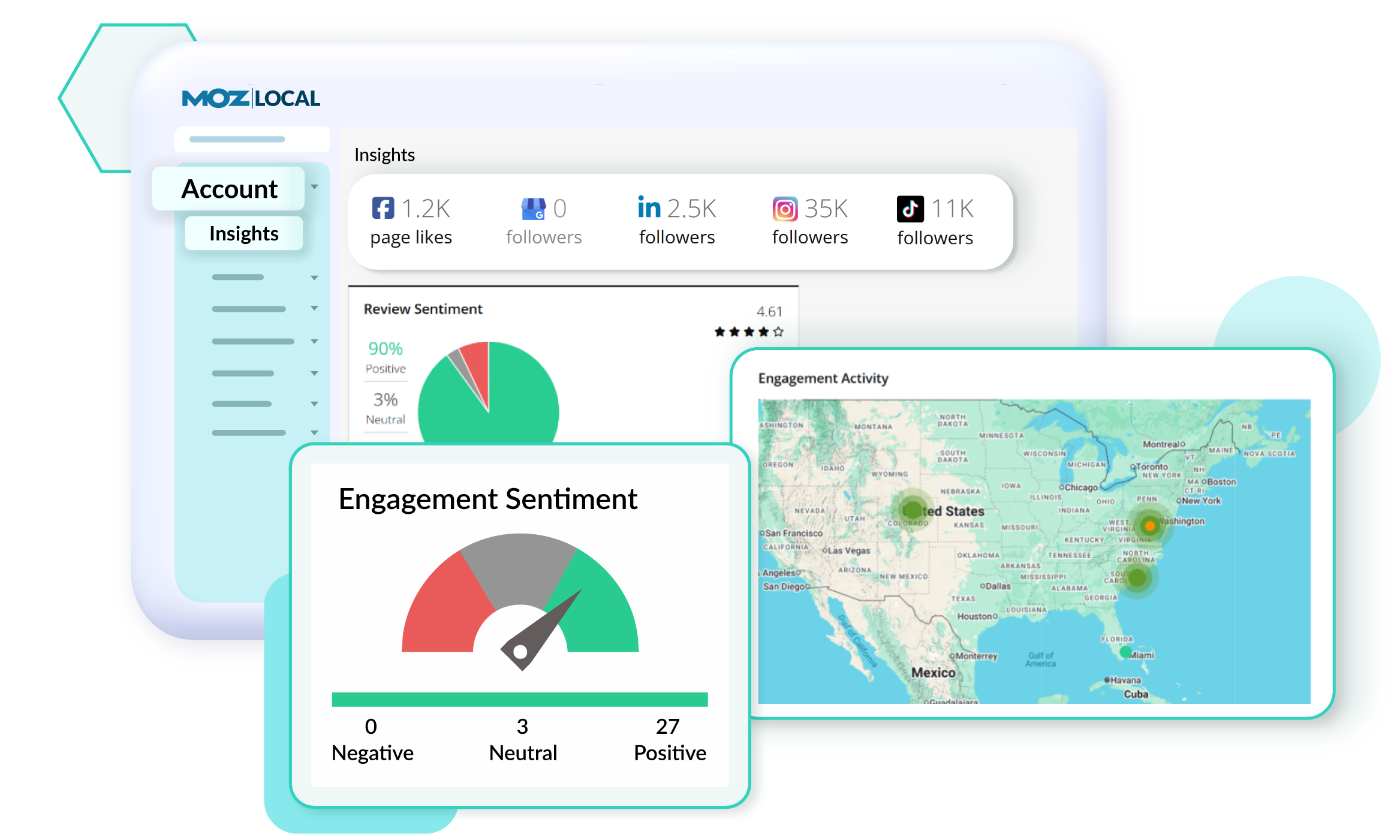
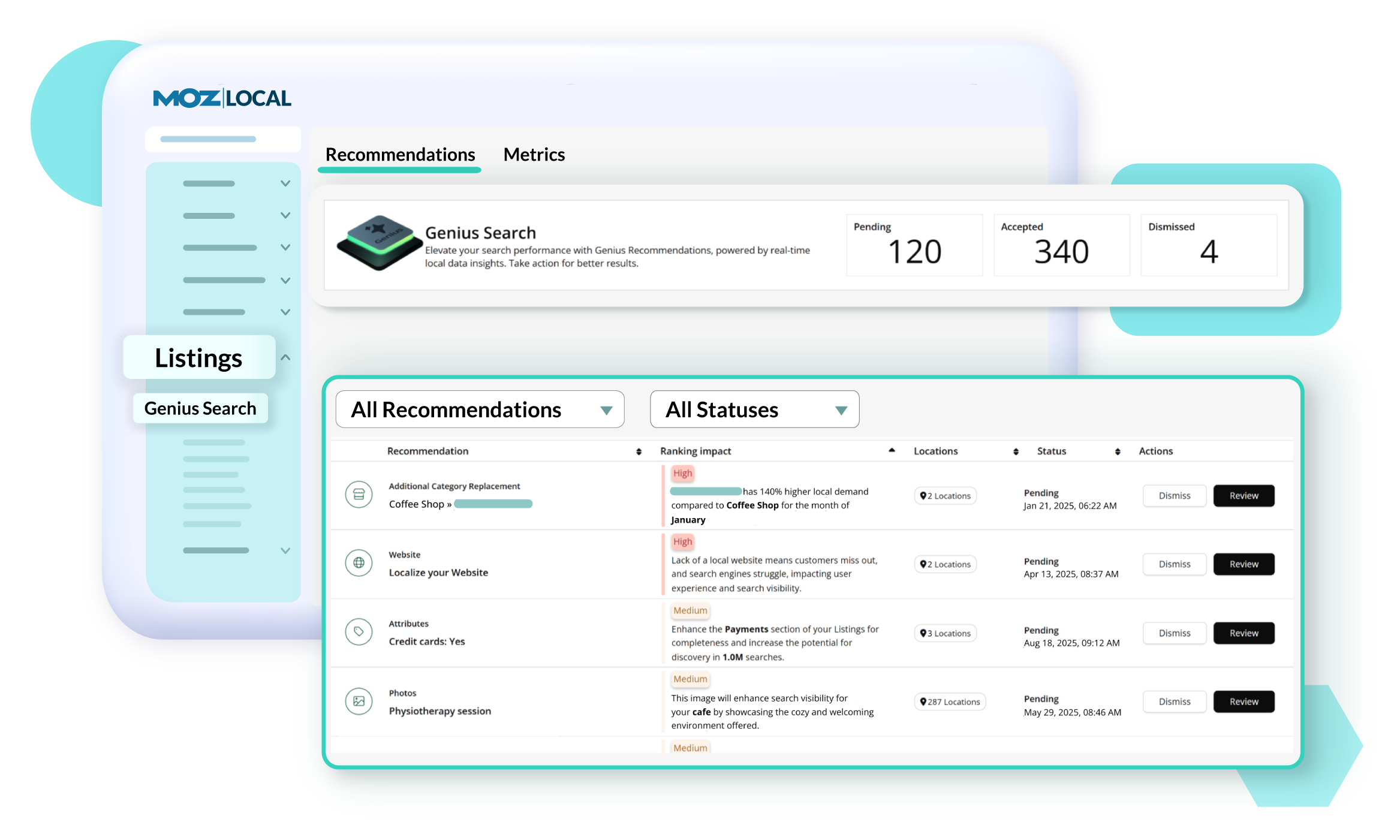
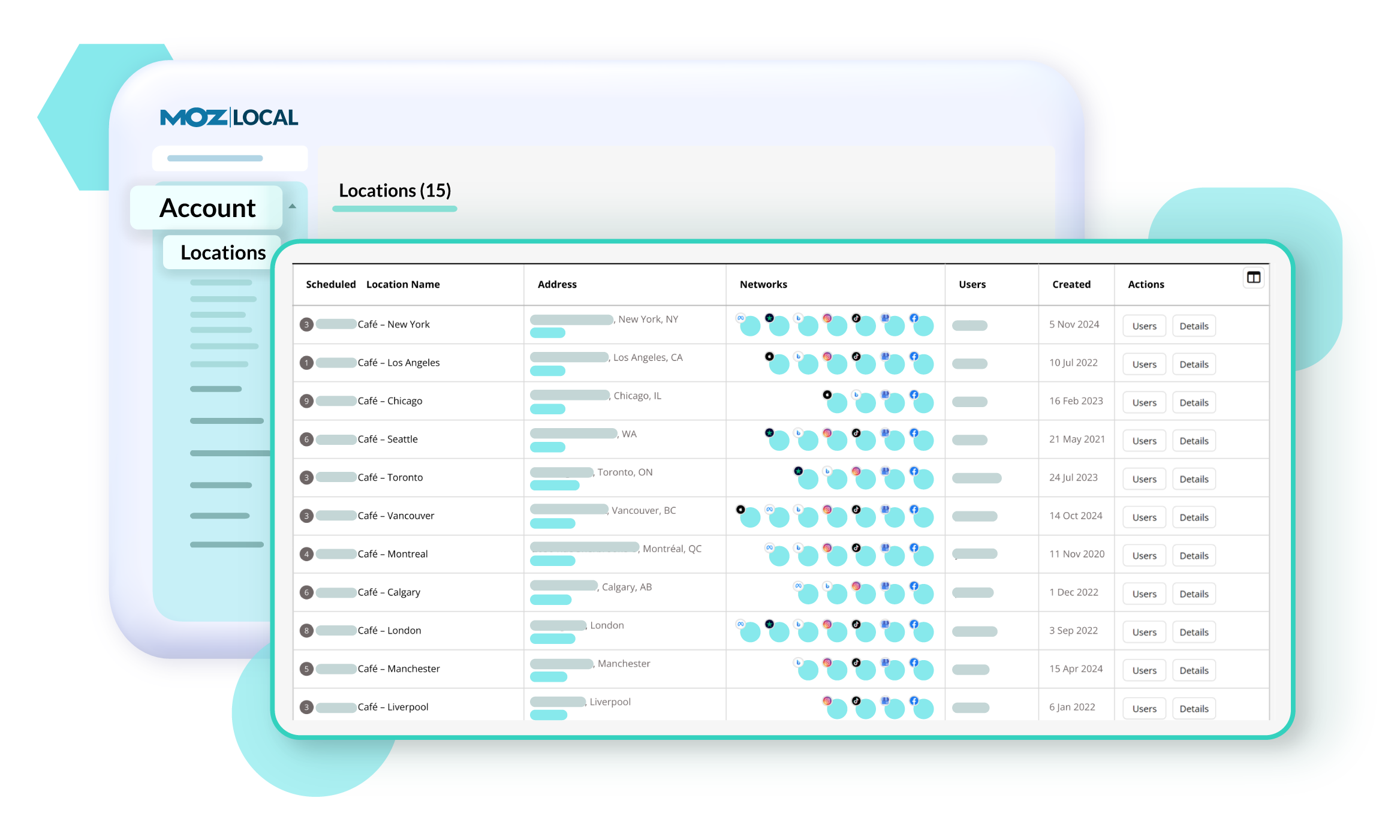
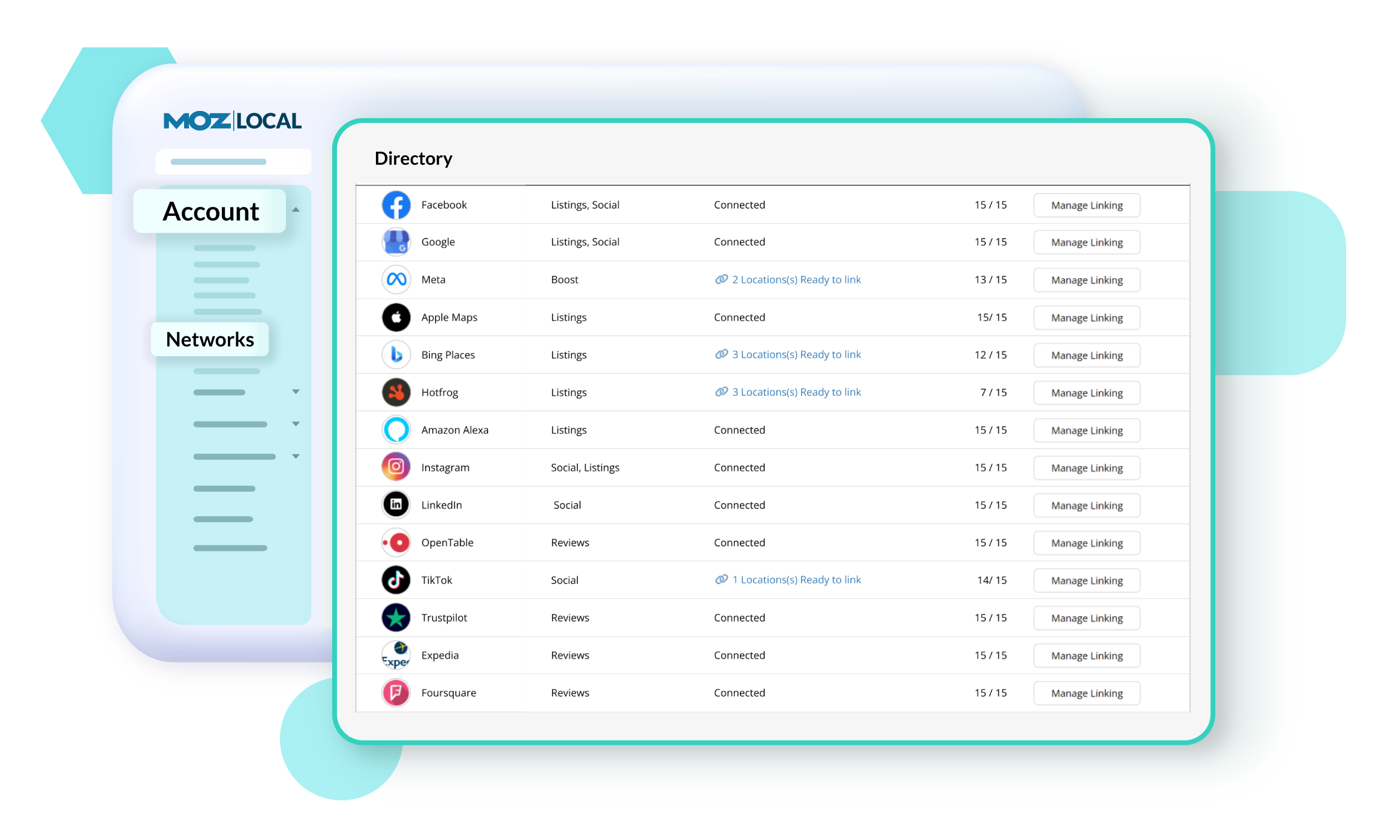
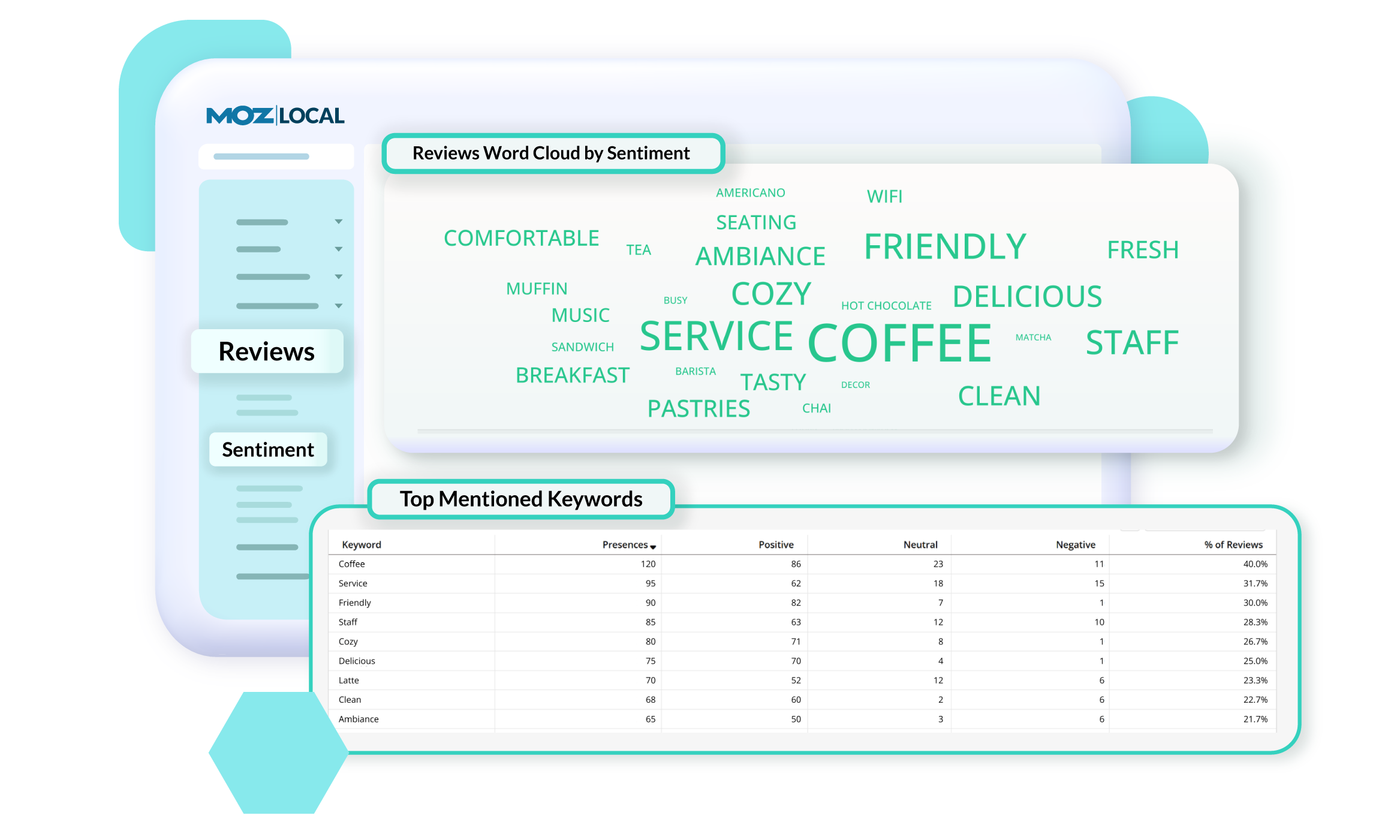
    Screenshot of GeoRank, which offers a precise view of how a business and competitors rank in Google’s local search results across different neighborhoods. Because search results change based on a person’s location, traditional rank tracking doesn’t show the full picture. With GeoRank, you can set grids around your service area, track keyword rankings at multiple points, and visualize performance on interactive maps. See where you’re winning, where competitors outrank you, and how your visibility changes over time. GeoRank helps uncover opportunities to strengthen local SEO and expand a brand's reach.Screenshot of Insights in Moz Local, which connect directly with a Google Business Profile to show how customers are finding and engaging with a business. Track key actions like website clicks, direction requests, and phone calls to understand how listing drives leads over time. See which search keywords bring people to a profile, spot trends, and uncover opportunities to improve visibility. Insights offer a deeper look at customer behavior.Screenshot of Listings AI, which helps to keep a business's listings optimized as markets, competitors, and customer behaviors change. By analyzing reviews, engagement signals, keywords, and competitor data, it generates tailored recommendations that follow SEO best practices and align with local search trends. You’ll see suggestions for categories, services, and attributes—each with clear impact metrics—so you know which updates will boost visibility. It is available with Elite plans (or as an add-on for Lite and Preferred).Screenshot of Locations in Moz Local, where users manage and update business details to keep listings accurate and consistent across the web. From one dashboard, you can edit core information like name, address, hours, services, categories, and attributes, as well as upload images and add custom fields. Auto-sync ensures changes are pushed to directories automatically, saving you time and preventing errors. You can also view edit history, set warnings to avoid duplicate content, and group locations for easier management.Screenshot of Networks in Moz Local. which offers a centralized view of all the directories, social platforms, and review sites a business can connect to. From here, you can see which locations are linked, ready to link, or need updates, and quickly manage connections across platforms like Google, Facebook, and Yelp. The Networks table shows linking status and highlights any missing data or issues.Screenshot of Reviews Sentiment in Moz Local, which helps understand how customers feel about a business by analyzing the language used in their reviews. Track sentiment trends over time, see top keywords driving positive or negative feedback, and explore interactive word clouds to quickly spot themes. With color-coded insights and keyword-level detail, you can identify what customers love, uncover areas for improvement, and take action to strengthen your reputation. Sentiment reports can be filtered, shared, or exported, so marketing teams stay aligned on customer feedback and business impact.