LiveControl vs. StreamYard

Overview
ProductRatingMost Used ByProduct SummaryStarting Price
LiveControl
Score 0.0 out of 10
N/A
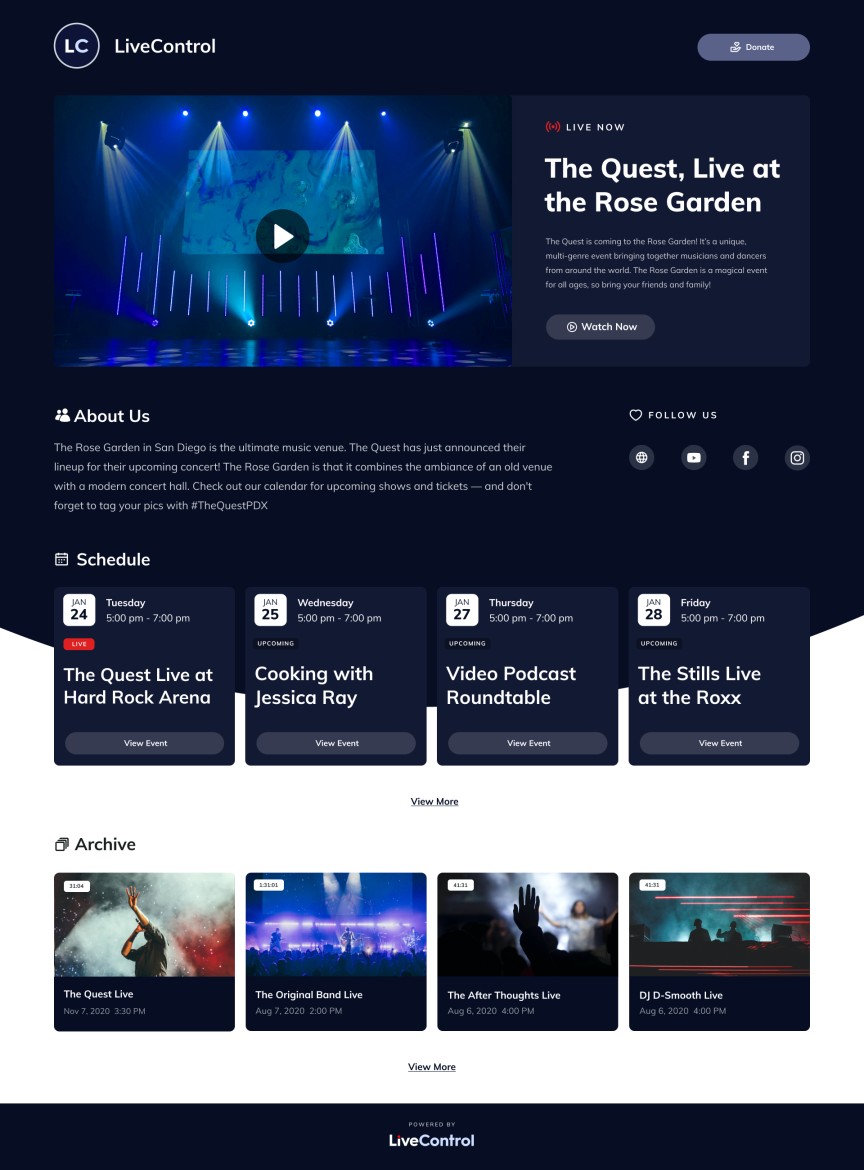
LiveControl is live video production solution, for venues. LiveControl sends clients a studio in a box which includes 2 PTZ cameras and an encoder device. Users can schedule events on a dashboard account. At the time of the event, LiveControl remote videographers will produce the service as the customer had a full production team on-site… cutting between multiple cameras and capturing multiple angles. LiveControl can live stream to all social platforms, such as Facebook…
$149
per event
StreamYard
Score 8.6 out of 10
N/A
StreamYard is a live streaming studio in a browser. Users can interview guests, share a screen, and simulcast to platforms like Facebook, YouTube, and LinkedIn.N/A
Pricing
LiveControlStreamYard
Editions & Modules
1 Produced Event Per Week
$149
per event
No answers on this topic
Offerings
Pricing Offerings
LiveControlStreamYard
Free Trial
NoNo
Free/Freemium Version
NoNo
Premium Consulting/Integration Services
NoNo
Entry-level Setup FeeNo setup feeNo setup fee
Additional DetailsCustom pricing is available for organizations that would like 2+ produced events per week. Please request a quote on our website, and our sales team will reach out with more information!
More Pricing Information
Community Pulse
LiveControlStreamYard
Considered Both Products
LiveControl

No answer on this topic

StreamYard
Chose StreamYard
I've already covered this in other responses. The key reasons I wound up using Descript for certain elements of my process was the better usability of its transcripts and the more-robust AI capabilities it offers. Its suggestions for strong clips seemed more on-point, and it …
Chose StreamYard
The StreamYard interface is more functional and easy to understand for participants, speakers, and team members. StreamYard also allows managing live streams in the app without the need to go to social media for checking comments, replying to them, etc. Simultaneously, …
Chose StreamYard
OBS is tricky to use and run. My laptop refused to install some components, and I've never been able to solve that. On the other hand, StreamYard is cloud-based, and you only need your browser to go live. It is easy to manage your guests. Maybe it would be great with co-hosting …
Chose StreamYard
There are other options we have tried that are not here, but the strength of StreamYard is its ease of use and the ability to easily connect to multiple social media channels and stream to all of them at the same time. Some other software has other strengths that StreamYard …
Best Alternatives
LiveControlStreamYard
Small Businesses
OBS Studio
OBS Studio
Score 9.1 out of 10
OBS Studio
OBS Studio
Score 9.1 out of 10
Medium-sized Companies
Zoom Events & Webinars
Score 8.6 out of 10
Zoom Events & Webinars
Score 8.6 out of 10
Enterprises
Zoom Events & Webinars
Score 8.6 out of 10
Zoom Events & Webinars
Score 8.6 out of 10
All AlternativesView all alternativesView all alternatives
User Ratings
LiveControlStreamYard
Likelihood to Recommend
-
(0 ratings)
8.0
(0 ratings)
Likelihood to Renew
-
(0 ratings)
10.0
(0 ratings)
Usability
-
(0 ratings)
8.0
(0 ratings)
User Testimonials
LiveControlStreamYard
Likelihood to Recommend
No answers on this topic
StreamYard is a great tool to create good-looking and engaging live sessions on social media. It allows adding visuals and videos, showing comments, as well as communicating with your audience and speakers in one place. StreamYard is also a great tool to film interviews or info sessions for those who are not familiar with video editing as it allows you to add all the necessary visuals with one click. StreamYard is great for communication with an extended audience.
Read full review
Pros
No answers on this topic
  • As someone with no video production experience, I appreciate that StreamYard was easy to get started with.
  • The customizable branding features are useful.
  • It's reassuring to know that recordings are saved locally on each partcipant's device, in case the quality of internet connections wavers occasionally.
Read full review
Cons
No answers on this topic
  • I would like to be able to change default layout via admin in some instances because for example, it’s a cropped layout for 2+ speakers by default.
  • I would like the opportunity to copy comments from the comments section (even if we need to paste it to private chat).
  • I would like the opportunity to share the link to download video with guest speakers.
Read full review
Usability
No answers on this topic
I only use a portion of StreamYard's features and honestly can't speak to what it's like from a frequent / pro user's point of view. From reading I've done, I understand that it's seen as a great solution for many of those folks. I found the interface simple to use, which was a huge plus. The fact that it's browser-based is a real boon. I was a bit disappointed with the transcript-related options and the AI capabilities, but they may very well have advanced since I tried them. That said, specialization is a thing and I don't think it's realistic to expect every software package to be the top choice on every dimension
Read full review
Alternatives Considered
No answers on this topic
I've already covered this in other responses. The key reasons I wound up using Descript for certain elements of my process was the better usability of its transcripts and the more-robust AI capabilities it offers. Its suggestions for strong clips seemed more on-point, and it offered functionality like chapter suggestions
Read full review
Return on Investment
No answers on this topic
  • Since we started the LIVE podcast on StreamYard we have added over $200k in top-line revenue. Keep in mind there are processes around this and StreamYard is just a piece of the puzzle. An important piece that allows us to be consistent.
  • It has helped us be consistent for over 200 episodes of the podcast.
Read full review
ScreenShots

LiveControl Screenshots

Screenshot of Client web-player exampleScreenshot of Client events dashboard exampleScreenshot of An all-in-one streaming solution