TrustRadius: an HG Insights company

Save this comparison

Save this comparison

Add Product

Recommended Comparisons

    Overview
    ProductRatingMost Used ByProduct SummaryStarting Price

    Livestorm

    Score8.6 out of 10
    N/AFrench company Livestorm offers their webinar platform which integrates with many other enterprise applications via Zapier and features polling, session recording and sharing, and webinar data collection and tracking.

    $0

    A free plan to discover Livestorm. All features included, such as unlimited webinars and instant meetings. Up to 20 minutes per webinar and up to 10 registrants per webinar.

    OptiSigns

    Score9 out of 10
    N/AOptiSigns offers Digital Signage content for in-store screen projection. Content can be assigned and screens can be managed remotely, while playlists can be assigned to individual screens. OptiSigns recommends setting up this software with Amazon Fire TV Stick.

    $10

    per month

    Pricing
    LivestormOptiSigns
    Editions & Modules
    Webinar Basic
    $0.00
    A free plan to discover Livestorm. All features included, such as unlimited webinars and instant meetings. Up to 20 minutes per webinar and up to 10 registrants per webinar.
    Meet Basic
    $0.00
    Limited Instant and Scheduled Meetings for up to four participants
    Meet Premium
    $31.00
    Full features for Instant and Scheduled Meetings.
    Webinar Premium
    $99.00
    A premium experience with removed limitations to get the full benefits of Livestorm for up to 100 seats. + $99 to add 250 seats, + $209 to add 1,000 seats.
    Enterprise
    Contact sales
    An enterprise-grade experience with premium service.
    No answers on this topic
    Offerings
    Pricing Offerings
    LivestormOptiSigns
    Free Trial
    YesYes
    Free/Freemium Version
    YesNo
    Premium Consulting/Integration Services
    NoNo
    Entry-level Setup FeeNo setup feeNo setup fee
    Additional Details—Starting prices run from $10 to $15 on the monthly plan, and $108 to $162 on yearly subscriptions. Customized Enterprise plans are also available. An Audience Intelligence AI add-on is available for $5 per month or $54 per year (per screen).
    More Pricing Information
    Features
    LivestormOptiSigns
    Reporting & Analytics
    Comparison of Reporting & Analytics features of Livestorm and OptiSigns
    Feature
    Livestorm
    10.0
    3 Ratings
    26% above category average
    OptiSigns
    -
    Ratings
    Dashboards10.02 Ratings00 Ratings
    Data exportability10.03 Ratings00 Ratings
    Performance & Compatibility of Online Events Software
    Comparison of Performance & Compatibility of Online Events Software features of Livestorm and OptiSigns
    Feature
    Livestorm
    9.5
    3 Ratings
    15% above category average
    OptiSigns
    -
    Ratings
    High quality audio9.03 Ratings00 Ratings
    Mobile support10.02 Ratings00 Ratings
    Online Meetings / Events
    Comparison of Online Meetings / Events features of Livestorm and OptiSigns
    Feature
    Livestorm
    9.4
    3 Ratings
    14% above category average
    OptiSigns
    -
    Ratings
    Calendar integration10.02 Ratings00 Ratings
    Record meetings / events7.53 Ratings00 Ratings
    Slideshows10.02 Ratings00 Ratings
    Event registration10.03 Ratings00 Ratings
    Online Events Collaboration
    Comparison of Online Events Collaboration features of Livestorm and OptiSigns
    Feature
    Livestorm
    10.0
    3 Ratings
    17% above category average
    OptiSigns
    -
    Ratings
    Audience polling10.03 Ratings00 Ratings
    Q&A10.03 Ratings00 Ratings
    Online Events Security
    Comparison of Online Events Security features of Livestorm and OptiSigns
    Feature
    Livestorm
    10.0
    3 Ratings
    18% above category average
    OptiSigns
    -
    Ratings
    Participant roles & permissions10.03 Ratings00 Ratings
    Confidential attendee list10.03 Ratings00 Ratings
    Online Events Marketing
    Comparison of Online Events Marketing features of Livestorm and OptiSigns
    Feature
    Livestorm
    10.0
    3 Ratings
    23% above category average
    OptiSigns
    -
    Ratings
    Branding options10.03 Ratings00 Ratings
    Integration to Marketing Automation10.03 Ratings00 Ratings
    Best Alternatives
    LivestormOptiSigns
    Small Businesses
    GoTo Webinar
    Score8.7 out of 10
    No answers on this topic
    Medium-sized Companies
    Webex Webinars
    Score9 out of 10
    No answers on this topic
    Enterprises
    BlueJeans Events (discontinued)
    Score2.5 out of 10
    No answers on this topic
    All AlternativesView all alternativesView all alternatives
    User Ratings
    LivestormOptiSigns
    Likelihood to Recommend
    9.5
    (3 ratings)
    7.0
    (2 ratings)
    Usability
    9.0
    (2 ratings)
    -
    (0 ratings)
    Support Rating
    10.0
    (2 ratings)
    -
    (0 ratings)
    User Testimonials
    LivestormOptiSigns
    Likelihood to Recommend
    Livestorm
    Livestorm is well suited to use when you need to reach a group of more than ten people. It wouldn't be a good solution if you wanted interaction from the audience in more than the form of chat.
    Incentivized
    Read full review
    OptiSigns
    OptiSigns has made it incredibly simple and practical to manage digital signs. The mobile app functions nicely, and video playback is far superior to the other signage software competitors. Extremely fast to set up. The system's simplicity of use and cloud compatibility is what I like best. It is incredibly simple and intuitive to upload files and switch screens. The TV stick is plug-and-play and requires little to no technical expertise. And less appropriate for me is I believe the scheduling should be improved to allow for more spontaneous additions to the schedule. It would also be helpful if there was a feature that allowed the screen to turn on and off according to a timetable. The sync play feature may be improved. I find it annoying that YouTube playlists must be timed to exactly match their duration to appear correctly. The mobile app should get an emergency message feature.
    Incentivized
    Read full review
    Pros
    Livestorm
    • Very intuitive to use and easy to customize.
    • Excellent customer service.
    • Lots of good data for analytics.
    • Participants do not need to download anything.
    • Feedback and recommendations are acted on.
    • Easy to logistical information on registrants and attendees.
    • Supports integrations.
    Incentivized
    Read full review
    OptiSigns
    • Creativity
    • Easy to use
    • Convenient
    Incentivized
    Read full review
    Cons
    Livestorm
    • It would be helpful to have higher quality replays
    Incentivized
    Read full review
    OptiSigns
    • I believe there is room for improvement. I believe the scheduling should be improved to allow for more spontaneous additions to the schedule.
    • It would also be helpful if there was a feature that allowed the screen to turn on and off according to a timetable. The sync play feature may be improved.
    • I find it annoying that YouTube playlists must be timed to exactly match their duration to appear correctly and also the mobile app should get an emergency message feature.
    Incentivized
    Read full review
    Usability
    Livestorm
    Making sure the permission settings for your camera, microphone or browser can sometimes be tricky. If we have a guest, we always have to double-check these. It's also not super intuitive that you need to "Get on Stage" from the webinar page.
    Incentivized
    Read full review
    OptiSigns
    No answers on this topic
    Support Rating
    Livestorm
    The customer service representatives are extremely attentive. They do an excellent job of trying to understand the scope of the issue and follow it through until it has been resolved. When I have provided them with recommendations for improvement they have taken them to heart and many times implemented them. I trust that if I ever have a problem they will be there to help
    Incentivized
    Read full review
    OptiSigns
    No answers on this topic
    Alternatives Considered
    Livestorm
    No answers on this topic
    OptiSigns
    We have chosen OptiSigns because Its application's installation instructions are simple and easy to understand.OptiSigns has made it incredibly simple and practical to manage digital signs. The mobile app functions nicely, and video playback is far superior than other signage software competitors. Another reason Time and money saving is another reason why we have chosen OptiSigns over the other competitors of present age signage software.
    Incentivized
    Read full review
    Return on Investment
    Livestorm
    • It's been great! It's the very bottom of the funnel for us so it helps accelerate leads and create opportunities.
    Incentivized
    Read full review
    OptiSigns
    • Positive impact was more clients were able to see the information.
    • Saved time on answering questions about prices.
    • Saved money on having to print out papers.
    Incentivized
    Read full review
    ScreenShots

    Livestorm Screenshots

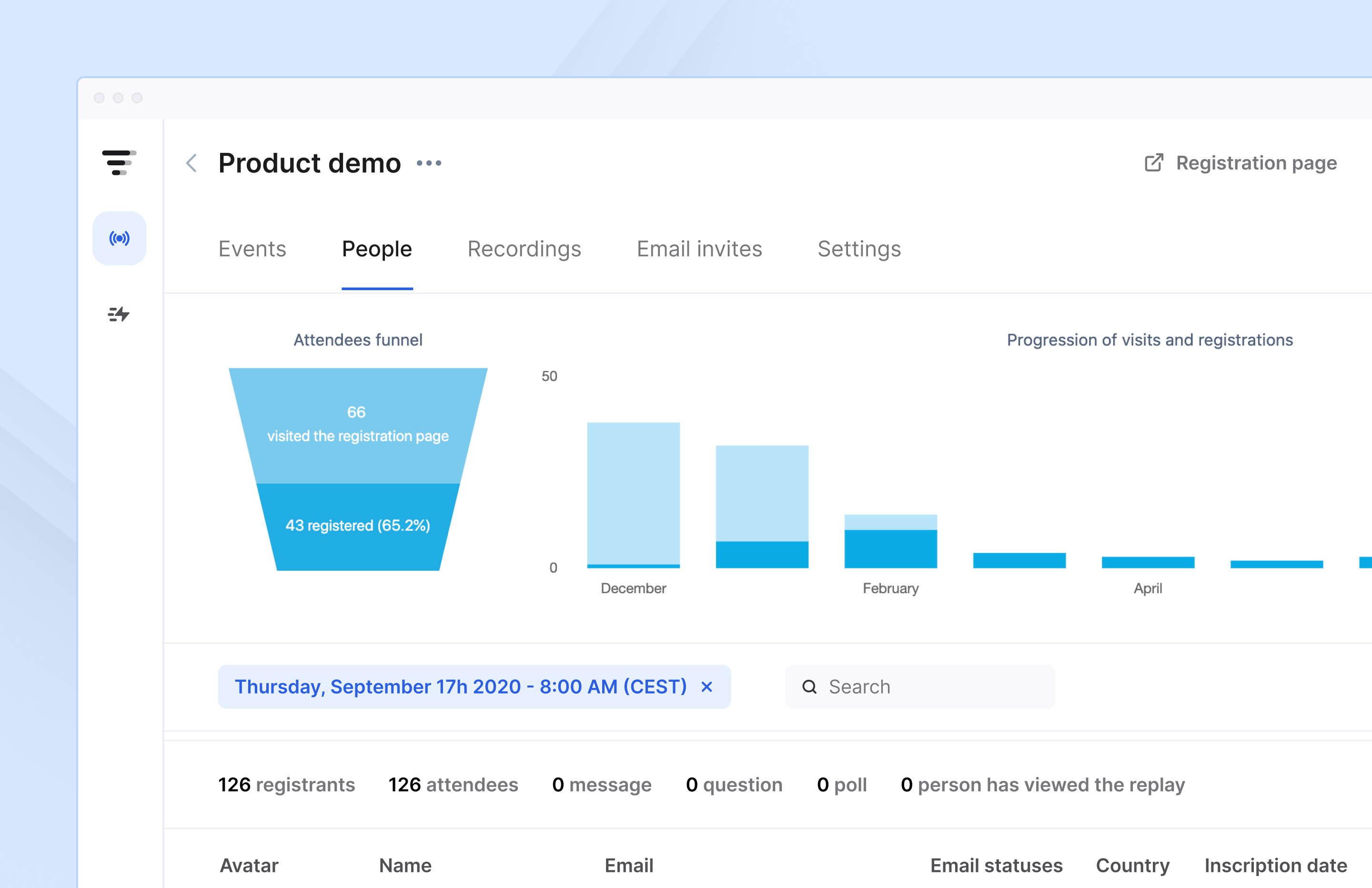
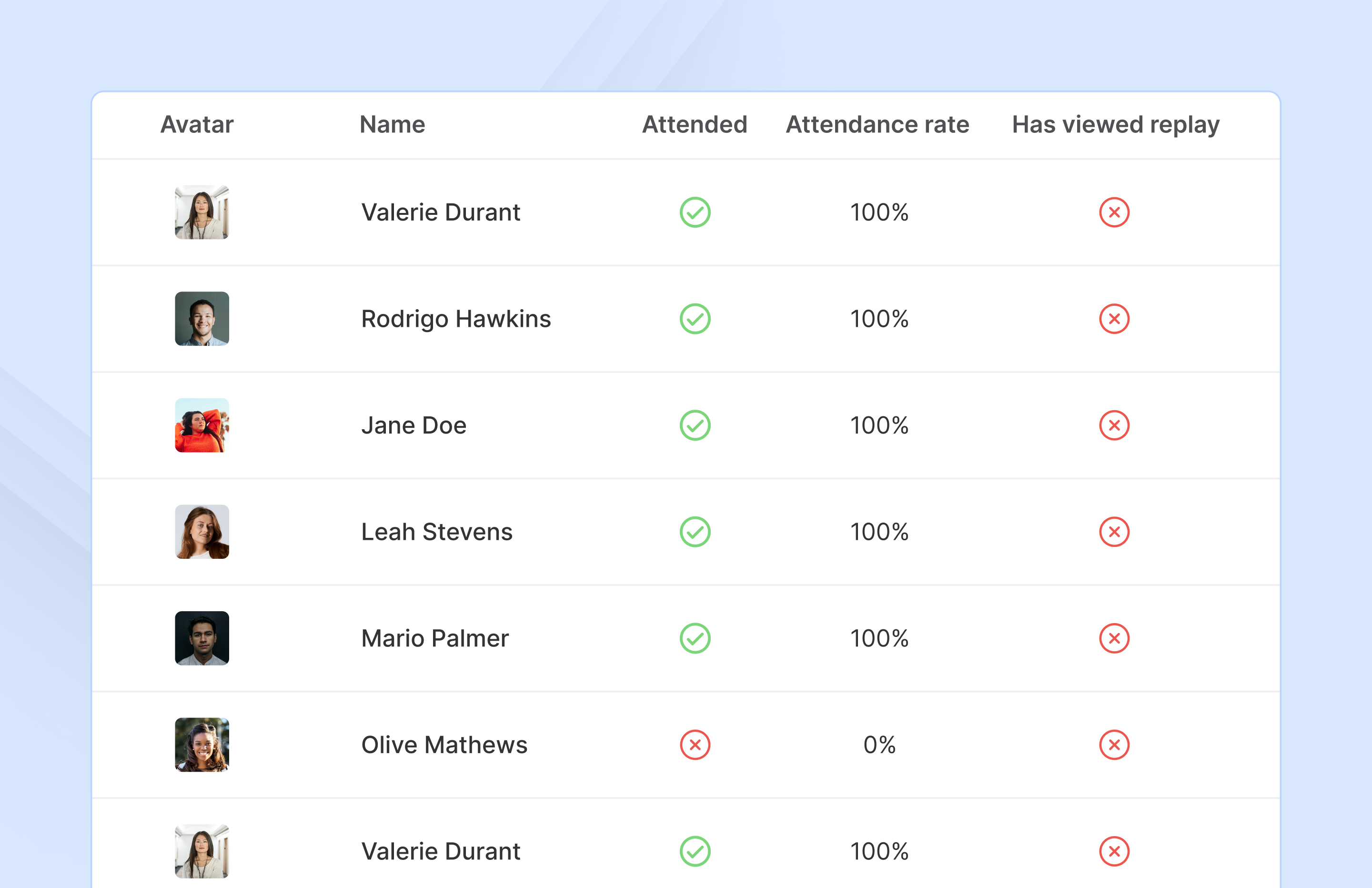
    Screenshot of Access complete analytics in a built-in dashboard.Screenshot of Learn more about attendees with detailed participation reports.Screenshot of Engage with your audience in real-time with questions, chats, and polls.