Overview
ProductRatingMost Used ByProduct SummaryStarting Price
LT Browser
Score 9.5 out of 10
N/A
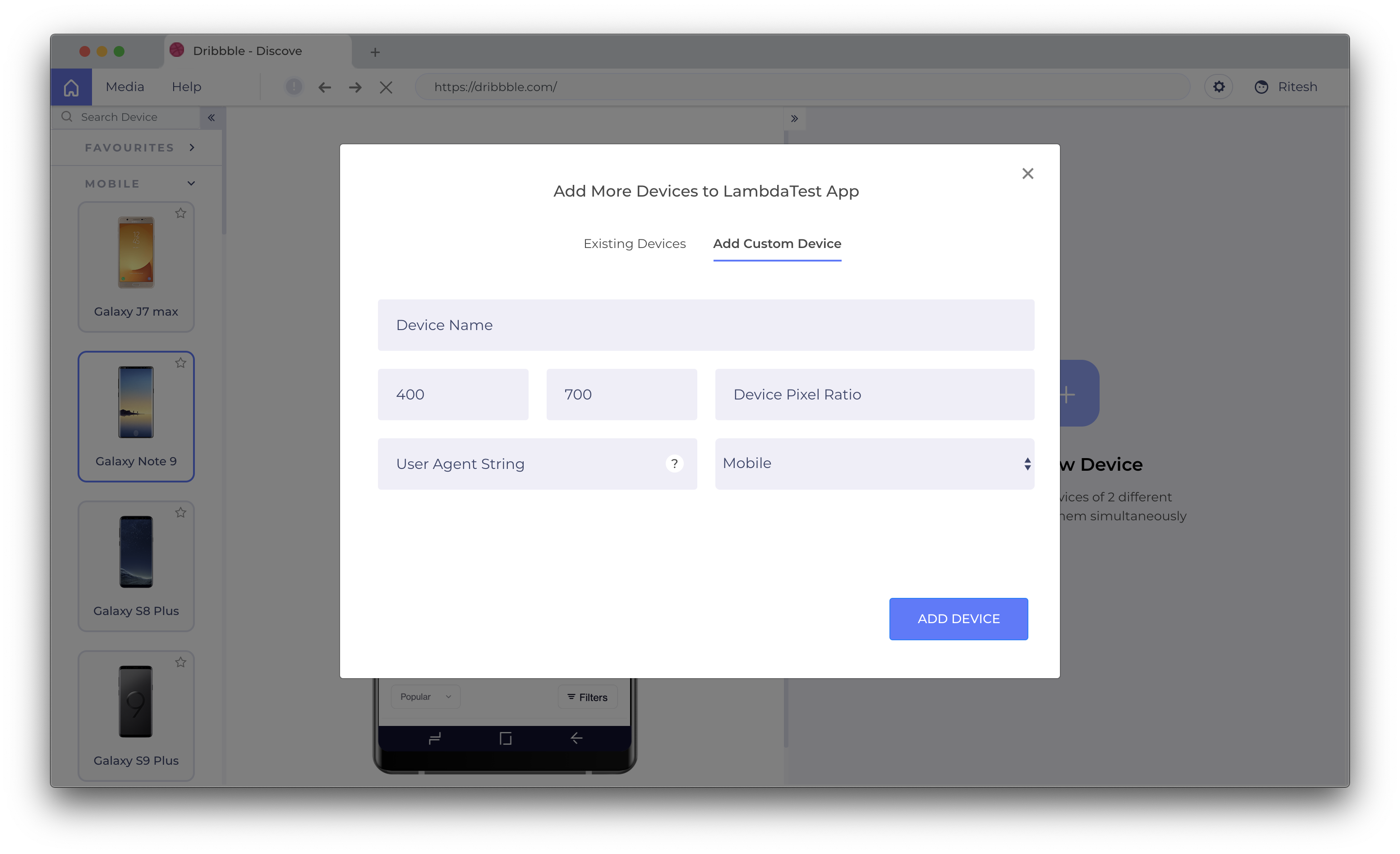
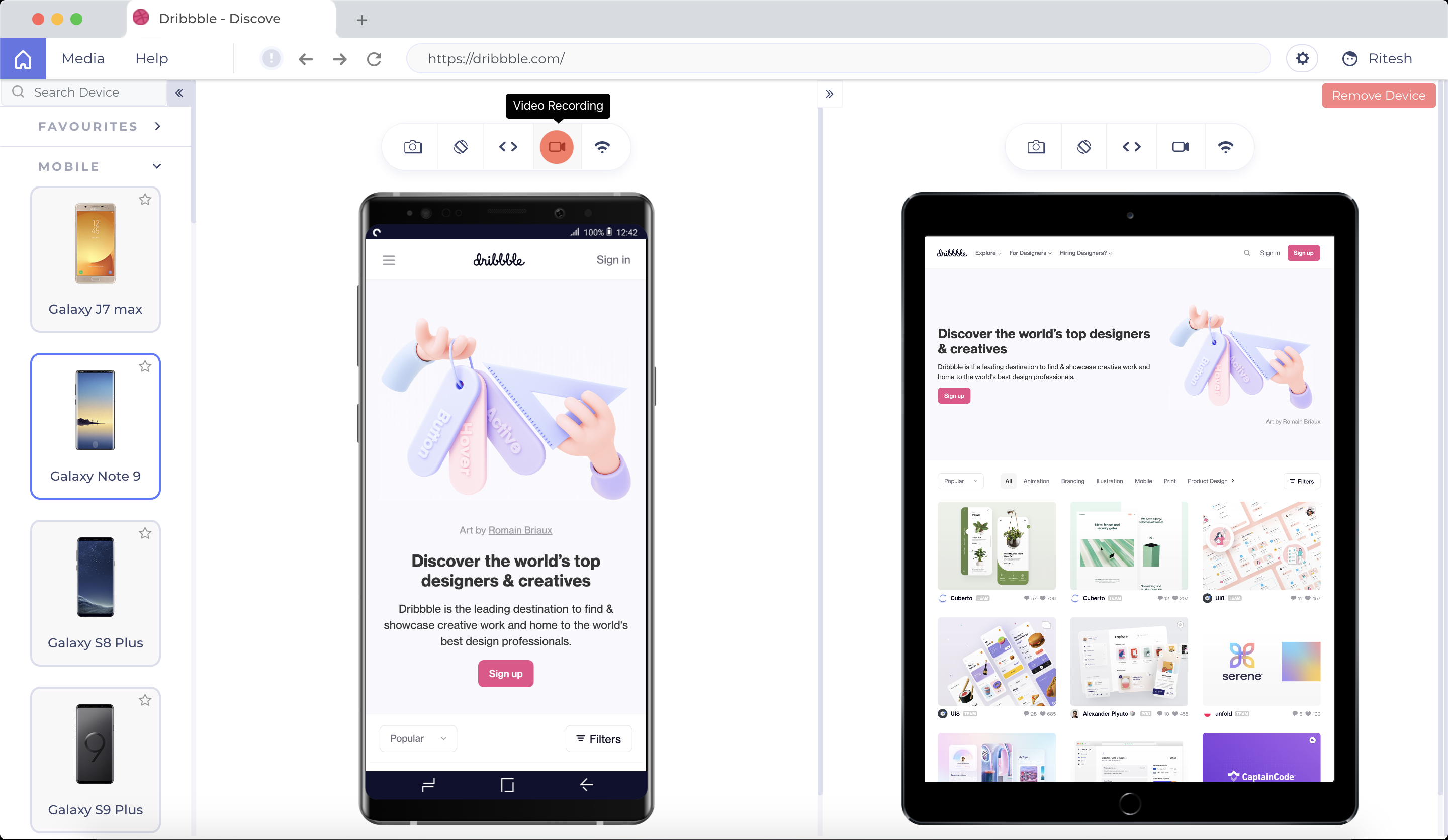
LT Browser allows users to test the mobile view of a website on different screen sizes and resolutions. With over 50+ devices to choose from, LT Browser aims to make mobile website testing easier, and ensure that a website is mobile responsive. Users can create their own custom devices and save it for future uses. Create new mobile, tablet or desktop devices and test a website on various devices, screen resolution and perform screen resolution test for website on different screen…N/A
Rapise
Score 8.0 out of 10
Mid-Size Companies (51-1,000 employees)
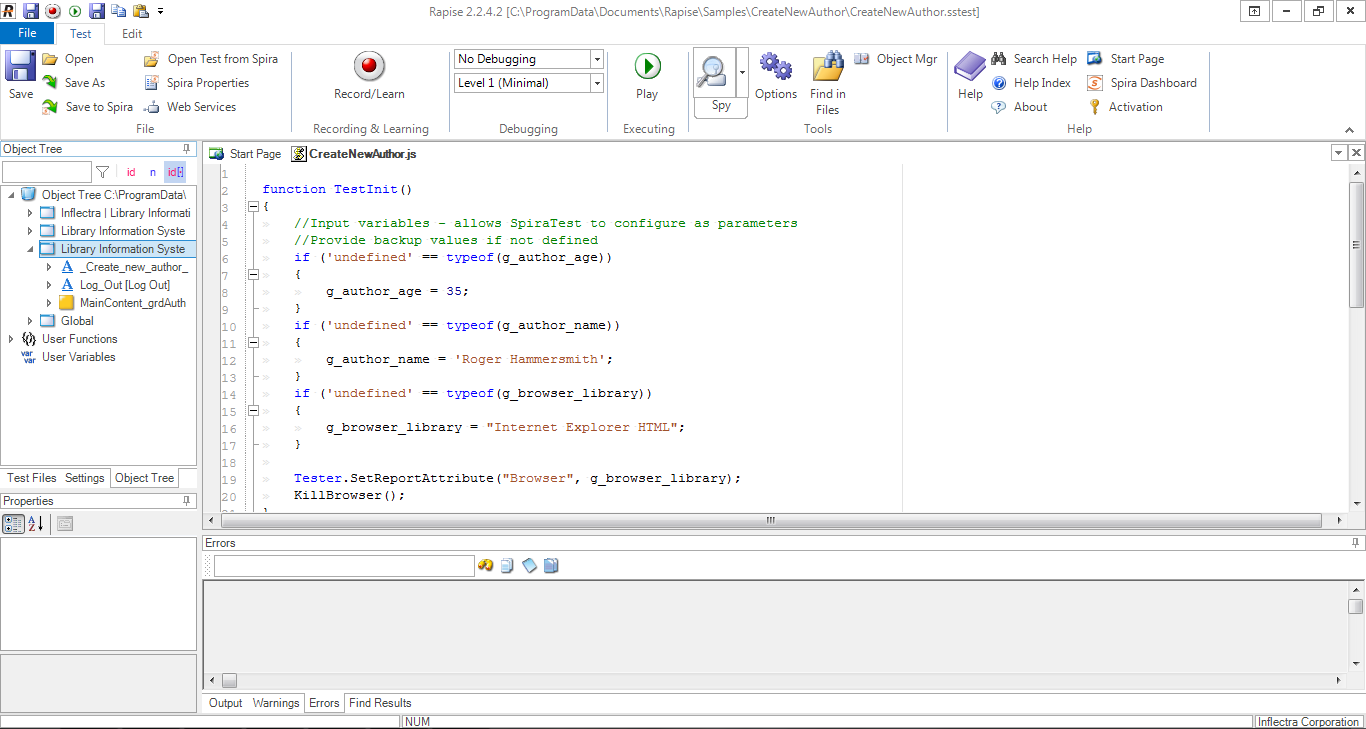
Rapise is a software testing platform that allows users to regression test web, desktop and mobile applications. Some key features include: Playback of Tests, Test Script Editing and Data Driven Testing.
$324
per month (1 license)
T-Plan
Score 0.0 out of 10
N/A
T-Plan is presented as a universal UI test automation tool, and as a visual UI testing tool providing image based human-like testing with low/no code, across any device or platform.N/A
Pricing
LT BrowserRapiseT-Plan
Editions & Modules
No answers on this topic
Offerings
Pricing Offerings
LT BrowserRapiseT-Plan
Free Trial
YesYesNo
Free/Freemium Version
YesNoNo
Premium Consulting/Integration Services
NoNoNo
Entry-level Setup FeeNo setup feeNo setup feeNo setup fee
Additional DetailsUnlimited Access To LT Browser For EveryoneDiscount available for annual billing (up to 10%).
More Pricing Information
Community Pulse
LT BrowserRapiseT-Plan
Best Alternatives
LT BrowserRapiseT-Plan
Small Businesses
BrowserStack
BrowserStack
Score 8.5 out of 10
BrowserStack
BrowserStack
Score 8.5 out of 10
BrowserStack
BrowserStack
Score 8.5 out of 10
Medium-sized Companies
BrowserStack
BrowserStack
Score 8.5 out of 10
ReadyAPI
ReadyAPI
Score 6.2 out of 10
BrowserStack
BrowserStack
Score 8.5 out of 10
Enterprises
BrowserStack
BrowserStack
Score 8.5 out of 10
ignio AIOps
ignio AIOps
Score 8.1 out of 10
BrowserStack
BrowserStack
Score 8.5 out of 10
All AlternativesView all alternativesView all alternativesView all alternatives
User Ratings
LT BrowserRapiseT-Plan
Likelihood to Recommend
9.5
(10 ratings)
9.0
(2 ratings)
-
(0 ratings)
User Testimonials
LT BrowserRapiseT-Plan
Likelihood to Recommend
LambdaTest, Inc.
I think LT Browser is one of the best programs I know to perform performance, usability, and experience tests on websites because it has a wide range of tools for this purpose; in addition, I consider that its price is affordable for professionals or freelancers with little income as well as for large companies that want the best tools, best of all, is that Lamdatest offers a free plan for students and I think LT Browser is also a very good tool for learning. On the other hand, and being quite honest, I can't find scenarios where LT Browser is not suitable in its area of application or what this software is specialized in.
Read full review
Inflectra Corporation
The appropriate scenario to use Rapise is when we have a project that is considered from medium onwards, since Rapise will help us to define, develop and implement the testing phase in a reliable and efficient way. Also with Rapise we will not have to worry about the platform that we are using since it has great versatility and flexibility.
Read full review
T-Plan
No answers on this topic
Pros
LambdaTest, Inc.
  • LT Browser is to create, test and debug multiple web and mobile sites.
  • Ideal for finding code errors and share bugs through our favorite project management/bug tracking tools, like Jira, Asana, GitHub, etc.
  • LT Browser works fine, saves a lot of time in testing.
Read full review
Inflectra Corporation
  • Simple recording front-end and easily captures UI objects for later interaction
  • Flexible programming interface provides a multitude of manners in which to interact with learned UI objects
  • Javascript based IDE is easy to learn
Read full review
T-Plan
No answers on this topic
Cons
LambdaTest, Inc.
  • Geolocation feature is not present
  • We can test on only two devices side by side. It should be more than two.
  • Only 30 minutes access in free plan
Read full review
Inflectra Corporation
  • For tests that require specific approaches it is necessary to have advanced knowledge of programming in javascrip, which sometimes the QA team does not have experience
  • Sometimes I have noticed that when using object dragging errors occur intermittently
  • The integration with some tools (Dynamics) is only with the basic functions from my point of view
Read full review
T-Plan
No answers on this topic
Alternatives Considered
LambdaTest, Inc.
One such product that my team eagerly anticipates testing for responsiveness is the LT Browser. The team has discovered that it is a straightforward process to test on the newest mobile devices utilizing the LT Browser. We may start testing our web pages on local systems by simply adding the URL. LT Browser's native developer tools enable us to make modifications to our code right away. It has a pre-installed selection of well-known devices and can operate in simulated mode.
Read full review
Inflectra Corporation
Mmuch better from a flexibility perspective
Read full review
T-Plan
No answers on this topic
Return on Investment
LambdaTest, Inc.
  • Too many updates. And whenever you update you have to log in again
  • I remember it used to crash one or twice in a week initially. Though it is much less frequent now.
Read full review
Inflectra Corporation
  • The primary objective of the institution is a service to the public, so everything that improves response times to the public helps us to achieve it.
  • As a department in charge of the development of systems and applications, our objective is fulfilled by delivering quality products and tools such as Rapise help us greatly
  • The return on investment can be more than justified by fulfilling the primary objectives
Read full review
T-Plan
No answers on this topic
ScreenShots

LT Browser Screenshots

Screenshot of LT Browser Application Main ScreenScreenshot of Select Devices to compare and start testingScreenshot of Create custom device with a desired resolution to test onScreenshot of Scroll Sync to compare your websiteScreenshot of Simulate different network profilesScreenshot of Record videos and share across the team

Rapise Screenshots

Screenshot of the testing dashboardScreenshot of the integrated testing environmentScreenshot of the reporting interface