
ManageEngine OS Deployer vs. Microsoft System Center
ManageEngine OS Deployer vs. Microsoft System Center
| Product | Rating | Most Used By | Product Summary | Starting Price |
|---|---|---|---|---|
 ManageEngine OS Deployer | N/A | ManageEngine OS Deployer streamlines OS imaging and deployment, helping IT teams accelerate device rollouts across physical and remote environments. It supports hardware-independent imaging, automated driver management, user state migration, and a range of deployment and boot options, including PXE, bootable USB, ISO, and multicast. Whether you're deploying new devices, refreshing existing hardware, or migrating to Windows 11, OS Deployer reduces deployment time and simplifies large-scale… | N/A | |
 Microsoft System Center | N/A | Microsoft System Center is an enterprise-grade IT Operations Management (ITOM) suite designed for the centralized administration of data center infrastructure, virtualized environments, and hybrid cloud workloads. The platform provides unified management across heterogeneous environments, including support for Windows Server, Linux, and Azure Stack HCI. System Center is Microsoft's ITOM stack for organizations that maintain a significant on-premise footprint, vs the company's Azure-based… | $1,323 per month |
| ManageEngine OS Deployer | Microsoft System Center | |||||||||||||||
|---|---|---|---|---|---|---|---|---|---|---|---|---|---|---|---|---|
| Editions & Modules | No answers on this topic |
| ||||||||||||||
| Offerings |
| |||||||||||||||
| Entry-level Setup Fee | No setup fee | No setup fee | ||||||||||||||
| Additional Details | — | — | ||||||||||||||
| More Pricing Information | ||||||||||||||||
| ManageEngine OS Deployer | Microsoft System Center |
|---|
| ManageEngine OS Deployer | Microsoft System Center | |
|---|---|---|
| Small Businesses |  Action1 Score 9.5 out of 10 | No answers on this topic |
| Medium-sized Companies | Action1 Score 9.5 out of 10 | No answers on this topic |
| Enterprises |  GitLab Score 8.8 out of 10 | No answers on this topic |
| All Alternatives | View all alternatives | View all alternatives |
| ManageEngine OS Deployer | Microsoft System Center | |
|---|---|---|
| Likelihood to Recommend | 8.0 (4 ratings) | 9.3 (58 ratings) |
| Likelihood to Renew | - (0 ratings) | 7.0 (1 ratings) |
| Usability | 8.0 (3 ratings) | 8.4 (5 ratings) |
| Support Rating | - (0 ratings) | 9.0 (14 ratings) |
| Implementation Rating | - (0 ratings) | 8.0 (1 ratings) |
| ManageEngine OS Deployer | Microsoft System Center | |
|---|---|---|
| Likelihood to Recommend | ManageEngine A Div of Zoho Corporation Pvt Ltd
|  Microsoft
|
| Pros | ManageEngine A Div of Zoho Corporation Pvt Ltd
| Microsoft
|
| Cons | ManageEngine A Div of Zoho Corporation Pvt Ltd
 Markus Sacramento Technical Consultant | Microsoft
|
| Likelihood to Renew | ManageEngine A Div of Zoho Corporation Pvt Ltd No answers on this topic | Microsoft
|
| Usability | ManageEngine A Div of Zoho Corporation Pvt Ltd
| Microsoft
|
| Support Rating | ManageEngine A Div of Zoho Corporation Pvt Ltd No answers on this topic | Microsoft
|
| Implementation Rating | ManageEngine A Div of Zoho Corporation Pvt Ltd No answers on this topic | Microsoft
|
| Alternatives Considered | ManageEngine A Div of Zoho Corporation Pvt Ltd
| Microsoft
|
| Return on Investment | ManageEngine A Div of Zoho Corporation Pvt Ltd
Markus Sacramento Technical Consultant | Microsoft
|
| ScreenShots | ManageEngine OS Deployer Screenshots  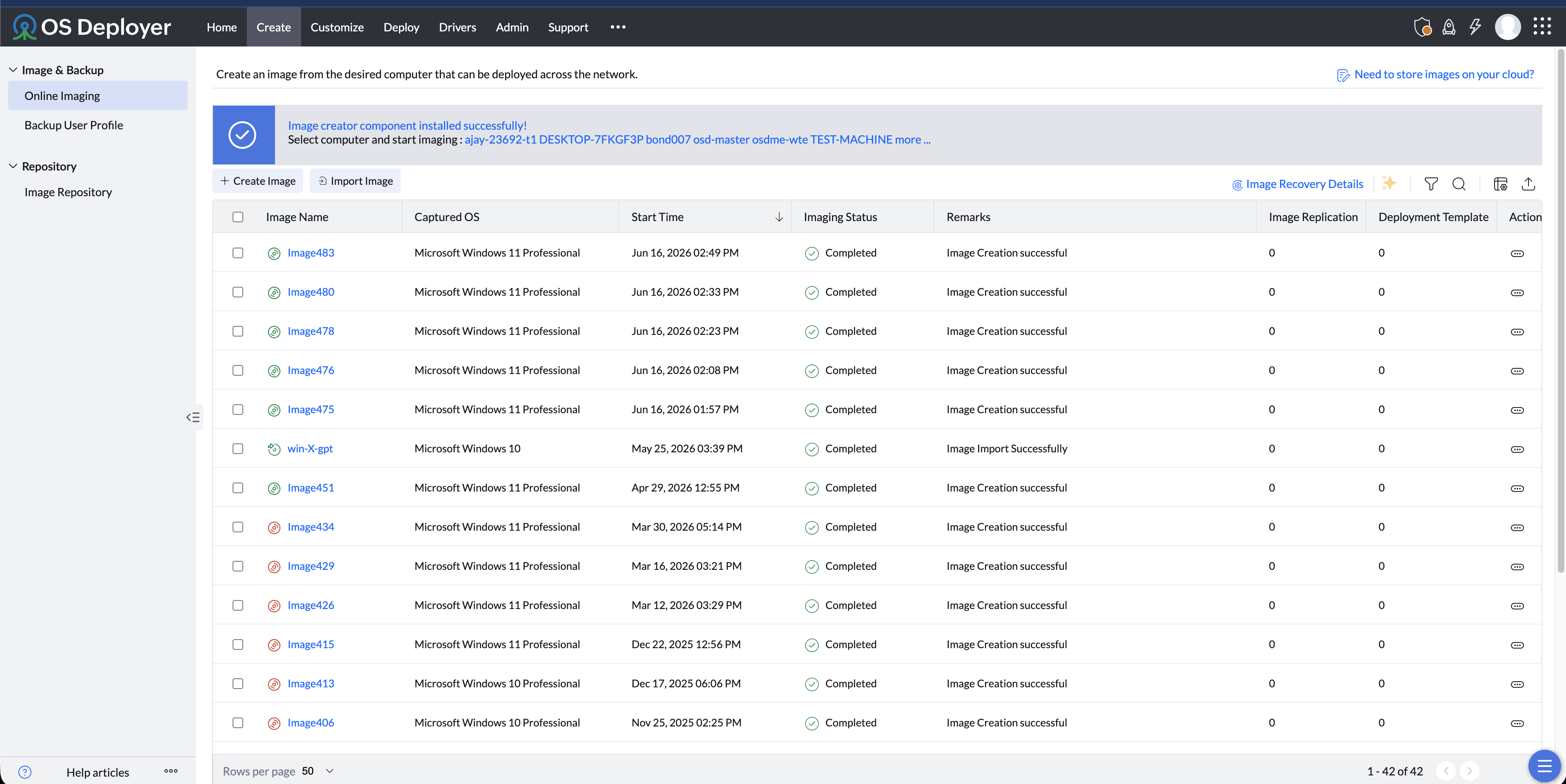  |