ManageEngine Vulnerability Manager Plus vs. PDQ Deploy & Inventory

Overview
ProductRatingMost Used ByProduct SummaryStarting Price
ManageEngine Vulnerability Manager Plus
Score 8.9 out of 10
N/A
Vulnerability Manager Plus is an on-premise cybersecurity solution that enables IT administrators and security teams with an integrated console to perform vulnerability assessment, security configuration management, patch management, web server hardening, high-risk software audit, and port audit. According to the vendor, it allows users to continuously monitor a network for vulnerabilities and misconfigurations, perform audits of end-of-life software, firewall state, and antivirus…
$7
Per computer
PDQ Deploy & Inventory
Score 9.0 out of 10
N/A
PDQ.com headquartered in Salt Lake City offers PDQ Deploy, a software deployment tool used to keep Windows PCs up-to-date without bothering end users.
$1,575
per year per user
Pricing
ManageEngine Vulnerability Manager PlusPDQ Deploy & Inventory
Editions & Modules
Professional
$7
Per computer
Enterprise
$12
Per computer
No answers on this topic
Offerings
Pricing Offerings
ManageEngine Vulnerability Manager PlusPDQ Deploy & Inventory
Free Trial
YesYes
Free/Freemium Version
YesNo
Premium Consulting/Integration Services
YesNo
Entry-level Setup FeeOptionalNo setup fee
Additional DetailsPDQ was built by entrepreneurs & educators. Small businesses (<50 employees), nonprofits, and schools enjoy a 15% discount.
More Pricing Information
Community Pulse
ManageEngine Vulnerability Manager PlusPDQ Deploy & Inventory
Features
ManageEngine Vulnerability Manager PlusPDQ Deploy & Inventory
Threat Intelligence
Comparison of Threat Intelligence features of Product A and Product B
ManageEngine Vulnerability Manager Plus
7.0
4 Ratings
14% below category average
PDQ Deploy & Inventory
-
Ratings
Network Analytics6.52 Ratings00 Ratings
Threat Recognition6.73 Ratings00 Ratings
Vulnerability Classification8.23 Ratings00 Ratings
Automated Alerts and Reporting7.34 Ratings00 Ratings
Threat Analysis6.73 Ratings00 Ratings
Threat Intelligence Reporting6.73 Ratings00 Ratings
Automated Threat Identification7.13 Ratings00 Ratings
Vulnerability Management Tools
Comparison of Vulnerability Management Tools features of Product A and Product B
ManageEngine Vulnerability Manager Plus
8.0
3 Ratings
4% below category average
PDQ Deploy & Inventory
-
Ratings
IT Asset Realization8.13 Ratings00 Ratings
Authentication7.83 Ratings00 Ratings
Configuration Monitoring8.63 Ratings00 Ratings
Web Scanning7.33 Ratings00 Ratings
Vulnerability Intelligence8.23 Ratings00 Ratings
Best Alternatives
ManageEngine Vulnerability Manager PlusPDQ Deploy & Inventory
Small Businesses
Action1
Action1
Score 9.5 out of 10
Action1
Action1
Score 9.5 out of 10
Medium-sized Companies
Action1
Action1
Score 9.5 out of 10
Action1
Action1
Score 9.5 out of 10
Enterprises
CrowdStrike Falcon
CrowdStrike Falcon
Score 9.1 out of 10
GitLab
GitLab
Score 8.7 out of 10
All AlternativesView all alternativesView all alternatives
User Ratings
ManageEngine Vulnerability Manager PlusPDQ Deploy & Inventory
Likelihood to Recommend
9.6
(2 ratings)
9.7
(12 ratings)
Likelihood to Renew
10.0
(1 ratings)
10.0
(2 ratings)
Usability
9.6
(2 ratings)
9.4
(6 ratings)
Support Rating
-
(0 ratings)
10.0
(5 ratings)
User Testimonials
ManageEngine Vulnerability Manager PlusPDQ Deploy & Inventory
Likelihood to Recommend
ManageEngine, A Div of Zoho Corporation Pvt Ltd
ManageEngine Vulnerability Manager Plus is highly effective for organizations prioritizing ease of use, cost-effectiveness, and a single pane of glass for both vulnerability detection and patching. It is well-suited for organizations needing to manage a diverse, yet traditional, on-premise IT infrastructure (servers, workstations, laptops). It is good at securing remote endpoints by using an agent to scan, detect and patch workstations. It is good for both scanning and remediating vulnerabilities through the built-in patching tools. It is ideal for a smaller to mid sized environment using Active Directory.
Read full review
PDQ
PDQ Inventory is great if you have a local network of computers on or off a domain. As long as you have a way to log into them with common credentials. Great for large organizations, particularly ones interconnected with VPNs. PDQ Inventory isn't so great for PCs that aren't connected to the same LAN the server is on. (i.e. non-vpn remote users) They used to have a remote agent you could install, but it was removed after numerous issues.
Read full review
Pros
ManageEngine, A Div of Zoho Corporation Pvt Ltd
  • Patch detection
  • Patch application
  • History and inventory.
Read full review
PDQ
  • Push out new software
  • Push out Updates to current software
  • Push out patches and updates that we don't have other ways to push out
  • Keep end-users updated with little involvement
Read full review
Cons
ManageEngine, A Div of Zoho Corporation Pvt Ltd
  • Better integration with third-party tools.
  • Licenses for budget-friendly customers
Read full review
PDQ
  • As good as there email support is.. would like a live operator option
  • Some updates are hard to understand when 5 versions of the same program exist
  • Thats about it, PDQ deploy is the best out there
Read full review
Likelihood to Renew
ManageEngine, A Div of Zoho Corporation Pvt Ltd
We're already on our third renewal.
Read full review
PDQ
PDQ is very useful and one of the tools that we use a lot.
Read full review
Usability
ManageEngine, A Div of Zoho Corporation Pvt Ltd
Its usable for system patchig
Read full review
PDQ
Logical - If I want to do something with the software, it is quite clear on how I need to go about that. There isn't some weird process that is proprietary to just that vendor and is counterintuitive. What I want to see is displayed with just a couple clicks.
Read full review
Support Rating
ManageEngine, A Div of Zoho Corporation Pvt Ltd
No answers on this topic
PDQ
The built-in help menus and general ease of use render whatever systems support there might be almost irrelevant. There is stability in the system's simplicity; if you're in the position to use such a product, you're your own best friend. Simple web searches more often than not turn up the solution to any little niggles, such as what silent install switches specific applications require (a remarkably wide choice of options exist). System updates are timely and unobtrusive, installing in no time at all. Maybe I've just been lucky; if so, long may it continue!
Read full review
Alternatives Considered
ManageEngine, A Div of Zoho Corporation Pvt Ltd
I chose Vulnerability because it is very easy to use and analyzes threats effectively. I previously used Microsoft System Center; however, due to its complexity and lack of transparency, we decided to remove it from our company and keep only Vulnerability.
Read full review
PDQ
This software was referred to us by an IT professional. Previously, we were installing the software with the help of remote desktop applications but it was very time consuming; it was wasting the user's time since he could not use his computer. After testing PDQ Deploy, we just never looked back.
Read full review
Return on Investment
ManageEngine, A Div of Zoho Corporation Pvt Ltd
  • By automating the scanning, assessment, and patch management process, VMP has helped reduce the time to patch for us by 40%.
  • It has provided continuous visibility into device health and overall patch state. This has helped reduce the amount of time manually checking and updating.
  • By prioritizing the list of vulnerabilities the tool has helped our staff stay focused on the high-impact risks and ensure that critical assets are patched first.
Read full review
PDQ
  • Speed of deployment is very positive for new software setup, saving hours of testing and deployment locally
  • Made patching for large computer estate very efficient, another positive for staff not having to spend hours of patching individual machines
  • Works well for small team of IT's and again makes various repetitive tasks much easier
Read full review
ScreenShots

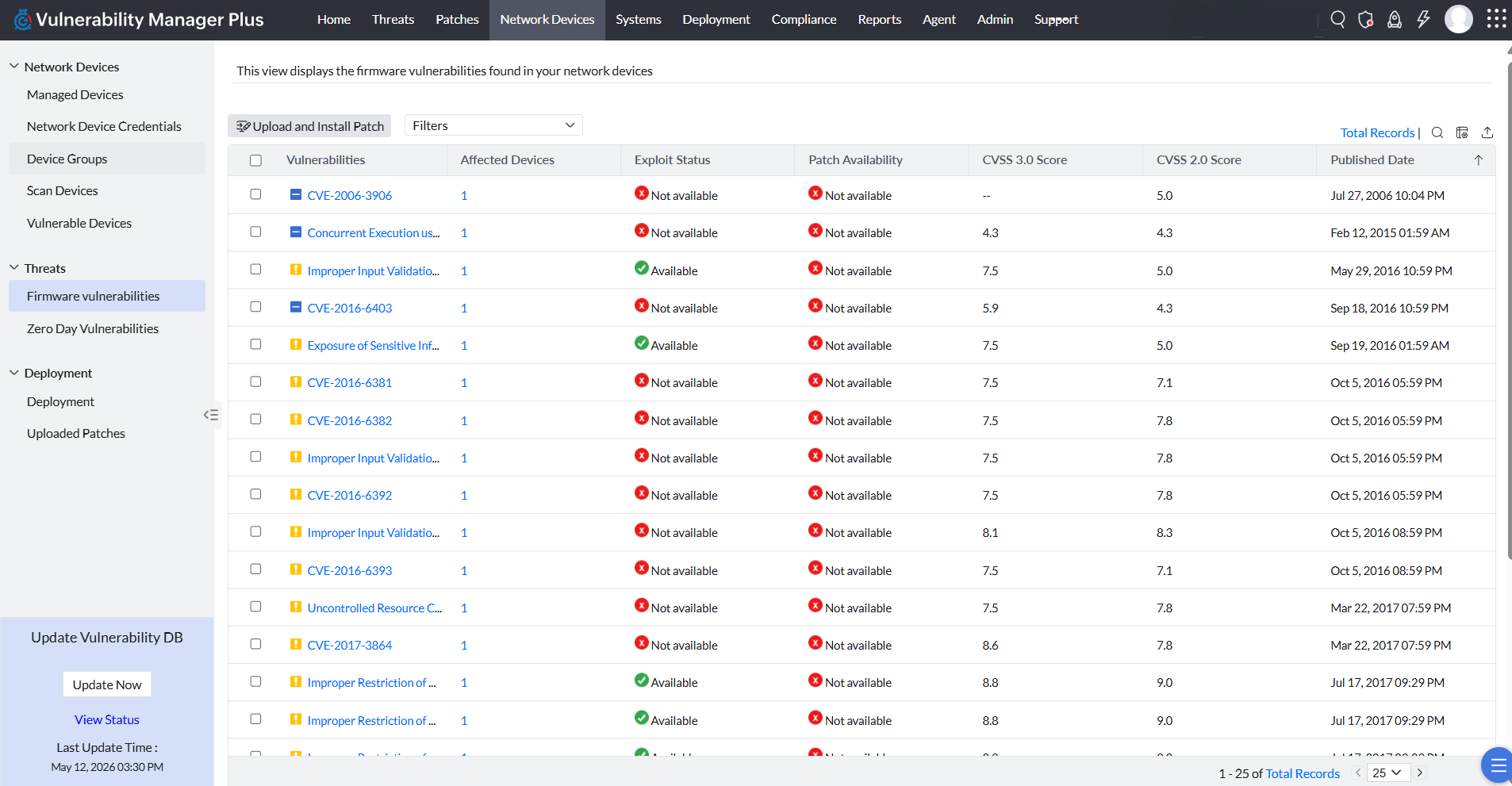
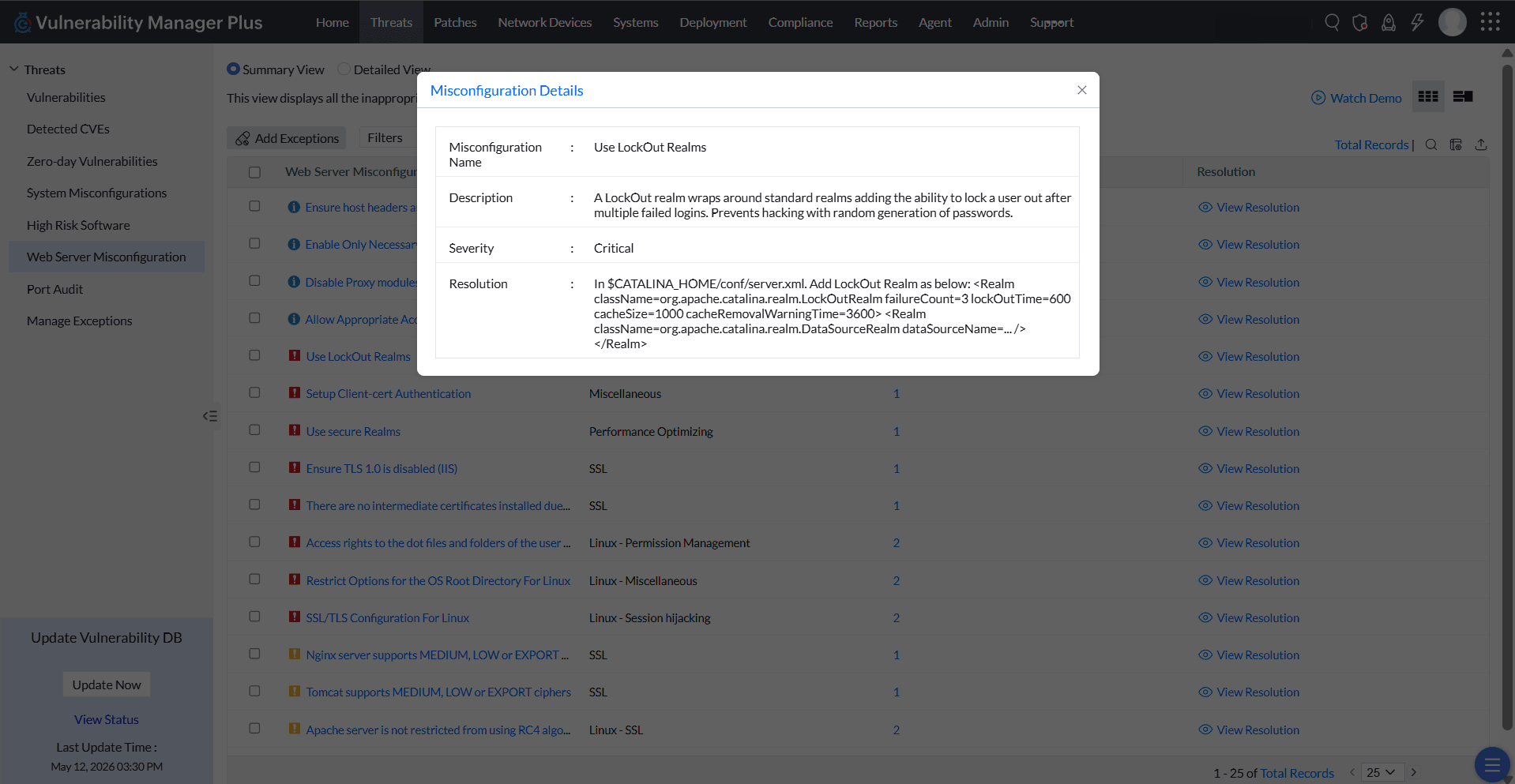
ManageEngine Vulnerability Manager Plus Screenshots
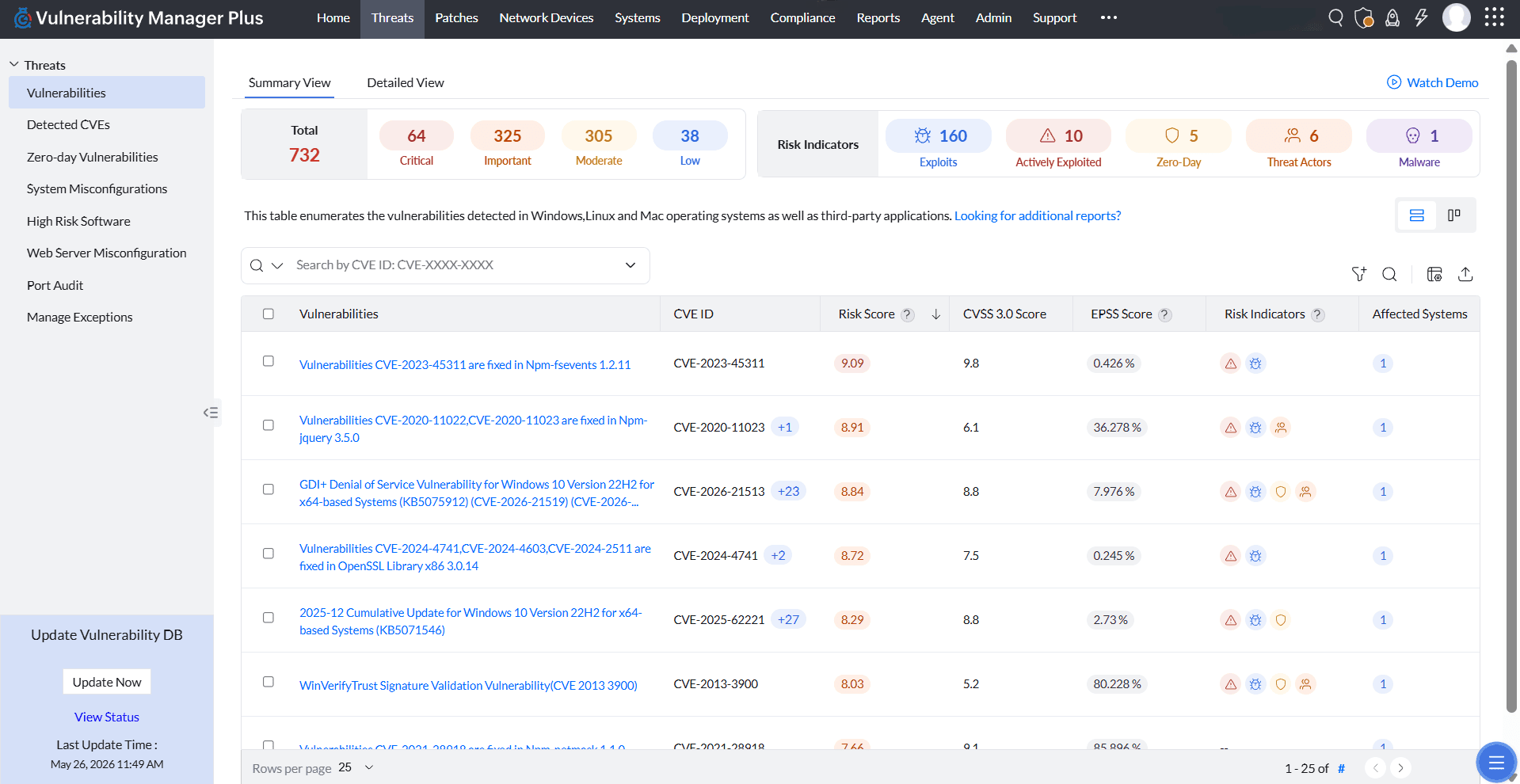
Screenshot of Vulnerabilities detailed viewScreenshot of Security configuration overviewScreenshot of Patches overviewScreenshot of Individual system overviewScreenshot of Vulnerability management dashboard