TrustRadius: an HG Insights company

Save this comparison

Save this comparison

Add Product

Recommended Comparisons

    Overview
    ProductRatingMost Used ByProduct SummaryStarting Price

    Markup Hero

    Score9 out of 10
    Small Businesses (1-50 employees)
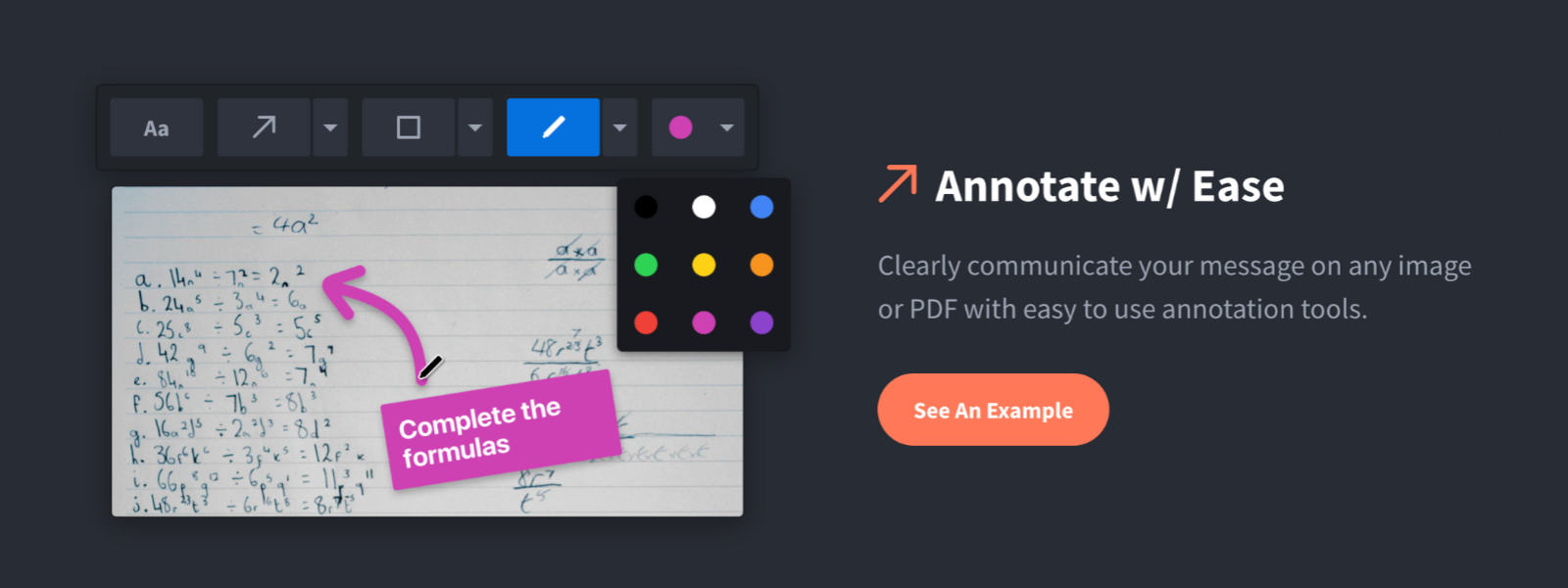
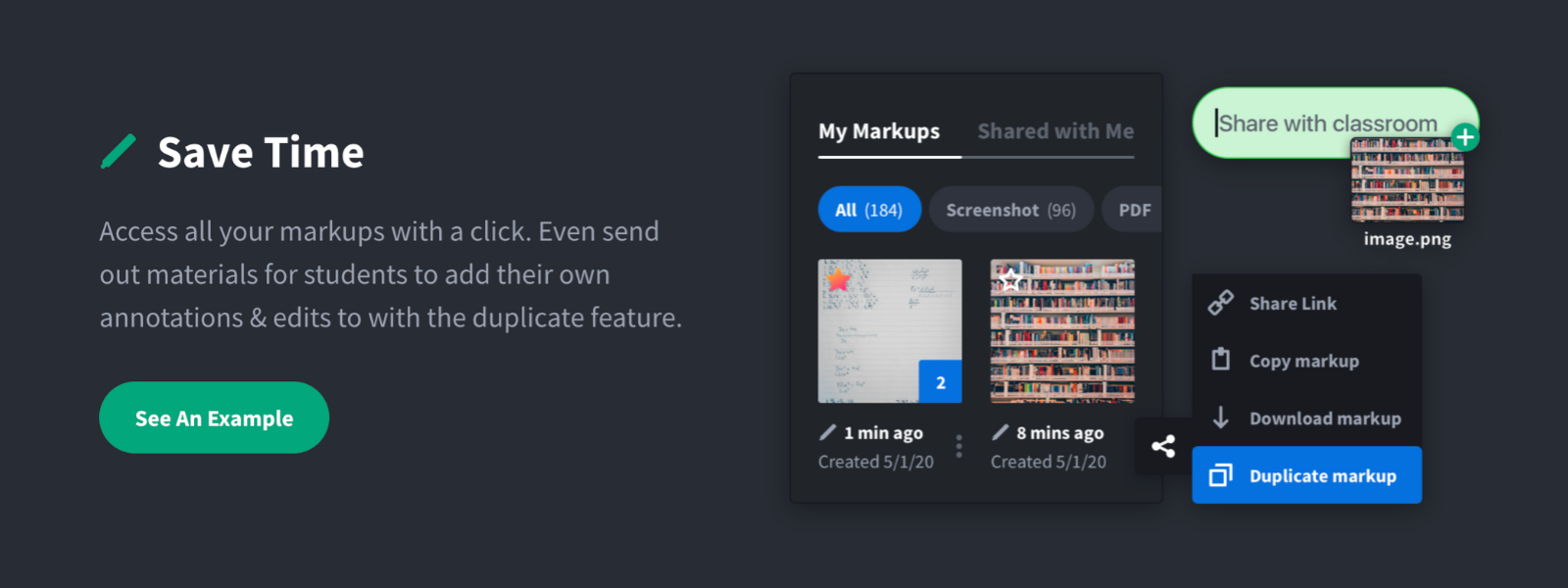
    Screenshot, Annotate & Share Markup Hero is an annotation and screenshot tool designed to allow users to capture ideas, communicate clearly, and save time. Features Include: Screenshots Desktop app for Mac, Windows & Linux Works on any device including mobile Chrome extension Annotate screenshots, PDF's, images and URL's Always editable - annotations do not flatten permanently Arrow, text, rectangle, oval,…

    $5

    all features, unlimited markups, unlimited storage, unlimited bandwidth

    TechSmith Capture

    Score9.7 out of 10
    N/ATechSmith Capture (formerly Jing) provides a simple, free way to create basic screenshots and screen recordings and share them with others. It is available as a free download for Windows or Mac.

    $1

    Pricing
    Markup HeroTechSmith Capture
    Editions & Modules
    Superhero
    $5/month
    all features, unlimited markups, unlimited storage, unlimited bandwidth
    Hero
    FREE
    10 markups per month, 3 days editing history
    No answers on this topic
    Offerings
    Pricing Offerings
    Markup HeroTechSmith Capture
    Free Trial
    YesNo
    Free/Freemium Version
    YesYes
    Premium Consulting/Integration Services
    NoNo
    Entry-level Setup FeeNo setup feeNo setup fee
    Additional Details——
    More Pricing Information
    Best Alternatives
    Markup HeroTechSmith Capture
    Small Businesses
    Sendspark
    Score10 out of 10
    Sendspark
    Score10 out of 10
    Medium-sized Companies
    Snagit
    Score9.7 out of 10
    Snagit
    Score9.7 out of 10
    Enterprises
    Snagit
    Score9.7 out of 10
    Snagit
    Score9.7 out of 10
    All AlternativesView all alternativesView all alternatives
    User Ratings
    Markup HeroTechSmith Capture
    Likelihood to Recommend
    9.6
    (2 ratings)
    9.5
    (2 ratings)
    Usability
    -
    (0 ratings)
    9.5
    (2 ratings)
    User Testimonials
    Markup HeroTechSmith Capture
    Likelihood to Recommend
    Markup Hero
    For us, it's sending real estate setup sheets with multiple properties and lots of comments and feedback. It's great for quick feedback and shares. If I need to make a custom graphic tho its not quite powerful enough as Photoshop or other tools. The former is about 90% of my use cases, the latter only 10% so it's still worth it. But I can see they are adding more and more design oriented features so I suspect I won't need Photoshop much longer.
    Read full review
    TechSmith
    It is a great tool for making short, informal recordings that I can share with prospects. I also have offsite support people, so sending them a quick video if I’m stuck on something or I need their help and they have misinterpreted my request is also where this is a useful tool. Then, if I need to edit the video later, switching to Camtasia is seamless and straightforward, which is a huge bonus for simplicity and speed. (Having said that, if I have a larger or more enduring piece of content to create, I will usually start in Camtasia from the outset, but I have had times I’ve needed to tweak something in a quick capture vid, so I’ve been glad for the ease of this.)
    Incentivized
    Read full review
    Pros
    Markup Hero
    • Quickly adding annotations
    • Sharing links to screenshots or marked up PDFs
    • Always editable and accessible from any device
    Read full review
    TechSmith
    • Short videos.
    • Screen recording.
    • Easy to edit.
    Incentivized
    Read full review
    Cons
    Markup Hero
    • Teams is basic right now; looking forward to more permissions and team folders
    • Love the insert image, but would like to be able to make my own library of images
    • Needs rotate when uploading from my iPhone - they're sideways right now
    Read full review
    TechSmith
    • I’m used to it so can’t say I experience a huge amount of issues…
    • I’d always welcome small workflow improvements that might reduce clicks and essentially make it faster to move from recording to sharing - I really value speed in my workday.
    • Being able to organize recordings better and having a few more productivity shortcuts might be beneficial; I notice this on days with heavier content creation.
    Incentivized
    Read full review
    Usability
    Markup Hero
    No answers on this topic
    TechSmith
    It's the best of class in my opinion, for what it does.
    Incentivized
    Read full review
    Alternatives Considered
    Markup Hero
    Markup Hero stands out because it is truly web based and supports PDFs (among a host of other file types). The annotation tools are significantly smoother and always editable. I don't know of any other products that provide a web experience that allows for edits at anytime. Plus the team is clearly working hard to iterate the product and regularly delivering new features.
    Read full review
    TechSmith
    I prefer Capture as it integrates well with Camtasia, which I also use often.
    Incentivized
    Read full review
    Return on Investment
    Markup Hero
    • Productivity - Save at least 30 mins per day per employee
    • Organization - No more hunting through emails finding content I sent to someone
    • Communication - My clients better understand our suggested properties when I add annotations.
    Read full review
    TechSmith
    • A core part of the sales/conversion process.
    • Integrated with other well priced tools.
    Incentivized
    Read full review
    ScreenShots

    Markup Hero Screenshots

    Screenshot of Annotate and markup just about anything from almost anywhere.Screenshot of Always editable, saved in your history, set permissions and share with a click.Screenshot of Keep track with tags and never lose a past markup.Screenshot of Upload images, PDF's, website URL's, Google Docs and annotate away!Screenshot of Tons of annotation tools like arrows, text, blur, crop, highlight and more.Screenshot of Super simple user interface that you'll love coming back to again and again.