Markup Hero vs. Videolink

Overview
ProductRatingMost Used ByProduct SummaryStarting Price
Markup Hero
Score 9.0 out of 10
Small Businesses (1-50 employees)
Screenshot, Annotate & Share Markup Hero is an annotation and screenshot tool designed to allow users to capture ideas, communicate clearly, and save time. Features Include: Screenshots Desktop app for Mac, Windows & Linux Works on any device including mobile Chrome extension Annotate screenshots, PDF's, images and URL's Always editable - annotations do not flatten permanently Arrow, text, rectangle, oval,…
$5
all features, unlimited markups, unlimited storage, unlimited bandwidth
Videolink
Score 9.1 out of 10
N/A
Videolink brings clarity and collaboration to team conversations through video recording, sharing and instant playback. It can be used to record a screen or camera in seconds, send a link, and add visual context to information – whether it’s customer feedback, internal updates, or product walkthroughs. Instead of chasing down details in chat logs or ambiguous tickets, Videolink lets teams share ideas that are clear, direct, and…
$0
per active video
Pricing
Markup HeroVideolink
Editions & Modules
Superhero
$5/month
all features, unlimited markups, unlimited storage, unlimited bandwidth
Hero
FREE
10 markups per month, 3 days editing history
Free
$0
per month Up to 25 active videos and unlimited users
Pro
$20
per month For 100 active videos and unlimited users
Advanced
Custom Plans
Offerings
Pricing Offerings
Markup HeroVideolink
Free Trial
YesNo
Free/Freemium Version
YesYes
Premium Consulting/Integration Services
NoNo
Entry-level Setup FeeNo setup feeOptional
Additional DetailsOnly saved videos are counted. If a video is deleted, it only counts for the month it was active — never after. Videolink has no per-seat usage fees. You’re only billed for videos your team actually keeps.
More Pricing Information
Community Pulse
Markup HeroVideolink
Best Alternatives
Markup HeroVideolink
Small Businesses
Sendspark
Sendspark
Score 10.0 out of 10
Sendspark
Sendspark
Score 10.0 out of 10
Medium-sized Companies
Snagit
Snagit
Score 9.6 out of 10
Snagit
Snagit
Score 9.6 out of 10
Enterprises
Snagit
Snagit
Score 9.6 out of 10
Snagit
Snagit
Score 9.6 out of 10
All AlternativesView all alternativesView all alternatives
User Ratings
Markup HeroVideolink
Likelihood to Recommend
9.6
(2 ratings)
9.1
(2 ratings)
Usability
-
(0 ratings)
9.1
(2 ratings)
User Testimonials
Markup HeroVideolink
Likelihood to Recommend
Markup Hero
For us, it's sending real estate setup sheets with multiple properties and lots of comments and feedback. It's great for quick feedback and shares. If I need to make a custom graphic tho its not quite powerful enough as Photoshop or other tools. The former is about 90% of my use cases, the latter only 10% so it's still worth it. But I can see they are adding more and more design oriented features so I suspect I won't need Photoshop much longer.
Read full review
Videolink
The way we work is evolving. Remote teams — especially after the COVID-19 pandemic — rely more than ever on tools that bridge the gap between distance and real-time collaboration.
Asynchronous updates have become a key part of solving daily challenges, and we’ve seen the benefits first-hand as an organisation.
Read full review
Pros
Markup Hero
  • Quickly adding annotations
  • Sharing links to screenshots or marked up PDFs
  • Always editable and accessible from any device
Read full review
Videolink
  • Quick video sharing
  • Basic editing
  • Inline comments
Read full review
Cons
Markup Hero
  • Teams is basic right now; looking forward to more permissions and team folders
  • Love the insert image, but would like to be able to make my own library of images
  • Needs rotate when uploading from my iPhone - they're sideways right now
Read full review
Videolink
  • More video editing tools
Read full review
Usability
Markup Hero
No answers on this topic
Videolink
The interface is clean, and features like video requests, in-browser editing, and commenting make the workflow seamless for our team.
Read full review
Alternatives Considered
Markup Hero
Markup Hero stands out because it is truly web based and supports PDFs (among a host of other file types). The annotation tools are significantly smoother and always editable. I don't know of any other products that provide a web experience that allows for edits at anytime. Plus the team is clearly working hard to iterate the product and regularly delivering new features.
Read full review
Videolink
No answers on this topic
Return on Investment
Markup Hero
  • Productivity - Save at least 30 mins per day per employee
  • Organization - No more hunting through emails finding content I sent to someone
  • Communication - My clients better understand our suggested properties when I add annotations.
Read full review
Videolink
  • Productivity
  • Delivery-driven communication
Read full review
ScreenShots

Markup Hero Screenshots

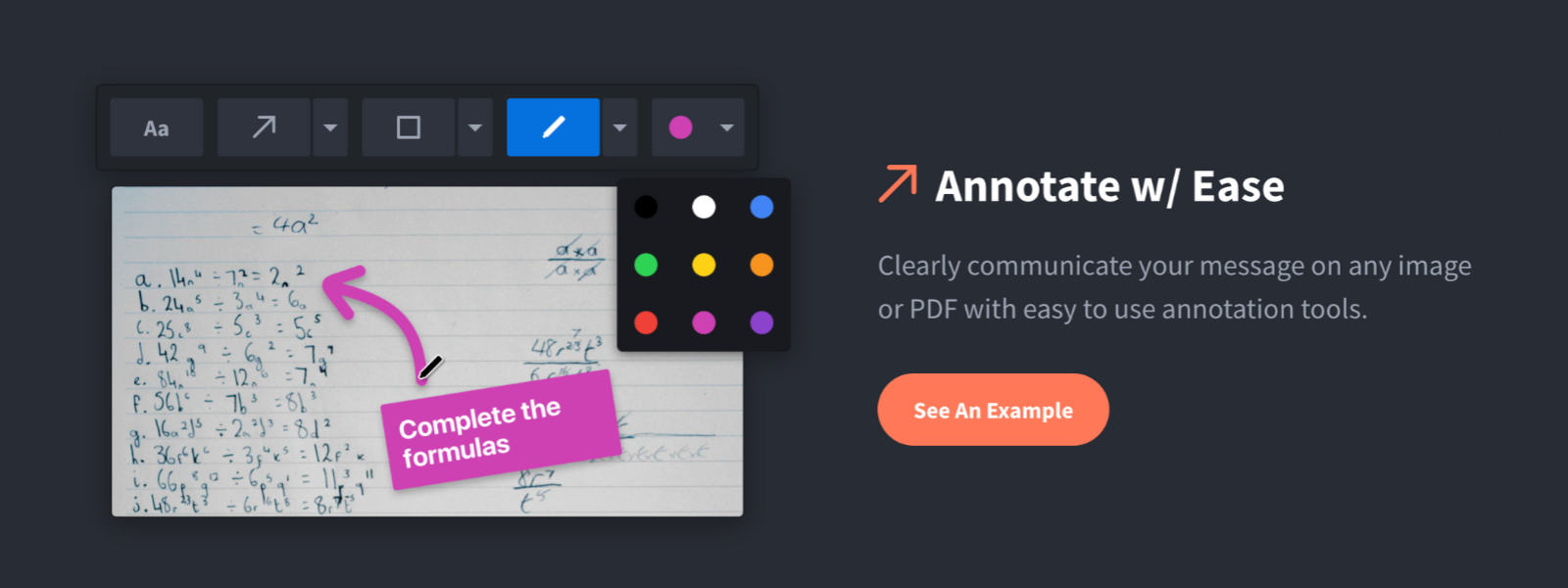
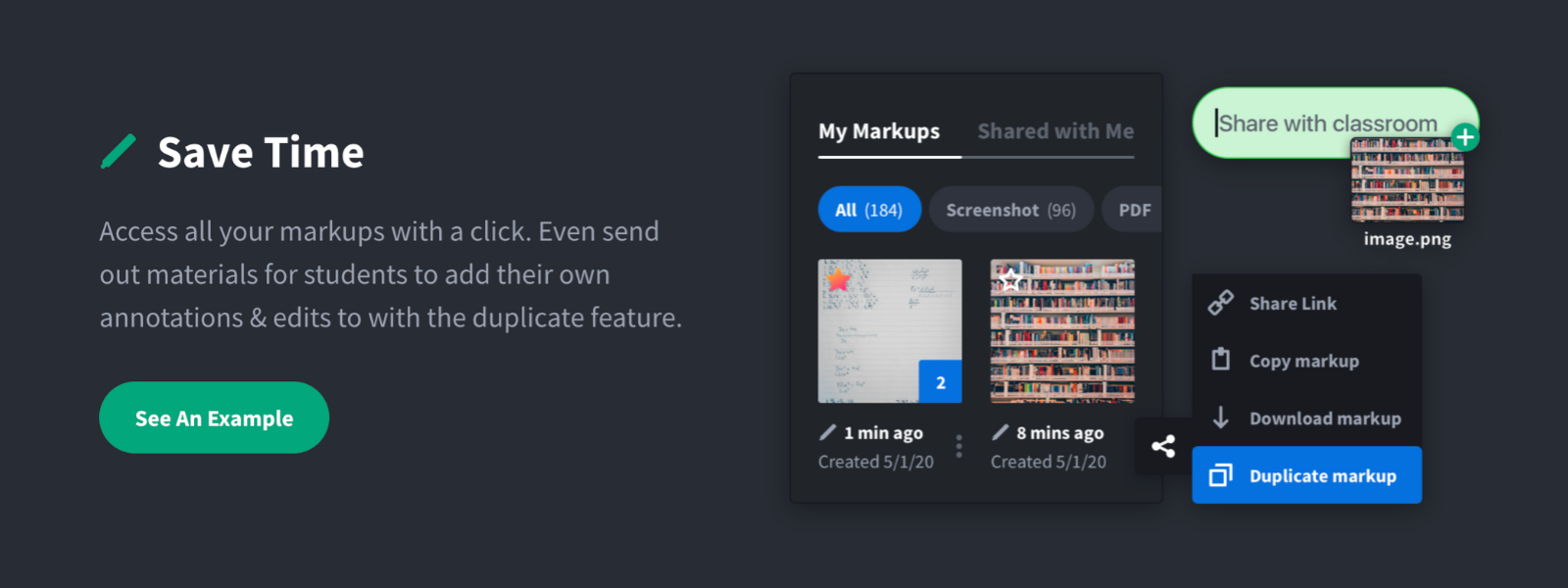
Screenshot of Annotate and markup just about anything from almost anywhere.Screenshot of Always editable, saved in your history, set permissions and share with a click.Screenshot of Keep track with tags and never lose a past markup.Screenshot of Upload images, PDF's, website URL's, Google Docs and annotate away!Screenshot of Tons of annotation tools like arrows, text, blur, crop, highlight and more.Screenshot of Super simple user interface that you'll love coming back to again and again.

Videolink Screenshots

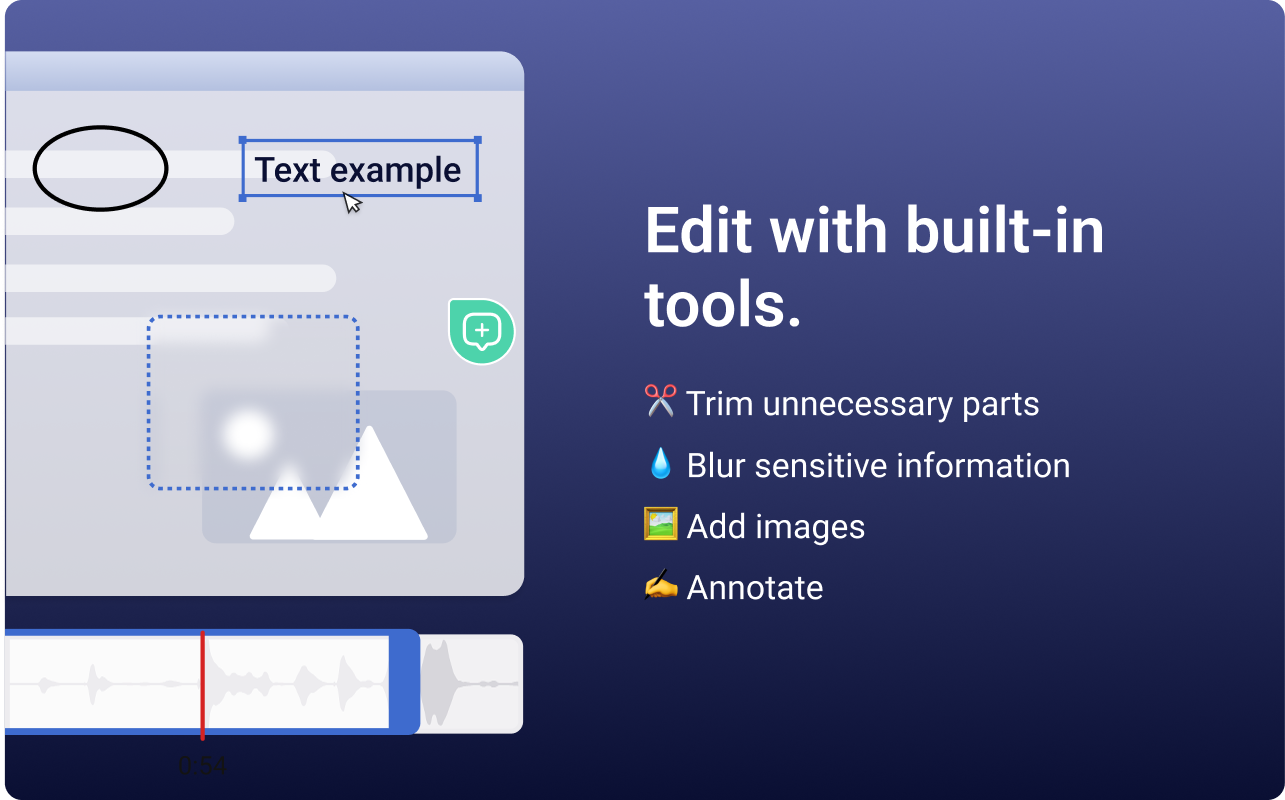
Screenshot of the Videolink editor, used to trim out excess content, blur sensitive info, annotate key areas, and insert images.Screenshot of a Videolink page, used to create a personal shareable link – like govideolink.com/yourname – that lets anyone send a recorded video directly.Screenshot of single link sharing, so viewers don’t need an account to watch, comment, or provide feedback.