Microsoft Defender for Cloud vs. Resmo

Overview
ProductRatingMost Used ByProduct SummaryStarting Price
Microsoft Defender for Cloud
Score 8.6 out of 10
N/A
Microsoft Defender for Cloud is a Cloud Security Posture Management (CSPM) and Cloud Workload Protection Platform (CWPP) for Azure, on-premises, and multicloud (Amazon AWS and Google GCP) resources.N/A
Resmo
Score 0.0 out of 10
Mid-Size Companies (51-1,000 employees)
Resmo offers cloud-native teams a solution for continuous cyber asset visibility and security. By enabling SQL-based data queries across a range of Cloud and SaaS providers, including AWS, GCP, Atlassian Stack, Okta, Google Workspace, and more, Resmo helps organizations to stay on top of changes. Through consolidation of users, vulnerabilities, repositories, and other key constructs, Resmo provides insights through dashboards and automates compliance checks for common frameworks like CIS…
$899
per month
Pricing
Microsoft Defender for CloudResmo
Editions & Modules
No answers on this topic
Free
$0
Professional
$899
per month
Enterprise
Get a Quote
Offerings
Pricing Offerings
Microsoft Defender for CloudResmo
Free Trial
YesYes
Free/Freemium Version
NoYes
Premium Consulting/Integration Services
NoNo
Entry-level Setup FeeNo setup feeNo setup fee
Additional Details
More Pricing Information
Best Alternatives
Microsoft Defender for CloudResmo
Small Businesses

No answers on this topic

Armor
Armor
Score 6.0 out of 10
Medium-sized Companies
CrowdStrike Falcon
CrowdStrike Falcon
Score 9.1 out of 10
Druva Security Cloud
Score 9.4 out of 10
Enterprises
CrowdStrike Falcon
CrowdStrike Falcon
Score 9.1 out of 10
Druva Security Cloud
Score 9.4 out of 10
All AlternativesView all alternativesView all alternatives
User Ratings
Microsoft Defender for CloudResmo
Likelihood to Recommend
8.4
(69 ratings)
-
(0 ratings)
Likelihood to Renew
8.9
(4 ratings)
-
(0 ratings)
Usability
7.8
(14 ratings)
-
(0 ratings)
User Testimonials
Microsoft Defender for CloudResmo
Likelihood to Recommend
Microsoft
I think it's good for cloud-native companies. A company that, from day zero, they're like, "We're going cloud, and this is how we're going to do it." They get it. It works well for them. Smaller organizations that are under X amount of resources- I don't know what that X might mean- but I feel like it plays well in smaller, more nimble organizations. If you're an older organization or if you're extremely large, it starts becoming a little difficult to manage at scale. And you have to sometimes throw bodies at the problem. Maybe not the most eloquent way of saying it, but that's what it feels like.
Read full review
Resmo
No answers on this topic
Pros
Microsoft
  • It's really well laid out, with an easy-to-use, accessible UI.
  • With Microsoft Defender for Cloud, it has everything you need with the Safelink attachment, the Safelink emails for URL, the way it scans those URLs and attachments within the product, and you're seeing the results. And that adds an extra layer of security for the user, so you feel comfortable knowing the product monitors those. That's something I really like about that product.
Read full review
Resmo
No answers on this topic
Cons
Microsoft
  • Integrations with on-premise workloads can sometimes be challenging. Needs improvement and well standardised integration points
  • Vulnerability categories can be difficult to understand. It should allow teams to focus on critical findings and help them keep aside low-severity or suppressed vulnerabilities
  • Pricing can be improved as it can be over-priced for smaller businesses and would potentially affect their ROI due to the small scale
Read full review
Resmo
No answers on this topic
Likelihood to Renew
Microsoft
It is a great product that integrates nicely when running an Azure platform and even multi-cloud environment. Not looking for point-solutions but a suite that answers most requirements. It is very comfortable being able to use KQL, workbooks and automation that is native to the azure platform
Read full review
Resmo
No answers on this topic
Usability
Microsoft
My visibility is limited because I'm only doing very small pieces of what the overall org does. And also, we have limitations on what we're allowed to use. It's not like we get a new product as users or leadership level users, and everything is on, and we can just do whatever we want. We're very restricted in what we can use any tooling within the org because of the different levels of regulatory constraints we have, because of just the nature of who we are inherently. So that's why. I don't think it's necessarily the product. I think it's more or less of what we're able to do with the product.
Read full review
Resmo
No answers on this topic
Alternatives Considered
Microsoft
I believe Microsoft Defender for Cloud stacks up well against the other tools we looked at. It is native to the Azure platform and provides the same insights as the other tools. We selected Microsoft Defender for Cloud because it integrates well with the Azure resources and gives the needed insight, security alerts and recommendations.
Read full review
Resmo
No answers on this topic
Return on Investment
Microsoft
  • Ensuring compliance with data protection regulations can prevent costly fines and legal issues, positively impacting ROI.
  • Effective cloud resource protection can optimize cloud spending and resource utilization, ultimately reducing cloud infrastructure costs.
  • The subscription costs associated with Defender for Cloud can add to an organization's operational expenses, impacting ROI.
  • Smaller organizations may find the feature set and complexity of Defender for Cloud unnecessary, potentially overinvesting in security solutions.
Read full review
Resmo
No answers on this topic
ScreenShots

Microsoft Defender for Cloud Screenshots

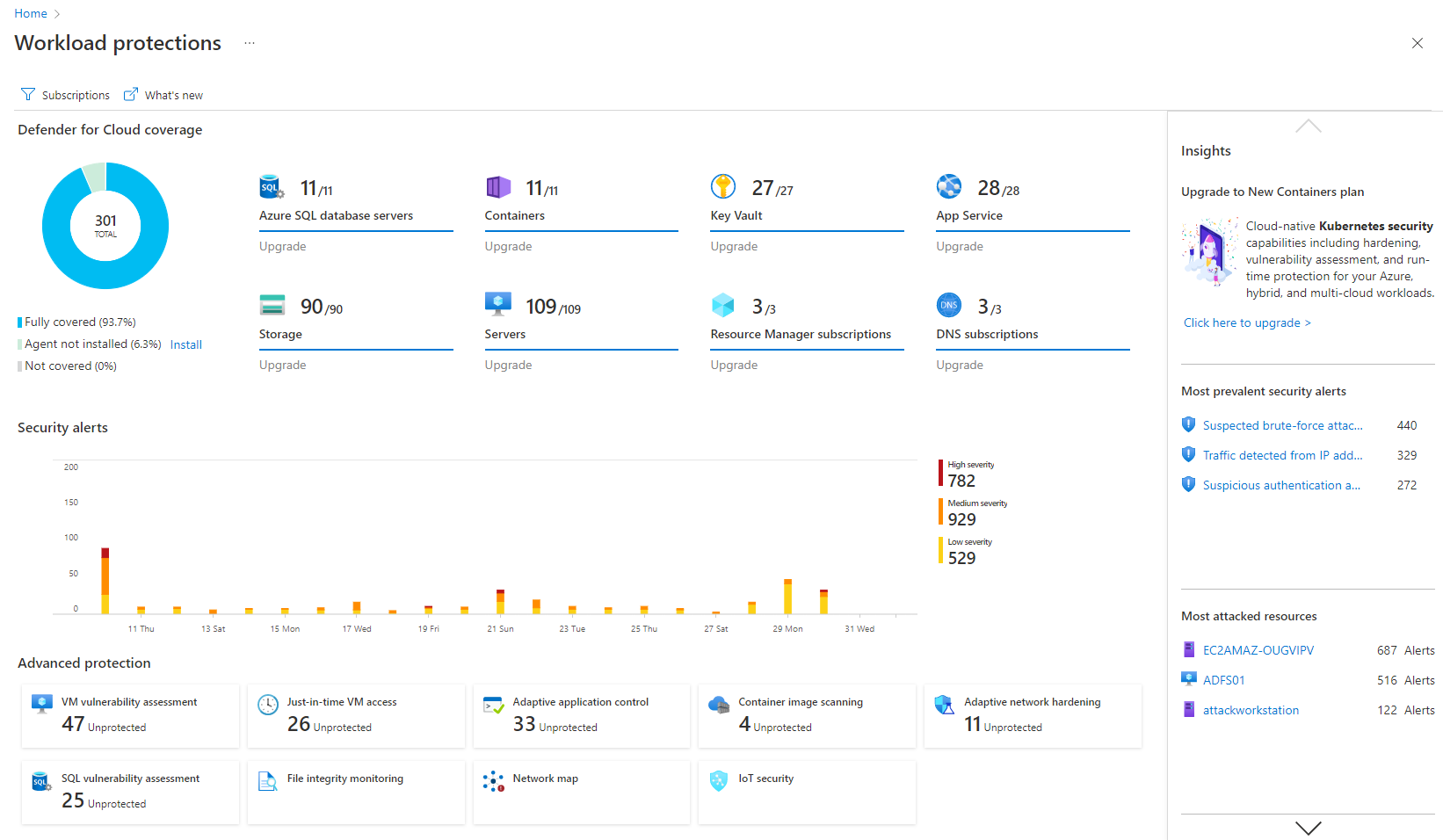
Screenshot of Remediation of critical issues in codeScreenshot of Cloud security benchmark mapped to industry FramworksScreenshot of Prioritization of critical risks with contextual threat analysisScreenshot of Workload protectionScreenshot of Unified DevOps VisibilityScreenshot of Visualizations to improve security posture proactively

Resmo Screenshots

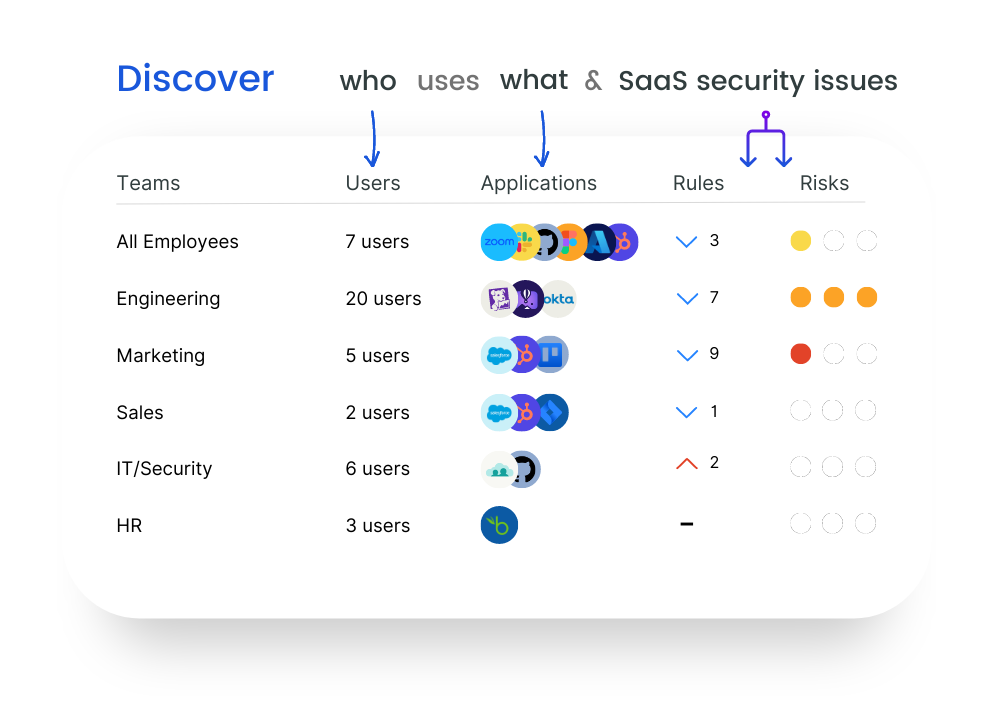
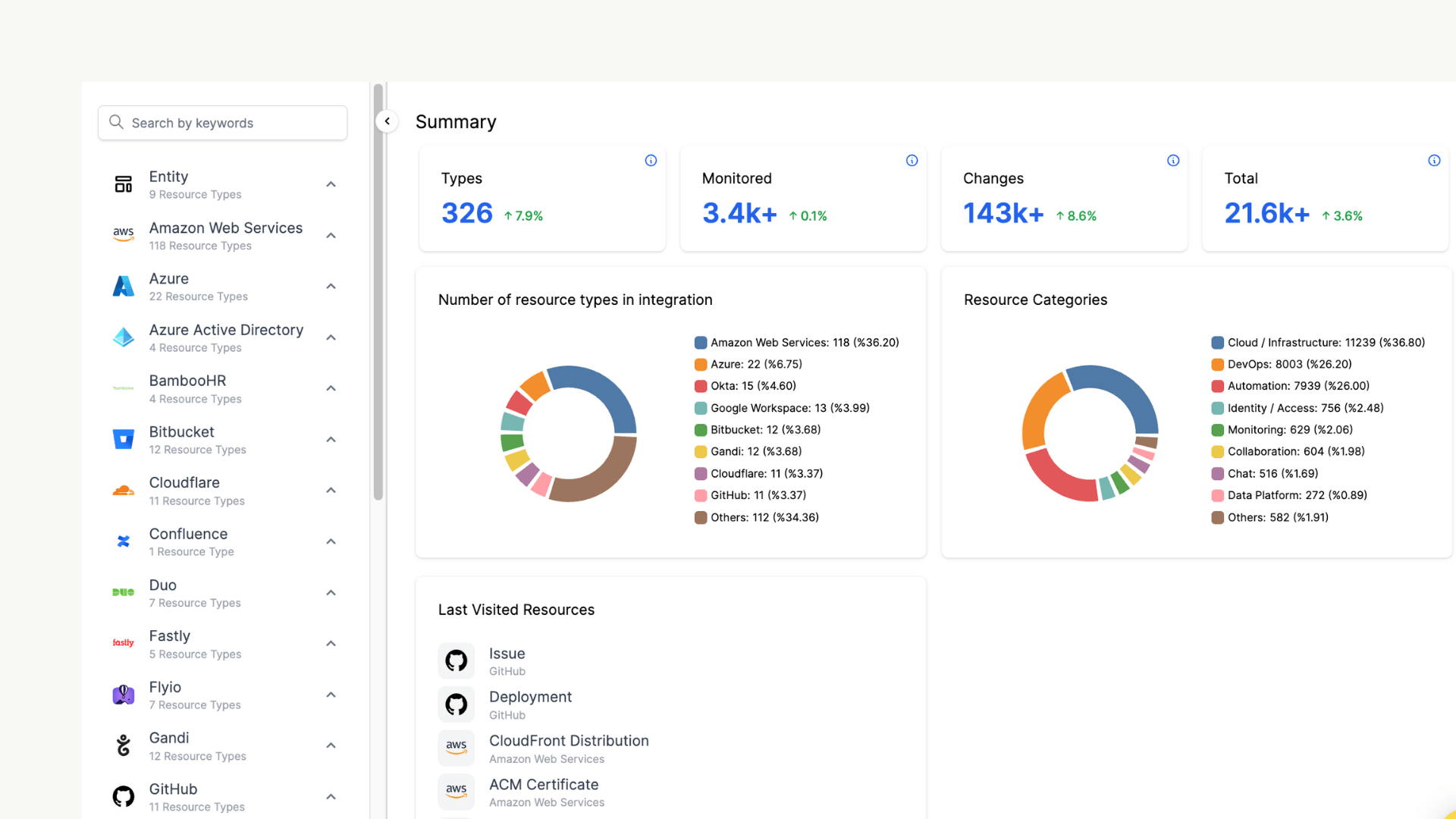
Screenshot of SaaS Discovery enables organizations to monitor which tools(known/unknown) are being used by employees and detect automatically if there are any security and compliance issues such as weak passwords, overly permissive rights, and more in the organization's tech stack.Screenshot of all cloud and SaaS assets in one place: monitor all entities collected from all integrations under categories like databases, users, and repositories.Screenshot of displays the risk score of each resource: to investigate resource changes and the actor behind to remediate vulnerabilities and see if resources comply with related compliance rules.Screenshot of sending alerts in near real-time and notifying users through email, webhook, Slack, PagerDuty and Opsgenie.Screenshot of mapping and monitoring each resource's relations with other assetsScreenshot of dashboards for visibility such as AWS Security Insights and AWS IAM Access Overview dashboards.