
Microsoft Entra External ID vs. NIM
Microsoft Entra External ID vs. NIM
| Product | Rating | Most Used By | Product Summary | Starting Price |
|---|---|---|---|---|
 Microsoft Entra External ID | N/A | Microsoft Entra External ID (formerly Azure Active Directory B2C, or alternately, Azure Active Directory External Identities) provides business-to-customer identity as a service. Customers can use their preferred social, enterprise, or local account identities to get single sign-on access to applications and APIs. | $0 per month per active users | |
 NIM | Enterprise companies (1,001+ employees) | NIM is an on-premise solution that provides enterprise-level user provisioning for organizations and educational institutions with large complex data sets. Provisioning is the goal, but data is king. With NIM's multi-source and target data aggregation features, data from multiple systems can be viewed and utilized for provisioning, rostering, and basic exports. NIM automates the user lifecycle process to meet the user's current and future needs. On-Premise Hosting… | $1.73 per month per user |
| Microsoft Entra External ID | NIM | |||||||||||||||
|---|---|---|---|---|---|---|---|---|---|---|---|---|---|---|---|---|
| Editions & Modules |
| No answers on this topic | ||||||||||||||
| Offerings |
| |||||||||||||||
| Entry-level Setup Fee | No setup fee | $225 one-time fee per installation | ||||||||||||||
| Additional Details | A flat fee of $0.03 is billed for each SMS/Phone-based multi-factor authentication attempt. | NIM pricing varies based on modules, user quantity, and tier levels. Contact sales for user tiers, education discounts, or a free trial. | ||||||||||||||
| More Pricing Information | ||||||||||||||||
| Microsoft Entra External ID | NIM |
|---|
| Microsoft Entra External ID | NIM | ||||||||||||||||||||||||
|---|---|---|---|---|---|---|---|---|---|---|---|---|---|---|---|---|---|---|---|---|---|---|---|---|---|
| Identity Management |
|
| Microsoft Entra External ID | NIM | |
|---|---|---|
| Small Businesses |  1Password Score 9.1 out of 10 | 1Password Score 9.1 out of 10 |
| Medium-sized Companies |  OneLogin by One Identity Score 9.4 out of 10 | OneLogin by One Identity Score 9.4 out of 10 |
| Enterprises | OneLogin by One Identity Score 9.4 out of 10 | OneLogin by One Identity Score 9.4 out of 10 |
| All Alternatives | View all alternatives | View all alternatives |
| Microsoft Entra External ID | NIM | |
|---|---|---|
| Likelihood to Recommend | 9.3 (9 ratings) | - (0 ratings) |
| Usability | 9.3 (3 ratings) | - (0 ratings) |
| Microsoft Entra External ID | NIM | |
|---|---|---|
| Likelihood to Recommend |  Microsoft
| Tools4ever No answers on this topic |
| Pros | Microsoft
| Tools4ever No answers on this topic |
| Cons | Microsoft
 Lars Kemmann Principal Architect | Tools4ever No answers on this topic |
| Usability | Microsoft
| Tools4ever No answers on this topic |
| Alternatives Considered | Microsoft
| Tools4ever No answers on this topic |
| Return on Investment | Microsoft
| Tools4ever No answers on this topic |
| ScreenShots | NIM Screenshots    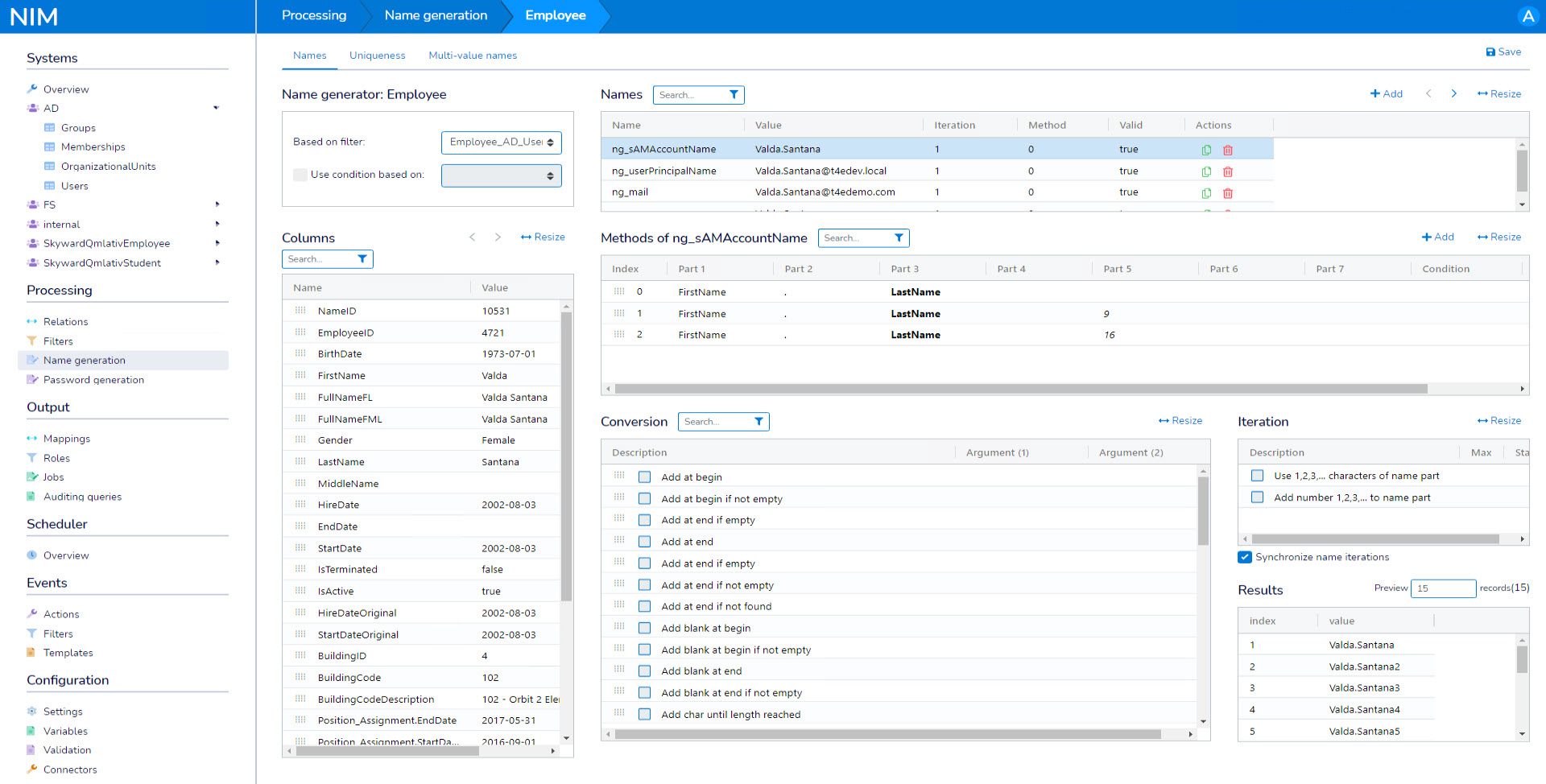 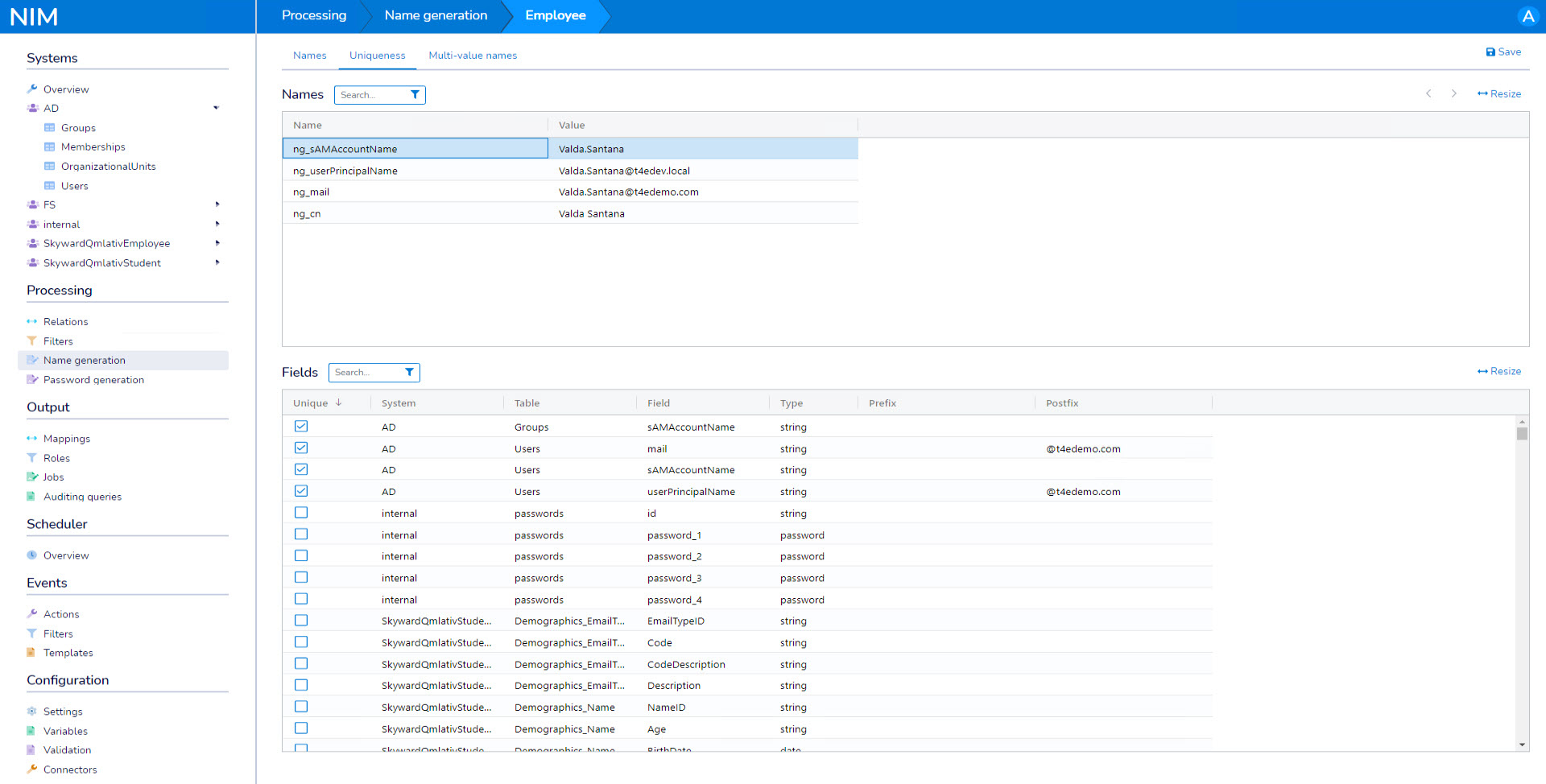 |