TrustRadius: an HG Insights company

Save this comparison

Save this comparison

Add Product

Recommended Comparisons

    Overview
    ProductRatingMost Used ByProduct SummaryStarting Price

    Microsoft Power BI Embedded

    Score8 out of 10
    N/AA solution from Microsoft to provide customer-facing reports, dashboards, and analytics in applications by using and branding Power BI as one's own. Designed to reduce developer resources by automating the monitoring, management, and deployment of analytics, while getting full control of Power BI features and intelligent analytics.N/A

    Powerslide

    Score9.5 out of 10
    N/ACreated in 2019, Powerslide is a data storytelling and data visualization solution. This software helps business users to create usages around data. Powerslide is a solution for data analysis, visualization and presentation. Interactive and collaborative, Powerslide aims to answer data issues in a simple, practical and design interface, and help users simplify the analysis and communication of…N/A
    Pricing
    Microsoft Power BI EmbeddedPowerslide
    Editions & Modules
    No answers on this topic
    No answers on this topic
    Offerings
    Pricing Offerings
    Microsoft Power BI EmbeddedPowerslide
    Free Trial
    NoYes
    Free/Freemium Version
    NoNo
    Premium Consulting/Integration Services
    NoNo
    Entry-level Setup FeeNo setup feeOptional
    Additional Details—Our rates are flexible and adapt to the size and use of your organization. Contact us and let’s discuss about it.
    More Pricing Information
    Community Pulse
    Microsoft Power BI EmbeddedPowerslide
    Considered Both Products
    Microsoft
    No answer on this topic
    Datarocks
    No answer on this topic
    Key User Insights
    Would buy again
    100%
    Would buy again
    13 Answers
    No answers on this topic
    Delivers good value for the price
    92%
    Delivers good value for the price
    11 Answers
    No answers on this topic
    Happy with the feature set
    92%
    Happy with the feature set
    12 Answers
    No answers on this topic
    Lived up to sales and marketing promises
    100%
    Lived up to sales and marketing promises
    6 Answers
    No answers on this topic
    Implementation went as expected
    100%
    Implementation went as expected
    8 Answers
    No answers on this topic
    Features
    Microsoft Power BI EmbeddedPowerslide
    BI Standard Reporting
    Comparison of BI Standard Reporting features of Microsoft Power BI Embedded and Powerslide
    Feature
    Microsoft Power BI Embedded
    7.5
    2 Ratings
    4% above category average
    Powerslide
    8.8
    2 Ratings
    9% above category average
    Pixel Perfect reports6.52 Ratings8.52 Ratings
    Customizable dashboards8.02 Ratings9.02 Ratings
    Report Formatting Templates8.02 Ratings9.02 Ratings
    Ad-hoc Reporting
    Comparison of Ad-hoc Reporting features of Microsoft Power BI Embedded and Powerslide
    Feature
    Microsoft Power BI Embedded
    7.3
    1 Ratings
    7% below category average
    Powerslide
    9.5
    2 Ratings
    19% above category average
    Drill-down analysis7.01 Ratings9.52 Ratings
    Formatting capabilities6.01 Ratings00 Ratings
    Report sharing and collaboration9.01 Ratings9.52 Ratings
    Data Discovery and Visualization
    Comparison of Data Discovery and Visualization features of Microsoft Power BI Embedded and Powerslide
    Feature
    Microsoft Power BI Embedded
    9.0
    1 Ratings
    15% above category average
    Powerslide
    9.0
    2 Ratings
    15% above category average
    Pre-built visualization formats (heatmaps, scatter plots etc.)10.01 Ratings00 Ratings
    Location Analytics / Geographic Visualization8.01 Ratings9.02 Ratings
    Access Control and Security
    Comparison of Access Control and Security features of Microsoft Power BI Embedded and Powerslide
    Feature
    Microsoft Power BI Embedded
    8.0
    1 Ratings
    5% above category average
    Powerslide
    -
    Ratings
    Multi-User Support (named login)7.01 Ratings00 Ratings
    Role-Based Security Model7.01 Ratings00 Ratings
    Single Sign-On (SSO)10.01 Ratings00 Ratings
    Application Program Interfaces (APIs) / Embedding
    Comparison of Application Program Interfaces (APIs) / Embedding features of Microsoft Power BI Embedded and Powerslide
    Feature
    Microsoft Power BI Embedded
    7.0
    1 Ratings
    3% below category average
    Powerslide
    -
    Ratings
    REST API8.01 Ratings00 Ratings
    Javascript API8.01 Ratings00 Ratings
    iFrames8.01 Ratings00 Ratings
    Java API8.01 Ratings00 Ratings
    Customizable Platform (Open Source)3.01 Ratings00 Ratings
    Report Output and Scheduling
    Comparison of Report Output and Scheduling features of Microsoft Power BI Embedded and Powerslide
    Feature
    Microsoft Power BI Embedded
    -
    Ratings
    Powerslide
    9.2
    2 Ratings
    12% above category average
    Publish to Web00 Ratings9.02 Ratings
    Publish to PDF00 Ratings9.52 Ratings
    Report Versioning00 Ratings9.01 Ratings
    Best Alternatives
    Microsoft Power BI EmbeddedPowerslide
    Small Businesses
    GoodData.AI
    Score8.8 out of 10
    Chartio (discontinued)
    Score7.5 out of 10
    Medium-sized Companies
    Reveal
    Score10 out of 10
    Jet Reports
    Score9.5 out of 10
    Enterprises
    GoodData.AI
    Score8.8 out of 10
    Kibana
    Score8.4 out of 10
    All AlternativesView all alternativesView all alternatives
    User Ratings
    Microsoft Power BI EmbeddedPowerslide
    Likelihood to Recommend
    8.0
    (13 ratings)
    9.5
    (2 ratings)
    Usability
    6.0
    (2 ratings)
    -
    (0 ratings)
    User Testimonials
    Microsoft Power BI EmbeddedPowerslide
    Likelihood to Recommend
    Microsoft
    This product is very convenient to use and implement and is considered a "de facto" standard in the Business Intelligence sphere. First of all, it contains numerous features in terms of visualization, data provisioning, data source integration which makes it a perfect tool for the development of BI analytics. Secondly, it provides great capabilities for the development of data markets for the whole development team. Thirdly, the sharing capabilities of dashboards that are updated in a real-time manner provides great incentives for end-users
    Read full review
    Datarocks
    It has allowed us as an organization to clearly deliver our numbers to our collaborators, but above all to the heads of our teams and company. Not being entirely professional, it is easy to use for someone who does not understand the function of these numbers or hard data.
    Incentivized
    Read full review
    Pros
    Microsoft
    • It is very easy to connect multiple data sources for a single report. You can use CSV, Excel, database integration, etc.
    • Power Bi supports Python as well, which makes it a lot easier for us as it is known by most of our team.
    Incentivized
    Read full review
    Datarocks
    • Collaborative fractures helped a lot.
    • Dashboards are really unique.
    Read full review
    Cons
    Microsoft
    • Similar to how Excel has VBA, Microsoft Power BI uses PowerQuery (M/DAX). Though DAX is similar to Excel in terms of how it is written, I just think it's something that would be difficult for new users to figure out.
    • Something I would like to see done differently in Microsoft Power BI is the ability to have presets for sorting/arranging of visualizations. Though it is nice to arrange the dashboard freely, it would also be nice to have preset arrangements based on visualizations (for those of us bad at making dashboards look appealing).
    • With Microsoft Power BI, it is hard to show others your dashboard using the free platform (unless you show them from your computer/account). This can cause issues if your firm is trialing Microsoft Power BI before purchase.
    Incentivized
    Read full review
    Datarocks
    • Increase the variety of fonts
    • Make templates less serious or business
    Incentivized
    Read full review
    Usability
    Microsoft
    It's easy to use for what is presented in the reports that have been developed and presented. It's not so easy to customize those reports, "make them your own" and save them for later reuse.
    Incentivized
    Read full review
    Datarocks
    No answers on this topic
    Alternatives Considered
    Microsoft
    I haven’t used any other software that can be compared to this and that is a good thing as this means that this software is the best one on the market. Tough other apps may exist we only use Microsoft Power BI because it is simply the best app out there.
    Incentivized
    Read full review
    Datarocks
    Powerslide stands out for having templates that help you easily organize hard data and more delicate information such as numbers and statistics. By having many ways to present and edit it in one place, it makes this a page with variety and empathy with its user.
    Incentivized
    Read full review
    Return on Investment
    Microsoft
    • Saved a significant amount of time for reporting current rollout status to project stakeholders
    • Project stakeholders were able to view the live dashboards at any time so felt they had a better understanding of the rollout status
    • Project stakeholders found it beneficial that they were able to set their own filters. For example, to view rollout status for their own departments.
    Incentivized
    Read full review
    Datarocks
    • Our collaborators do not get bored in meetings and even if it is a lot of information, seeing it in an interesting design makes them pay attention and like to be informed of the numbers they manage to obtain with their work.
    Incentivized
    Read full review
    ScreenShots

    Powerslide Screenshots

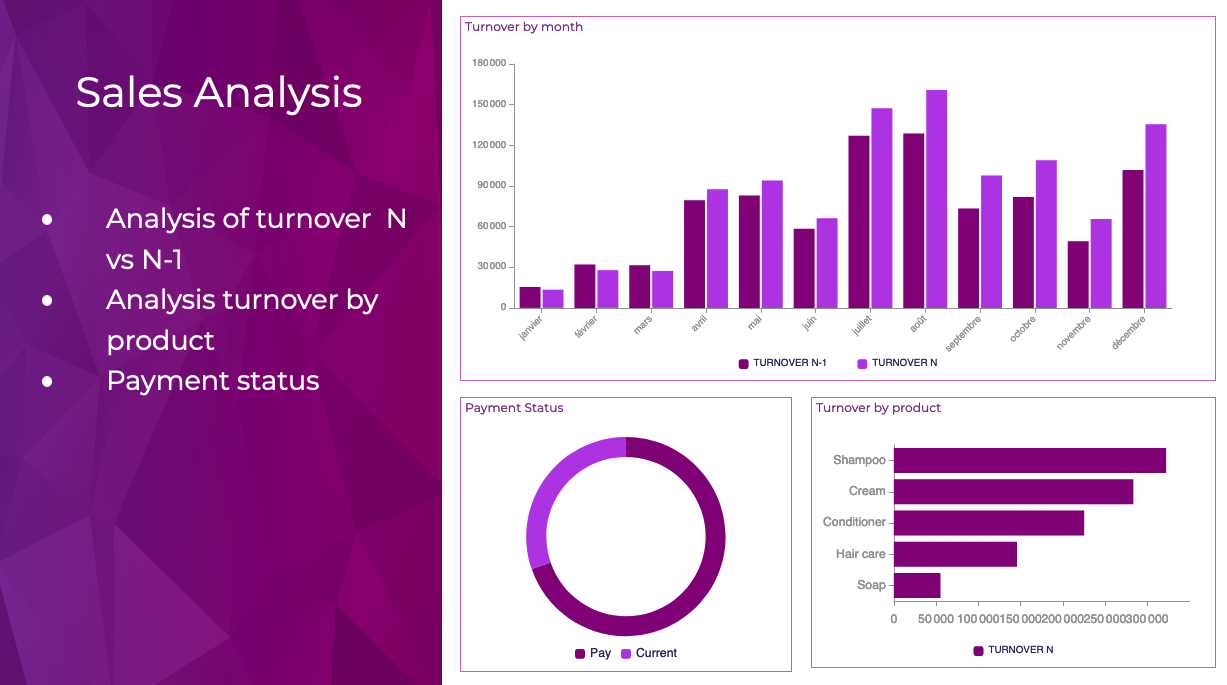
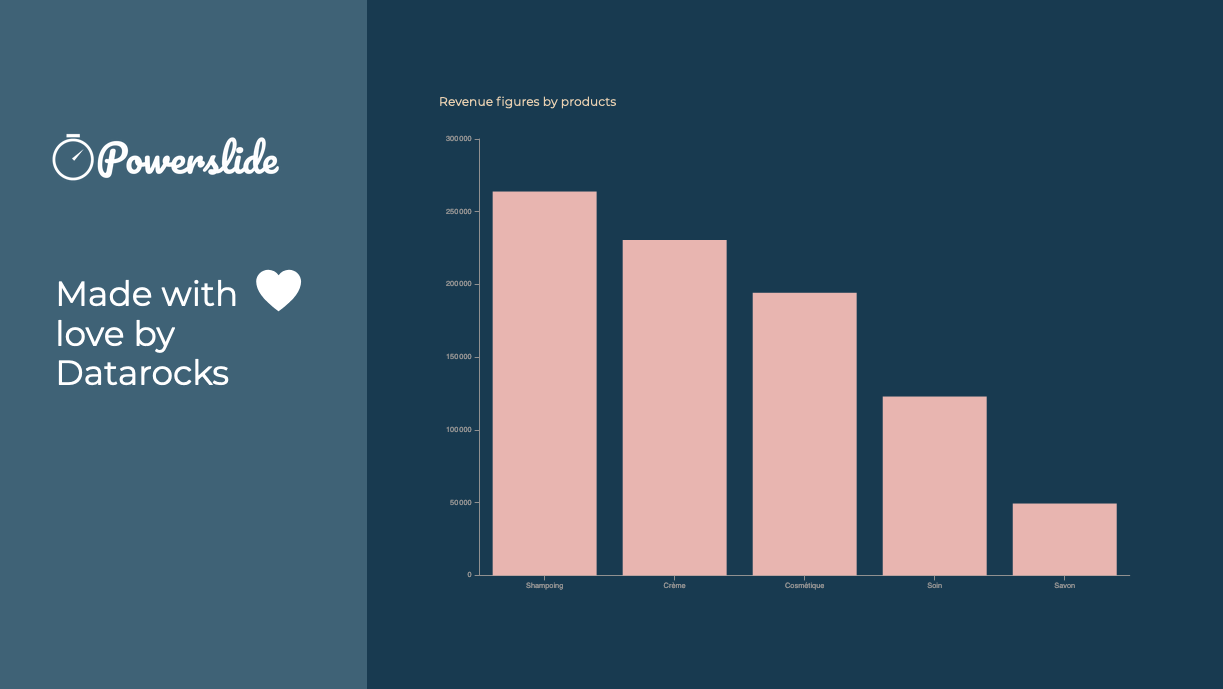
    Screenshot of Reporting and dashboards have never been easier to achieve. Interactive, Powerslide takes you to the heart of your data and helps you take better decisions. Simple to use, you can build your graphics in seconds with drag-and-drop and let our suggestion algorithms guide you.Screenshot of Powerslide complies to your graphic chart. Define your color palette and Powerslide takes care of the rest.Screenshot of Powerslide is THE solution provided with love by DatarocksScreenshot of Take advantage of real-time collaboration to work as a team on the same project. Time-saving and flexibility await you !