Microsoft Security Copilot vs. TheHive

Overview
ProductRatingMost Used ByProduct SummaryStarting Price
Microsoft Security Copilot
Score 8.5 out of 10
N/A
Microsoft Security Copilot helps security and IT teams to protect organizations at the speed and scale of AI. It is available in a standalone experience or embedded into other Microsoft Security products.N/A
TheHive
Score 9.7 out of 10
Enterprise companies (1,001+ employees)
TheHive is an open source and free cybersecurity incident response platform.
$17,000
per year per installation
Pricing
Microsoft Security CopilotTheHive
Editions & Modules
No answers on this topic
TheHive Gold Edition
Starting from $17.000
per year per installation
TheHive Platinum Edition
Starting from $23.000
per year per installation
TheHive Cloud Platform - Large
Starting from $41.000
per year per installation
TheHive Cloud Platform -X Large
Starting from $48.000
per year per installation
TheHive Cloud Platform - Custom
Starting from $48.000
per year per installation
Offerings
Pricing Offerings
Microsoft Security CopilotTheHive
Free Trial
NoYes
Free/Freemium Version
NoYes
Premium Consulting/Integration Services
NoYes
Entry-level Setup FeeNo setup fee$5,000 one-time fee per installation
Additional DetailsTheHive Gold and Platinum editions are priced per number of users (seats) and orgnizations (tenants). Our prices start from 1 organization and 5 users.
More Pricing Information
Community Pulse
Microsoft Security CopilotTheHive
Features
Microsoft Security CopilotTheHive
Incident Response Platforms
Comparison of Incident Response Platforms features of Product A and Product B
Microsoft Security Copilot
-
Ratings
TheHive
10.0
1 Ratings
12% above category average
Company-wide Incident Reporting00 Ratings10.01 Ratings
Integration with Other Security Systems00 Ratings10.01 Ratings
Centralized Dashboard00 Ratings10.01 Ratings
Live Response for Rapid Remediation00 Ratings10.01 Ratings
Best Alternatives
Microsoft Security CopilotTheHive
Small Businesses

No answers on this topic

ThreatDown, powered by Malwarebytes
Score 8.7 out of 10
Medium-sized Companies
Sumo Logic
Sumo Logic
Score 8.8 out of 10
CrowdStrike Falcon
CrowdStrike Falcon
Score 9.1 out of 10
Enterprises
Sumo Logic
Sumo Logic
Score 8.8 out of 10
CrowdStrike Falcon
CrowdStrike Falcon
Score 9.1 out of 10
All AlternativesView all alternativesView all alternatives
User Ratings
Microsoft Security CopilotTheHive
Likelihood to Recommend
7.9
(13 ratings)
10.0
(1 ratings)
Usability
7.6
(13 ratings)
-
(0 ratings)
User Testimonials
Microsoft Security CopilotTheHive
Likelihood to Recommend
Microsoft
Microsoft Security Copilot is well-suited for environments where security teams face high alert volumes and need rapid triage. It is effective during active threat response, helping us establish timelines and suggest remediation steps quickly. Copilot also excels in executive reporting, generating clear summaries for leadership without much effort. Security Copilot is less effective outside of Microsoft's ecosystem because it doesn't integrate well with other products.
Read full review
StrangeBee
Managing incident response - it does exactly what it is supposed to do!
Read full review
Pros
Microsoft
  • consistency with context switching and documentation
  • Democratizing expertise. This is what I mean by that: I can just type in natural language and it drafts the KQL for me. This was unheard of in the last couple of years
Read full review
StrangeBee
No answers on this topic
Cons
Microsoft
  • It is super expensive, which can be a turn off for many small businesses looking to leverage its capabilities
  • It can be very complex to set up, with many prerequisite steps that need to happen prior to being able to use it
  • With all AI-based solutions, it can sometimes hallucinate, but that is to be expected at some level
Read full review
StrangeBee
No answers on this topic
Usability
Microsoft
Anyone can use it. Easy to prompt, also capabilities to become advance with custom agents. It can become custom to your workflow. Many people will have their unique experiences to share and results are generally positive. This is a growth in the product from the effect of community and adoption/usage.
Read full review
StrangeBee
No answers on this topic
Alternatives Considered
Microsoft
My usage of other products is based on SIEM tools. So far, Microsoft Security Copilot is the only product I've seen that works across multiple technologies/products to provide full visibility into security tooling using AI. I know other vendors are working towards this, but Microsoft has definitely taken a lead.
Read full review
StrangeBee
No answers on this topic
Return on Investment
Microsoft
  • Helps reduce time spent creating a baseline script.
  • Some errors get corrected but then get reintroduced while adding functionality.
  • I noticed that when using this for PowerShell it will sometimes have you install the module in the script without verifying if it is already installed. You must read the script before executing.
Read full review
StrangeBee
No answers on this topic
ScreenShots

Microsoft Security Copilot Screenshots
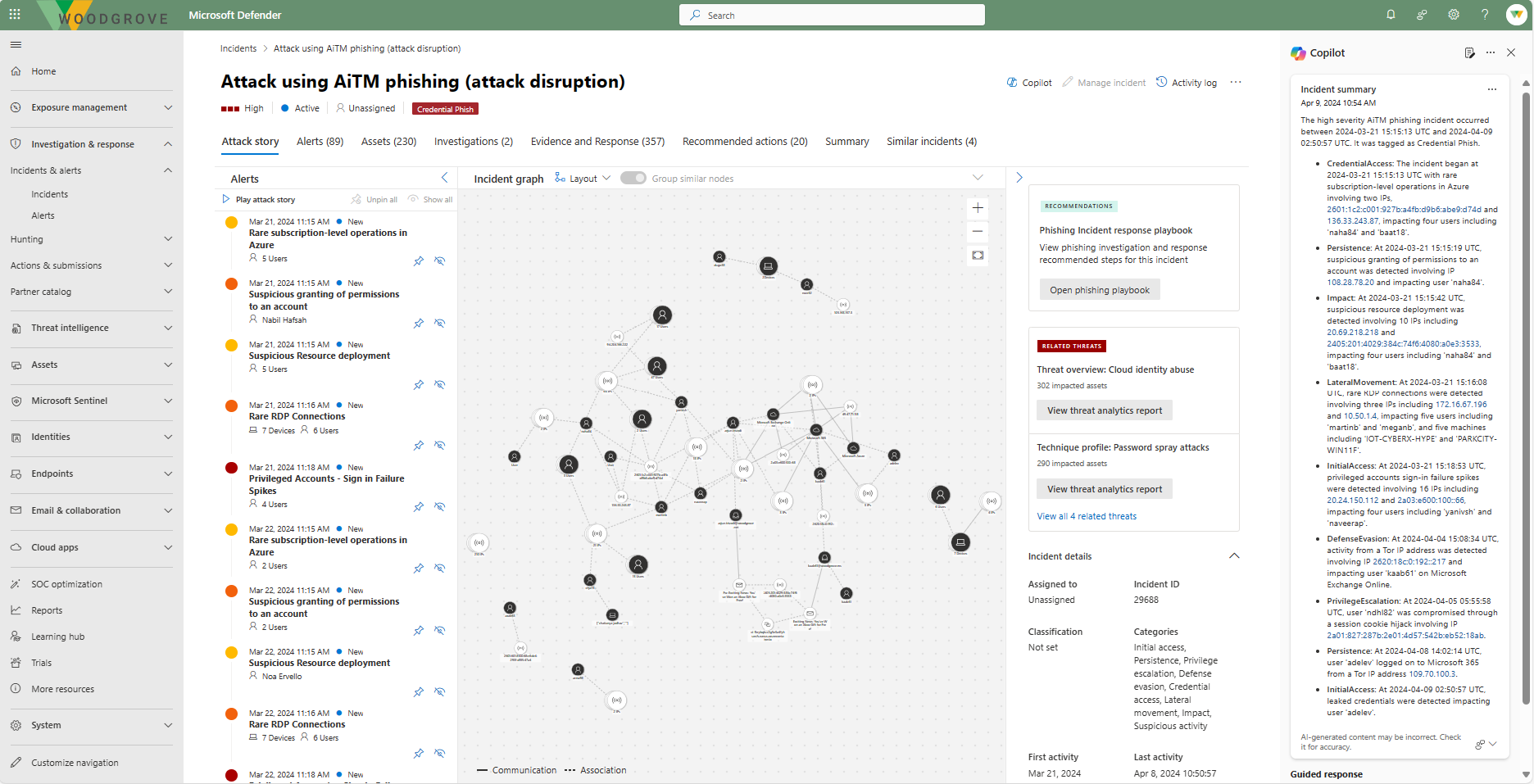
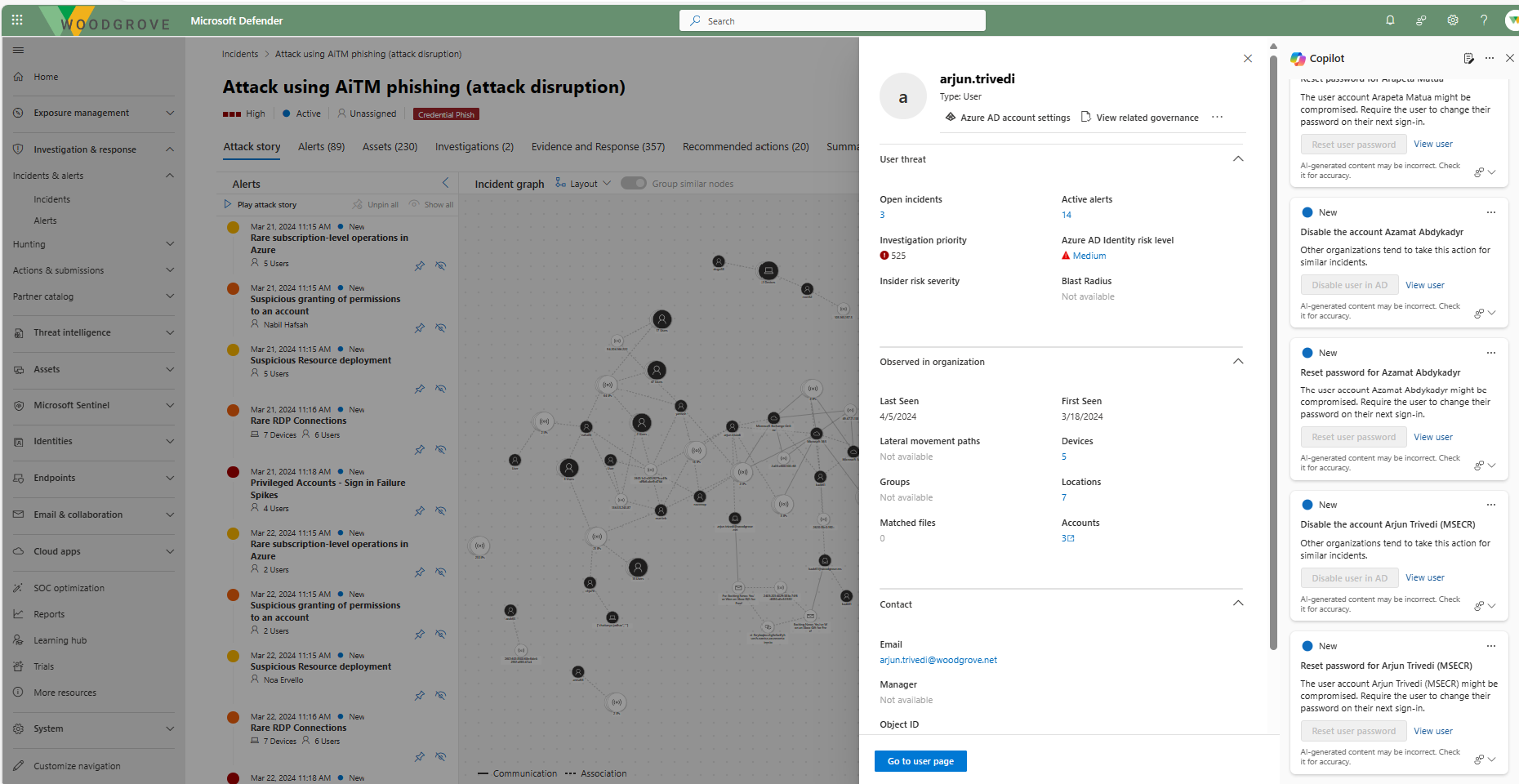
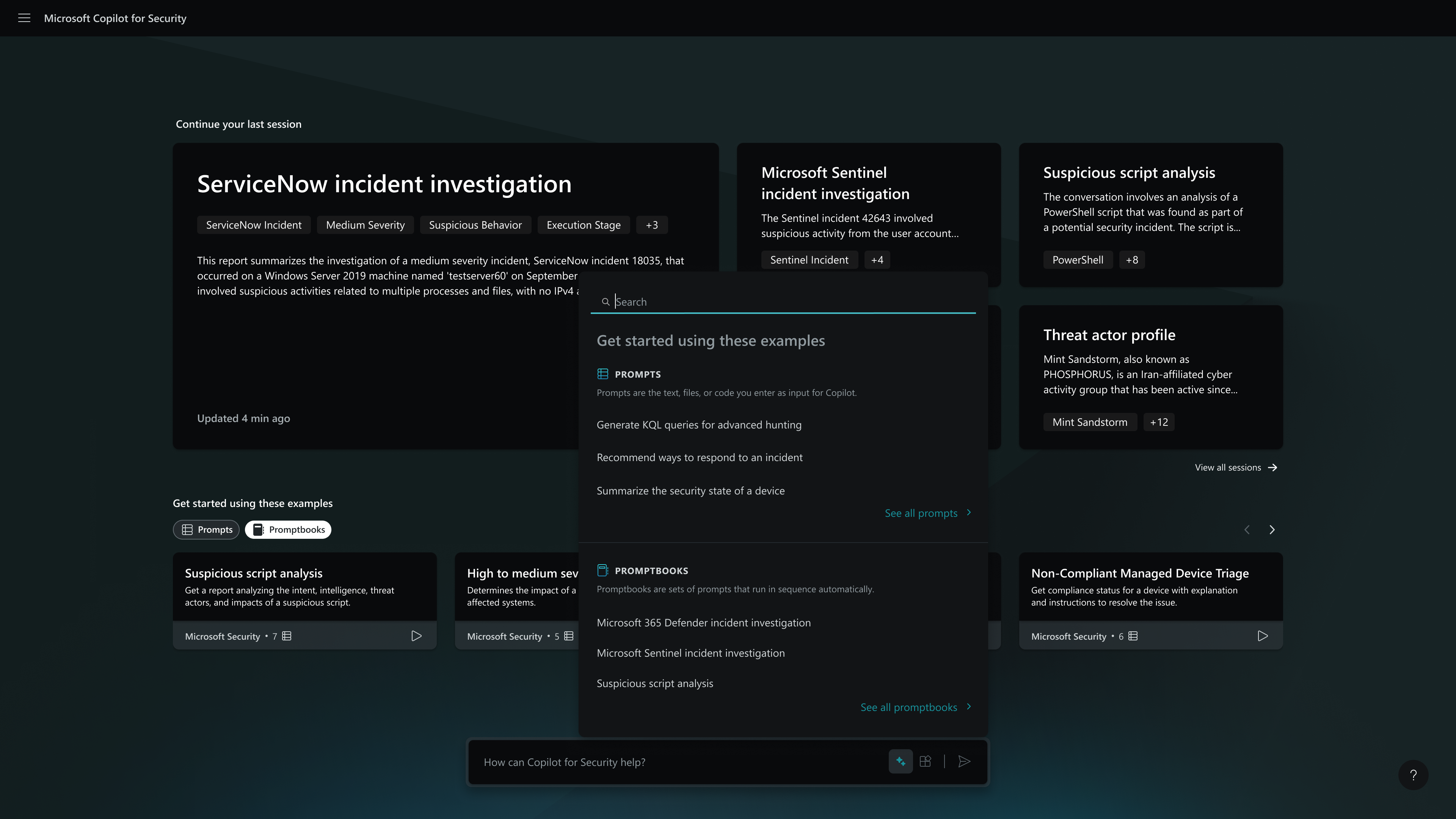
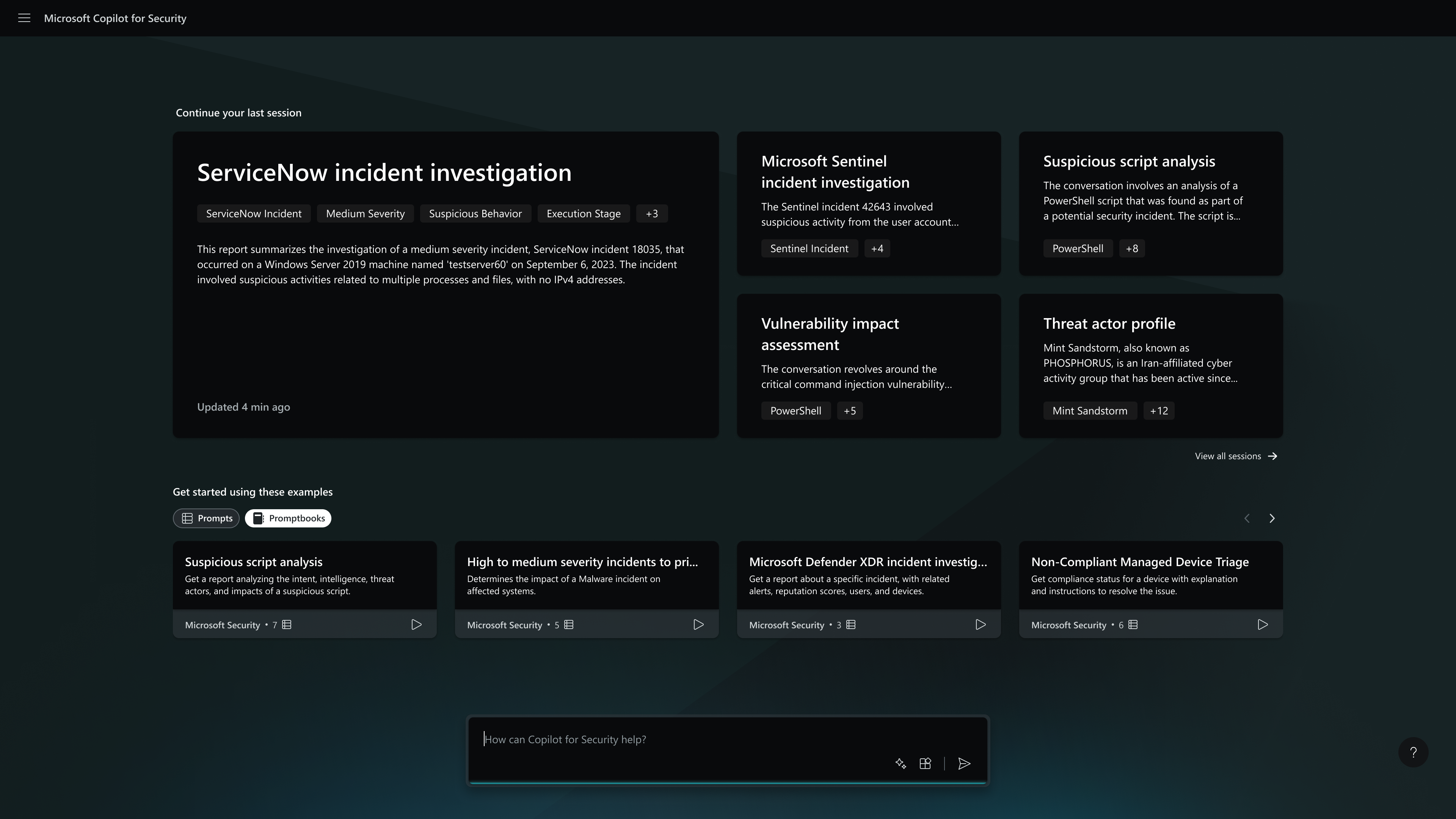
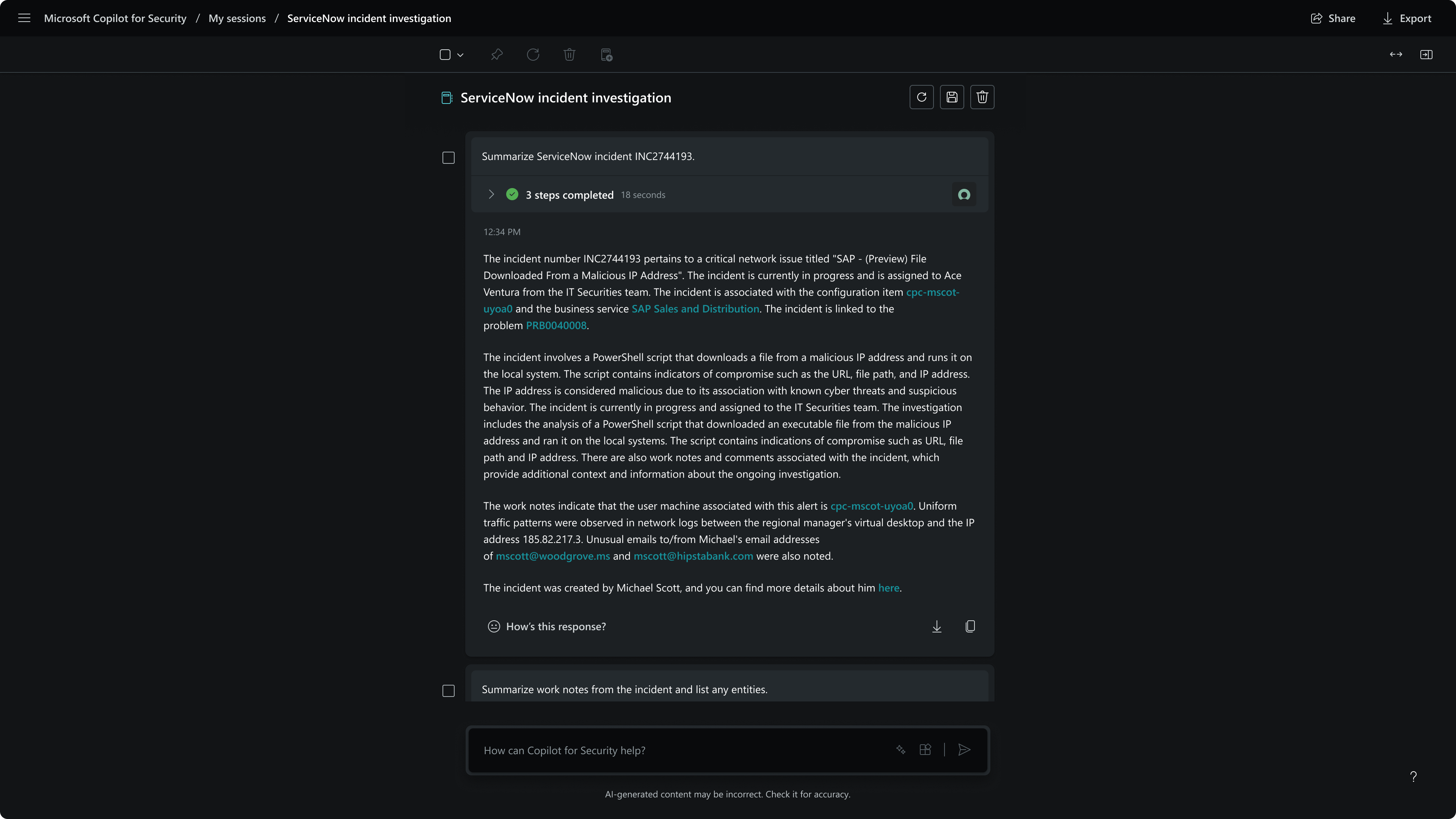
Screenshot of Defender USX guided responseScreenshot of Defender USX incident summaryScreenshot of the homepage - capabilities menuScreenshot of the homepageScreenshot of MDTI threat intelScreenshot of session - incident summary

TheHive Screenshots

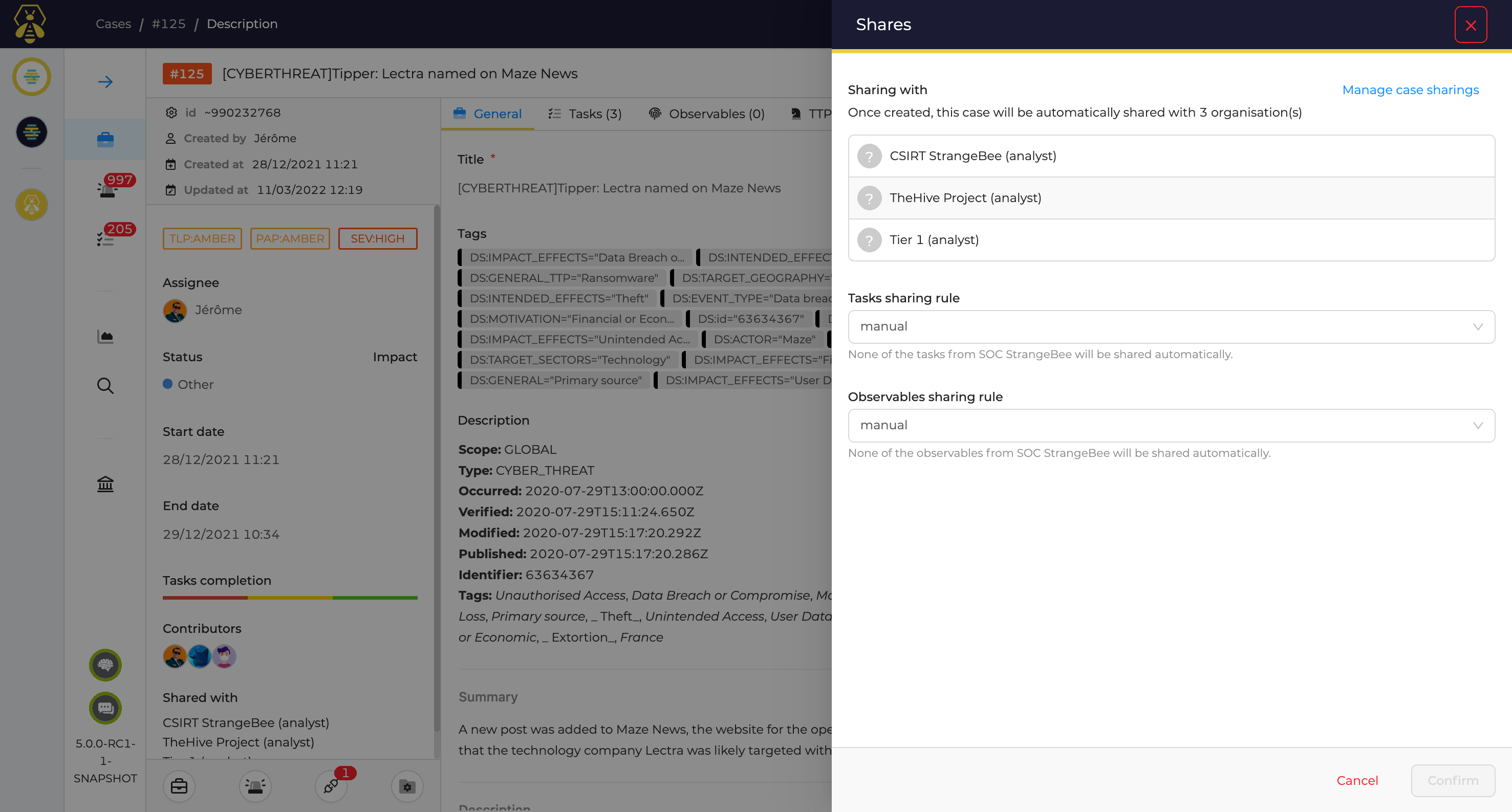
Screenshot of Alert Management: Go through your dedicated and detailed Alert page, make comments, identify similar Alerts, define custom statuses and fields. Then decide whether or not they should be escalated to investigations or to incident response.Screenshot of Case Management: Create cases and associated tasks and observables. Identify similar cases and alerts, define the PAP (Permissible Actions Protocol) level on each Observable, or improve your Incident Response process using a simple yet powerful template engine.Screenshot of Muti Tenant Environments: Define the different organizations and teams and get them to work in a dedicated or collaborative mode: tenants' cases can be isolated or investigated by users from different organizations based on customizable roles and permissions.Screenshot of User Management: Define and customize user profiles, assign them to users within their organizations and synchronise them via LDAP or AD.Screenshot of Metrics and Dashboards: Compile and correlate statistics on cases, tasks, observables, metrics and more to generate useful KPIs and MBOs with our dynamic dashboard engine.Screenshot of MISP Integration: Get shared Indicators of compromise quickly imported and ready to use or share yours easily with your communities by connecting TheHive with MISP.