
Microsoft System Center vs. VMmanager
| Product | Rating | Most Used By | Product Summary | Starting Price |
|---|---|---|---|---|
 Microsoft System Center | Score8.4 out of 10 | N/A | Microsoft System Center is an enterprise-grade IT Operations Management (ITOM) suite designed for the centralized administration of data center infrastructure, virtualized environments, and hybrid cloud workloads. The platform provides unified management across heterogeneous environments, including support for Windows Server, Linux, and Azure Stack HCI. System Center is Microsoft's ITOM stack for organizations that maintain a significant on-premise footprint, vs the company's Azure-based… | $1,323 per month |
 VMmanager | Score9.3 out of 10 | Small Businesses (1-50 employees) | VMmanager automatically creates KVM / LXD based virtual machines. It provides flexible features to control and manage virtual infrastructure. The free version of VMmanager comes without any feature limits for 30 days. Modern interface. VMmanager boasts interface and smart UX that makes it easy to solve any task. Stability and security. VMmanager gets new security updates every week. The… | N/A |
| Microsoft System Center | VMmanager | |||||||||||||||
|---|---|---|---|---|---|---|---|---|---|---|---|---|---|---|---|---|
| Editions & Modules |
| No answers on this topic | ||||||||||||||
| Offerings |
| |||||||||||||||
| Entry-level Setup Fee | No setup fee | No setup fee | ||||||||||||||
| Additional Details | — | Trial version It has the same settings and functions as the full version except for the following limitations: — Valid for 30 days — By default, it includes 5 servers and 100 virtual machines (can be expanded to any value for free in your account) | ||||||||||||||
| More Pricing Information | ||||||||||||||||
| Microsoft System Center | VMmanager | |
|---|---|---|
| Considered Both Products | No answer on this topic | No answer on this topic |
| Key User Insights | ||
| Would buy again | ||
91% Would buy again 31 Answers | No answers on this topic | |
| Delivers good value for the price | ||
97% Delivers good value for the price 33 Answers | No answers on this topic | |
| Happy with the feature set | ||
91% Happy with the feature set 31 Answers | No answers on this topic | |
| Lived up to sales and marketing promises | ||
95% Lived up to sales and marketing promises 21 Answers | No answers on this topic | |
| Implementation went as expected | ||
97% Implementation went as expected 28 Answers | No answers on this topic | |
| Microsoft System Center | VMmanager | |
|---|---|---|
| Small Businesses | No answers on this topic | No answers on this topic |
| Medium-sized Companies | No answers on this topic |  SolarWinds Virtualization Manager (VMAN) Score10 out of 10 |
| Enterprises | No answers on this topic |  OpenManage Integration for VMware vCenter Score7.6 out of 10 |
| All Alternatives | View all alternatives | View all alternatives |
| Microsoft System Center | VMmanager | |
|---|---|---|
| Likelihood to Recommend | 9.3 | 9.0 |
| Likelihood to Renew | 7.0 | - |
| Usability | 8.4 | - |
| Support Rating | 9.0 | - |
| Implementation Rating | 8.0 | - |
| Microsoft System Center | VMmanager | |
|---|---|---|
| Likelihood to Recommend |
|
|
| Pros |
|
|
| Cons |
|
|
| Likelihood to Renew |
| No answers on this topic |
| Usability |
| No answers on this topic |
| Support Rating |
| No answers on this topic |
| Implementation Rating |
| No answers on this topic |
| Alternatives Considered |
| No answers on this topic |
| Return on Investment |
|
|
| ScreenShots | VMmanager Screenshots   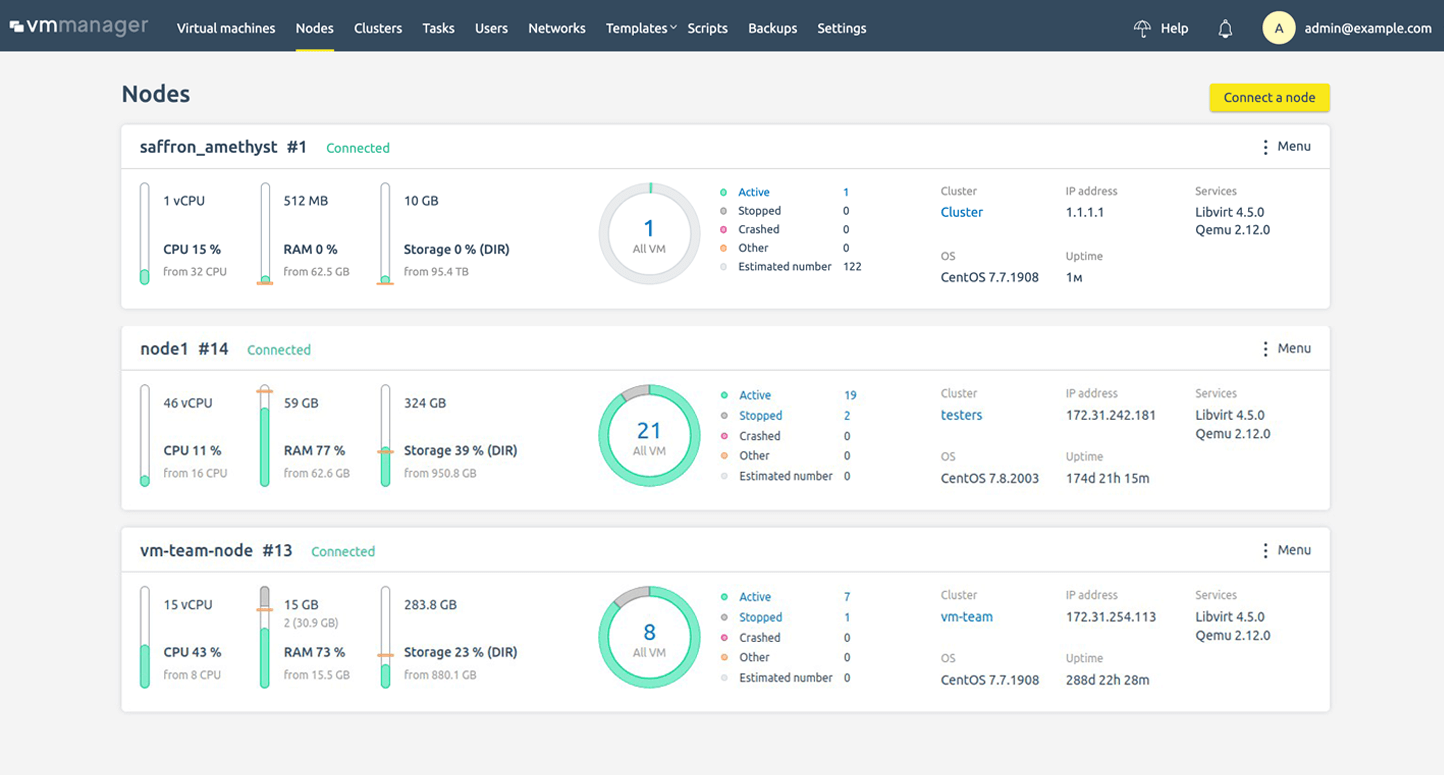  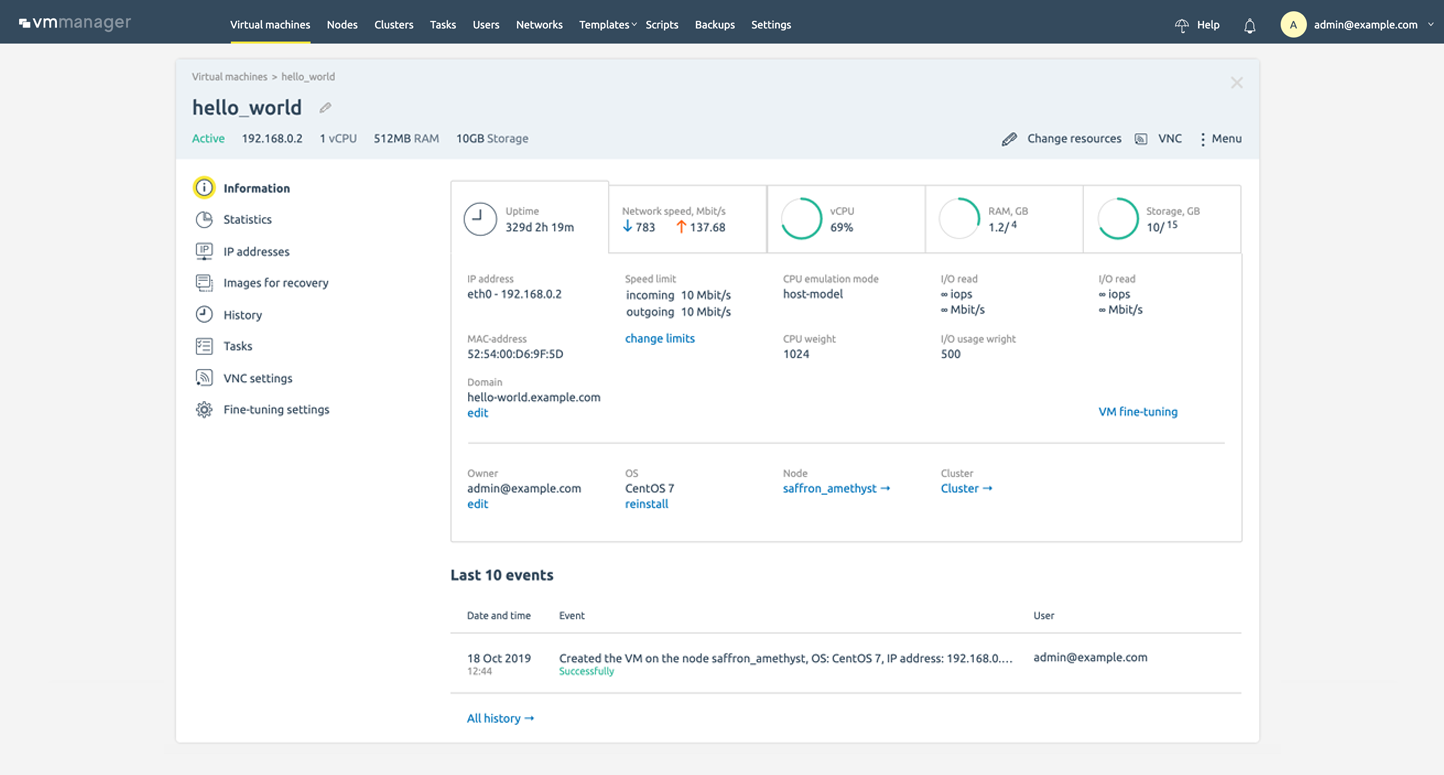 |
