MineTwin vs. PTC Creo

Overview
ProductRatingMost Used ByProduct SummaryStarting Price
MineTwin
Score 10.0 out of 10
Enterprise companies (1,001+ employees)
MineTwin is simulation, planning and decision-support software developed for open-pit and underground mining operations. It creates detailed digital representations of mines so that operational plans, fleet configurations, infrastructure investments and new technologies can be tested before resources are committed in the real operation. CORE CAPABILITIES Discrete-event simulation of mining activities, equipment movement,…N/A
PTC Creo
Score 7.5 out of 10
N/A
PTC offers Creo, the company's line of computer-aided design (CAD) products that support the product lifecycle management (PLM) process with 2D and 3D design kits (Creo Elements and Creo Direct), an augmented reality module, Creo Illustrate for technical illustrations, Creo Sketch, Creo Schematics and Creo View for diagramming and sharing information, Creo simulate for running simulations, and other modules.
$2,480
Pricing
MineTwinPTC Creo
Editions & Modules
No answers on this topic
Design Package
$2,480.00
Offerings
Pricing Offerings
MineTwinPTC Creo
Free Trial
YesNo
Free/Freemium Version
NoNo
Premium Consulting/Integration Services
NoNo
Entry-level Setup FeeNo setup feeNo setup fee
Additional Details
More Pricing Information
Community Pulse
MineTwinPTC Creo
Features
MineTwinPTC Creo
Computer-Aided Design Software
Comparison of Computer-Aided Design Software features of Product A and Product B
MineTwin
-
Ratings
PTC Creo
4.0
1 Ratings
61% below category average
3D Modeling00 Ratings4.01 Ratings
2D Drafting00 Ratings1.01 Ratings
Rendering and Visualization00 Ratings6.01 Ratings
Parametric Design00 Ratings8.01 Ratings
Collaboration and Sharing00 Ratings6.01 Ratings
Compatibility with other software and formats00 Ratings2.01 Ratings
Assembly Design00 Ratings3.01 Ratings
Documentation and Annotation00 Ratings2.01 Ratings
Best Alternatives
MineTwinPTC Creo
Small Businesses
SOLIDWORKS
SOLIDWORKS
Score 8.7 out of 10
Onshape
Onshape
Score 6.4 out of 10
Medium-sized Companies
Navisworks
Navisworks
Score 9.1 out of 10
Onshape
Onshape
Score 6.4 out of 10
Enterprises
Navisworks
Navisworks
Score 9.1 out of 10
Rhino
Rhino
Score 8.7 out of 10
All AlternativesView all alternativesView all alternatives
User Ratings
MineTwinPTC Creo
Likelihood to Recommend
10.0
(1 ratings)
2.2
(14 ratings)
Usability
10.0
(1 ratings)
-
(0 ratings)
Support Rating
-
(0 ratings)
8.0
(1 ratings)
User Testimonials
MineTwinPTC Creo
Likelihood to Recommend
Amalgama Software Design
MineTwin is well suited if your company operates in the mining industry or related to the mining industry and is looking to make changes or upgrades - this tool provides the means to investigate that at a fraction of the cost. Additionally if you are a consultant providing services to companies in the mining sectors this tool is also for you!
Read full review
PTC
PTC Creo is great for assemblies that multiple users are collaborating on. Models can reference other models that someone in another department has released and when those models are changed, the referenced parts and assemblies are changed. These changes are very helpful when working on collaborative machine designs and comparing forging dies with the final parts.
Read full review
Pros
Amalgama Software Design
No answers on this topic
PTC
  • PTC Creo contains many advanced tools with better optimization for creating part models and other production related drawings.
  • The initial concept designs can be done more adequately.
  • The parameters of 2D drawings can be changed easily by editing the 3D model.
  • The productivity can be increased by customized tools for modeling.
Read full review
Cons
Amalgama Software Design
No answers on this topic
PTC
  • No autosave
  • No clear message if it has problems saving the file
  • Not so easy to use
  • In my experience, has a lot of things missing that other CAD already have in years
  • In my experience, it's extremely easy to lose work/time
Read full review
Usability
Amalgama Software Design
As a mentioned before using MineTwin for mining operations is easy as it has prepopulated options for mining equipment, as well as all the necessary operations that a mine can do.
Read full review
PTC
No answers on this topic
Support Rating
Amalgama Software Design
No answers on this topic
PTC
I liked the training manuals I used to learn some, as I didn’t have CAD background in college or before this job. My coworkers were able to share with me what they learned in PTC training and I was able to get support online and through reading.
Read full review
Alternatives Considered
Amalgama Software Design
No answers on this topic
PTC
Learning curve of SOLIDWORKS is higher compared to Creo, however, stability and more design control is provided by Creo. Creo also have more robust and stable interfaces. For larger assemblies, Creo works better than SOLIDWORKS. New upgrades of Creo has given liberty to open different file data of different software without any file conversion. Creo costs comparable to SOLIDWORKS cost, with more capabilities.
Read full review
Return on Investment
Amalgama Software Design
No answers on this topic
PTC
  • Having PTC Creo as our primary tool positions us as forward thinking and creative in the eyes of our clients.
  • PTC Creo constantly evolves in the ability to increase our productivity; new capabilities and features are added, which reduce our level of effort for some tasks.
Read full review
ScreenShots

MineTwin Screenshots

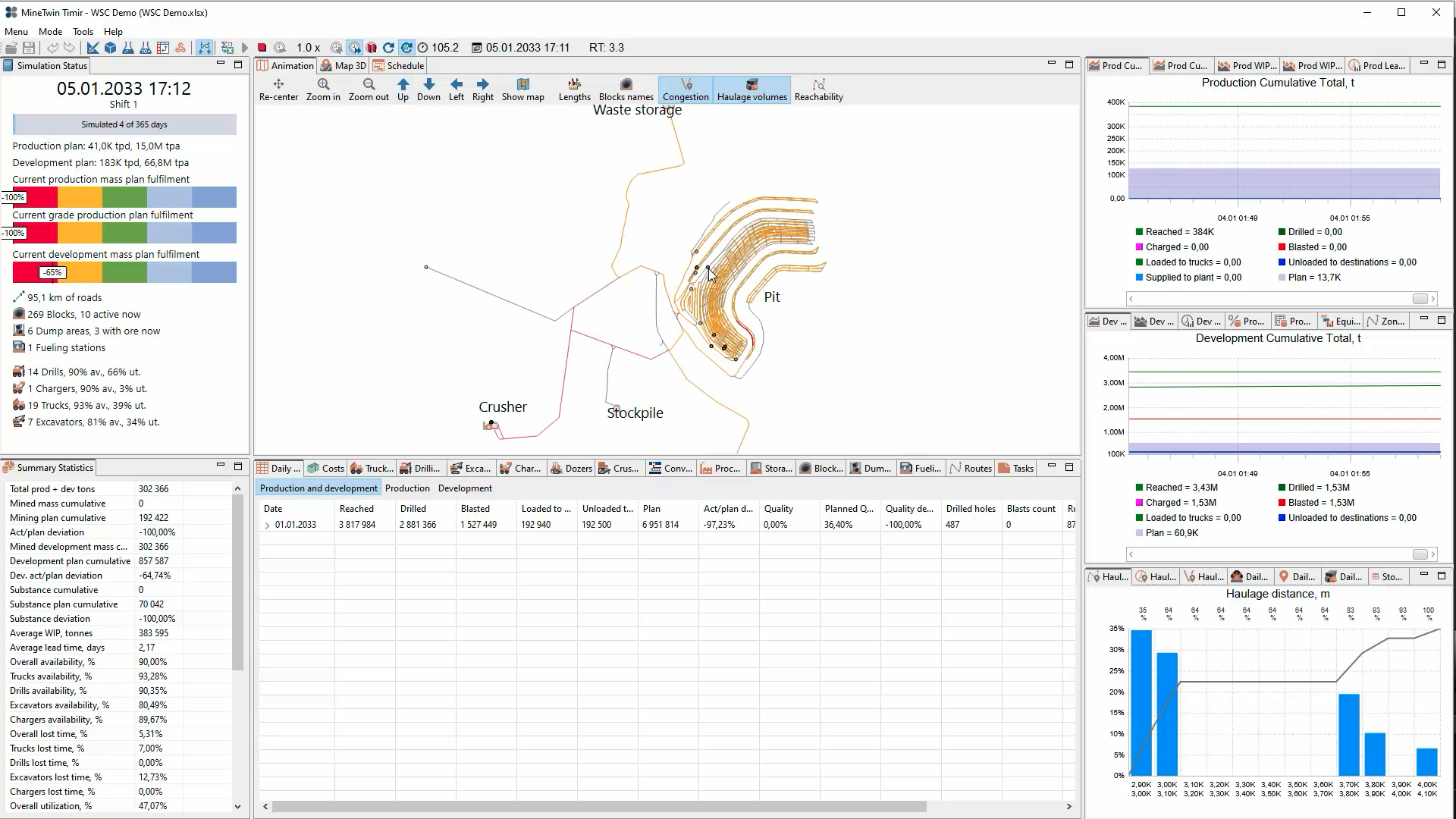
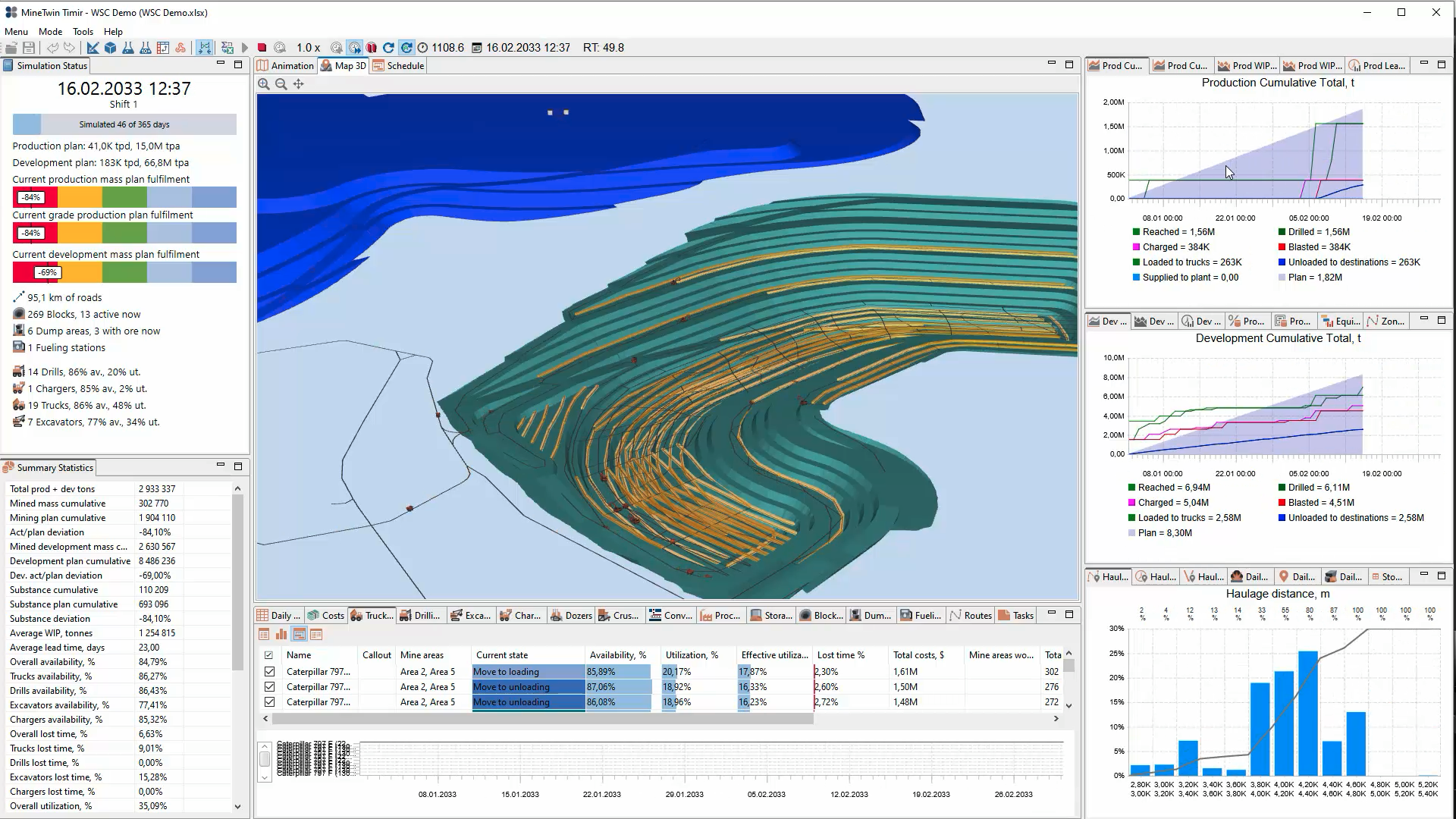
Screenshot of MineTwin’s 2D open-pit simulation view maps the mine, roads, crusher, stockpile and waste storage while displaying plan fulfilment, equipment availability, production and development results, haulage-distance distributions, and daily operating statistics.Screenshot of MineTwin’s 3D open-pit simulation view combines an animated mine model with plan-fulfilment indicators, equipment availability and utilization, cumulative production and development charts, haulage analysis, costs, and detailed summary statistics at once.Screenshot of MineTwin’s schedule-execution Gantt chart shows loader and truck activities over time, including travel, loading, unloading, waiting, haulage and downtime. Colour-coded states make delays, interactions, utilization and schedule feasibility easy to assess.Screenshot of MineTwin’s 3D scenario editor visualizes a complex underground mine network while organizing stopes, ore passes, crushers, conveyors, equipment, schedules, tasks and plans in a structured tree. Detailed property panels support precise model configuration.