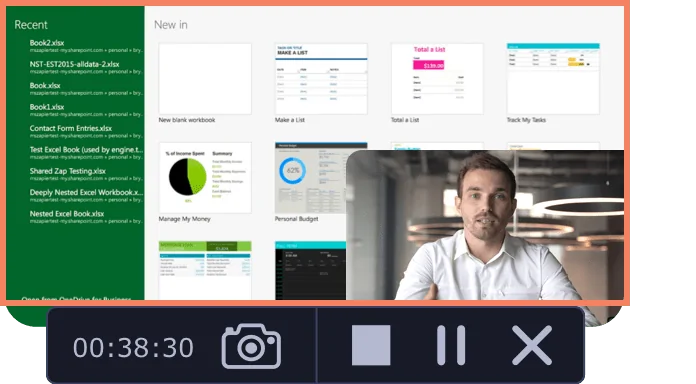
Movavi Screen Recorder lets the user grab any screen video, audio, system sounds and web-cam from a computer with a single button click. Capture webinars, live streams, Skype chats, and anything else. The user can create GIFs from movie scenes and share them with collegues. Carry Out App Reviews and Software Demos Adjust the capture area Add captions and voice-over comments with mic Split audio and video into multiple segments Do video…
$39.95
per user
OBS Studio
Score9.2 out of 10
N/A
OBS Studio is free and open source software for video recording and live streaming, featuring real time video/audio capturing and mixing. Users can create scenes made up of multiple sources including window captures, images, text, browser windows, webcams, and capture cards.
$0
Streamlabs
Score8.8 out of 10
N/A
Streamlabs, made by Logitech International, is a free live streaming software. With it's multi-streaming capabilities, Streamlabs can stream to YouTube, Twitch, Facebook, and more live at the same time.
Product Manager in Product Management at 100ms (Computer Software, 51-200 employees)
Chose OBS Studio
Only one reason which is that OBS studio is free and open source and we had team members capable of using it effectively. Other softwares have great prebuilt features which make it super easy to go live for small streams and individual streamers.
A de minimis incentive was given to thank the reviewer for their time. The incentive was not used to bias or drive a particular response, nor was the incentive contingent on a positive endorsement. More Info
Owner/Operator at BucketHat Media (Media Production, 1-10 employees)
Chose OBS Studio
OBS is far more customizable and user-friendly than any other broadcasting software I have found. It keeps things simple while allowing you to customize your layout exactly how you want it - there are more user-friendly options, but none with the customizability of OBS. I would …
A de minimis incentive was given to thank the reviewer for their time. The incentive was not used to bias or drive a particular response, nor was the incentive contingent on a positive endorsement. More Info
A de minimis incentive was given to thank the reviewer for their time. The incentive was not used to bias or drive a particular response, nor was the incentive contingent on a positive endorsement. More Info
From simple streaming to bigger events, OBS has been able to handle all of it with full confidence from us. Have never questioned if it was going to be unreliable in a specific situation, even with minimal training. Software identified the external input source easily and had no issues setting that up (Blackmagic Mini Recorder), and great for pulling in separate audio from the computer input.
A de minimis incentive was given to thank the reviewer for their time. The incentive was not used to bias or drive a particular response, nor was the incentive contingent on a positive endorsement. More Info
Streamlabs is perfect for generating multimedia content with common elements such as cell phones, web cameras, PC screens, etc. By allowing video from multiple sources to be shown at the same time, it is perfect for example for technical product demonstrations. In the scenario described, parcticity is prioritized. However, if the proposed scenario is to generate high-quality multimedia content, you should use professional equipment for video, sound and editing.
A de minimis incentive was given to thank the reviewer for their time. The incentive was not used to bias or drive a particular response, nor was the incentive contingent on a positive endorsement. More Info
A de minimis incentive was given to thank the reviewer for their time. The incentive was not used to bias or drive a particular response, nor was the incentive contingent on a positive endorsement. More Info
Scene Composition and Switching + source control which allows for creators and our customers to move between different types of content they might have (different video feeds, slides etc)
Audio mixer and audio control - noise gating, a/v syncing, audio source control
A de minimis incentive was given to thank the reviewer for their time. The incentive was not used to bias or drive a particular response, nor was the incentive contingent on a positive endorsement. More Info
A de minimis incentive was given to thank the reviewer for their time. The incentive was not used to bias or drive a particular response, nor was the incentive contingent on a positive endorsement. More Info
A de minimis incentive was given to thank the reviewer for their time. The incentive was not used to bias or drive a particular response, nor was the incentive contingent on a positive endorsement. More Info
A de minimis incentive was given to thank the reviewer for their time. The incentive was not used to bias or drive a particular response, nor was the incentive contingent on a positive endorsement. More Info
A de minimis incentive was given to thank the reviewer for their time. The incentive was not used to bias or drive a particular response, nor was the incentive contingent on a positive endorsement. More Info
Very usable because it is free and has had a lot of people helping to suggest improvements and sponsors have allowed the product to grow in sophistication and suitability across a variety of situations and use needs. It is very logical to use once you get started, although the dashboard can seem intimidating at first.
A de minimis incentive was given to thank the reviewer for their time. The incentive was not used to bias or drive a particular response, nor was the incentive contingent on a positive endorsement. More Info
For a free product, a range of support is available. There are plenty of ways to find out answers to questions, because there are probably thousands of people using the product who are willing to share what they have learned. It usually works as designed, so needs for support are limited.
A de minimis incentive was given to thank the reviewer for their time. The incentive was not used to bias or drive a particular response, nor was the incentive contingent on a positive endorsement. More Info
A de minimis incentive was given to thank the reviewer for their time. The incentive was not used to bias or drive a particular response, nor was the incentive contingent on a positive endorsement. More Info
I have also used TinyTake by Mango Apps and I prefer OBS studio because the video quality results are better and OBS allows you to record an unlimited length of the video. OBS also lets you record an entire screen instead of manually having to draw your parameters, which can create oddly sizes videos if you miss by a few pixels.
A de minimis incentive was given to thank the reviewer for their time. The incentive was not used to bias or drive a particular response, nor was the incentive contingent on a positive endorsement. More Info
Although Adobe Premier Pro is a product for video professionals, it did not present the possibility of performing LIVE as Streamlabs, in addition to the fact that Adobe is a paid version exclusively. Streamlabs was more in line with our objectives as it is a tool aimed at the common user and not just professionals.
A de minimis incentive was given to thank the reviewer for their time. The incentive was not used to bias or drive a particular response, nor was the incentive contingent on a positive endorsement. More Info
A de minimis incentive was given to thank the reviewer for their time. The incentive was not used to bias or drive a particular response, nor was the incentive contingent on a positive endorsement. More Info
A de minimis incentive was given to thank the reviewer for their time. The incentive was not used to bias or drive a particular response, nor was the incentive contingent on a positive endorsement. More Info
A de minimis incentive was given to thank the reviewer for their time. The incentive was not used to bias or drive a particular response, nor was the incentive contingent on a positive endorsement. More Info