Moz Local vs. SERPs.com

Overview
ProductRatingMost Used ByProduct SummaryStarting Price
Moz Local
Score 8.9 out of 10
N/A
Moz Local is a Listing Management & Distribution software solution that enables users to actively manage location data to optimize local search performance. The solution also enables users to respond to reviews and analyze review sentiment on the most popular sites without having to visit them individually, delete duplicate listings, and engage with consumers to share news, offers, and updates across Google, Facebook and other directories.
$20
per month
SERPs.com
Score 8.5 out of 10
N/A
SERPs.com is a Local SEO solution for premium WordPress Agencies. Their software automates the production of geo targeted landing pages. Use cases include service, product and geographically targeted landing pages. SERPs is not a plugin, it is a cloud based software that works with WordPress and HubSpot.
$750
per month
Pricing
Moz LocalSERPs.com
Editions & Modules
Lite
$20
per month
Preferred
$30
per month
Elite
$40
per month
Freelance
$750
per month 1 domain
Agency
$1800
per month unlimited domains
Enterprise
$3600
per month unlimited domains
Offerings
Pricing Offerings
Moz LocalSERPs.com
Free Trial
NoNo
Free/Freemium Version
NoNo
Premium Consulting/Integration Services
NoNo
Entry-level Setup FeeNo setup feeNo setup fee
Additional DetailsDiscounts are available for annual billing. Add-ons like Reviews AI and Listings AI are available on certain plans. A discount of up to 20% is available for annual billing.
More Pricing Information
Community Pulse
Moz LocalSERPs.com
Features
Moz LocalSERPs.com
SEO
Comparison of SEO features of Product A and Product B
Moz Local
-
Ratings
SERPs.com
7.3
1 Ratings
5% below category average
Keyword analysis00 Ratings8.01 Ratings
SERP ranking tracking00 Ratings9.01 Ratings
Page grader00 Ratings5.01 Ratings
Competitive analysis00 Ratings7.01 Ratings
SEO Channels
Comparison of SEO Channels features of Product A and Product B
Moz Local
-
Ratings
SERPs.com
7.0
1 Ratings
7% below category average
Local SEO00 Ratings8.01 Ratings
Social SEO00 Ratings4.01 Ratings
Mobile SEO00 Ratings7.01 Ratings
Global SEO00 Ratings9.01 Ratings
Best Alternatives
Moz LocalSERPs.com
Small Businesses
Yext
Yext
Score 8.0 out of 10
Nozzle
Nozzle
Score 10.0 out of 10
Medium-sized Companies
Yext
Yext
Score 8.0 out of 10
Advanced Web Ranking
Score 8.2 out of 10
Enterprises
Yext
Yext
Score 8.0 out of 10
Dupli Checker (DupliChecker.com)
Score 8.5 out of 10
All AlternativesView all alternativesView all alternatives
User Ratings
Moz LocalSERPs.com
Likelihood to Recommend
10.0
(1 ratings)
8.0
(1 ratings)
User Testimonials
Moz LocalSERPs.com
Likelihood to Recommend
iContact
Moz Local is a great alternative as well as a compliment to Yext. The service has a smaller network but is just as powerful. The dashboard is super easy to load your location information into and allows the product to do the work by distributing the data across platforms. Issues are easily identifiable and can easily be corrected. Depending on your service level package, you also can have access to reviews and be able to monitor those as you see fit. I would strongly recommend this service to anyone who has a local business they are looking to get seen across the web. For a larger business, I'd consider a larger company with a bigger network.
Read full review
SERPS.com
It is great if small and medium scale businesses to track their SEO efforts. The tool does not really offer too many features that a large enterprise might be benefit from. Also the UI of the tool can be improved + connections with the other tools. The accuracy is good enough to understand the overall movement in the market for your relevant keywords.
Read full review
Pros
iContact
  • Distribution of location data.
  • Dashboard super easy to use.
  • Low cost option that gets the job done.
Read full review
SERPS.com
  • Track and monitor SEO keywords
  • Research new keywords
  • Use conversion and traffic report
Read full review
Cons
iContact
  • Expansion of network.
  • Needs to be easier to access, too many clicks within Moz suite.
  • Generally speaking, they are solid.
Read full review
SERPS.com
  • Monitor keywords more frequently
  • Improve pricing model
Read full review
Alternatives Considered
iContact
Moz is just as good as Yext, the only major difference is the size of the network.
Read full review
SERPS.com
SERPs.com is cheaper than most of the SEO tools out there. It gives you the ability to keep a track of all the relevant keywords across your business and also helps you do a competition check.
Read full review
Return on Investment
iContact
  • Information has been published which has helped ensure we are trusted amongst our customers.
Read full review
SERPS.com
  • More than 1000% ROI on the branding efforts
Read full review
ScreenShots

Moz Local Screenshots

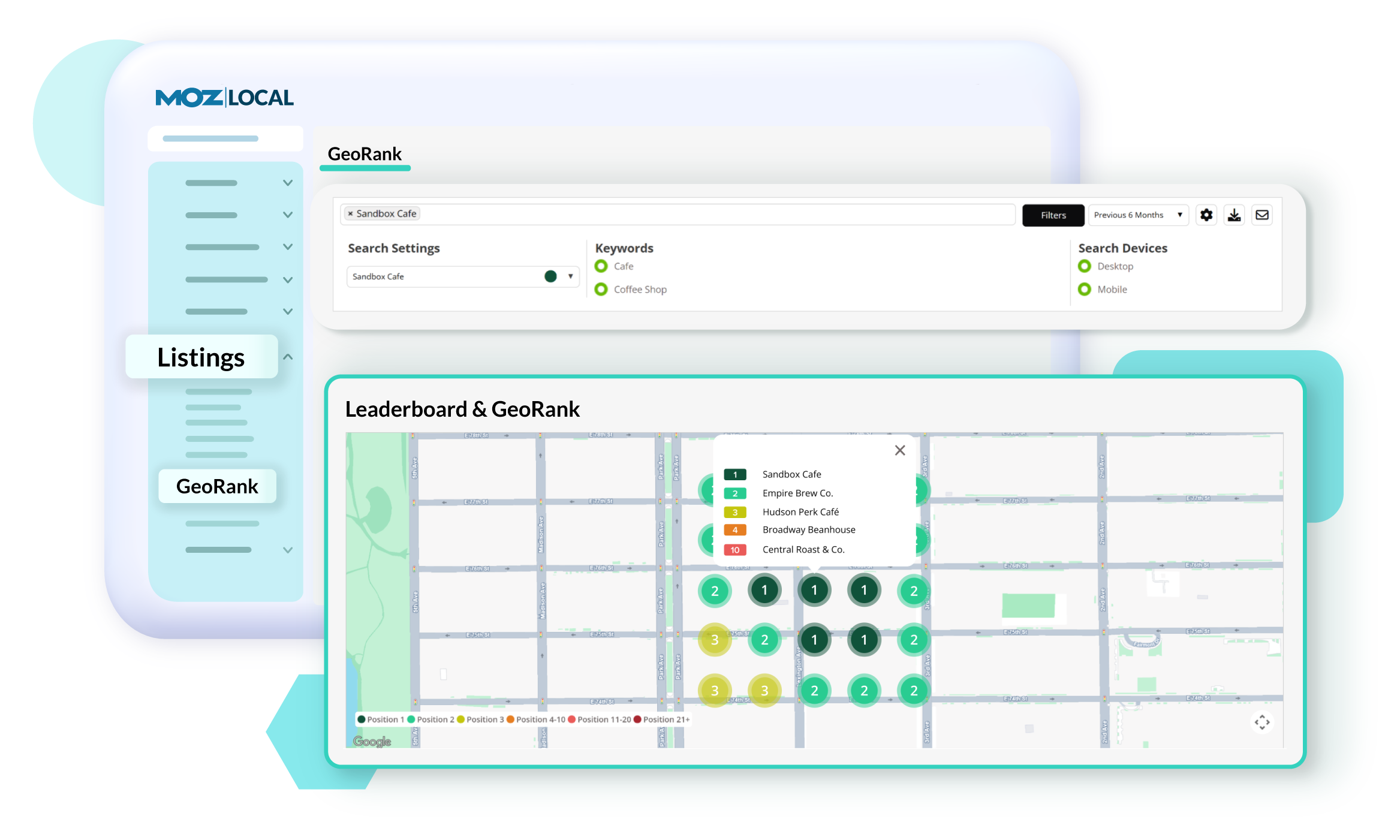
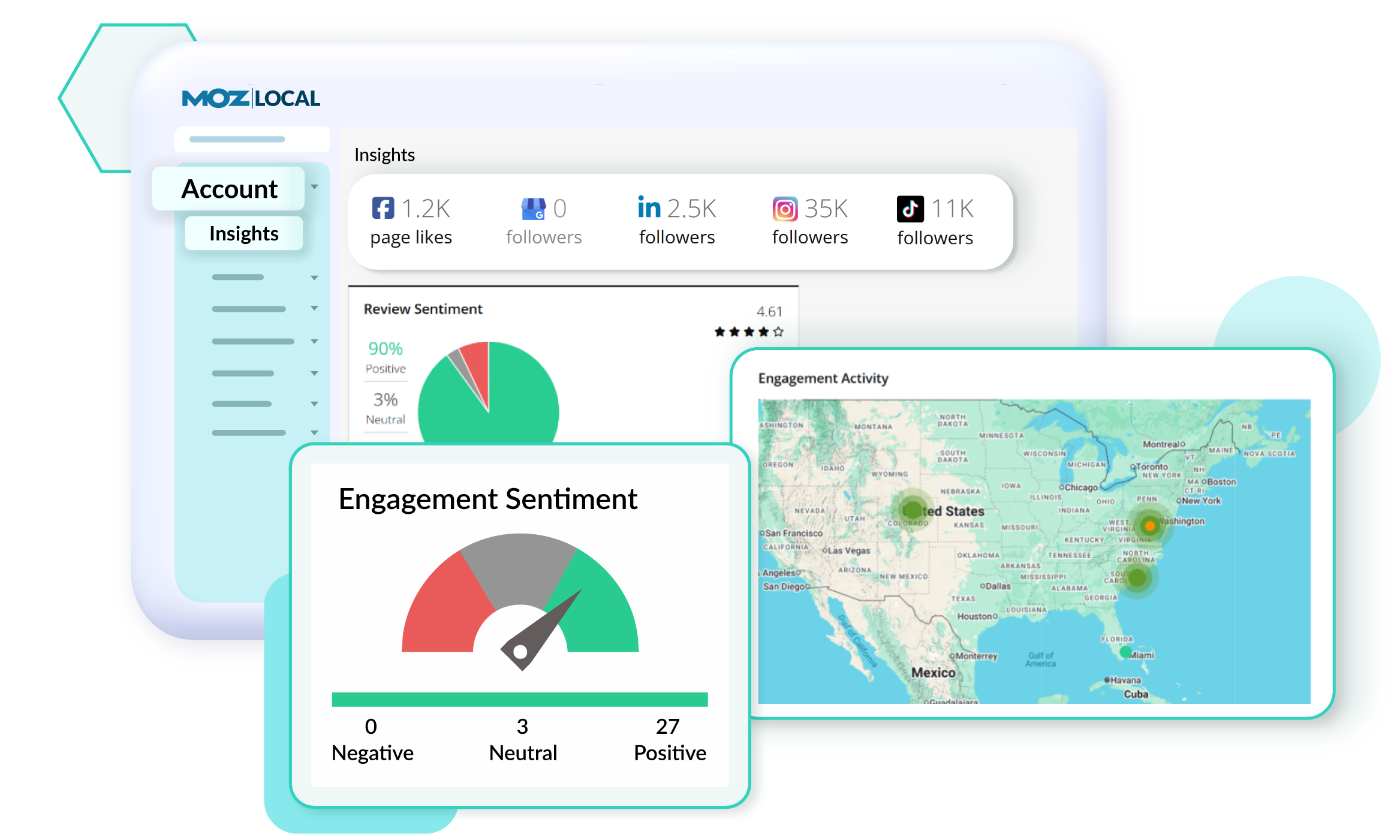
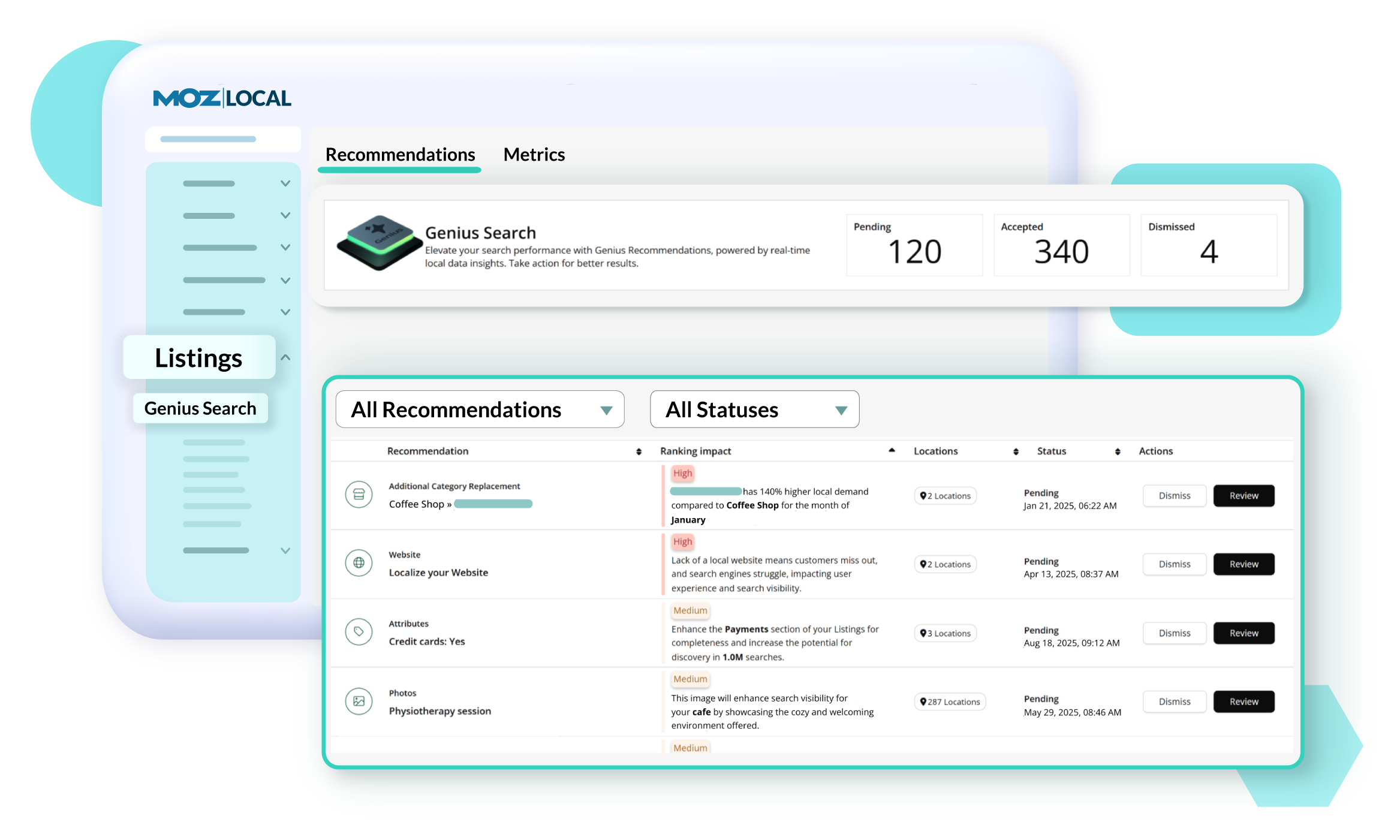
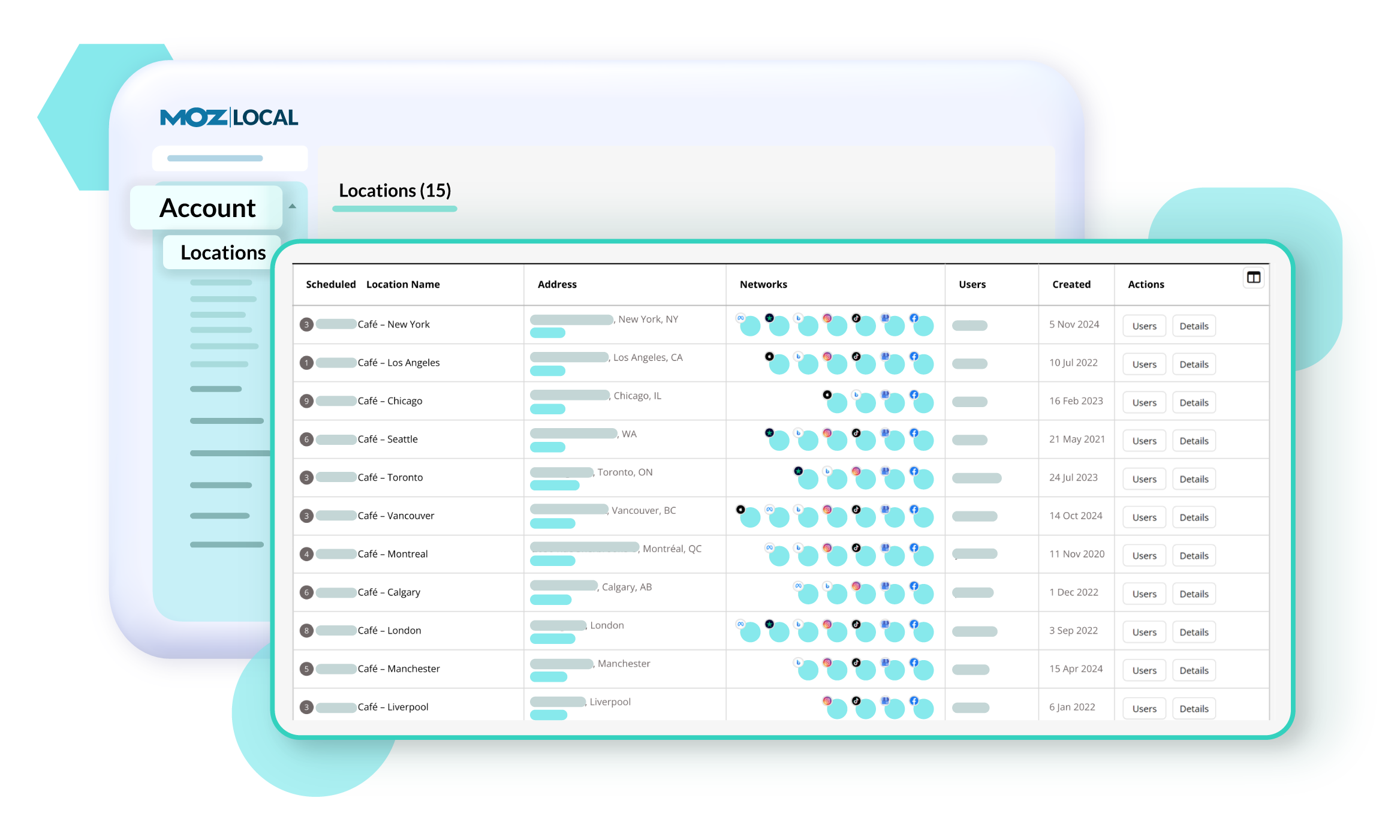
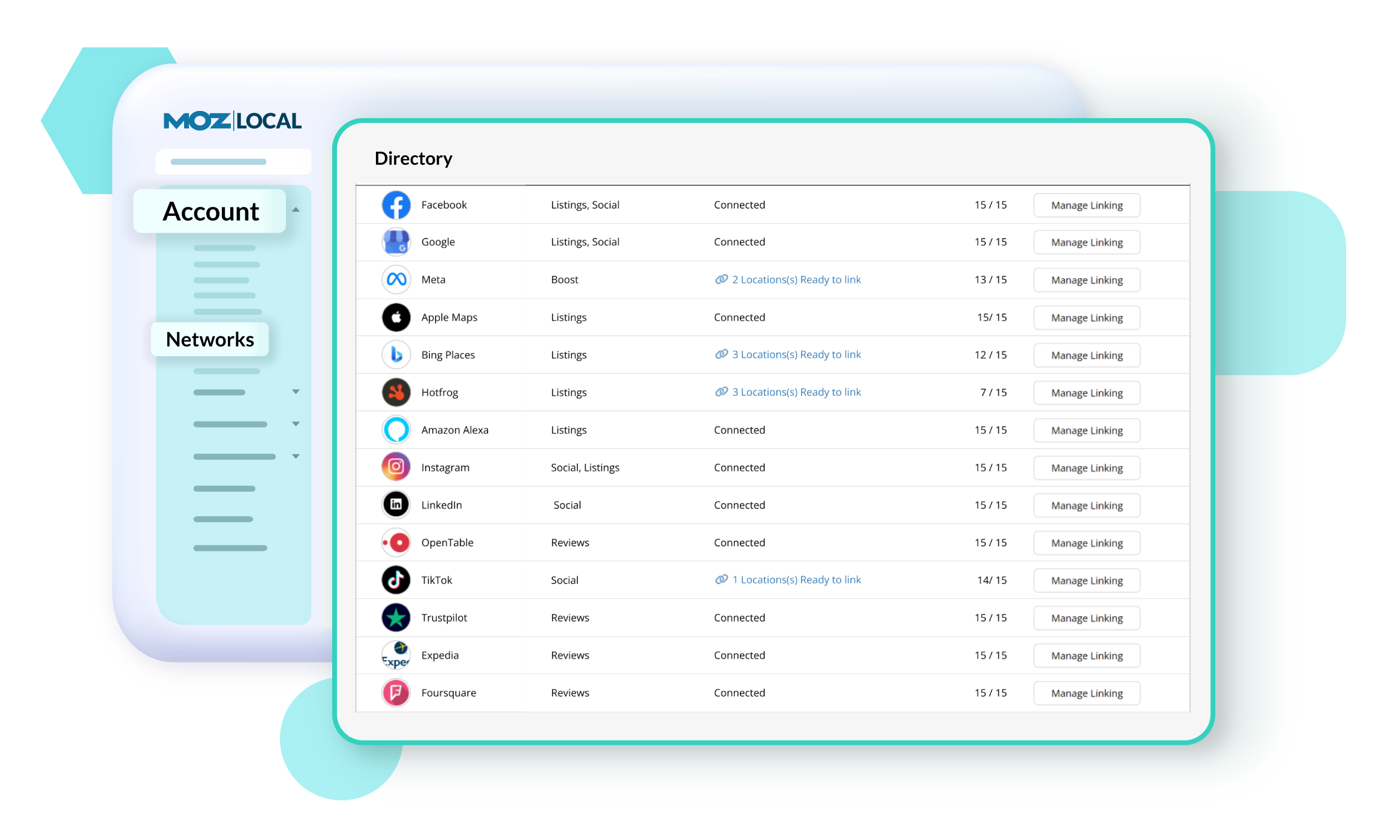
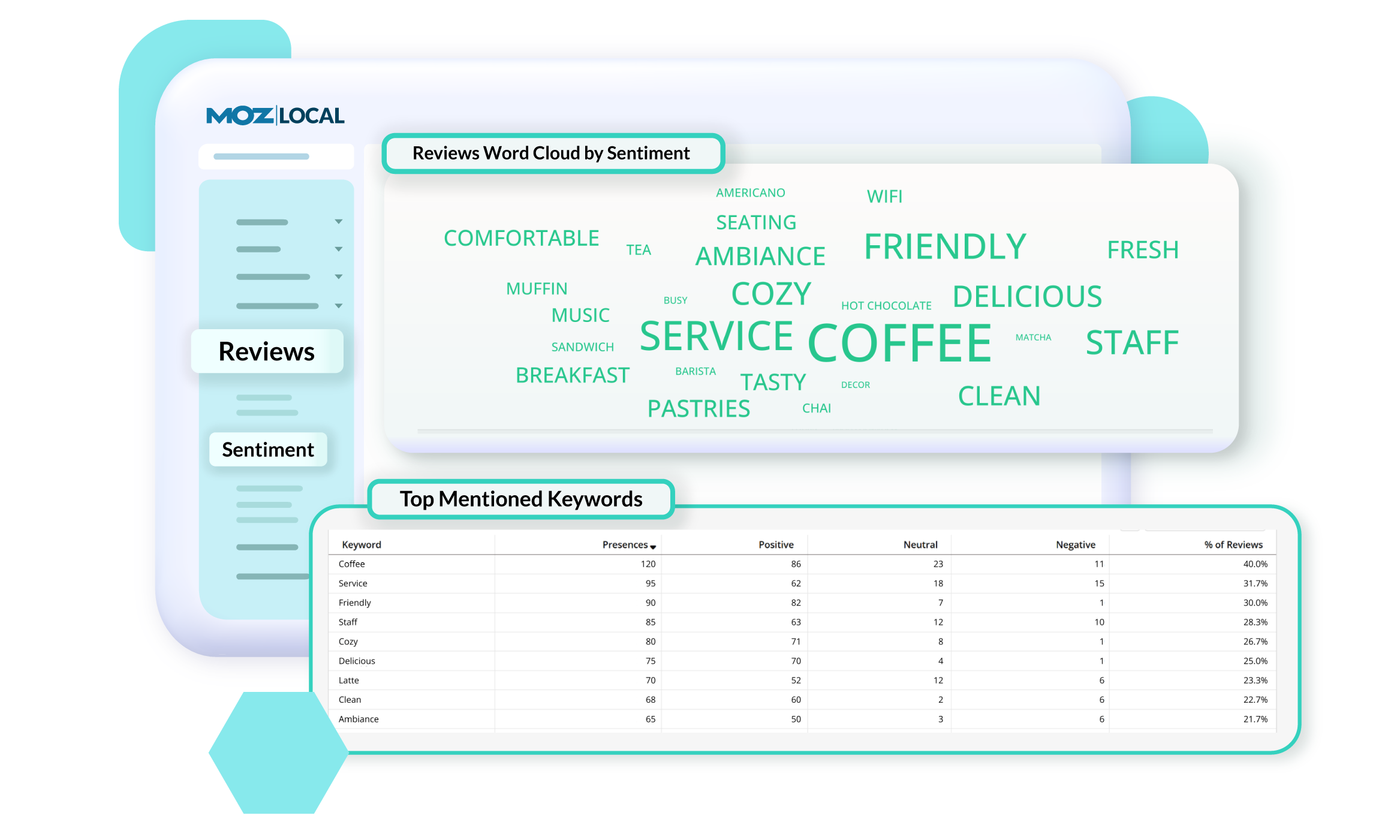
Screenshot of GeoRank, which offers a precise view of how a business and competitors rank in Google’s local search results across different neighborhoods. Because search results change based on a person’s location, traditional rank tracking doesn’t show the full picture. With GeoRank, you can set grids around your service area, track keyword rankings at multiple points, and visualize performance on interactive maps. See where you’re winning, where competitors outrank you, and how your visibility changes over time. GeoRank helps uncover opportunities to strengthen local SEO and expand a brand's reach.Screenshot of Insights in Moz Local, which connect directly with a Google Business Profile to show how customers are finding and engaging with a business. Track key actions like website clicks, direction requests, and phone calls to understand how listing drives leads over time. See which search keywords bring people to a profile, spot trends, and uncover opportunities to improve visibility. Insights offer a deeper look at customer behavior.Screenshot of Listings AI, which helps to keep a business's listings optimized as markets, competitors, and customer behaviors change. By analyzing reviews, engagement signals, keywords, and competitor data, it generates tailored recommendations that follow SEO best practices and align with local search trends. You’ll see suggestions for categories, services, and attributes—each with clear impact metrics—so you know which updates will boost visibility. It is available with Elite plans (or as an add-on for Lite and Preferred).Screenshot of Locations in Moz Local, where users manage and update business details to keep listings accurate and consistent across the web. From one dashboard, you can edit core information like name, address, hours, services, categories, and attributes, as well as upload images and add custom fields. Auto-sync ensures changes are pushed to directories automatically, saving you time and preventing errors. You can also view edit history, set warnings to avoid duplicate content, and group locations for easier management.Screenshot of Networks in Moz Local. which offers a centralized view of all the directories, social platforms, and review sites a business can connect to. From here, you can see which locations are linked, ready to link, or need updates, and quickly manage connections across platforms like Google, Facebook, and Yelp. The Networks table shows linking status and highlights any missing data or issues.Screenshot of Reviews Sentiment in Moz Local, which helps understand how customers feel about a business by analyzing the language used in their reviews. Track sentiment trends over time, see top keywords driving positive or negative feedback, and explore interactive word clouds to quickly spot themes. With color-coded insights and keyword-level detail, you can identify what customers love, uncover areas for improvement, and take action to strengthen your reputation. Sentiment reports can be filtered, shared, or exported, so marketing teams stay aligned on customer feedback and business impact.