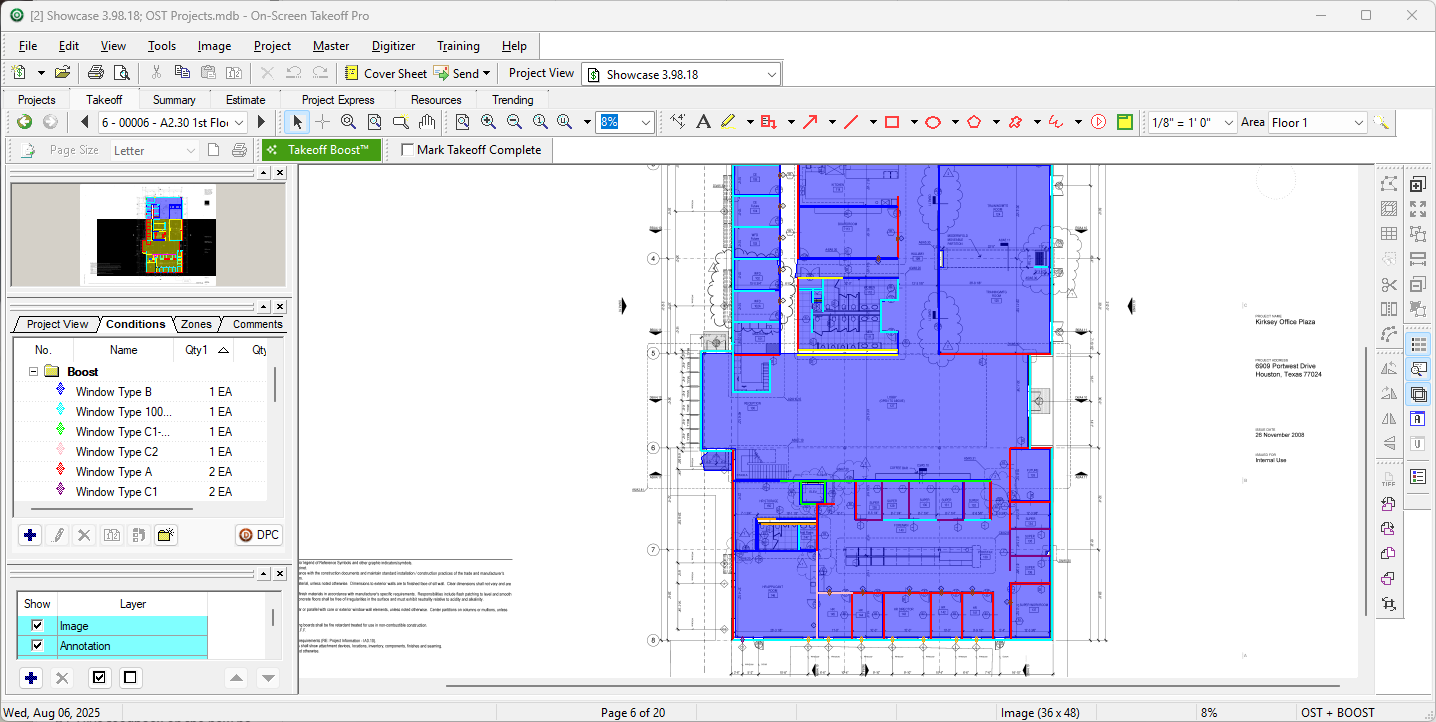
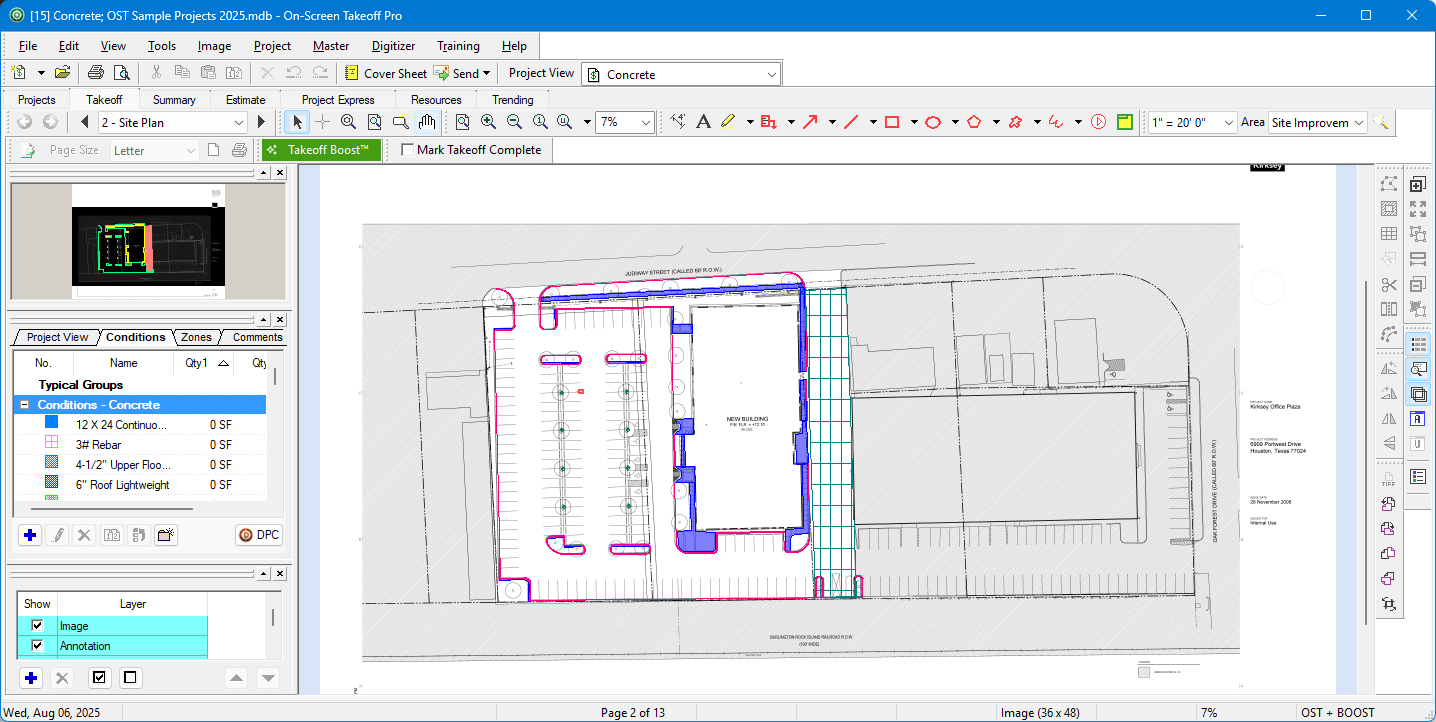
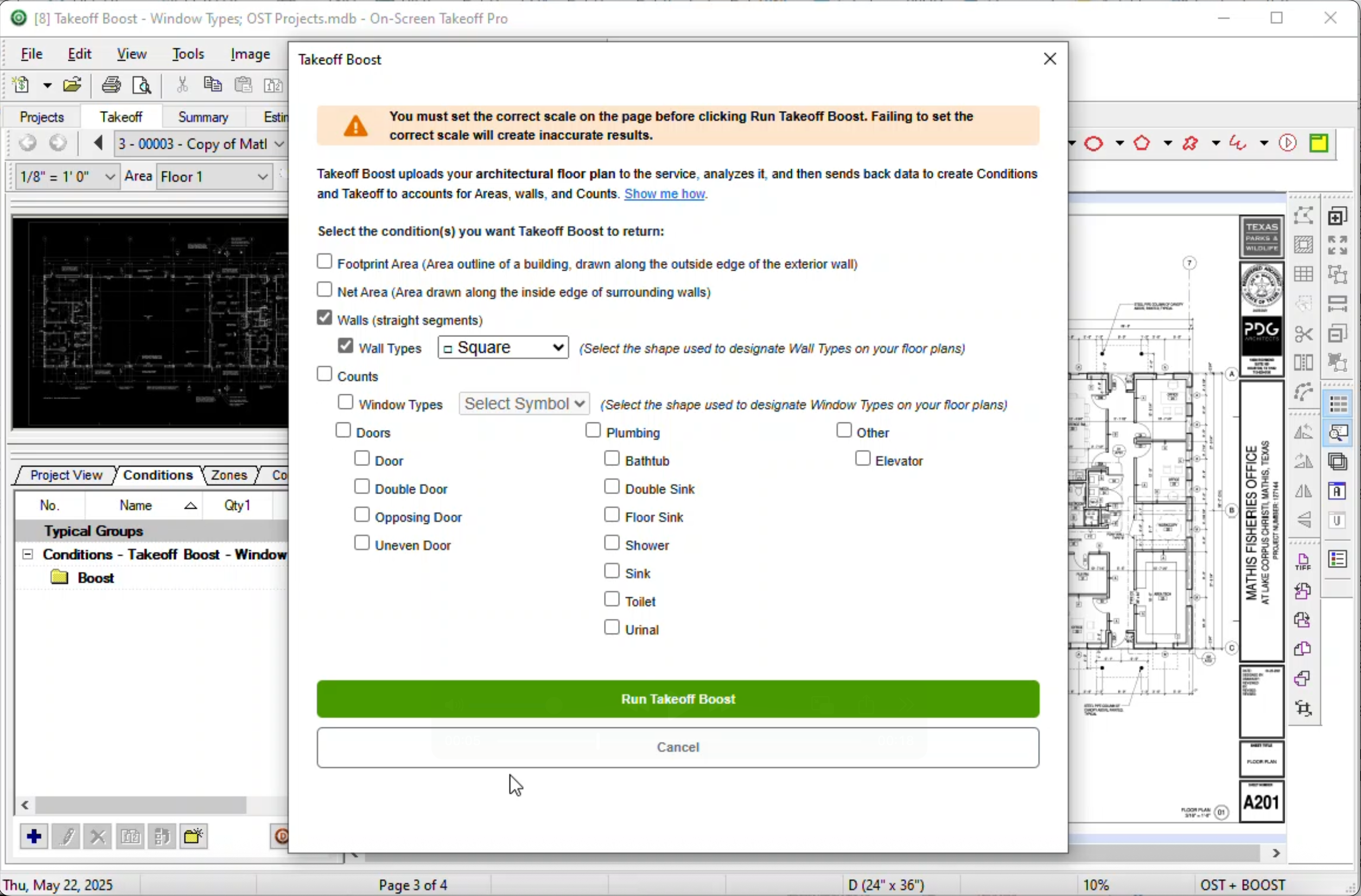
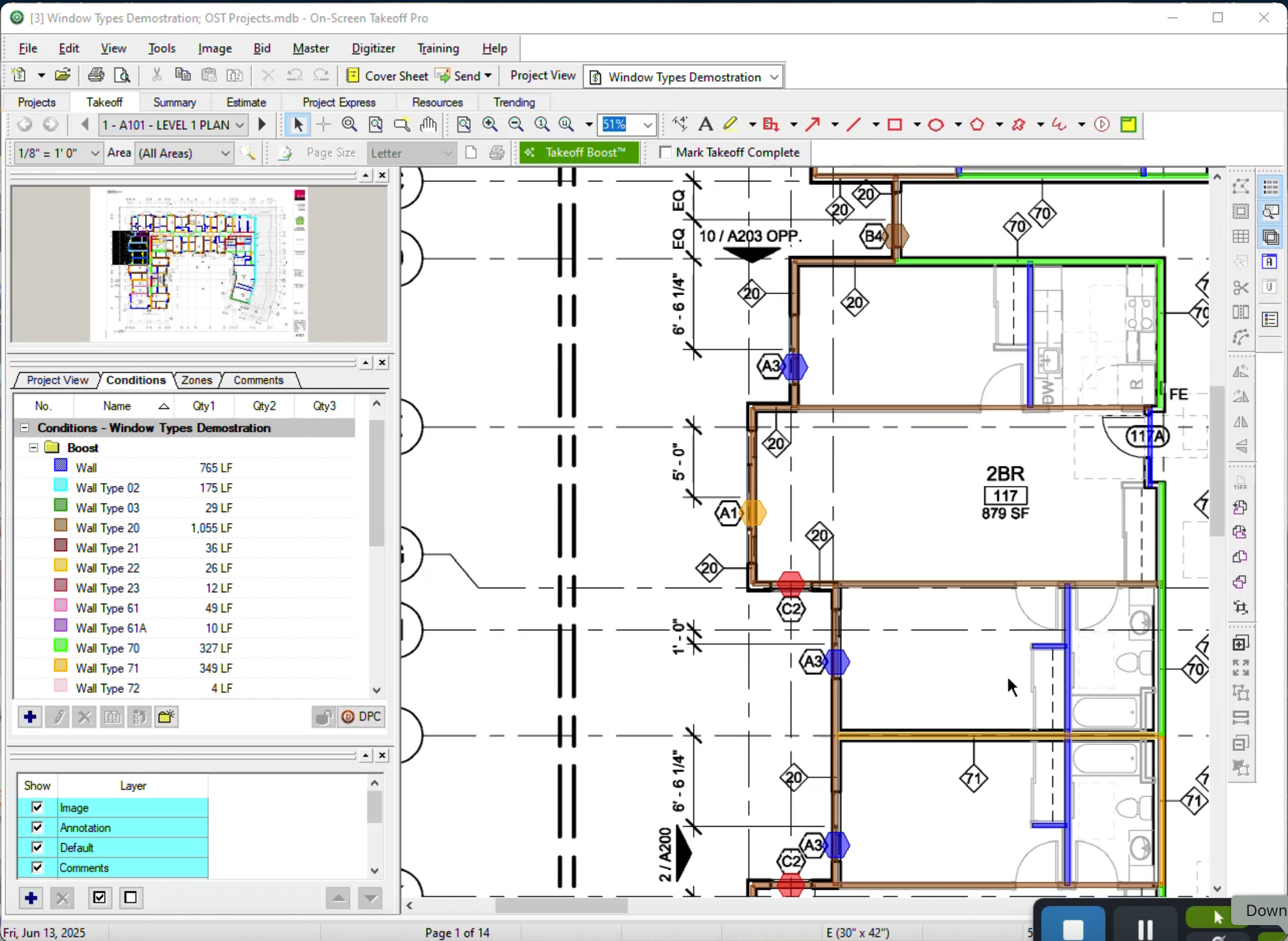
On-Screen Takeoff is a construction takeoff and estimating solution. It is intended to streamline takeoff, RFI, and bidding processes.
N/A
UDA Construction Suite
Score7.6 out of 10
N/A
N/A
N/A
Pricing
On-Screen Takeoff®
UDA Construction Suite
Editions & Modules
No answers on this topic
No answers on this topic
Offerings
Pricing Offerings
On-Screen Takeoff®
UDA Construction Suite
Free Trial
Yes
No
Free/Freemium Version
No
No
Premium Consulting/Integration Services
No
No
Entry-level Setup Fee
No setup fee
No setup fee
Additional Details
On-Screen Takeoff® pricing varies based on licensing options and specific business needs. The annual subscription plans are designed to scale with project and team size.
Available Subscription Options:
•On-Screen Takeoff
•On-Screen Takeoff with Takeoff Boost™
•On-Screen Takeoff and Quick Bid®
•On-Screen Takeoff with Takeoff Boost and Quick Bid
Each subscription is customized to match the subscriber's workflow requirements. A 14-day free trial is available.
I think most of the reasoning was just provided on the previous pros and cons questions. On-Screen Takeoff (OST) is well suited for doing either quick takeoffs or getting into an elaborate, detailed takeoff. All though the viewing tools are quick and easy, I would still very much prefer using BlueBeam for looking through an overall set of drawings. With all of the hyperlink and bookmark functions of BlueBeam, OST doesn't compare and I rarely use OST unless I'm actually doing a takeoff.
A de minimis incentive was given to thank the reviewer for their time. The incentive was not used to bias or drive a particular response, nor was the incentive contingent on a positive endorsement. More Info
The biggest thing for me is that it is so easy to use, which allows it to be used widely throughout our organization without a lot of intense training.
Another great thing is that it does not matter how big or little the scope of the take off may be, it works just as well for a whole 12 story building take off as it does for a stretch of sidewalk.
A de minimis incentive was given to thank the reviewer for their time. The incentive was not used to bias or drive a particular response, nor was the incentive contingent on a positive endorsement. More Info
A de minimis incentive was given to thank the reviewer for their time. The incentive was not used to bias or drive a particular response, nor was the incentive contingent on a positive endorsement. More Info
Their spell checker creates a squiggly line to tell you that you have a misspelled word, but, doesn't allow you to correct it.
The spell checker lets you add custom words to a dictionary, but, it can only use one dictionary at a time to check spelling. So the default dictionary gets used, and your custom words still show up as being spelled wrong!
You can't select-copy addresses, in order to paste them somewhere else.
Using duplexing on my printer doesn't work right. It works for every other software I own, but not in UDA.
There is a bug in the WIP date range that doesn't pull accurate data.
"Options" in the estimate show only cost, not margin. So if you show your customer that report, you are revealing cost info, not selling price!!
You can't import a PDF into bid notes, even though the premise of UDA is to try to make it a single repository for all your information.
You can't use the arrow key to browse photos in UDA. You need to close, and click into the next one. No inuitive functionality.
The estimating module separates material and labor, in ways that create a very confusing Scope of Work. You need to select the labor item from your database, then separately select the material from your database. You end up with two line items in your Scope of Work for the same thing. Instead of writing, "Supply and Install a new window" you have "Supply a new window" and then "Install a new window." It's hard for my estimator, and confusing for my client.
UDA will WREAK HAVOC on your contacts in Outlook.
It does a terrible job of managing husband/wife or partner/partner situations. You can't mail merge them properly, or, you get forced into combining their contact into into a single contact-- and then how do you know whether the cell phone is his or hers???
There is no good way to credit design fees against the construction contract, if you happen to use that paradigm for your contracts.
There is no way to filter contracts by their date created. So, how do you find your newest contacts for entering them into something such as Constant Contact?
If you try to use integration of QuickBooks(QB) and UDA, your ITEMS list in QB will either get expanded to hundreds or even THOUSANDS of items... or, your POs in QB will get created in a summary form such that they are virtually meaningless.
The "lead funnel" graphic may look cool, but there is not a good way to actually report on the lead status, track the activities and calls that you make, note significant emails that you write, or keep track of when you send out thank-you cards or spiffs/gifts!
They might tell you that these things work, but, after spending MONTHS with UDA, I found out that these problems are deal breakers.
Within their customer service department, the left hand doesn't know what the right hand is doing. They do not use a structure such as Zendesk that so many other great companies use. Even though I was paying for priority support, there were often days going by where I could not get a call or email back to assist me with a support request or provide a tutorial on how to do something. Had I not paid extra for support, this would be acceptable. But when paying for "TotalCare" priority support, there are times when the software had me stuck, and I was stuck for a day at a time waiting for an answer. Sometimes no answer ever arrived.
It provides invaluable communication, organization, and flexibility to generate a project overview both visually and by the numbers. In addition to the overview it makes getting into the project details easy and quick, so our takeoff is accurate and correct every time
A de minimis incentive was given to thank the reviewer for their time. The incentive was not used to bias or drive a particular response, nor was the incentive contingent on a positive endorsement. More Info
On Screen Takeoff is a valuable tool for what it does. Across the board it can keep track of the critical data and corresponding values without extra legwork. While powerful, it is prone to user error, and the problem can compound quickly if not realized up front. Overall a great project tool, but not without limitations
A de minimis incentive was given to thank the reviewer for their time. The incentive was not used to bias or drive a particular response, nor was the incentive contingent on a positive endorsement. More Info
I have had very few issues with the software which is probably the first sign that there is a good customer support team, since I am sure they are working and fixing problems for everyone when they get a report from somewhere. The few times I have had to reach out to support they have been knowledgeable and on top of helping me quickly get my issues resolved.
A de minimis incentive was given to thank the reviewer for their time. The incentive was not used to bias or drive a particular response, nor was the incentive contingent on a positive endorsement. More Info
Implementation was as simple as setting up the program and creating databases. Everything else was already in use and this was a supplement to the final organization of the system
A de minimis incentive was given to thank the reviewer for their time. The incentive was not used to bias or drive a particular response, nor was the incentive contingent on a positive endorsement. More Info
Being able to train individuals in a single afternoon on the program and trusting them to get you something usable as soon as possible is quite invaluable. It is also something that I feel is unique to this program. It is just easier.
A de minimis incentive was given to thank the reviewer for their time. The incentive was not used to bias or drive a particular response, nor was the incentive contingent on a positive endorsement. More Info
QuickBooks has great quality assurance and while they don't provide support, their software is nearly flawless. Co-construct provides great support and solves problems. In comparison, UDA Construction Suite is full of flaws, and their customer service department is disorganized and overworked.
The software has more than paid for itself because the company has been able to save lots of money when awarding to subs since it is easy to verify quantities to qualify their bids.
Less of a chance of under-ordering products since the visible audit trail improves accuracy. Also you spend less since you aren't ordering more than you should be.
A de minimis incentive was given to thank the reviewer for their time. The incentive was not used to bias or drive a particular response, nor was the incentive contingent on a positive endorsement. More Info