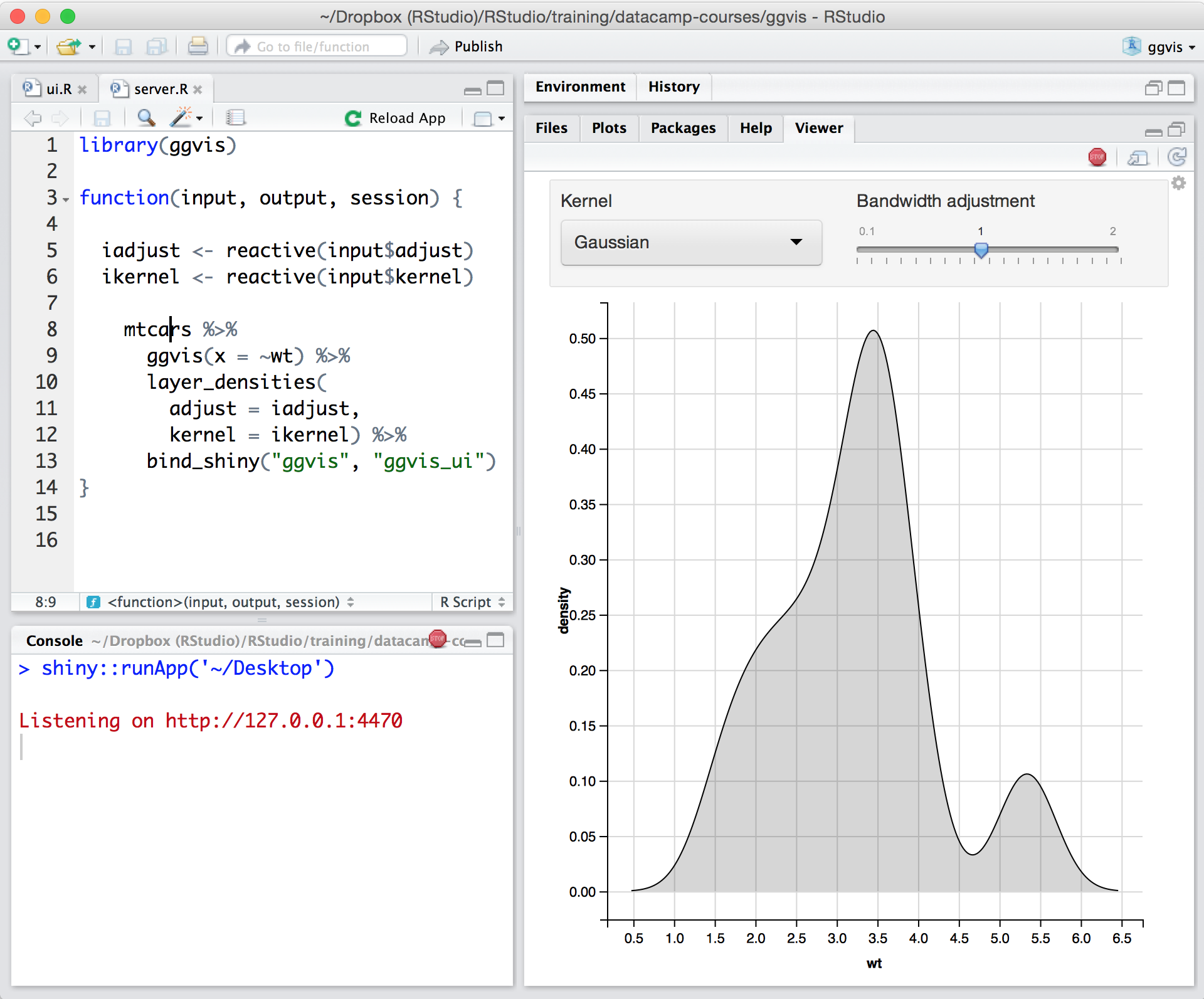
Posit, formerly RStudio, is a modular data science platform, combining open source and commercial products.
N/A
SAS Visual Analytics
Score7.8 out of 10
Enterprise companies (1,001+ employees)
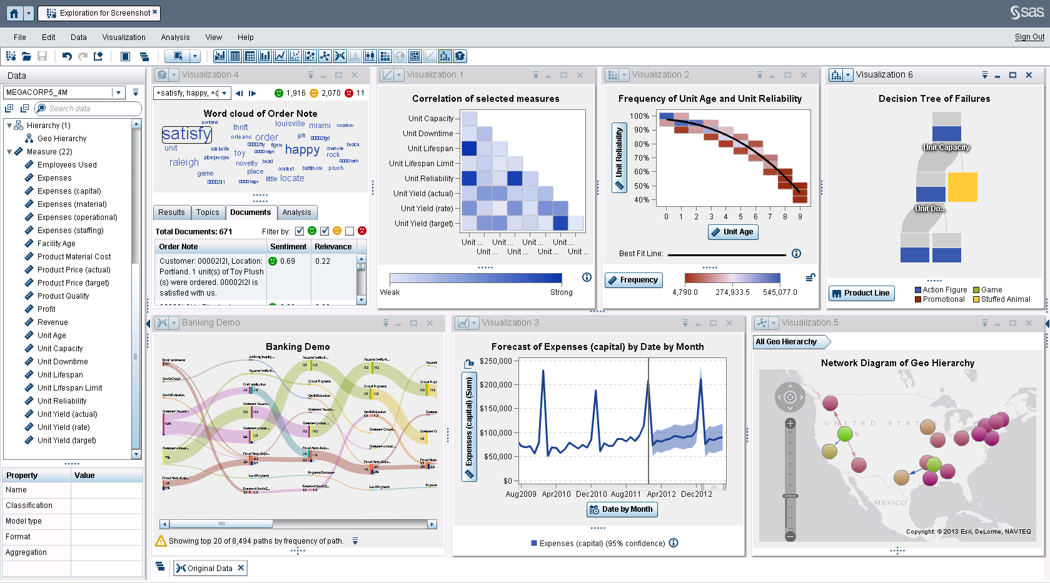
SAS Visual Analytics provides a complete platform for analytics visualization, enabling users to identify patterns and relationships in data that weren't initially evident. Interactive, self-service BI and reporting capabilities are combined with out-of-the-box advanced analytics so everyone can discover insights from any size and type of data, including text.
N/A
Pricing
Posit
SAS Visual Analytics
Editions & Modules
No answers on this topic
SAS Visual Analytics for SAS Cloud
$0
Annual By Users: 5, 10, 20
Offerings
Pricing Offerings
Posit
SAS Visual Analytics
Free Trial
Yes
Yes
Free/Freemium Version
Yes
No
Premium Consulting/Integration Services
No
Yes
Entry-level Setup Fee
Optional
No setup fee
Additional Details
—
SAS Visual Statistics and SAS Office Analytics are also available as add-ons.
In my humble opinion, if you are working on something related to Statistics, RStudio is your go-to tool. But if you are looking for something in Machine Learning, look out for Python. The beauty is that there are packages now by which you can write Python/SQL in R. Cross-platform functionality like such makes RStudio way ahead of its competition. A couple of chinks in RStudio armor are very small and can be considered as nagging just for the sake of argument. Other than completely based on programming language, I couldn't find significant drawbacks to using RStudio. It is one of the best free software available in the market at present.
A de minimis incentive was given to thank the reviewer for their time. The incentive was not used to bias or drive a particular response, nor was the incentive contingent on a positive endorsement. TR verified that a representative sample of customers was invited. More Info
I was in a meeting with the client and there I have to show them some analytic data to them. But I was confused about how I will manage to show big data to clients with accuracy. But then the SAS Visual Analytics software helps me in presenting accurate data at the moment and it was very presentable and through that, I got the deal for that business.
A de minimis incentive was given to thank the reviewer for their time. The incentive was not used to bias or drive a particular response, nor was the incentive contingent on a positive endorsement. More Info
The support is incredibly professional and helpful, and they often go out of their way to help me when something doesn't work.
The one-click publishing from RStudio Connect is absolutely amazing, and I really like the way that it deploys your exact package versions, because otherwise, you can get in a terrible mess.
Python doesn't feel quite as native as R at the moment but I have definitely deployed stuff in R and Python that works beautifully which is really nice indeed.
A de minimis incentive was given to thank the reviewer for their time. The incentive was not used to bias or drive a particular response, nor was the incentive contingent on a positive endorsement. More Info
Provides the flexibility to the end user to slice and dice the data.
Anyone can make predictive models with the help of in-built algorithms without the need to write a single line of code or knowledge of what's under the hood of algorithms.
The feature to simply ask a question related to data and getting a response in form of text, chart or graph is amazing.
A de minimis incentive was given to thank the reviewer for their time. The incentive was not used to bias or drive a particular response, nor was the incentive contingent on a positive endorsement. More Info
Python integration is newer and still can be rough, especially with when using virtual environments.
RStudio Connect pricing feels very department focused, not quite an enterprise perspective.
Some of the RStudio packages don't follow conventional development guidelines (API breaking changes with minor version numbers) which can make supporting larger projects over longer timeframes difficult.
A de minimis incentive was given to thank the reviewer for their time. The incentive was not used to bias or drive a particular response, nor was the incentive contingent on a positive endorsement. TR verified that a representative sample of customers was invited. More Info
SAS is relatively expensive when compared to other BI tools and requires a large amount of upfront fee which becomes an issue for smaller organizations.
UI for the dashboards looks a little date in comparison to competitors like Tableau and Microstrategy.
Integration with other open source software like Python needs to be built in.
A de minimis incentive was given to thank the reviewer for their time. The incentive was not used to bias or drive a particular response, nor was the incentive contingent on a positive endorsement. More Info
There is no viable alternative right now. The toolset is good and the functionality is increasing with every release. It is backed by regular releases and ongoing development by the RStudio team. There is good engagement with RStudio directly when support is required. Also there's a strong and growing community of developers who provide additional support and sample code.
A de minimis incentive was given to thank the reviewer for their time. The incentive was not used to bias or drive a particular response, nor was the incentive contingent on a positive endorsement. TR verified that a representative sample of customers was invited. More Info
SAS really is the cutting edge in Business Intelligence. That is all they do! They are constantly coming out with new products, product upgrades, and their tech support is second to none. In addition, their support of Education has made our ability to acquire their product possible.
For someone who learns how to use the software and picks up on the "language" of R, it's very easy to use. For beginners, it can be hard and might require a course, as well as the appropriate statistical training to understand what packages to use and when
A de minimis incentive was given to thank the reviewer for their time. The incentive was not used to bias or drive a particular response, nor was the incentive contingent on a positive endorsement. More Info
SAS BI is good for creating reports and dashboards and then sharing it with the users. It also has ability to manage access to the reports and dashboards but somehow with most of the world moving to open source languages R, Python and Julia, SAS BI feels to be archaic in terms of feature set and integrations it allow[s]. Also, comparing it with other Business Intelligence tools like Tableau and Microsoft BI, the functionality of SAS BI is very limited and doesn't justify the pricing.
A de minimis incentive was given to thank the reviewer for their time. The incentive was not used to bias or drive a particular response, nor was the incentive contingent on a positive endorsement. More Info
RStudio is very available and cheap to use. It needs to be updated every once in a while, but the updates tend to be quick and they do not hinder my ability to make progress. I have not experienced any RStudio outages, and I have used the application quite a bit for a variety of statistical analyses
A de minimis incentive was given to thank the reviewer for their time. The incentive was not used to bias or drive a particular response, nor was the incentive contingent on a positive endorsement. TR verified that a representative sample of customers was invited. More Info
Since R is trendy among statisticians, you can find lots of help from the data science/ stats communities. If you need help with anything related to RStudio or R, google it or search on StackOverflow, you might easily find the solution that you are looking for.
A de minimis incentive was given to thank the reviewer for their time. The incentive was not used to bias or drive a particular response, nor was the incentive contingent on a positive endorsement. More Info
When you call tech support, you are immediately routed to a person who can answer your question. Often they can answer on the spot. However, if they cannot, you are given a track number and then followed up with. There have been times when I have had multiple track numbers open and they will actually TRACK YOU DOWN to ensure that your problem has been resolved. Issues do not fall into black holes with SAS. They are also willing to do a WebEx with you to diagnose the problem by seeing your environment, which is always helpful.
RStudio was provided as the most customizable. It was also strictly the most feature-rich as far as enabling our organization to script, run, and make use of R open-source packages in our data analysis workstreams. It also provided some support for python, which was useful when we had R heavy code with some python threaded in. Overall we picked Rstudio for the features it provided for our data analysis needs and the ability to interface with our existing resources.
A de minimis incentive was given to thank the reviewer for their time. The incentive was not used to bias or drive a particular response, nor was the incentive contingent on a positive endorsement. TR verified that a representative sample of customers was invited. More Info
I have used Crystal Reports, Jaspersoft and SQL Server Reporting Services (SSRS). I would recommended Business Intelligence over SSRS and Crystal Reports. SSRS is very SQL-centric and Crystal Reports is more of an end-user tool. I would recommend Jaspersoft over Business Intelligence for developing a seamless web-based reporting interface but I highly recommend Business Intelligence for end-user ad-hoc reporting.
A de minimis incentive was given to thank the reviewer for their time. The incentive was not used to bias or drive a particular response, nor was the incentive contingent on a positive endorsement. More Info
RStudio is very scalable as a product. The issue I have is that it doesn't necessarily fit in nicely with the mainly Microsoft environment that everybody else is using. Having RStudio for us means dedicated servers and recruiting staff who know how to manage the environment. This isn't a fault of the product at all, it's just part of the data science landscape that we all have to put up with. Having said that RStudio is absolutely great for running on low spec servers and there are loads of options to handle concurrency, memory use, etc.
A de minimis incentive was given to thank the reviewer for their time. The incentive was not used to bias or drive a particular response, nor was the incentive contingent on a positive endorsement. More Info
Using it for data science in a very big and old company, the most positive impact, from my point of view, has been the ability of spreading data culture across the group. Shortening the path from data to value.
Still it's hard to quantify economic benefits, we are struggling and it's a great point of attention, since splitting out the contribution of the single aspects of a project (and getting the RStudio pie) is complicated.
What is sure is that, in the long run, RStudio is boosting productivity and making the process in which is embedded more efficient (cost reduction).
A de minimis incentive was given to thank the reviewer for their time. The incentive was not used to bias or drive a particular response, nor was the incentive contingent on a positive endorsement. TR verified that a representative sample of customers was invited. More Info
A de minimis incentive was given to thank the reviewer for their time. The incentive was not used to bias or drive a particular response, nor was the incentive contingent on a positive endorsement. More Info