TrustRadius: an HG Insights company

Save this comparison

Save this comparison

Add Product

Recommended Comparisons

    Overview
    ProductRatingMost Used ByProduct SummaryStarting Price

    Powernoodle

    Score7.5 out of 10
    N/APowernoodle is designed to help leaders make better quality decisions by quickly and effectively engaging the collective wisdom of stakeholders. The vendor aims to provide the most powerful, yet easy to use, Decision Engagement Platform. Cloud technology is fused with 50 years of cognitive, behavioral, and decision science to focus stakeholders, and minimize the biases, barriers and dysfunctions typical to most organizations that get in the way of making quality…N/A

    Prism PPM

    Score9.1 out of 10
    Mid-Size Companies (51-1,000 employees)
    Prism PPM (formerly WorkOtter) is a Project Portfolio Management platform for IT PMOs, enterprise project management offices, and transformation offices. The software manages work from idea intake through planning, execution, lessons learned, and project closeout; it groups projects into programs and portfolios for prioritization and scenario planning. Key Capabilities Project delivery: Project Management capabilities include Gantt,…

    $240

    per year per user

    Pricing
    PowernoodlePrism PPM
    Editions & Modules
    No answers on this topic
    Standard
    $240
    per year per user
    Business
    $360
    per year per user
    Enterprise
    Contact Sales
    Offerings
    Pricing Offerings
    PowernoodlePrism PPM
    Free Trial
    NoNo
    Free/Freemium Version
    NoNo
    Premium Consulting/Integration Services
    YesYes
    Entry-level Setup FeeNo setup feeRequired
    Additional Details——
    More Pricing Information
    Best Alternatives
    PowernoodlePrism PPM
    Small Businesses
    No answers on this topic
    No answers on this topic
    Medium-sized Companies
    No answers on this topic
    Microsoft Project Server
    Score5.1 out of 10
    Enterprises
    No answers on this topic
    Planview PPM Pro
    Score8.9 out of 10
    All AlternativesView all alternativesView all alternatives
    User Ratings
    PowernoodlePrism PPM
    Likelihood to Recommend
    9.1
    (2 ratings)
    10.0
    (2 ratings)
    User Testimonials
    PowernoodlePrism PPM
    Likelihood to Recommend
    Powernoodle Inc.
    Well Suited:
    • Groups needing to make a decision
    • Democratically based decision making
    • Sensitive topics
    • Discussions Groups needing input
    Read full review
    Prism PPM
    I know it works well for IT but not sure how it would work for construction. I think construction has a different set of needs.
    Read full review
    Pros
    Powernoodle Inc.
    • Powernoodle has ignited deeper, more candid conversations among our team leaders. We've been able to see through these discussions that we haven't always told our story in the most compelling manner, and that we need to be clearer, more concise and less wordy. Since Powernoodle limits your contributions to a certain number of characters, it forces you to think hard about what you really want to say. This feature was particularly powerful for our organization, which has tended to verbosity.
    • Powernoodle allowed us to vet old and new ideas in a safe space, minimizing biases and groupthink. In many organizations there are some who speak more than others, and often their ideas get more attention. What Powernoodle does brilliantly is it allows, actually requires, each participant to write what they wish anonymously and without interruption. Each participant is equal in the sense that all input into Powernoodle is brief (limited number of characters) and the anonymity definitely prevents the usual bias toward those who speak the most.
    • Powernoodle increased critical thinking about our organization and forced us to re-examine why and how we do what we do. With Powernoodle, we were able to look at everyone's ideas, comment on them, decide if some should be merged, and ultimately vote on them. The Powernoodle process forced us to be clear, which meant we each needed to think critically about what has worked and what hasn't worked for us, and how we move forward with what has worked and with new ideas.
    Read full review
    Prism PPM
    • Users find it easy to use which is important if you have a large number of users who don't have time for a lot of training or when new hires come on-board.
    • WorkOtter has a lot of advanced features that we don't use but when we do need one, it is nice to know the feature is waiting for us. We have used several of these features for special projects.
    • It does a good job with resource management.
    Read full review
    Cons
    Powernoodle Inc.
    • It's not mobile friendly yet, but other than that no complaints!
    Read full review
    Prism PPM
    • Nothing significant. Maybe could be faster at times but I'm not sure if that is our own internet connection.
    Read full review
    Return on Investment
    Powernoodle Inc.
    • While we are still in the beginning stages of taking action on the decisions we made using the Powernoodle process, I have no doubt that there will be a very positive ROI on our overall objectives.
    Read full review
    Prism PPM
    • I think it has really helped us make sure we are using resources effectively but I think it is hard to prove. Although we don't have hard ROI numbers, I believe the general feeling is that you really need a good PPM tool or will waste a lot of time and money.
    • It helps with communication since we have a standard process.
    Read full review
    ScreenShots

    Prism PPM Screenshots

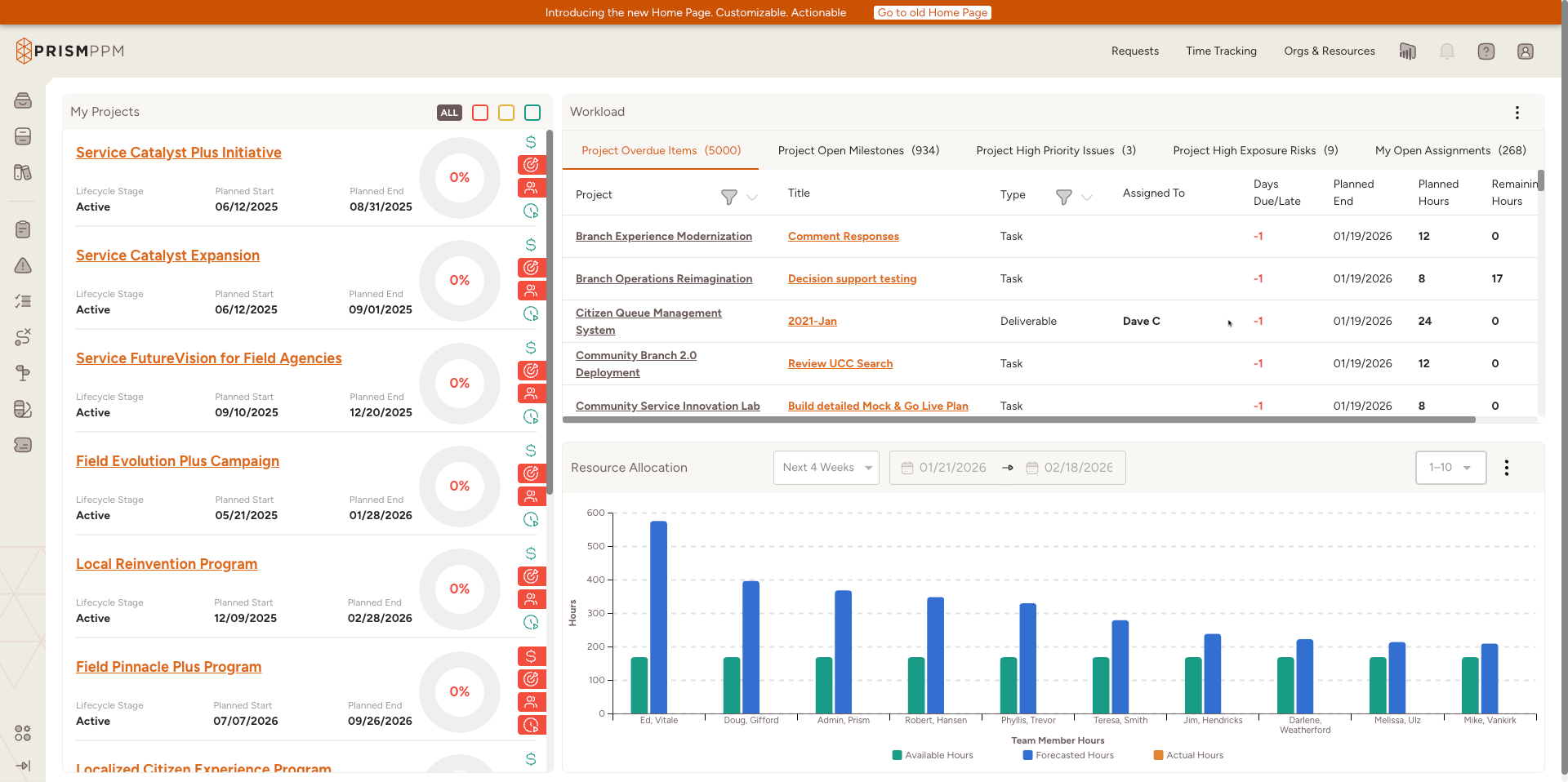
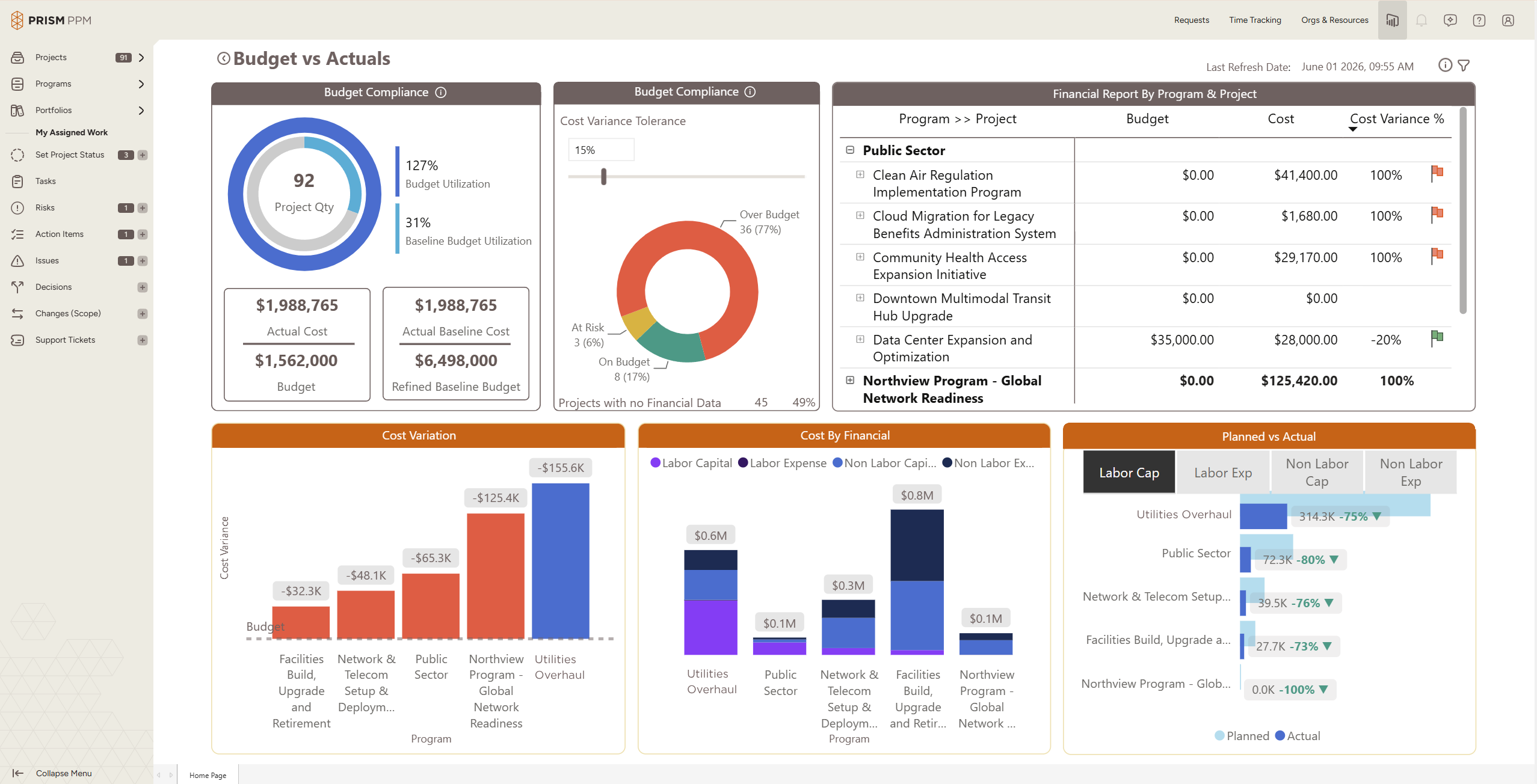
    Screenshot of Role-based My Home page shows active projects, status and health scoresScreenshot of Program health dashboard with the ability to drill into individual projects and detailsScreenshot of Data hygiene dashboard identifies missing or stale data, ensuring reporting is accurate and completeScreenshot of Track actual and forecast resource utilization to understand capacity and contraintsScreenshot of Understand budget implications and get ahead of overages at a project, program or whole portfolio levelScreenshot of Use AI Chat to quickly create projects, populate risk registries, and determine initial staffing needs