
Pragmatic Workbench (discontinued) vs. Selenium
| Product | Rating | Most Used By | Product Summary | Starting Price |
|---|---|---|---|---|
 Pragmatic Workbench (discontinued) | Score8.5 out of 10 | Enterprise companies (1,001+ employees) | Pragmatic Workbench Enterprise was a suite that combined four Pragmatic Works products: BI xPress, DBA xPress, DOC xPress and LegiTest. It was acquired by SentryOne in April 2018, and has reached its EOL phase. After the summer of 2022 it will likely no longer be available, and unsupported. | $2,490 per seat |
 Selenium | Score8.1 out of 10 | N/A | Selenium is open source software for browser automation, primarily used for functional, load, or performance testing of applications. | N/A |
| Pragmatic Workbench (discontinued) | Selenium | |||||||||||||||
|---|---|---|---|---|---|---|---|---|---|---|---|---|---|---|---|---|
| Editions & Modules |
| No answers on this topic | ||||||||||||||
| Offerings |
| |||||||||||||||
| Entry-level Setup Fee | No setup fee | No setup fee | ||||||||||||||
| Additional Details | Workbench Enterprise combines all of the functionality within Workbench Client (local install) and Workbench Server (server install). | — | ||||||||||||||
| More Pricing Information | ||||||||||||||||
| Pragmatic Workbench (discontinued) | Selenium | |
|---|---|---|
| Considered Both Products | No answer on this topic | No answer on this topic |
| Key User Insights | ||
| Would buy again | ||
No answers on this topic | 100% Would buy again 18 Answers | |
| Delivers good value for the price | ||
No answers on this topic | 100% Delivers good value for the price 18 Answers | |
| Happy with the feature set | ||
No answers on this topic | 94% Happy with the feature set 17 Answers | |
| Lived up to sales and marketing promises | ||
No answers on this topic | 100% Lived up to sales and marketing promises 13 Answers | |
| Implementation went as expected | ||
No answers on this topic | 100% Implementation went as expected 16 Answers | |
| Pragmatic Workbench (discontinued) | Selenium | |||||||||||||||||||||||||
|---|---|---|---|---|---|---|---|---|---|---|---|---|---|---|---|---|---|---|---|---|---|---|---|---|---|---|
| Database Development |
| |||||||||||||||||||||||||
| Automation Testing |
| |||||||||||||||||||||||||
| Pragmatic Workbench (discontinued) | Selenium | |
|---|---|---|
| Small Businesses |  DBeaver Score8.6 out of 10 |  BrowserStack Score8.5 out of 10 |
| Medium-sized Companies | DBeaver Score8.6 out of 10 |  BlazeMeter Score8 out of 10 |
| Enterprises | DBeaver Score8.6 out of 10 |  Tricentis Tosca Score8.8 out of 10 |
| All Alternatives | View all alternatives | View all alternatives |
| Pragmatic Workbench (discontinued) | Selenium | |
|---|---|---|
| Likelihood to Recommend | 8.0 | 9.2 |
| Likelihood to Renew | - | 9.2 |
| Usability | - | 8.8 |
| Support Rating | 6.0 | 8.3 |
| Implementation Rating | - | 9.0 |
| Pragmatic Workbench (discontinued) | Selenium | |
|---|---|---|
| Likelihood to Recommend |
|
|
| Pros |
|
|
| Cons |
|
|
| Likelihood to Renew | No answers on this topic |
|
| Usability | No answers on this topic |
|
| Support Rating |
|
|
| Implementation Rating | No answers on this topic |
|
| Alternatives Considered | No answers on this topic |
|
| Return on Investment |
|
|
| ScreenShots | Pragmatic Workbench (discontinued) Screenshots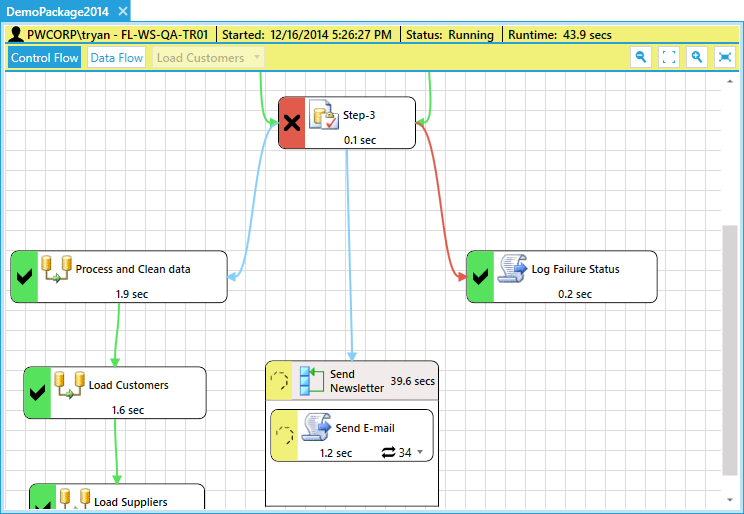     |


