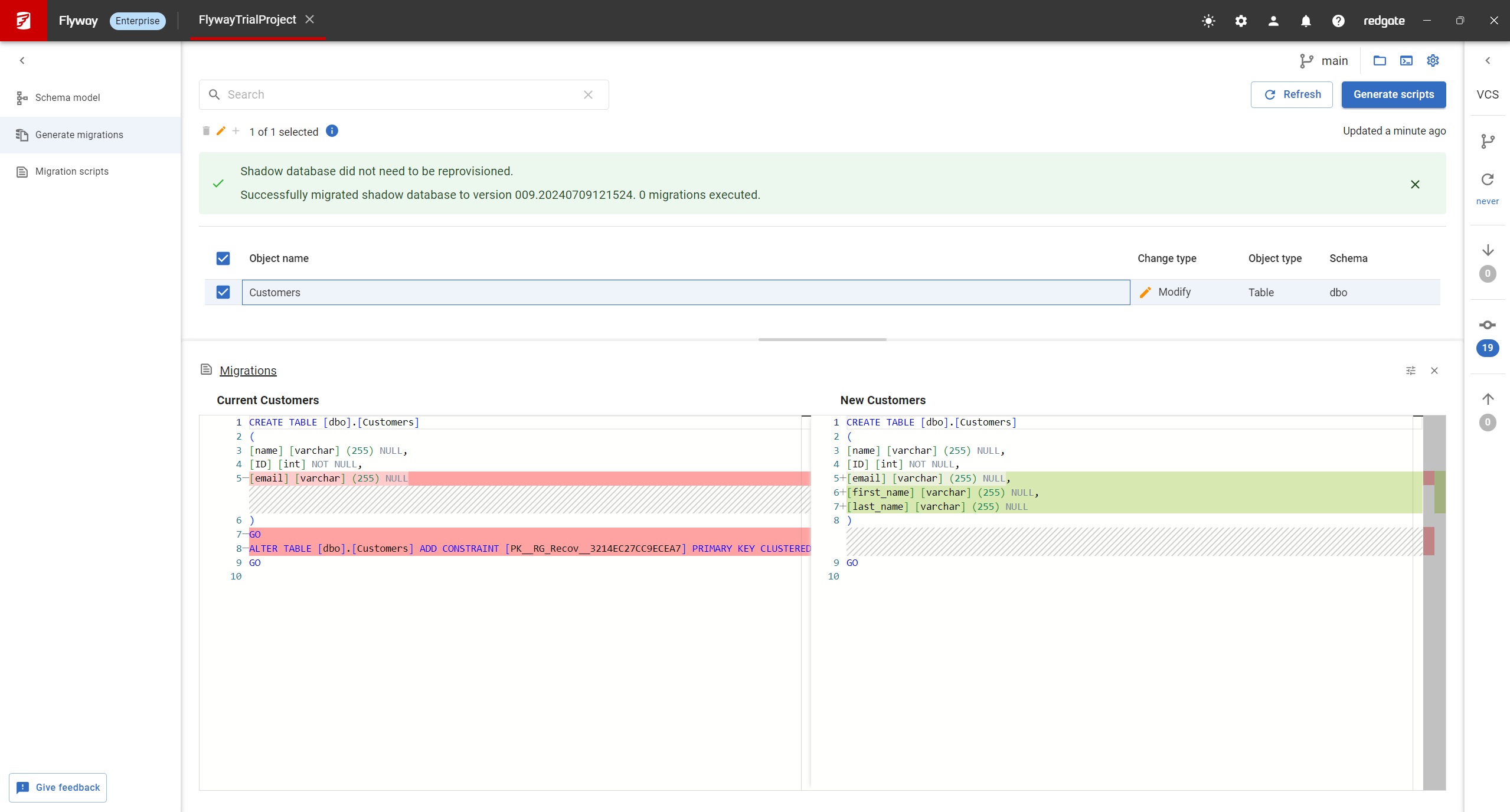
Redgate Flyway extends DevOps practices to databases to speed up software delivery while keeping business-critical data safe. From version control to continuous delivery, Redgate Flyway helps enterprises build on application delivery processes to automate database development and deployments.
$0
Sublime Text
Score8.8 out of 10
N/A
Sublime Text is a highly customizable text editing solution featuring advanced API, Goto functions, and other features, from Sublime HQ in Sydney.
Database Migrations on Java-based solutions. It has one of the best integrations with it as a database migration tool, you can do it with the community edition (no pricing involved) and it works flawlessly with Maven and Gradle. It's not an expensive tool in order to use the next level of features and is worth the money. I would recommend reaching that edition level as the object mapping feature gets really handy. I would not recommend it for any Microsoft-based solution (.Net) as is not compatible at all based on my experience, this is a tool only worth it with Java applications.
A de minimis incentive was given to thank the reviewer for their time. The incentive was not used to bias or drive a particular response, nor was the incentive contingent on a positive endorsement. More Info
My CMS has a small window in which I can edit custom HTML/CSS. It can be expanded some, but not as much as I would like. It also displays all code as dark text on a white background. On a page where I am doing extensive custom coding, it is helpful to see it in a larger window and in a color-coded display so that I don't have to strain my eyes as hard. Especially when I'm trying to scan for specific elements and target issues and so that I don't have to scroll endlessly in a tiny window.
A de minimis incentive was given to thank the reviewer for their time. The incentive was not used to bias or drive a particular response, nor was the incentive contingent on a positive endorsement. More Info
A de minimis incentive was given to thank the reviewer for their time. The incentive was not used to bias or drive a particular response, nor was the incentive contingent on a positive endorsement. More Info
A de minimis incentive was given to thank the reviewer for their time. The incentive was not used to bias or drive a particular response, nor was the incentive contingent on a positive endorsement. More Info
A de minimis incentive was given to thank the reviewer for their time. The incentive was not used to bias or drive a particular response, nor was the incentive contingent on a positive endorsement. More Info
A de minimis incentive was given to thank the reviewer for their time. The incentive was not used to bias or drive a particular response, nor was the incentive contingent on a positive endorsement. More Info
It's very easy to install and use. Even someone very new to the software will have no trouble, plus the team reach out to help you and continue to offer you support throughout. Really simple interface, clean design, all you could really ask for in a tool that needs to do a job dependably
A de minimis incentive was given to thank the reviewer for their time. The incentive was not used to bias or drive a particular response, nor was the incentive contingent on a positive endorsement. TR verified that a representative sample of customers was invited. More Info
This is a programmers tool. As such a lot of the features and benefits are lost on a non-technical user. To get the most out of the tool you need to have a basic crash course in how it works and what it can do. The documentation and community are good, but it takes a bit of time to get up to speed.
A de minimis incentive was given to thank the reviewer for their time. The incentive was not used to bias or drive a particular response, nor was the incentive contingent on a positive endorsement. More Info
A de minimis incentive was given to thank the reviewer for their time. The incentive was not used to bias or drive a particular response, nor was the incentive contingent on a positive endorsement. More Info
Never had to use their customer support before. There is ample documentation online so it's straightforward to find a solution to any problem you might encounter. For example, I needed to convert a string of HTML code to a properly formatted HTML file to "modify." Easy to do when there are so many users of the product who have needed to do that same thing before.
A de minimis incentive was given to thank the reviewer for their time. The incentive was not used to bias or drive a particular response, nor was the incentive contingent on a positive endorsement. More Info
The problem with a cloud-based tool for migration services is the cloud dependency. You are restricted to use the tool along the Cloud provider. Flyway gives you the freedom to use it in any scenario as long as you are working with a compatible database engine. Even if you are working on-premise and you don't have plans to move to a cloud architecture. Or even for sandbox development scenarios where you are a developer playing around with some project ideas. And you don't have to pay anything as long as you need advanced features, and not less importantly, you are using an open-source tool.
A de minimis incentive was given to thank the reviewer for their time. The incentive was not used to bias or drive a particular response, nor was the incentive contingent on a positive endorsement. More Info
We've used both Notepad++ and Atom; both are great but nothing really beats the Sublime Text UI; super intuitive and friendly and does everything you need without overwhelming you with stuff you don't. Other options are free, but for our organization, it was well worth the small license cost for the persistent use of a great product.
A de minimis incentive was given to thank the reviewer for their time. The incentive was not used to bias or drive a particular response, nor was the incentive contingent on a positive endorsement. More Info
Sublime Text has helped me to focus on specific tasks, cutting out the clutter that many other IDEs have. As such, it has helped me be a more productive employee because I don't get dazed by hundreds of buttons. I can focus on just the code.
Sublime Text is so affordable that it's a no-brainer to have an extra tool in your toolset.
The Search features of Sublime Text are so useful that it has saved me a great amount of time compared to using Find & Replace menus in Xcode, Android Studio, or Eclipse.
A de minimis incentive was given to thank the reviewer for their time. The incentive was not used to bias or drive a particular response, nor was the incentive contingent on a positive endorsement. More Info