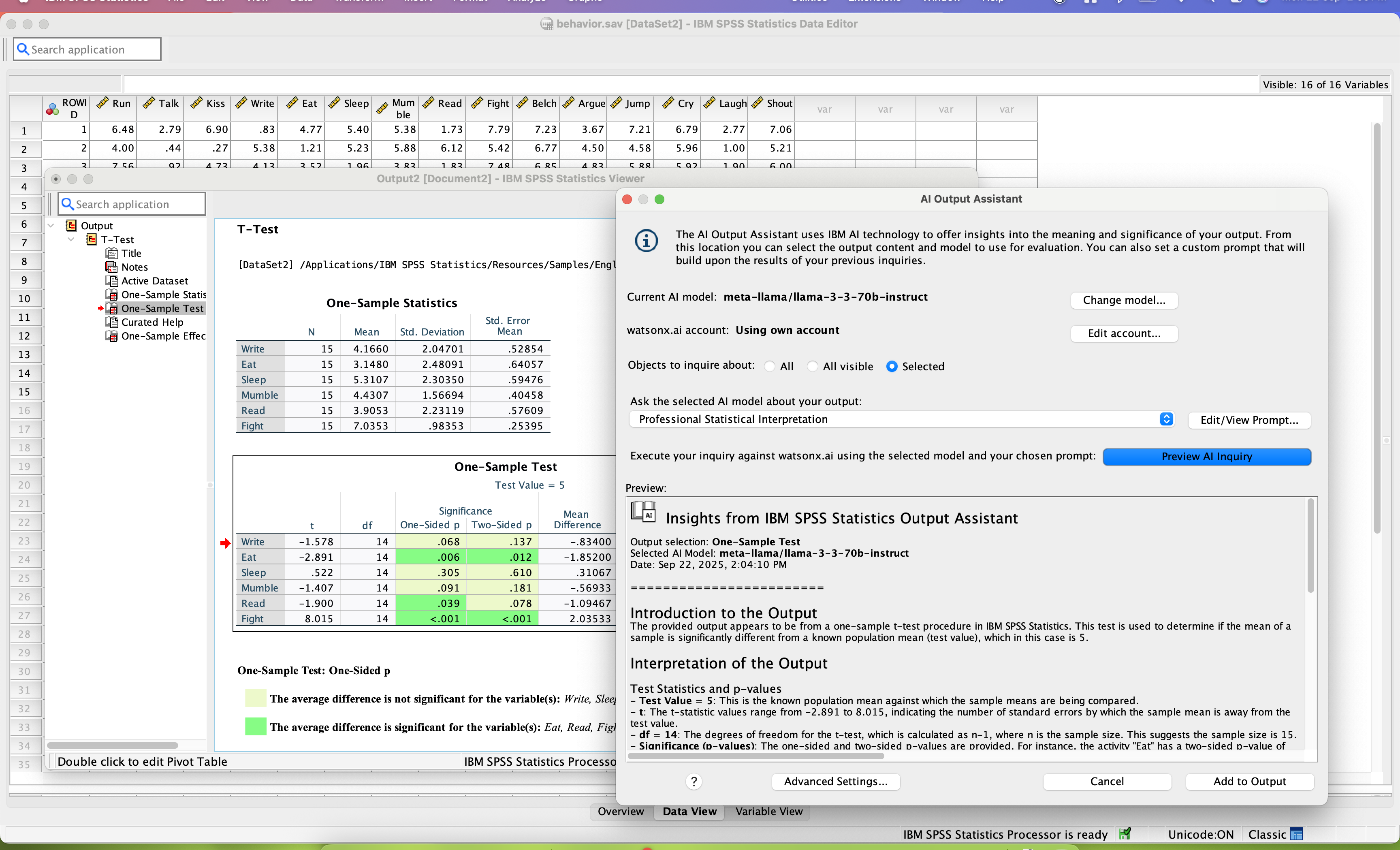
SPSS Statistics is a software package used for statistical analysis. It is now officially named "IBM SPSS Statistics". Companion products in the same family are used for survey authoring and deployment (IBM SPSS Data Collection), data mining (IBM SPSS Modeler), text analytics, and collaboration and deployment (batch and automated scoring services).
$105
per month per user
SAP Predictive Analytics
Score 7.6 out of 10
N/A
SAP Predictive Analytics is, as the name would suggest, a statistical analysis and data mining platform that can be deployed with SAP HANA.
SPSS strikes the right balance between power and usability. Unlike SAS Viya, it does not require huge investment or specialized staff. It goes far beyond basic statistics when compared to MS Excel and it is very versatile to support multiple departments and business function. …
It's easier to learn and use for the non-data scientist. it integrates well with other IBM products, and it priced appropriately and can scale up as needed.
Excel is fine for baseline level data analysis, but it is more user heavy to perform certain functions. IBM SPSS Statistics allows for the user to do less taxing work in the analysis portion with its preset tools and functions.
It's all about the interface to me. The interface saves me a lot of time. Being able to point and click on variables and options rather than write code is a huge benefit. Of all the programs I tested, PSPP is the only one that comes close to meeting my needs.
I mainly use IBM SPSS Statistics because my university offers it to everyone for free. IBM SPSS Statistics handles statistical functions in a simple way that is easy to learn.
SAS is a very good product. SPSS provided our firm everythinbg we needed and was well within our budget. Also know that IBM is contunusely investing into SPSS. The roadmaps looks good.
Advanced statistical analysis is possible which is not possible in powerbi. It is very much easy to prepare basic charts. I dept statistical tests like regression analysis can be done. It is user -friendly and even layman can understand basic data easily through IBM SPSS's …
Data Scientist ,Pre-Sales,Consultor/Instrutor em Estatística e Mineração de dados em Big Data
Chose IBM SPSS Statistics
I also point out that the two softwares are complementary, then IBM SPSS Statistics works very well with statistical tests, creation and visualization of detailed tables and creation of statistical project models and project models. The IBM SPSS Modeler helps you quickly view …
Occupational Safety, Health, and Environment Technician
Chose IBM SPSS Statistics
I have also used other statistical software such as the SAP Predictive Analytics software, SAP possesses most of the decode options as SPS, but it is not as graphical and easier to use as SPS. Thus, IBM SPSS Statistics was chosen as a primary and powerful statistical tool that …
IBM SPSS Statistics stacks up much better and overall gives the user a much better as well as simpler means to achieve their end goal. It provides a comprehensive set of well tested data management, along with statistical procedures in an easy to use and all in one package …
If you have made it this far, you should have a very good idea of how SPSS stacks up the competition (data processing and analytics tools). Even the free ones, such as r Studio or Stata, are leaps and bounds ahead of SPSS. IBM is resting on a reputation developed nearly 30 …
We used IBM SPSS Statistics as it works well with the other IBM tools that we use. It may not work as well for smaller organizations with limited budget/resources. We have a mix of technical and devops people and this tool is easily used by everyone on the team globally.
I have on many occasions launched new versions of a big Python application in production, only to immediately drown in errors, caused by exceptions that were in turn caused by Python code where a single glance confirmed that it could never ever work and consequently had never …
IBM SPSS Statistics is much more professional and geared towards market research applications. The built in queries save time and avoid mistakes. In Excel you can also do powerful things, but it is less geared towards scientific or statistical research. Running a regression …
IBM SPSS Statistics is much easier to use, even in classes with students, compared to other similar data analytic software that I have used previously. I selected it because of this reason and I plan to continue using it in the future. The interface is user friendly and the …
I, along with my supervised research student, used IBM SPSS Statistics compared to other software because of its simplicity and user-friendliness. A timeframe is a fundamental part of research work. Time is precious for both of us in terms of research work and using IBM SPSS …
The price of IBM SPSS and its quality-price ratio was one of the triggers for choosing the software over the competition. The ease of obtaining a demo of the product and the continuous training it presents was another of the key points in the decision making we made in the …
Its better for quick tasks, Psychology, Sociology, may lack in complex models, AI, or business-decision-making models. It's better for things that you want to compare, correlate or detect influence of one on the other. It's worse that R for complex models, custom models, big …
Each of them has a special use and we used SAP Predictive Analytics here because, in addition to the appropriate speed, it also had convenient and appropriate compatibility with other SAP products, which makes the work easier for our team.
(Couldn't pick R from the list nor Python packages)
Actually, I don't see SAP Predictive Analytics stacking up against other tools, but rather complementing them. On one side why would we use something "more complex" to solve a "business as usual" problem, when you can use tools …
We have typically used Spotfire for data analysis but decided to move to SAP Business Objects due to its innate connection with SAP. I found Lumira to be good for visualizations but it is not meant for data analysis. Therefore, we have introduced Predictive Analytics to see if …
IBM SPSS is robust for analyzing market research, survey data, academic research, and business performance. The software is valuable for identifying trends, measuring relationships, and testing hypotheses, which helps forecast and generate accurate statistical reports. This software conducts data validation, cleaning, and analysis well, transforming raw data into efficient results.
When you don't have much data science skills or when you need to build something quick, you can get started really fast with SAP Predictive Analytics. There are scenarios, like the ones covered by a neural network, where SAP Predictive Analytics is not well suited, but the big question is usually: "do you really need a neural network to address this use case?"
SPSS has been around for quite a while and has amassed a large suite of functionality. One of its longest-running features is the ability to automate SPSS via scripting, AKA "syntax." There is a very large community of practice on the internet who can help newbies to quickly scale up their automation abilities with SPSS. And SPSS allows users to save syntax scripting directly from GUI wizards and configuration windows, which can be a real life-saver if one is not an experienced coder.
Many statistics package users are doing scientific research with an eye to publish reproducible results. SPSS allows you to save datasets and syntax scripting in a common format, facilitating attempts by peer reviewers and other researchers to quickly and easily attempt to reproduce your results. It's very portable!
SPSS has both legacy and modern visualization suites baked into the base software, giving users an easily mountable learning curve when it comes to outputting charts and graphs. It's very easy to start with a canned look and feel of an exported chart, and then you can tweak a saved copy to change just about everything, from colors, legends, and axis scaling, to orientation, labels, and grid lines. And when you've got a chart or graph set up the way you like, you can export it as an image file, or create a template syntax to apply to new visualizations going forward.
SPSS makes it easy for even beginner-level users to create statistical coding fields to support multidimensional analysis, ensuring that you never need to destructively modify your dataset.
In closing, SPSS's long and successful tenure ensures that just about any question a new user may have about it can be answered with a modicum of Google-fu. There are even several fully-fledged tutorial websites out there for newbie perusal.
Ability to use built-in algorithms or expand using R. This means that (with training) casual users can take advantage but also data analysts can do their thing!
Integration and consistency with Lumira. Even Lumira on its own has a quick 'predict' functionality (although limited/black box)
Ability to do the analysis and then present visually using the Lumira visualization capabilities
collaboration - SPSS lacks collaboration features which makes it near impossible to collaborate with my team on analysis. We have to send files back and forth, which is tedious.
integration - I wish SPSS had integration capabilities with some of the other tools that I use (e.g., Airtable, Figma, etc.)
user interface - this could definitely be modernized. In my experience, the UI is clunky and feels dated, which can negatively impact my experience using the tool.
It's super easy to use for newbies and super powerful for power users! It does EVERYTHING you are usually asked to do analytically. Their Help Desk is PHENOMENAL. And I find the upgrade and renewal price to be a good deal.
SPSS is beginner friendly and user-friendly for beginner analysts and simple statistical tests. It's "click and go" interface does take some learning, but overall this is much easier than other programs I have used and seen. Compared to SAS software, SPSS takes a great deal less familiarizing and it not a matter of learning a coding language like SAS and RStudio.
I have not contacted IBM SPSS for support myself. However, our IT staff has for trying to get SPSS Text Analytics Module to work. The issue was never resolved, but I'm not sure if it was on the IT's end or on SPSS's end
The documentation provides an explanation about what features are available but not necessarily what's happening behind the scenes. On the other side, the "community" has grown since the acquisition and most questions are properly addressed by SAP folks. Since the "product maintenance" mode announcement was made, there wasn't much new content published except on the Smart Predict side (which is built by the SAP Predictive Analytics team)
Have a plan for managing the yearly upgrade cycle. Most users work in the desktop version, so there needs to be a mechanism for either pushing out new versions of the software or a key manager to deal with updated licensing keys. If you have a lot of users this needs to be planned for in advance.
It's all about the interface to me. The interface saves me a lot of time. Being able to point and click on variables and options rather than write code is a huge benefit. Of all the programs I tested, PSPP is the only one that comes close to meeting my needs.
We have typically used Spotfire for data analysis but decided to move to SAP Business Objects due to its innate connection with SAP. I found Lumira to be good for visualizations but it is not meant for data analysis. Therefore, we have introduced Predictive Analytics to see if it can fill that gap. So far, it's been far less intuitive than Spotfire to get started, and as far as I am aware so far, it does not bring many additional capabilities. I do, however, like that it utilizes the Lumira look/feel and integrates very well.
It frustrates my data analysts because no one uses it any more (everyone uses r).
It consumes my time, because I am one of 2 people in a 100+ person organization who remembers how to use it, so any time a person needs help I have to dig into the depths of my memory.
Their licensing is over-priced and upsets my managers and accounting team.