
Homebase vs. Schedaddle
| Product | Rating | Most Used By | Product Summary | Starting Price |
|---|---|---|---|---|
 Homebase | Score7.5 out of 10 | N/A | Homebase in San Francisco offers restaurants, hotels, hospitals, and retailers their employee scheduling and time tracking tools with scheduling optimization and team messaging for coordinating shifts; service includes a free time tracking app. | $14 per month |
 Schedaddle | N/A | Small Businesses (1-50 employees) | Schedaddle is an Employee Scheduling software platform designed for single-store and small multi-store retail operations. The solution provides automated scheduling, time tracking, and labor compliance flagging under a flat-fee, per-location pricing model. Key Capabilities Smart Shift Builder: An automated, eight-step scheduling engine that drafts weekly schedules. According to the vendor, the system ensures shift coverage, rotates opening and closing… | $0 for a single location with up to 8 employees |
| Homebase | Schedaddle | |||||||||||||||
|---|---|---|---|---|---|---|---|---|---|---|---|---|---|---|---|---|
| Editions & Modules |
|
| ||||||||||||||
| Offerings |
| |||||||||||||||
| Entry-level Setup Fee | No setup fee | No setup fee | ||||||||||||||
| Additional Details | — | Schedaddle is priced per store location at a flat monthly rate, irrespective of how many employees there are. Each location is billed separately at the same flat rate. - The Scuttle — Free forever. A single location with up to 8 employees. Includes the weekly schedule builder, availability, publish-and-email, and the free employee mobile app (iOS + Android). - The Schedaddle — $49/location/month. Unlimited employees. Adds the Smart Shift Builder auto-scheduler, training-hours tracking, shift change requests, a 16-market labor-law reference, schedule-based CSV payroll export, and the QuickBooks Online and Square connectors. - The Full Sprint — $99/location/month. Unlimited employees. Adds the mobile and kiosk time clock, geofenced (location-verified) clock-in, attendance and hours-worked reports, PTO and leave tracking, the multi-store HQ dashboard, Roller sync, and the developer API. Both paid plans include a 14-day free trial. Billing is monthly — annual billing is not offered yet. There is no setup fee and no required paid onboarding. | ||||||||||||||
| More Pricing Information | ||||||||||||||||
| Homebase | Schedaddle | |
|---|---|---|
| Small Businesses |  When I Work Score6.5 out of 10 | When I Work Score6.5 out of 10 |
| Medium-sized Companies | When I Work Score6.5 out of 10 | When I Work Score6.5 out of 10 |
| Enterprises | No answers on this topic | No answers on this topic |
| All Alternatives | View all alternatives | View all alternatives |
| Homebase | Schedaddle | |
|---|---|---|
| Likelihood to Recommend | 8.0 | - |
| Usability | 8.0 | - |
| Homebase | Schedaddle | |
|---|---|---|
| Likelihood to Recommend |
| No answers on this topic |
| Pros |
| No answers on this topic |
| Cons |
| No answers on this topic |
| Usability |
| No answers on this topic |
| Alternatives Considered |
| No answers on this topic |
| Return on Investment |
| No answers on this topic |
| ScreenShots | Schedaddle Screenshots  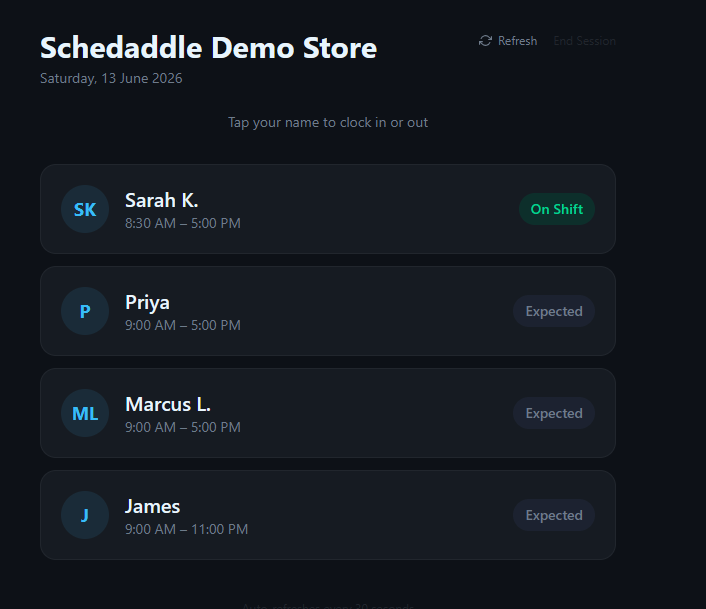    |
