
Pentest-Tools.com vs. Sensagraph
| Product | Rating | Most Used By | Product Summary | Starting Price |
|---|---|---|---|---|
 Pentest-Tools.com | Score7 out of 10 | N/A | Pentest-Tools.com helps security professionals find, validate, and communicate vulnerabilities, whether they’re internal teams defending at scale, MSPs juggling clients, or consultants under pressure. The service provides coverage across network, web, API, and cloud assets, and includes built-in exploit validation to turn every scan into credible, actionable insight. Boasting users among over 2,000 teams in 119 countries for use… | $95 per month |
 Sensagraph | N/A | N/A | Sensagraph is an agentless external security scanning platform that shows you your web applications the way an attacker sees them: from the public internet, with nothing to install and no code to change. Point Sensagraph at a domain, verify ownership once, and it maps any app's real attack surface across five focused capabilities: Web Application Vulnerability Detection (SQL injection, XSS, CSRF, and the rest of the OWASP Top 10), Web Server Configuration Analysis,… | $19 per month |
| Pentest-Tools.com | Sensagraph | |||||||||||||||
|---|---|---|---|---|---|---|---|---|---|---|---|---|---|---|---|---|
| Editions & Modules |
|
| ||||||||||||||
| Offerings |
| |||||||||||||||
| Entry-level Setup Fee | No setup fee | No setup fee | ||||||||||||||
| Additional Details | There's a 15% annual subscription discount. | Sensagraph is priced as a simple, self-serve subscription with no setup fees, no long procurement cycle, and no mandatory sales call to get started. A free plan includes 1 full external scan per month, so you can evaluate the product on your own domain before paying anything. Paid plans are built to scale with how much you scan and how many domains you monitor, which makes the product a good fit for a range of buyers: solo developers securing a single site, SaaS teams watching their production environment, and agencies managing many client domains from one account. There are no agents to license per host and no per-endpoint charges, so pricing stays predictable as your footprint grows. Every plan includes the same core scanning engine and the client-ready PDF report, so you are choosing based on scan volume and domain coverage, not being locked out of key security features at lower tiers. | ||||||||||||||
| More Pricing Information | ||||||||||||||||
| Pentest-Tools.com | Sensagraph | |
|---|---|---|
| Small Businesses | No answers on this topic | No answers on this topic |
| Medium-sized Companies |  Metasploit Score9 out of 10 |  Tenable Nessus Score8.8 out of 10 |
| Enterprises | Metasploit Score9 out of 10 | Tenable Vulnerability Management Score8.9 out of 10 |
| All Alternatives | View all alternatives | View all alternatives |
| Pentest-Tools.com | Sensagraph | |
|---|---|---|
| Likelihood to Recommend | 7.0 | - |
| Pentest-Tools.com | Sensagraph | |
|---|---|---|
| Likelihood to Recommend |
| No answers on this topic |
| Pros |
| No answers on this topic |
| Cons |
| No answers on this topic |
| Alternatives Considered |
| No answers on this topic |
| Return on Investment |
| No answers on this topic |
| ScreenShots | Pentest-Tools.com Screenshots      | Sensagraph Screenshots 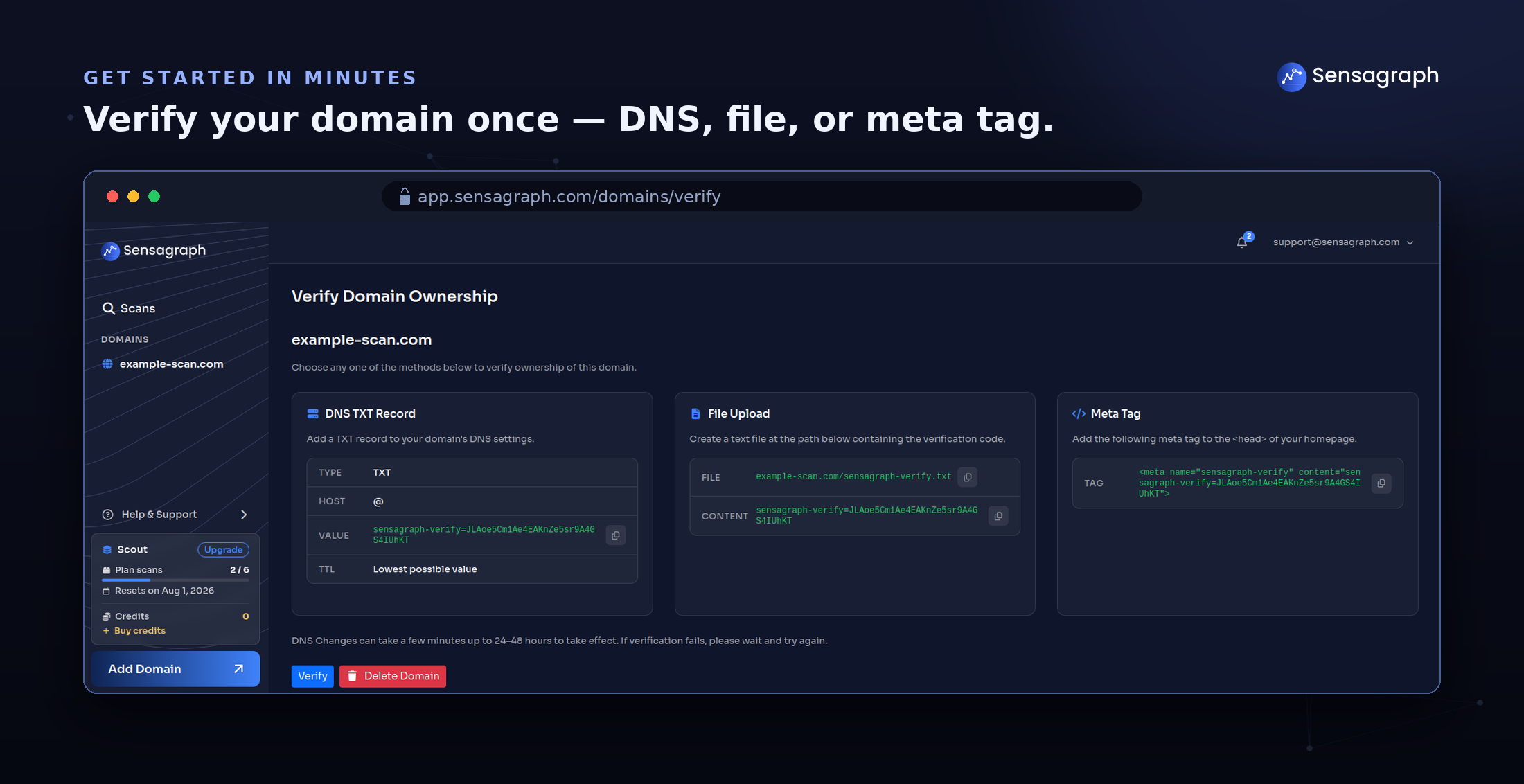 |
