
Spreadsheetsoftware ExcelAnalyzer vs. Trackingplan
| Product | Rating | Most Used By | Product Summary | Starting Price |
|---|---|---|---|---|
 Spreadsheetsoftware ExcelAnalyzer | Score8 out of 10 | N/A | N/A | $0 |
 Trackingplan | N/A | N/A | Trackingplan is a data observability and analytics quality-assurance platform for digital analytics, paid media, marketing operations, and privacy teams. It monitors the collection of behavioral and conversion data across websites, mobile applications, and server-side implementations. The platform inspects data where it is generated, including network hits, data-layer events, SDK calls, advertising pixels, Conversion API payloads, consent states, and Google Tag Manager… | $299 per month |
| Spreadsheetsoftware ExcelAnalyzer | Trackingplan | |||||||||||||||
|---|---|---|---|---|---|---|---|---|---|---|---|---|---|---|---|---|
| Editions & Modules |
|
| ||||||||||||||
| Offerings |
| |||||||||||||||
| Entry-level Setup Fee | No setup fee | No setup fee | ||||||||||||||
| Additional Details | — | Trackingplan’s pricing is built to scale with your traffic and organizational needs, using Monthly Active Users (MAUs) as the core usage metric. This makes costs predictable and tied to how much tracking data your business generates. Trackingplan also offers special plans and partner programs for agencies, optimized for managing multiple clients. We support two main ways to work with partners: - Internal Use Model: Agencies buy a pooled license based on total MAUs and use Trackingplan across client accounts. Pricing is ad‑hoc with volume discounts, and agencies can choose how (or whether) to bill end clients for the service. - Referral / Revenue Share Model: Agencies can refer clients and earn recurring revenue (e.g., ~30% share) while supporting sales, onboarding, or bundling Trackingplan into their services. Pricing in this model scales with MAUs and includes volume discounts, support, and potential proof‑of‑concept pilots. Agency perks include: - Volume discounts compared to solo clients. - The ability to offer Trackingplan as a value‑add service (e.g., data quality monitoring included in analytics or performance packages). - Support for proof‑of‑concept setups to demonstrate ROI to clients before full commitment. | ||||||||||||||
| More Pricing Information | ||||||||||||||||
| Spreadsheetsoftware ExcelAnalyzer | Trackingplan | |
|---|---|---|
| Small Businesses | No answers on this topic | No answers on this topic |
| Medium-sized Companies | No answers on this topic | No answers on this topic |
| Enterprises |  SAP Data Services Score7.8 out of 10 | SAP Data Services Score7.8 out of 10 |
| All Alternatives | View all alternatives | View all alternatives |
| Spreadsheetsoftware ExcelAnalyzer | Trackingplan | |
|---|---|---|
| Likelihood to Recommend | 8.0 | - |
| Usability | 9.0 | - |
| Spreadsheetsoftware ExcelAnalyzer | Trackingplan | |
|---|---|---|
| Likelihood to Recommend |
| No answers on this topic |
| Usability |
| No answers on this topic |
| ScreenShots | Trackingplan Screenshots  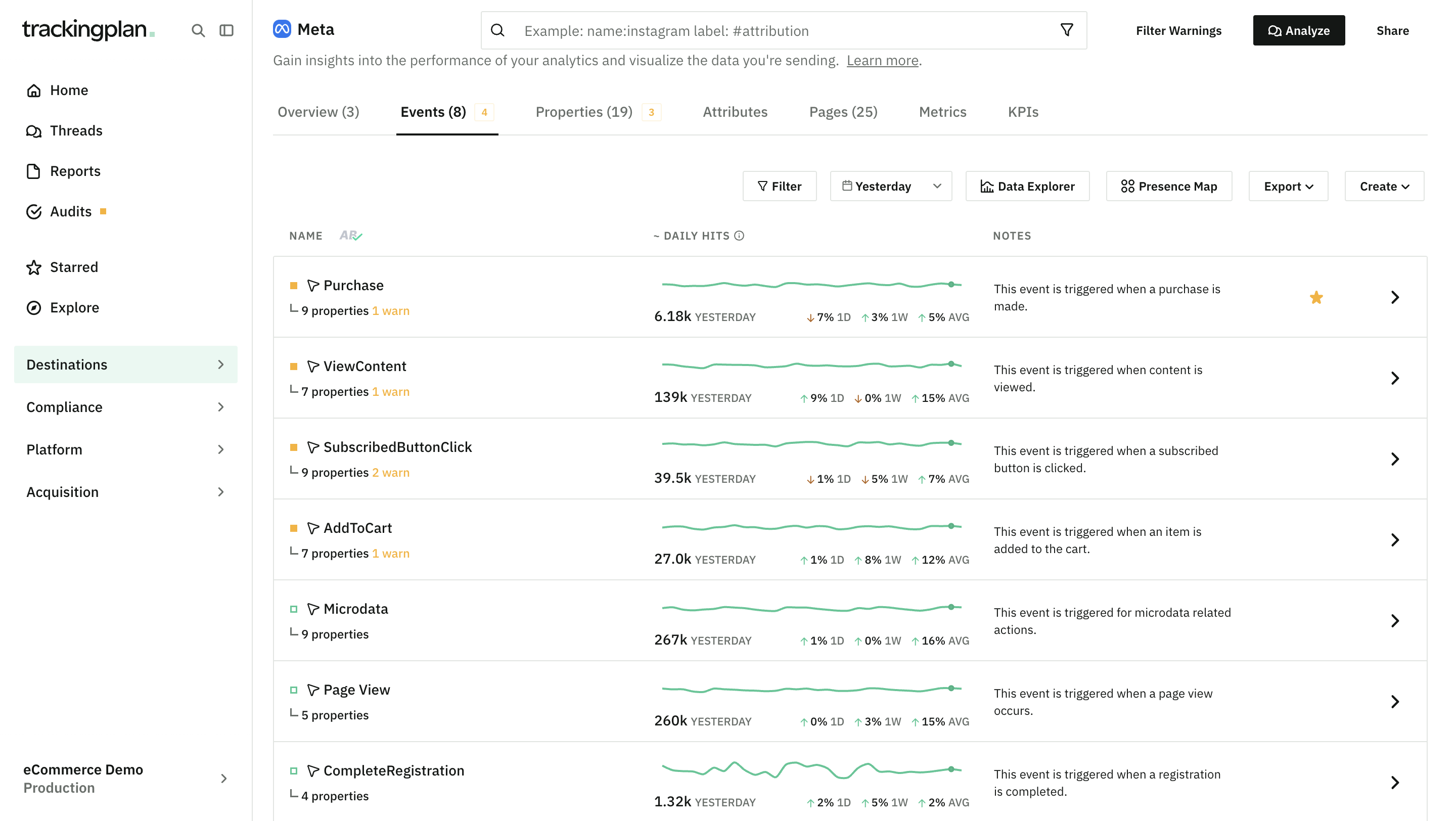    |