TrustRadius: an HG Insights company

Save this comparison

Save this comparison

Add Product

Recommended Comparisons

    Overview
    ProductRatingMost Used ByProduct SummaryStarting Price

    TeamDrive

    Score9 out of 10
    N/ATeamDrive is a secure Sync & Share solution with end-to-end encryption for storing and synchronising files. With TeamDrive users can create secure spaces in their file system that synchronize between all their devices. The client lets users share those spaces with friends and colleagues. The vendor says this is especially helpful if users have to save or share confidential data. TeamDrive can create automated backups for all the organization's spaces and users can trace all changes made to their…

    $0

    1 license with 2 GB storage

    vBoxxCloud

    Score8.2 out of 10
    Small Businesses (1-50 employees)
    vBoxxCloud is a business solution for managing company files.The extensive online dashboard allows users to see who has access to which folders. Users can see who is connected with their Cloud and can even remove specific folders on systems or devices by adjusting the rights online. Users can also set up shared folders and control how and from which device they can be accessed. Users can easily access shared documents through the sync tool or web browser. Admins can keep track of all…

    $2

    Pricing
    TeamDrivevBoxxCloud
    Editions & Modules
    Personal Private Use
    $0.00
    1 license with 2 GB storage
    Professional Starter 1 Cloud
    $67.00
    1 license with 10 GB storage, per year
    Personal Server
    $95.00
    1 license
    Professional Starter 5 Cloud
    $337.00
    5 licenses with 100 GB storage, per year
    Professional Starter 5 Server
    $337.00
    5 licenses
    Professional Starter 10 Cloud
    $1117.00
    10 licenses with 500 GB storage, per year
    Professional Starter 25 Cloud
    $2245.00
    25 licenses with 1000 GB storage, per year
    SME
    $10142.00
    150 licenses, 1 Enterprise-Hosting-Server License, 1 Tenant with Management Console, 1 Module external authentication
    Enterprise
    $33787.00
    500 licenses, 1 TeamDrive Enterprise Registration Server License, 1 Enterprise-Hosting-Server License
    25 GB
    $2.00
    User
    $7.50
    Offerings
    Pricing Offerings
    TeamDrivevBoxxCloud
    Free Trial
    YesYes
    Free/Freemium Version
    YesNo
    Premium Consulting/Integration Services
    YesNo
    Entry-level Setup Fee$67 per professional license, per yearNo setup fee
    Additional DetailsPlease visit our Shop for more information.User: The pricing is flexible, you can choose freely the amount of users and storage packs. The more users your order, bigger the discount, click here to customize your order. Storage: You can choose as many storage packs as you would like. You can assign it to one user through vBoxxCloud policies or share it among all the users. Discount: We support educational and non-profit organizations with special discounts. Contact us to learn about our special prices.
    More Pricing Information
    Features
    TeamDrivevBoxxCloud
    File Sharing & Management
    Comparison of File Sharing & Management features of TeamDrive and vBoxxCloud
    Feature
    TeamDrive
    10.0
    1 Ratings
    18% above category average
    vBoxxCloud
    8.0
    1 Ratings
    5% below category average
    Versioning10.01 Ratings00 Ratings
    Video files10.01 Ratings8.21 Ratings
    Audio files10.01 Ratings8.21 Ratings
    Document collaboration10.01 Ratings8.21 Ratings
    Access control10.01 Ratings8.21 Ratings
    File search10.01 Ratings7.31 Ratings
    Device sync10.01 Ratings8.21 Ratings
    Cloud Storage Security & Administration
    Comparison of Cloud Storage Security & Administration features of TeamDrive and vBoxxCloud
    Feature
    TeamDrive
    10.0
    1 Ratings
    15% above category average
    vBoxxCloud
    7.3
    1 Ratings
    17% below category average
    User and role management10.01 Ratings7.31 Ratings
    File organization10.01 Ratings7.31 Ratings
    Device management10.01 Ratings7.31 Ratings
    Cloud Storage Platform
    Comparison of Cloud Storage Platform features of TeamDrive and vBoxxCloud
    Feature
    TeamDrive
    10.0
    1 Ratings
    14% above category average
    vBoxxCloud
    8.2
    1 Ratings
    6% below category average
    Performance10.01 Ratings8.21 Ratings
    Reliability10.01 Ratings8.21 Ratings
    Storage Reports10.01 Ratings8.21 Ratings
    Best Alternatives
    TeamDrivevBoxxCloud
    Small Businesses
    IDrive Online Backup and Object Storage e2
    Score9.1 out of 10
    IDrive Online Backup and Object Storage e2
    Score9.1 out of 10
    Medium-sized Companies
    Apple iCloud
    Score8.4 out of 10
    Apple iCloud
    Score8.4 out of 10
    Enterprises
    ownCloud
    Score9.2 out of 10
    ownCloud
    Score9.2 out of 10
    All AlternativesView all alternativesView all alternatives
    User Ratings
    TeamDrivevBoxxCloud
    Likelihood to Recommend
    10.0
    (1 ratings)
    8.2
    (1 ratings)
    Support Rating
    -
    (0 ratings)
    8.2
    (1 ratings)
    User Testimonials
    TeamDrivevBoxxCloud
    Likelihood to Recommend
    TeamDrive
    Nothing gets lost on TeamDrive since SYNQION offers both offline and online file sync. Data protection seal allows us to control who can access data on it.
    Incentivized
    Read full review
    vBoxx B.V.
    See advantages and disadvantages [below].
    Incentivized
    Read full review
    Pros
    TeamDrive
    • Collaboration of teams on documents and files.
    • Offers cloud and on-premise platforms on our company server.
    • Enhances file synchronization even when offline.
    • Allocates encrypted back-up copy in case of data loss.
    • Offers 30 days free trial.
    Incentivized
    Read full review
    vBoxx B.V.
    • Service. You can mail, chat and call them and they always make time for the questions.
    • Their servers are located in the Netherlands.
    • Administrator interface
    • Reports
    Incentivized
    Read full review
    Cons
    TeamDrive
    • Were it not for the fact that everyone hasn't yet implemented TeamDrive in our organization - I totally have nothing in mind that need to be advanced.
    Incentivized
    Read full review
    vBoxx B.V.
    • To use vBoxx you have an interface as administrator. To add a user, you have to use another interface.
    • When you are accessing your files via the web (not via the sync folder on your laptop, pc or tablet), you have to download and upload the file, you can't change it without downloading it. Unless I don't know [how to do] it.
    Incentivized
    Read full review
    Support Rating
    TeamDrive
    No answers on this topic
    vBoxx B.V.
    Never expected to receive this kind of service as a small company.
    Incentivized
    Read full review
    Alternatives Considered
    TeamDrive
    Filestack support wasn't offering rapid responses to our tickets. For that reason, we decided to implement TeamDrive since they responded rapidly via phone call and allocated 30 days free trial that we enjoyed before upgrading.
    Incentivized
    Read full review
    vBoxx B.V.
    Not used but evaluated: Dropbox (not secure enough + American servers) Google (not secure enough + American servers) OneDrive (not secure enough + American servers) Tresorit (is secure and has European servers) VBoxx won because of the availability by mail, chat and phone. That is the only thing that counts during emergencies.
    Incentivized
    Read full review
    Return on Investment
    TeamDrive
    • Offline synchronization makes changes on files even when not connected to the internet.
    • Collaboration of teams on documents improve productivity.
    • Data governance through end-to-end encryption.
    Incentivized
    Read full review
    vBoxx B.V.
    • Too soon to say
    Incentivized
    Read full review
    ScreenShots

    TeamDrive Screenshots

    Screenshot of Client interface with your active "Spaces"Screenshot of Change settings for your Spaces in the client

    vBoxxCloud Screenshots

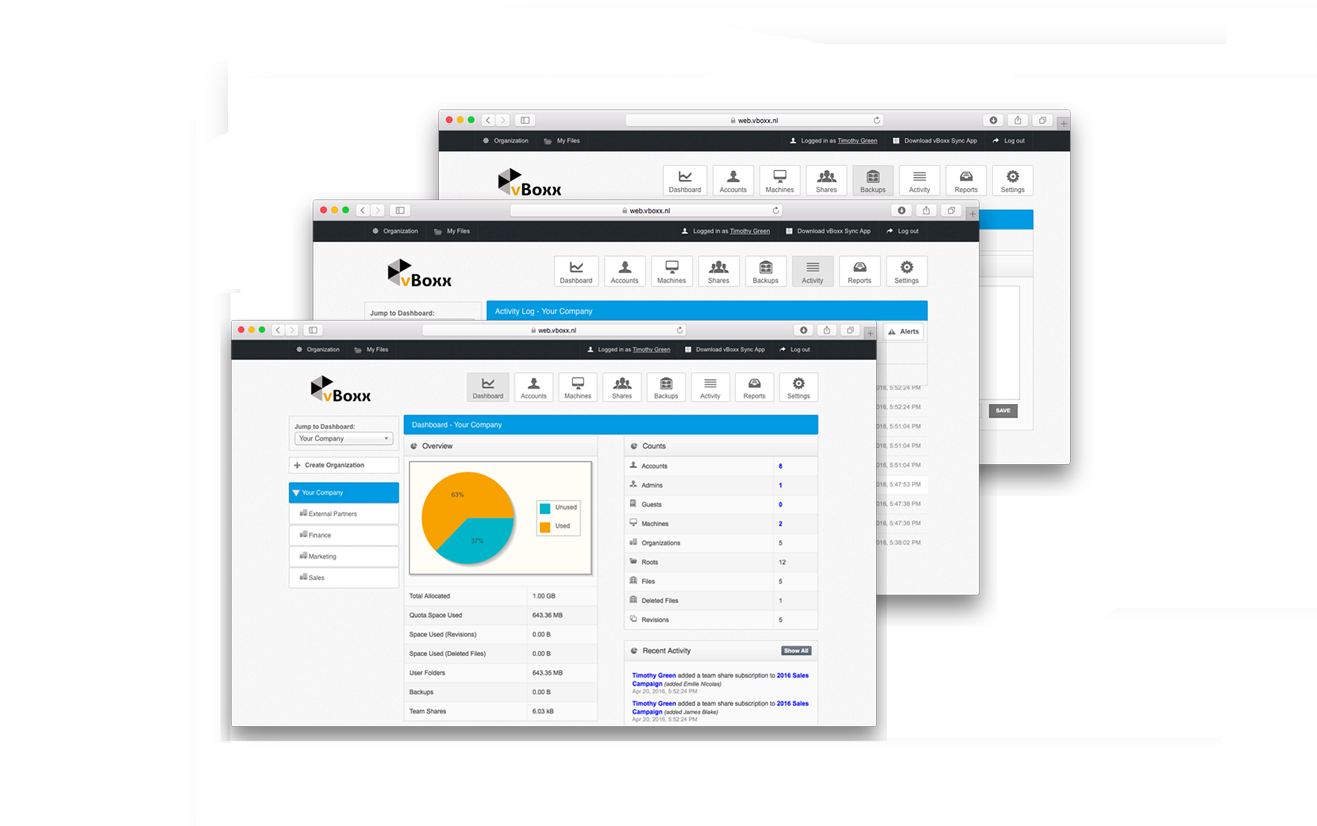
    Screenshot of vBoxxCloud is the business solution for managing your company files.The extensive online dashboard allows you to see who has access to which folders. You can see who is connected with your Cloud and you can even remove specific folders on systems or devices if you adjust the rights online.Screenshot of Each user in vBoxxCloud is part of an organization. For each organization you have access to a clear dashboard, you can set different user policies and you can manage the machines. You can define any number of administrators who can access and change these functionalities. And if you have different departments, projects or teams with different needs, you just create a sub-organization with its own users, shares, policies, branding and more.Product screenshotScreenshot of The Sync Tool synchronizes all files between the cloud and your devices, making all data available even offline. If you connect later, your changes will be synchronized automatically.