TrustRadius: an HG Insights company

Save this comparison

Save this comparison

Add Product

Recommended Comparisons

    Overview
    ProductRatingMost Used ByProduct SummaryStarting Price

    TidyCal

    Score9.7 out of 10
    N/AA tool to make scheduling the next meeting easier with calendar integrations, booking pages, and customization. Trying to schedule a meeting can lead to the hassle of back-and-forth emailing to find a time that works. (“Next month is a no-go, too. Should we try for 3 p.m. CT after the next solar eclipse?”) Also coordinating between time zones and tracking availability across personal and work calendars can be a challenge. TidyCal is presented as an…

    $39

    one-time fee per user

    Videolink

    Score9.1 out of 10
    N/AVideolink brings clarity and collaboration to team conversations through video recording, sharing and instant playback. It can be used to record a screen or camera in seconds, send a link, and add visual context to information – whether it’s customer feedback, internal updates, or product walkthroughs. Instead of chasing down details in chat logs or ambiguous tickets, Videolink lets teams share ideas that are clear, direct, and…

    $0

    per active video

    Pricing
    TidyCalVideolink
    Editions & Modules
    TidyCal
    $39
    one-time fee per user
    TidyCal Agency Plan
    $79
    one-time fee per user
    Free
    $0
    per month Up to 25 active videos and unlimited users
    Pro
    $20
    per month For 100 active videos and unlimited users
    Advanced
    Custom Plans
    Offerings
    Pricing Offerings
    TidyCalVideolink
    Free Trial
    NoNo
    Free/Freemium Version
    YesYes
    Premium Consulting/Integration Services
    YesNo
    Entry-level Setup FeeNo setup feeOptional
    Additional Details—Only saved videos are counted. If a video is deleted, it only counts for the month it was active — never after. Videolink has no per-seat usage fees. You’re only billed for videos your team actually keeps.
    More Pricing Information
    Community Pulse
    TidyCalVideolink
    Considered Both Products
    AppSumo Originals
    No answer on this topic
    Videolink
    No answer on this topic
    Key User Insights
    Would buy again
    80%
    Would buy again
    8 Answers
    No answers on this topic
    Delivers good value for the price
    100%
    Delivers good value for the price
    8 Answers
    No answers on this topic
    Happy with the feature set
    80%
    Happy with the feature set
    8 Answers
    No answers on this topic
    Lived up to sales and marketing promises
    67%
    Lived up to sales and marketing promises
    6 Answers
    No answers on this topic
    Implementation went as expected
    88%
    Implementation went as expected
    7 Answers
    No answers on this topic
    Best Alternatives
    TidyCalVideolink
    Small Businesses
    Google Calendar
    Score9.2 out of 10
    Sendspark
    Score10 out of 10
    Medium-sized Companies
    Google Calendar
    Score9.2 out of 10
    Snagit
    Score9.7 out of 10
    Enterprises
    Google Calendar
    Score9.2 out of 10
    Snagit
    Score9.7 out of 10
    All AlternativesView all alternativesView all alternatives
    User Ratings
    TidyCalVideolink
    Likelihood to Recommend
    10.0
    (10 ratings)
    9.1
    (2 ratings)
    Usability
    10.0
    (1 ratings)
    9.1
    (2 ratings)
    User Testimonials
    TidyCalVideolink
    Likelihood to Recommend
    AppSumo Originals
    Maybe if you are needing a large enterprise solution you may need something else but we have found that it fits all of needs as a 32 people team. It has worked flawlessly since we installed it. I keep focusing on this but it is a 30 min set up and that’s it.
    Read full review
    Videolink
    The way we work is evolving. Remote teams — especially after the COVID-19 pandemic — rely more than ever on tools that bridge the gap between distance and real-time collaboration.
    Asynchronous updates have become a key part of solving daily challenges, and we’ve seen the benefits first-hand as an organisation.
    Incentivized
    Read full review
    Pros
    AppSumo Originals
    • Meetings can be planned automatically without my intervention.
    • TidyCal is a very user-friendly and simple program.
    • Seamlessly combines all of my calendars.
    Incentivized
    Read full review
    Videolink
    • Quick video sharing
    • Basic editing
    • Inline comments
    Read full review
    Cons
    AppSumo Originals
    • One of my clients wanted to set up membership subscriptions that can be billed through the app. As far as I can tell it doesn't have that capability yet.
    • It would be great if Square was one of the integrations.
    • Maybe being able to set travel time to in-person meetings by integration with Google Maps?
    Incentivized
    Read full review
    Videolink
    • More video editing tools
    Incentivized
    Read full review
    Usability
    AppSumo Originals
    Usability is ridiculously easy.
    Read full review
    Videolink
    The interface is clean, and features like video requests, in-browser editing, and commenting make the workflow seamless for our team.
    Read full review
    Alternatives Considered
    AppSumo Originals
    In Google Calendar, we can't do advance booking. First, we have to collaborate on confirming a time suitable for everyone before scheduling a meeting this may lead to time waste for all the parties, this problem can be solved with the help of TidyCal resulting in better time management.
    Incentivized
    Read full review
    Videolink
    No answers on this topic
    Return on Investment
    AppSumo Originals
    • For the price it is the best invest that the company made (29$)
    • We improve aor relations with the customers
    • Consultants (SOC) can make better support to the customers
    Incentivized
    Read full review
    Videolink
    • Productivity
    • Delivery-driven communication
    Incentivized
    Read full review
    ScreenShots

    TidyCal Screenshots

    Product screenshot

    Videolink Screenshots

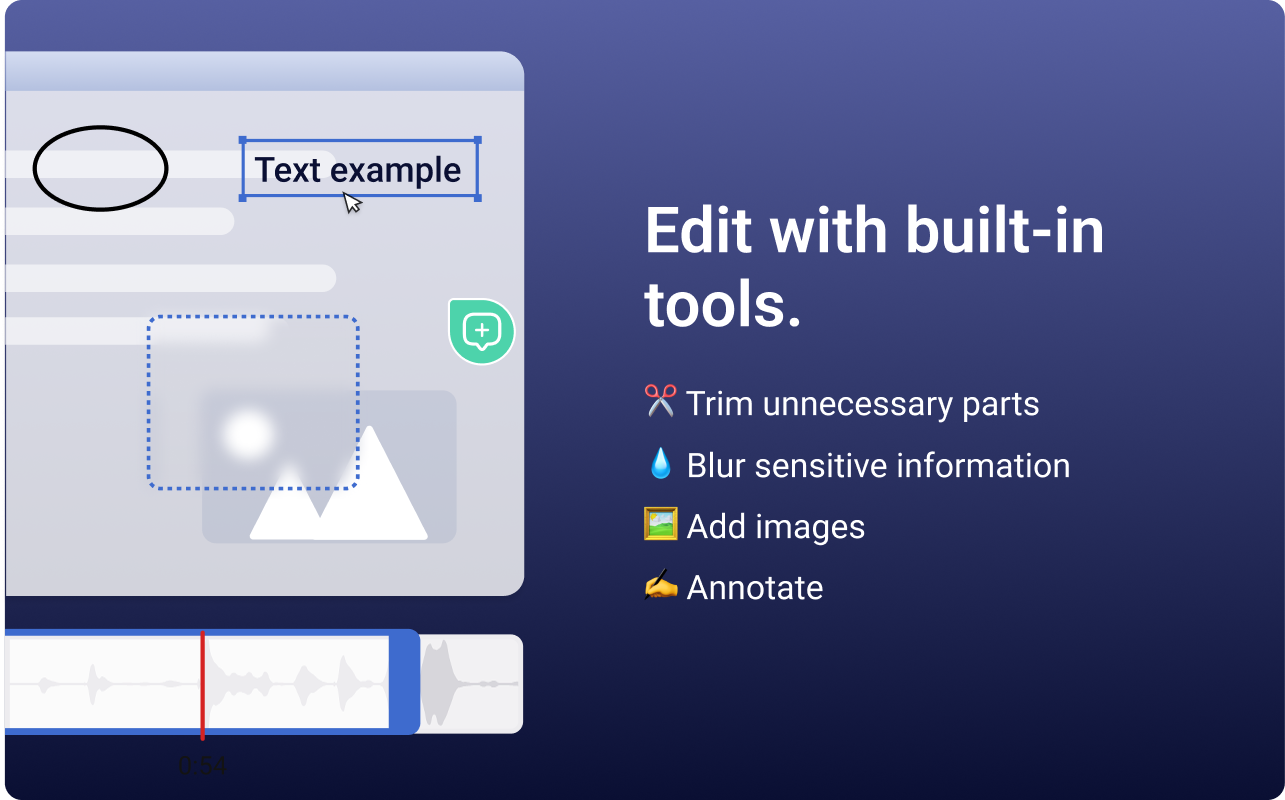
    Screenshot of the Videolink editor, used to trim out excess content, blur sensitive info, annotate key areas, and insert images.Screenshot of a Videolink page, used to create a personal shareable link – like govideolink.com/yourname – that lets anyone send a recorded video directly.Screenshot of single link sharing, so viewers don’t need an account to watch, comment, or provide feedback.