Videolink vs. Wistia Record

Overview
ProductRatingMost Used ByProduct SummaryStarting Price
Videolink
Score 9.1 out of 10
N/A
Videolink brings clarity and collaboration to team conversations through video recording, sharing and instant playback. It can be used to record a screen or camera in seconds, send a link, and add visual context to information – whether it’s customer feedback, internal updates, or product walkthroughs. Instead of chasing down details in chat logs or ambiguous tickets, Videolink lets teams share ideas that are clear, direct, and…
$0
per active video
Wistia Record
Score 5.2 out of 10
N/A
Wistia Record (formerly Soapbox) is a free Chrome extension that provides screen and video capture and sharing designed to produce quick walkthrough and explanatory videos, content marketing vids or vlogs, or customer stories, with additional features on paid plans, and integration with Wistia for Marketing.
$300
per user/per year
Pricing
VideolinkWistia Record
Editions & Modules
Free
$0
per month Up to 25 active videos and unlimited users
Pro
$20
per month For 100 active videos and unlimited users
Advanced
Custom Plans
Solo
$300
per user/per year
Free
Free
Teams
Contact sales team
Offerings
Pricing Offerings
VideolinkWistia Record
Free Trial
NoNo
Free/Freemium Version
YesNo
Premium Consulting/Integration Services
NoNo
Entry-level Setup FeeOptionalNo setup fee
Additional DetailsOnly saved videos are counted. If a video is deleted, it only counts for the month it was active — never after. Videolink has no per-seat usage fees. You’re only billed for videos your team actually keeps.
More Pricing Information
Community Pulse
VideolinkWistia Record
Best Alternatives
VideolinkWistia Record
Small Businesses
Sendspark
Sendspark
Score 10.0 out of 10
Sendspark
Sendspark
Score 10.0 out of 10
Medium-sized Companies
Snagit
Snagit
Score 9.6 out of 10
Snagit
Snagit
Score 9.6 out of 10
Enterprises
Snagit
Snagit
Score 9.6 out of 10
Snagit
Snagit
Score 9.6 out of 10
All AlternativesView all alternativesView all alternatives
User Ratings
VideolinkWistia Record
Likelihood to Recommend
9.1
(2 ratings)
8.5
(2 ratings)
Usability
9.1
(2 ratings)
-
(0 ratings)
Support Rating
-
(0 ratings)
8.5
(2 ratings)
User Testimonials
VideolinkWistia Record
Likelihood to Recommend
Videolink
The way we work is evolving. Remote teams — especially after the COVID-19 pandemic — rely more than ever on tools that bridge the gap between distance and real-time collaboration.
Asynchronous updates have become a key part of solving daily challenges, and we’ve seen the benefits first-hand as an organisation.
Read full review
Wistia
Soapbox is excellent for meeting management - it helps propose an agenda and questions to kick off one on ones. This is very helpful for managers who need a little nudge when asking the right questions to move the meeting forward. This is where the Soapbox structure serves well. If you need more complex software to handle custom processes, you may need to look elsewhere.
Read full review
Pros
Videolink
  • Quick video sharing
  • Basic editing
  • Inline comments
Read full review
Wistia
  • Beautiful user interface -- an absolute delight to use.
  • Editing options are easy and useful options within the web-app editor.
Read full review
Cons
Videolink
  • More video editing tools
Read full review
Wistia
  • Lacks ability to give surveys
  • Lacks robust features
Read full review
Usability
Videolink
The interface is clean, and features like video requests, in-browser editing, and commenting make the workflow seamless for our team.
Read full review
Wistia
No answers on this topic
Support Rating
Videolink
No answers on this topic
Wistia
We haven't had the chance to reach out to Wistia about Soapbox support, but I know Wistia (as a brand) is epic on all fronts -- sales, marketing & support. So if I had the need to reach out, I'm sure I'd get a reply in a prompt and satisfactory manner.
Read full review
Alternatives Considered
Videolink
No answers on this topic
Wistia
Where Zoom and GoToMeeting focus on the meeting itself, Soapbox goes more in-depth and gives the structure that a lot of managers are looking for. In my case, it was the question prompts, shared meeting notes, and meeting feedback that provided the most value. Seeing changes to agenda and notes in real-time is also very helpful.
Read full review
Return on Investment
Videolink
  • Productivity
  • Delivery-driven communication
Read full review
Wistia
  • It's reducing friction when explaining complex topics to leads & customers.
  • We've had more memorable emails for leads, as they see a custom video is recorded for them.
Read full review
ScreenShots

Videolink Screenshots

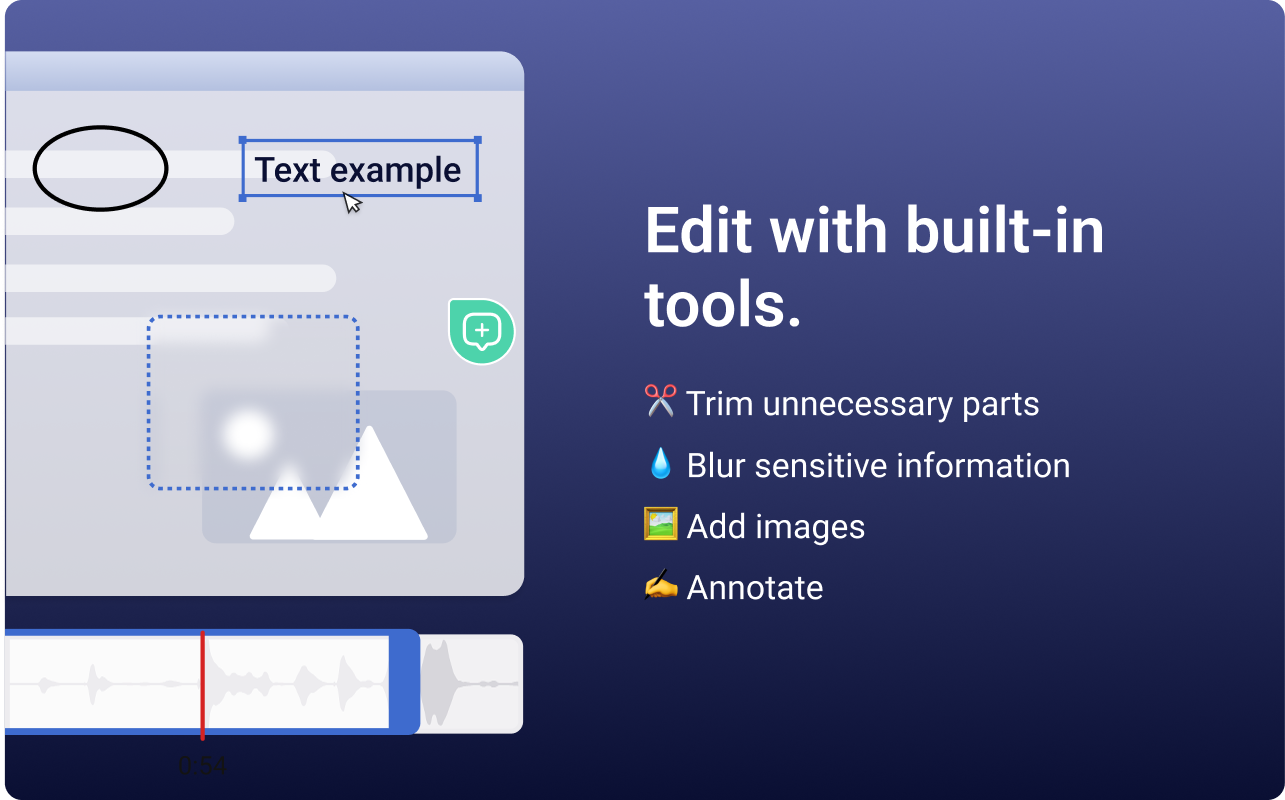
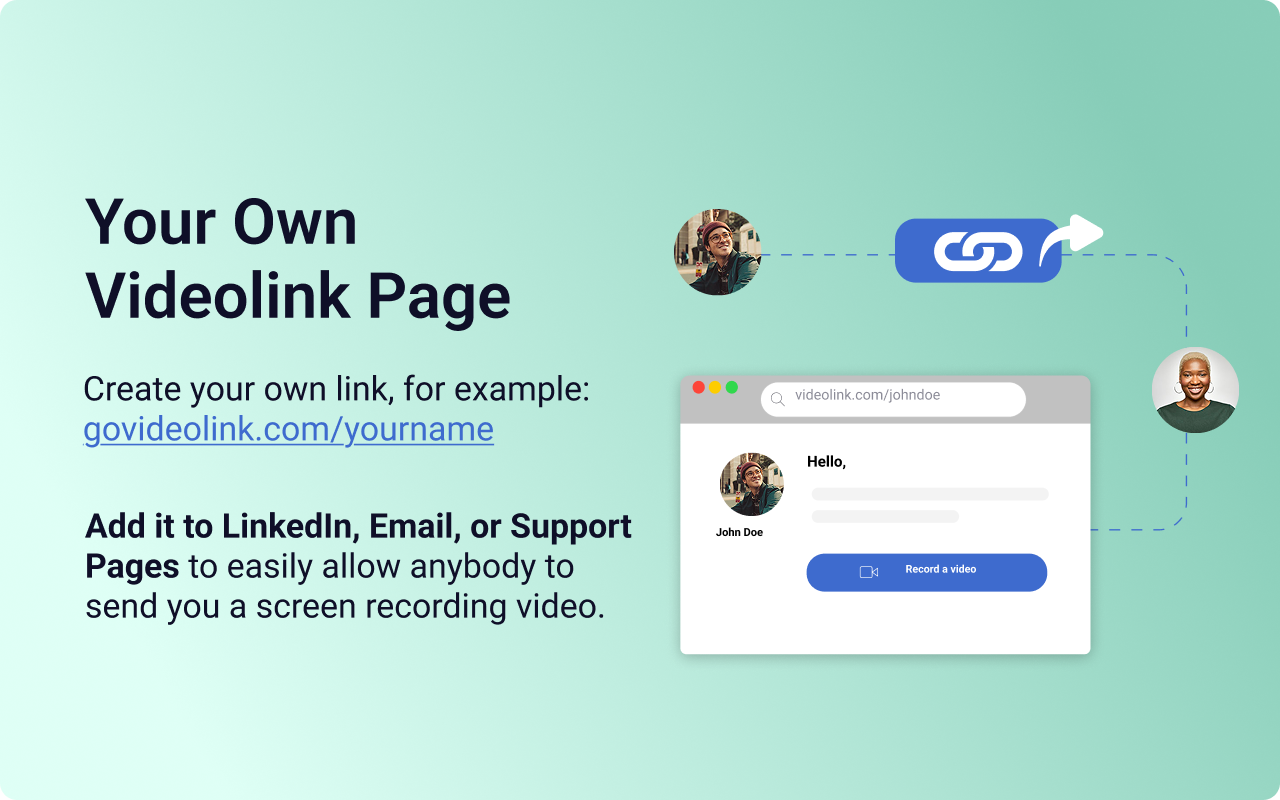
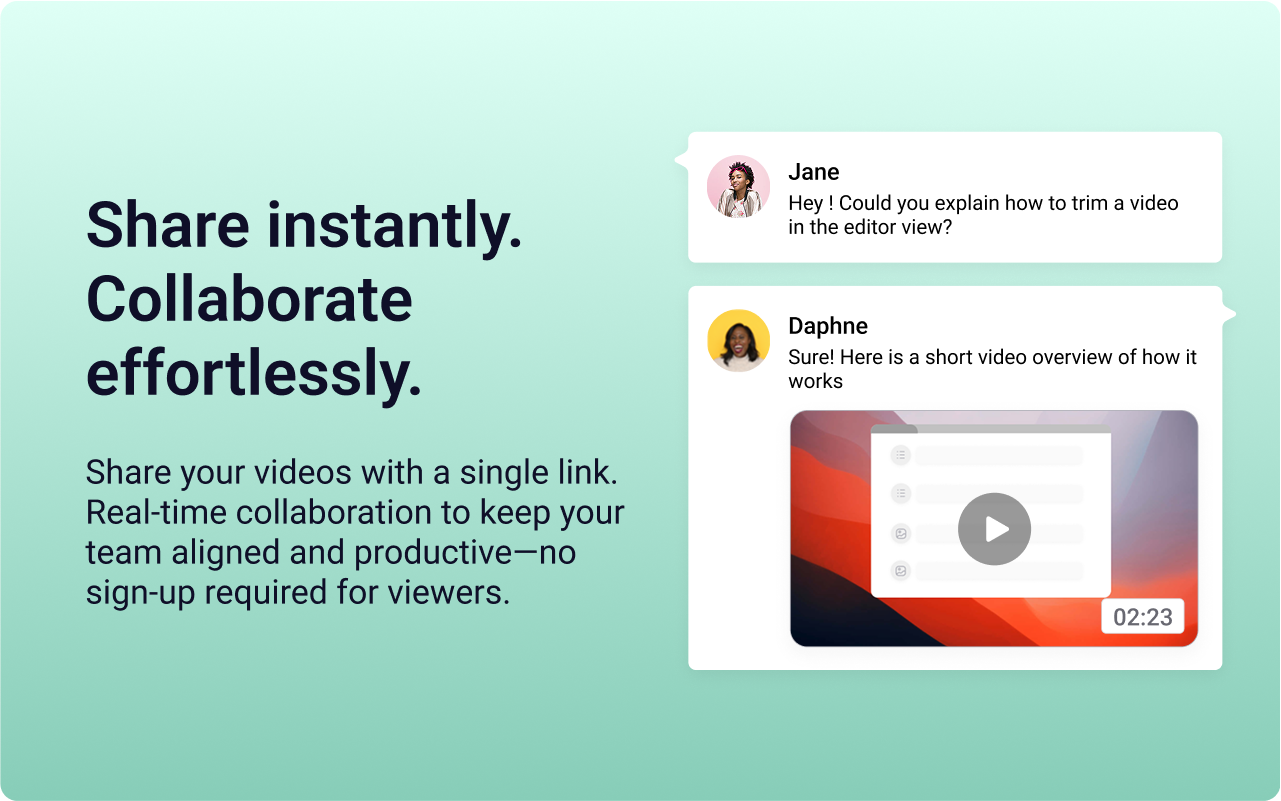
Screenshot of the Videolink editor, used to trim out excess content, blur sensitive info, annotate key areas, and insert images.Screenshot of a Videolink page, used to create a personal shareable link – like govideolink.com/yourname – that lets anyone send a recorded video directly.Screenshot of single link sharing, so viewers don’t need an account to watch, comment, or provide feedback.