TrustRadius: an HG Insights company

Check Point Email Security

Score9.2 out of 10

193 Reviews and Ratings

What is Check Point Email Security?

Check Point Email Security, formerly Avanan, which was acquired by Check Point in August 2021, connects security technologies to enterprise cloud applications in order to improve protection of sensitive corporate data and IP. Its one-click deployment allows customers to deploy a new security solution in seconds. Because it requires no appliance, agent or gateway proxy, it can begin protecting any cloud application immediately, with no effect on users.

Read more details.

Media

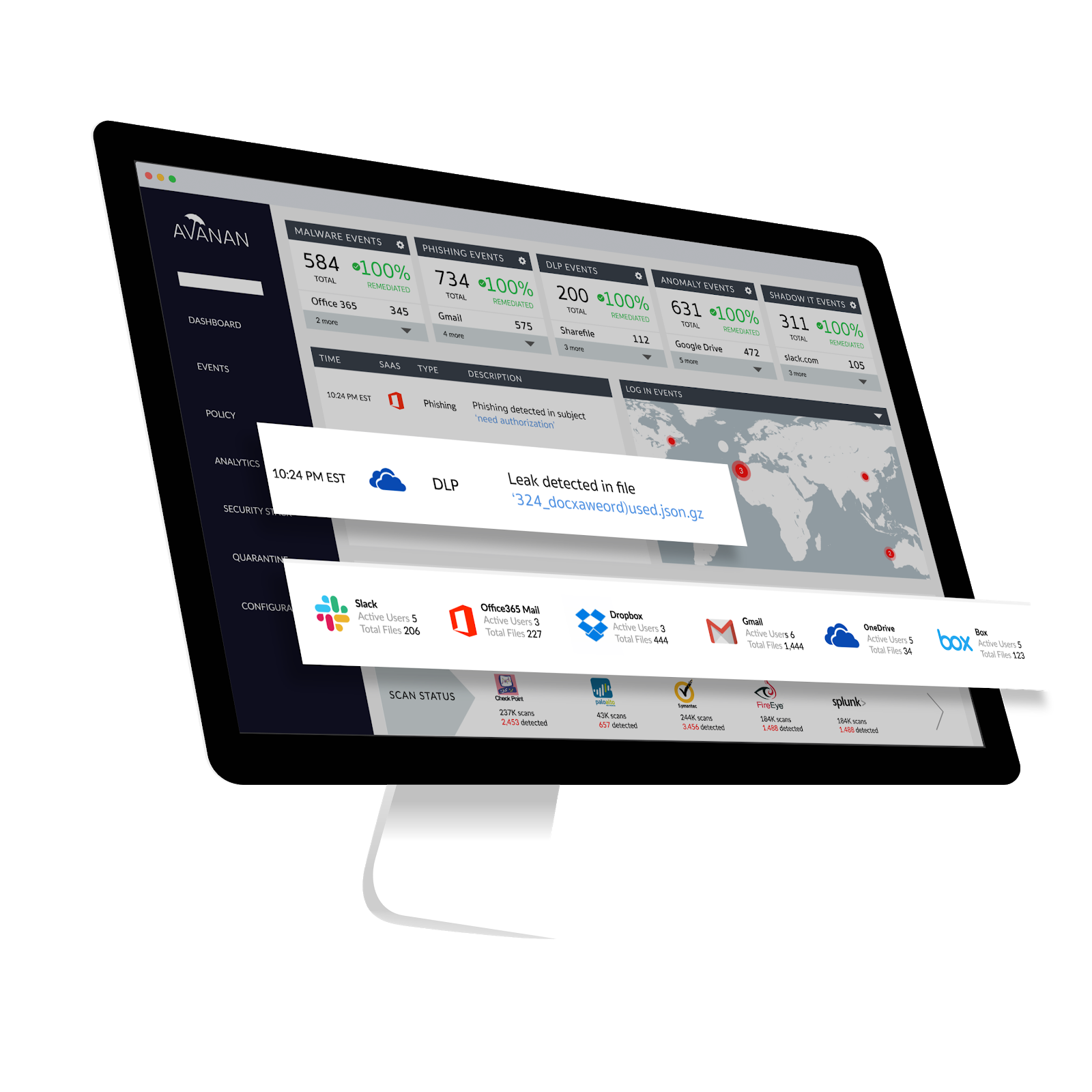
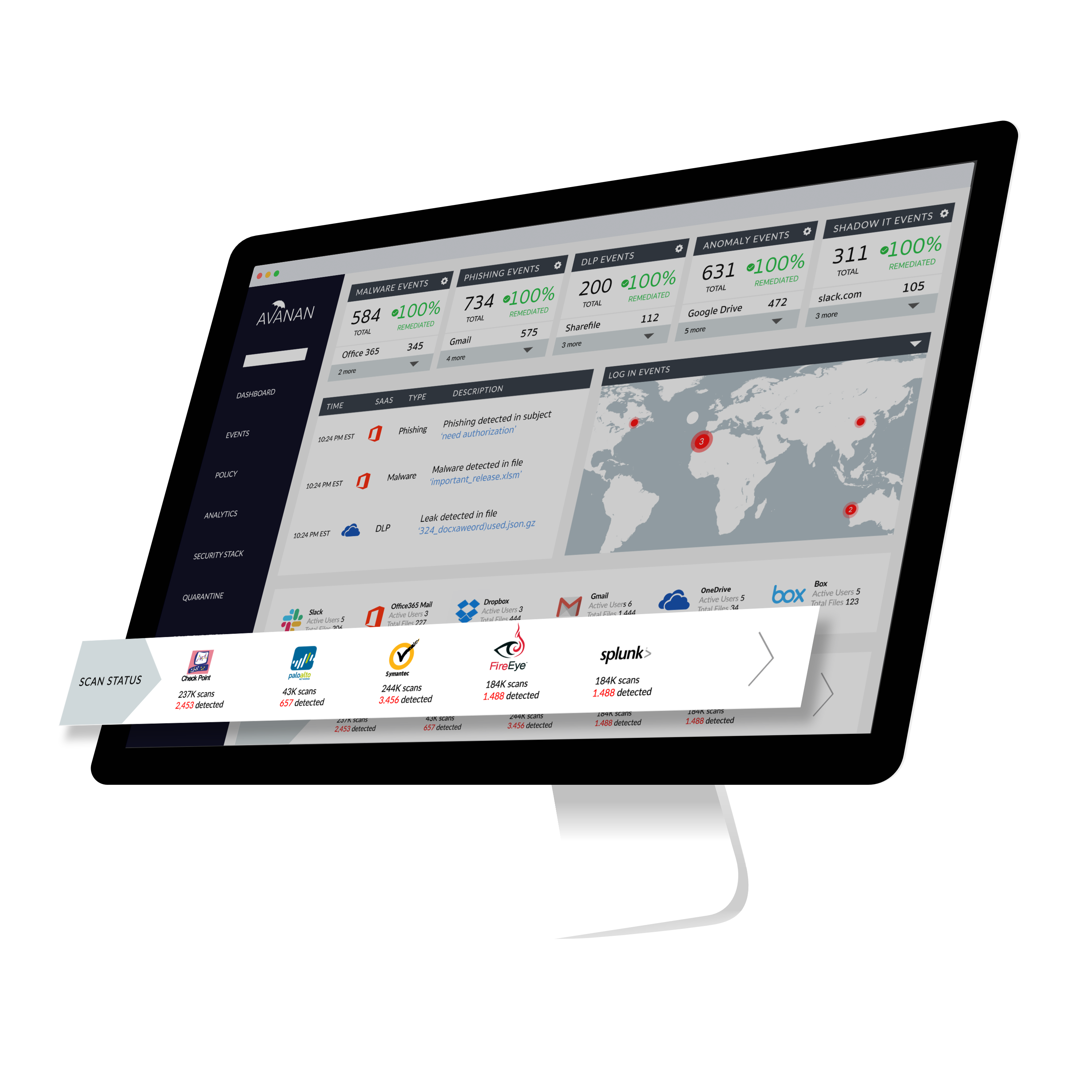
Screenshot of Avanan Security Dashboard
Check Point Email Security

1 / 4

Screenshot of Avanan Security Dashboard

Top Performing Features

  • Anti-malware

    Anti-malware is a type of software program designed to prevent, detect and remove malicious software

    Category average: 8.8

  • Threat Detection

    Threat protection defend against sophisticated malware or hacking-based attacks targeting sensitive data.

    Category average: 8.5

  • Management Tools

    Management tools include administrator dashboards, reports, etc.

    Category average: 8.4

Areas for Improvement

  • Data Loss Protection

    A set of tools and processes used to ensure that sensitive data is not lost, misused, or accessed by unauthorized users.

    Category average: 7.7

  • End-to-End Encryption

    In end-to-end encryption the data is encrypted on the sender's system or device and only the recipient is able to decrypt it

    Category average: 8.2

  • Sandboxing

    Sandboxing is a software management strategy that isolates applications from critical system resources and other programs providing an extra layer of security

    Category average: 7.6

Who Buys & Uses Check Point Email Security

Avanan is Great

Pros

  • Spam Filtering
  • Easy Setup
  • Little input from managing users needed

Cons

  • Attachment Sandboxing
  • Event Grouping

Most Important Features

  • Spam Filtering
  • Email Protection
  • Internal Email Protection

Return on Investment

  • Blocked a bunch of emails
  • Protects our users

Alternatives Considered

Proofpoint Advanced Threat Protection and Barracuda Email Security Gateway

Secure your email with Check Point Harmony Email & Office

Use Cases and Deployment Scope

Check Point Harmony Email & Office is the email solution which everyone should looking for. Most of users getting with unwanted email in the inbox it may contains phishing link, malicious file, stenography images that can harm the user machine as well from user it may get impacted other users may be the core server. To overcome this issues Check Point Harmony Email & Office is used in our organization.

Pros

  • It scans all the emails which included attachment
  • it also scans the password protected file which is the main advantage of this
  • Every morning user will get notification from Check Point about junk emails if user want that email it can be release.

Cons

  • Mostly it can detect QR code base attack.
  • Helps to user to indentify the stenography images may contains malicious file
  • It is centrally deploy so it's easy for administrator create policy

Return on Investment

  • It gives a positive return on ROI
  • With the help of security it help out user to be safe same for company

Usability

Alternatives Considered

Barracuda Email Protection and Trellix Email Security

Other Software Used

Check Point Harmony Browse, Check Point Harmony SASE

Check Point Harmony Email Office

Use Cases and Deployment Scope

We use Check Point Harmony Email & Office to keep our email and Office365 safe from phishing, malware and fake links. It help stop risky emails before they reach users, protect login details and reduce chances of data loss, making everyday email communication safer for our teams. It also helps reduce security risk, avoid data breaches.

Pros

  • Block Phishing Emails
  • Prevents malware and ransomware
  • Improves user Awareness
  • Protects login credentials
  • Reduce spam emails

Cons

  • Integration & Compatibility
  • Usability and configuration
  • Performance & Reporting
  • False positive and Quarantine Handling

Return on Investment

  • Reduced phishing and email-based security incidents
  • Lower risk of data breaches and credential theft
  • Saved time and effort for IT and security teams
  • Delivered strong return on investment

Usability

Alternatives Considered

Proofpoint Email Protection and Microsoft Defender for Office 365

Other Software Used

Netskope CASB, CrowdStrike Falcon, Palo Alto Networks Prisma SD-WAN

Check Point is a Solid Email Security Product.

Use Cases and Deployment Scope

Like most organizations, we need a robust email security filter to protect our users and customers from malicious email content. We were using Mimecast, but found it expensive and complicated to set up. We also use it to categorize and route "promotional" emails to our end users.

Pros

  • Filter phishing email.
  • Filter emails with viruses.
  • Protect against impersonation attacks.
  • Manage email quarantine for users and admins.

Cons

  • It does tend to let through more junk email than our previous filters.
  • It's more difficult for our end users to report spam or phishing emails and have Check Point learn from reports.
  • The admin panel can be slow to operate.

Return on Investment

  • Difficult to know or measure how many scams our users would have fallen for without it.
  • Has saved our users time not having to wade through promotional emails and obvious spam/scam emails.

Usability

Alternatives Considered

Mimecast Advanced Email Security and Proofpoint Email Protection

Other Software Used

Microsoft 365 Business Premium, Microsoft Defender for Business, PDQ Connect

Check Point Harmony Email & Office Security Frontline Dfense for the emails

Use Cases and Deployment Scope

The Check Point Harmony Email & Office and collaboration is working as frontline defence for our email security unlike traditional email security it operates after the email server. in this scenario emails and attachments will scan twice: first on email server like M365 and then it will scan by Check Point Harmony Email & Office, if in case any threat missed by M365 then it will be block by Check Point Harmony Email & Office

Pros

  • It scan the emails and attachments based on policy so no any email goes without scan
  • QR code based attack will also block by Check Point Harmony Email & Office
  • As per architecture of email security email scanned by the solution is twice.

Cons

  • No On-premises solution required, totally cloud based solution
  • Unlike tradition email security Check Point Harmony Email & Office has the different architecture which enhances the features
  • It block or scans the emails, QR code based attacks as well as Images based attacks (stegnography)

Return on Investment

  • this is the management discussion, but I can say that i gives the best security on the invested value with best ROI

Usability

Alternatives Considered

Forcepoint Email Security, Barracuda Email Protection and Sophos Email

Other Software Used

Palo Alto Networks Advanced Threat Prevention, Check Point Harmony SASE, Cisco Firepower 4100 Series