
Tailored for Wireframing

Use Cases and Deployment Scope
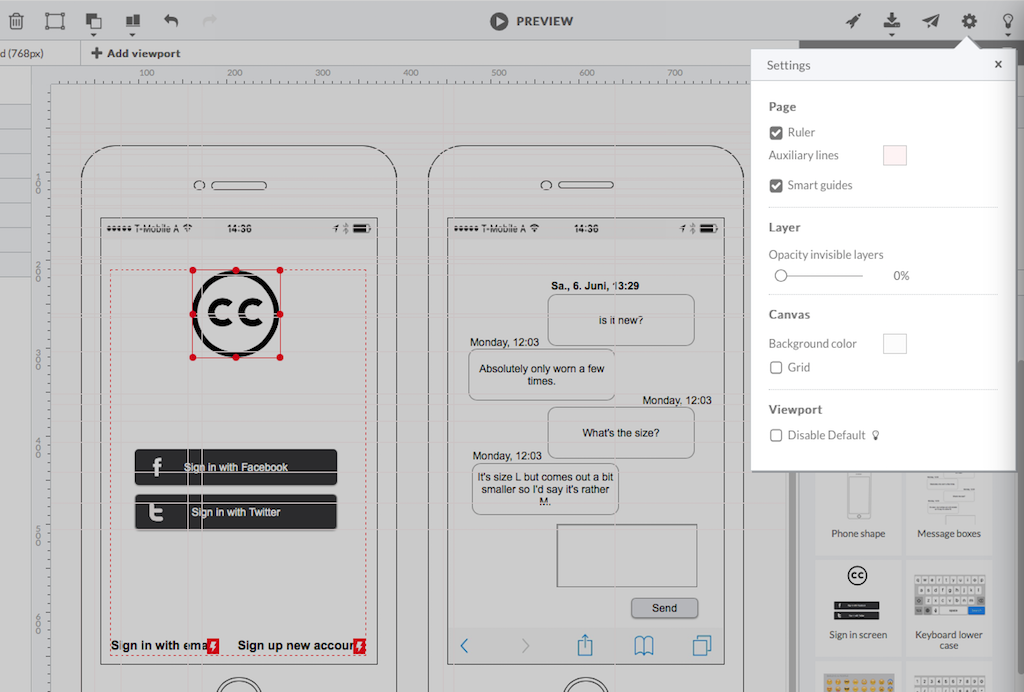
I am in the field of Service Design and Engineering. HotGloo helps me to quickly build wireframes for various customer touchpoints. The tool and its big variety of elements and symbols helps me to quickly build wireframes of mobile apps or websites. It is a real value add that the created designs can be used as preview as well. In this way I only have to design once. This helps because in this stage (prototyping) fast mockups are key. I usually use HotGloo in addition to other tools as well. So, HotGloo covers one stage or task during a design sprint usually. Once the wireframes are iterated and tested sufficiently I continue to detail the interfaces in other tools. I could probably do the wireframing in the other tool as well. But, I stuck to HotGloo because of the elements and symbol libary which has - in my opinion - just the right depth and detail to not distract the tests.
Pros
- Elements Library
- Symbols Library
- Interface supports workflow
Cons
- logical structure of interface objects
- preview view does not scale frame on small screens
- Tool ribbon
Most Important Features
- Wireframing (prep quick user tests)
- Prototyping (add workflows to wireframes)
- Viewports (design for different devices)
Return on Investment
- Quicker and Simpler wireframing
- More efficient preparation of user tests
- Faster verification of design concepts
- Faster identification of wrong concepts
- Faster identification of right concepts
Alternatives Considered
Balsamiq, Figma and Marvel
Other Software Used
Figma, Miro, Marvel