TrustRadius: an HG Insights company

Ivanti Autonomous Endpoint Management

Score7.4 out of 10

137 Reviews and Ratings

What is Ivanti Autonomous Endpoint Management?

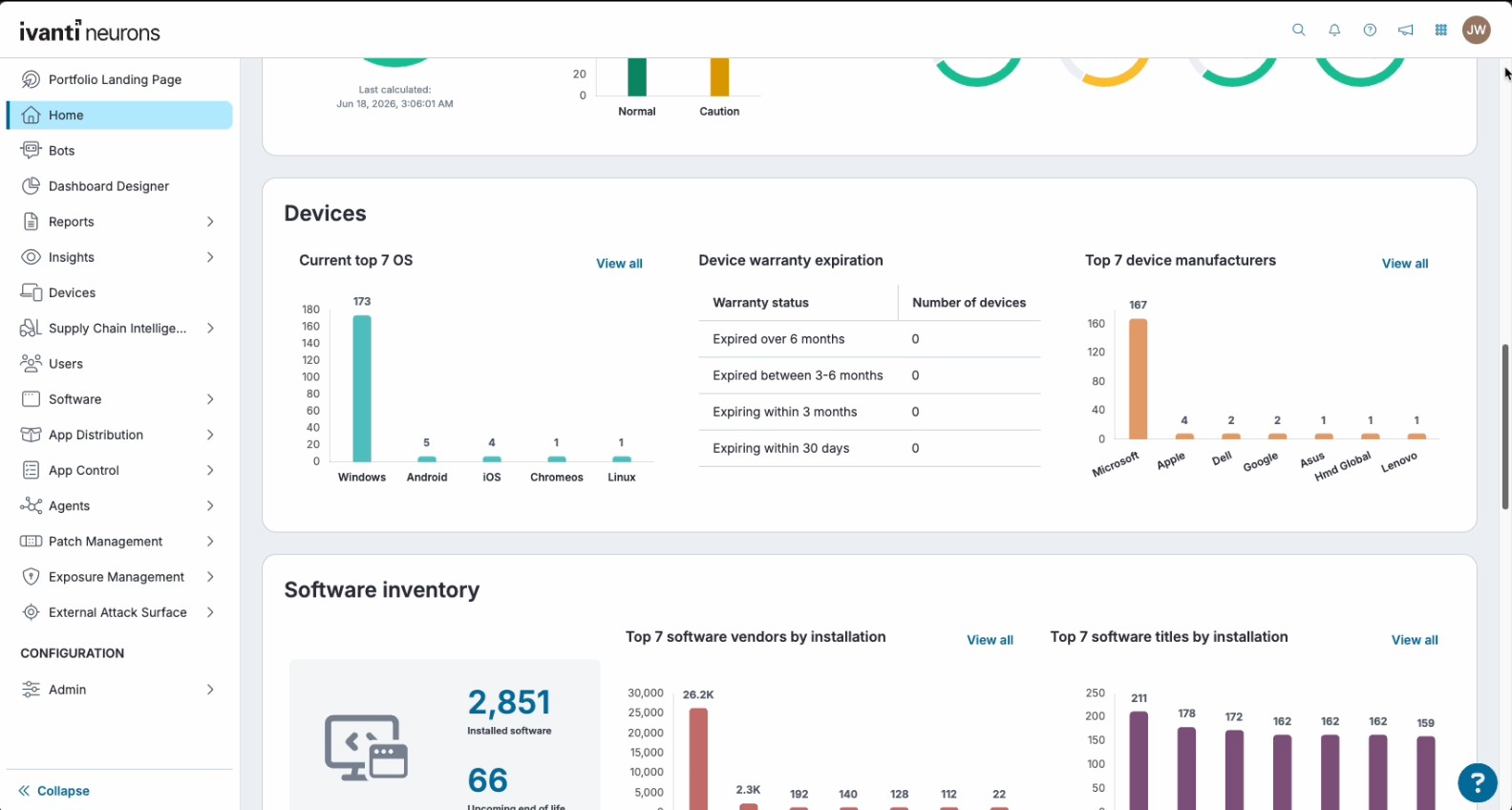
Ivanti Autonomous Endpoint Management (AEM) is an enterprise endpoint-operations solution built on the Ivanti Neurons platform. It combines unified endpoint management (UEM)—centralized management of desktops, mobile devices, and other endpoints—with digital employee experience monitoring, asset discovery, security controls, and automated remediation. Ivanti positions AEM as a broader solution layer that brings UEM, digital employee experience, and security capabilities together rather than as a single replacement for every separately licensed Ivanti product.

Read more details.

Media

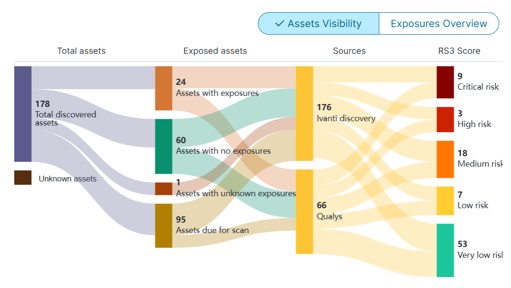
Screenshot of Asset Visibility
Screenshot of Autonomous Patch
Screenshot of Predictive Remediation
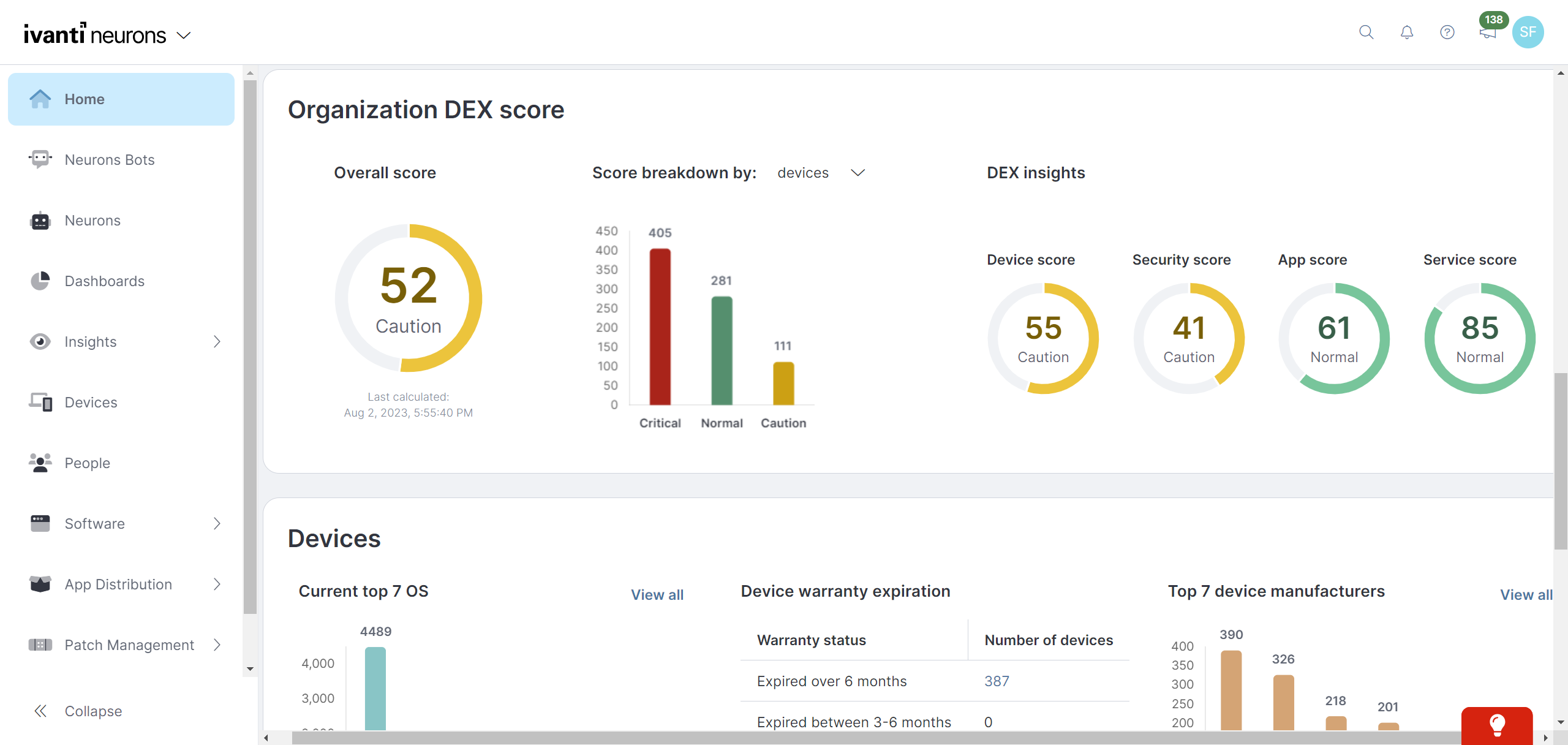
Screenshot of Digital Employee Experience Management
Screenshot of Self Healing

1 / 5

Screenshot of Asset Visibility

Who Buys & Uses Ivanti Autonomous Endpoint Management

Pros

  • Robust patch management for diverse IT environments
  • Efficient identification and deployment of software updates
  • Streamlined administrative tasks and ease of use for junior engineers

Cons

  • Inconsistent patch delivery and rollout mechanisms
  • Issues with patching schedules and timing, leading to outages
  • Outdated user interface for policy creation and agent assignment

A Modern Device Management Tool That Automates Your Troubles

Use Cases and Deployment Scope

About 6 months ago I moved our organization from the old Ivanti Security Controls to Ivanti Neurons, and what dramatic improvements they have made. We have been able to automate a large amount of our environment entirely using the new Neurons Bots. In the healthcare industry, many applications have custom shutdown and startup instructions, but using Neurons Bots we were able to automate many of these processes for our server environment. This has already saved us many off-hours labor hours and streamlined our patching to keep us on a more consistent patch schedule while reducing the burden on our team members. We also use this product to manage all of our endpoints. This includes patching, application deployment, remote support and inventory. So far this application has performed well enough that it might replace a few other tools in our support stack.

Pros

  • Automatic script deployment
  • Patch Deployment Reporting
  • Inventory Scanning
  • Agent Deployment and Health
  • Organizing Devices into Distinct Groups
  • Vulnerability Reporting

Cons

  • 3rd Party Application Deployment
  • User Documentation
  • Bots Script Creation

Return on Investment

  • Reduced labor hours on patching
  • Reduced after hours support for patching
  • Custom scripts to support shutdown and startup commands
  • Built in remote support
  • Performs the actions of multiple tools in our stack, replacing a few and reducing our support stack's budget

Usability

Alternatives Considered

Ivanti LANDESK Service Desk (discontinued) and Microsoft System Center

Other Software Used

ManageEngine ServiceDesk Plus, mRemoteNG, Obsidian, Citrix Gateway, Imprivata Enterprise Access Management, Microsoft Teams, Microsoft Azure, FortiClient, Okta, SnapComms, Microsoft 365 Copilot, Anthropic Claude, Notepad++, Wireshark, Microsoft 365, Mimecast Cloud Archive, Mimecast Integrated Cloud Email Security, Bitwarden

Patching has become proactive and reporting now meets strict compliance and audit requirements

Use Cases and Deployment Scope

My main use case for Ivanti Autonomous Endpoint Management is patching endpoints, desktops, and servers. I use Ivanti Autonomous Endpoint Management to meet the 14-day compliance window for critical patches to be applied. Patching is the primary focus, but I also use Ivanti Autonomous Endpoint Management as an RMM solution and as a CMDB for endpoints.

Pros

  • Patch intelligence.
  • Deployment/update rings.
  • Powerful automation and reporting.

Cons

  • Agent check-in frequency.
  • Better clarity on patch deployment whilst update rings are running.

Return on Investment

  • Easier overview of patch compliance.
  • Time back for a small team.
  • More control over end user experience.

Usability

Alternatives Considered

Action1, CrowdStrike Falcon and Patch My PC Patch Management

Other Software Used

Action1, Microsoft Intune

Would not be my first pick.

Use Cases and Deployment Scope

We use Ivanti Autonomous Endpoint Management to manage and patch all systems across our environment of almost 4K computers.

Pros

  • Inventory Software on computers.
  • Give missing Patches from Computers.
  • Report inventory of computer hardware.

Cons

  • Reporting is missing functionality of granularly configuring.
  • Patching is lacking as in the way the patches are getting to all machines.
  • Could be a setup problem, but there is not any distributed rollout for patches.

Return on Investment

  • It has not shown any as of yet as it has not been fully implemented in over a year.
  • It will find computers in AD and tell you which ones are missing the agent, but if the agent isn't installed, it won't have insight into it.
  • The agent is required for most insight useful information on the computers.

Usability

Alternatives Considered

KACE Asset Management Appliance

Other Software Used

Palo Alto Networks Cortex XDR, Cyberhaven Dynamic Data Tracing, Varonis Data Security Platform

Ivanti Review

Use Cases and Deployment Scope

We use Ivanti Neurons for Patch Management and Ivanti Bots, for Patch Management it allow us to have finer control over the patching process and cleaner reports all under one pane of glass. The Ivanto Bots allows us to perform some routine maintenance tasks like purging stale user profiles from servers or disk space checks etc.

Pros

  • Agent Deployment
  • Agent Monitoring
  • Patch deployment in a controlled fashion, example deploying Browser patches vs Critical patches across the various release cadences.

Cons

  • Patch completion reporting
  • Status of an ongoing patch, typically only states in Progress with no indication of completion percentage.
  • No indicators or tools to determine if a patch is stuck or just taking longer than normal etc.
  • Some times agent loose contact with the cloud end and no longer report or checkin properly, often if this happens the agent does not get the trigger to install the executed patches from the cloud.
  • More flexibility and/or control in the Bots, perhaps also ways to monitor services start/stop disable with status updates for reboots. This would help with patch automation further, or incorporate this into the patch management section so they all tie together for a complete patching automation experience.

Return on Investment

  • Once fully using the cloud we can cut the cost of 2 licensed Windows Servers that host the Ivanti Security Controls applications for our 2 main sites, and also freeing up cluster resources for other projects.

Usability

Ivanti Neurons for Patch Management is easy to configure and administrate

Use Cases and Deployment Scope

We use Patch Management to manage vulnerabilities across at an enterprise level. Scale involves protecting thousands of traditional IT endpoints (desktops, servers) alongside distributed, public-facing transit tech such as fare systems, digital kiosks, and regional operational facilities. We use the Vulnerability Risk Rating (VRR) to establish Risk-Based Vulnerability Prioritization. Continuous Compliance is a major touchpoint for the agency at large, especially for Field and Remote Assets. We are trying to implement Autonomous Endpoint Management as a future-step.

Pros

  • ease of use for configuration, regular administration
  • integrates into our ecosystem rather seamlessly, since we use rest of Ivanti product suite.
  • cost-competitive to the competition.

Cons

  • We are branching scope of work for other ITS-platforms towards more modern, broader scope engines like ServiceNow / SalesForce. Would like to see better integration at an Ivanti-wide level.

Return on Investment

  • Drastic Reduction in Cyber Risk Exposure - avg ransomware breach can cost millions.
  • Labor Reclamation and Process Automation - autonomous patch config and scheduling is a time saver, critical for daily operations.
  • Visibility and Audit Readiness - cloud native birds-eye view console gives us more immediate, accessible views of endpoint health.

Usability

Alternatives Considered

11:11 Disaster Recovery as a Service (DRaaS), ServiceNow IT Service Management, EPM Live, HaloITSM, TeamDynamix IT Service Management (ITSM) and Avast Business Patch Management

Other Software Used

ServiceNow IT Service Management, Everbridge IT Alerting, EPM Live, ServiceNow IT Asset Management, ServiceNow IT Operations Management, Microsoft SharePoint