

What is SignFlow?
SignFlow supports reading, annotating, editing, e-sign, organizing, and filling PDFs.
SignFlow allows users to apply a legally-binding digital signature in PDFs, and it provides a PDF solution to create, edit and fill out PDF forms. Users can edit text in PDFs like word, manage and edit PDF pages, annotate and view PDFs.
Read PDF
- Open PDF files from the Finder and view multiple files in one tab simultaneously. Support Drag & Drop
- Reading modes: view file in full-screen, page-fit, book mode, read mode, continuous and page break
- Customize and personalize toolbar to provide access to frequently-used features
- Navigate PDF files by page thumbnails or outlines
- Switch themes from light mode, dark mode, sepia mode and reseda mode
Markup / Annotation Expert
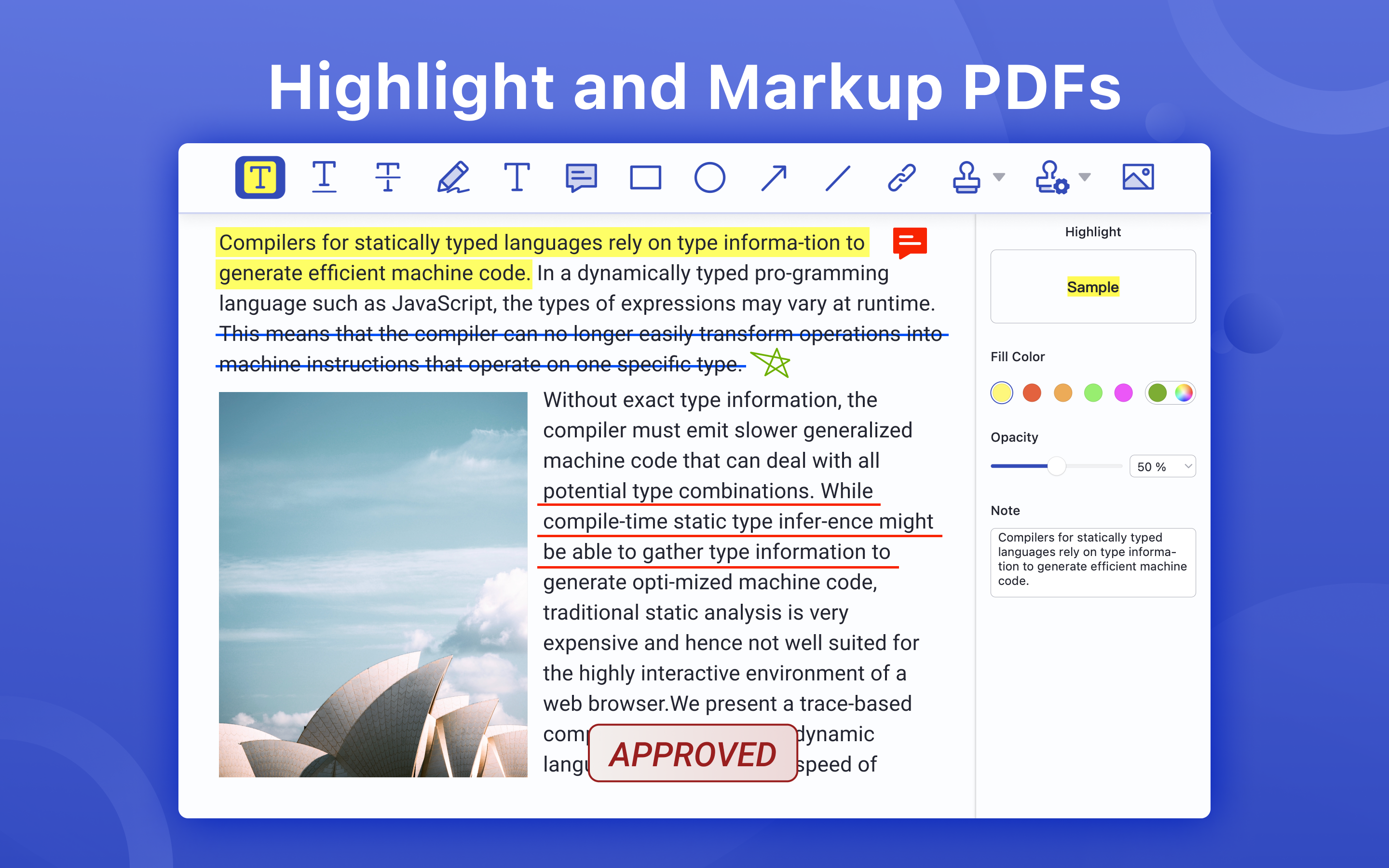
- Markup, highlight, underline, strikeout text in PDFs
- Annotate PDF, add comment, text box, anchored note, freehand drawing, stamps, insert shapes (rectangle, circle, line, arrow), hyperlink, etc.
- Add/edit links. Target link to a specific page in page number, external website(URL) and email
- Apply standard business stamps(like APPROVED) or create custom dynamic seals and digital identity stamps with an automatic date
Digital Sign PDFs
- e-Signing documents. Apply a certificate-based signature(p12) on a document with a digital ID
- Create a self-signed digital ID for a legal signature to sign PDFs and protect electronic documents against fraud
- Customize the e signature appearance. Signing information like signer name, date, reason, logo and more can be personalized
- eSign PDF documents, no signee and signable pdf files limits
- Sign PDF or add digital signature with no need to sign up an account
Organize / Edit Pages
- Manage pages of a document such as reorganize, renumber, insert, extract, rotate and delete pages.
- Insert a blank page or borrow pages from another PDF into the existing PDF
- Extract pages or drag selected pages out to create a new PDF
- Rotate and delete pages in a PDF
Edit PDF Text
- PDF text editing like Word. The user can replace, add, change or delete texts in PDFs. Font attributes (font size&text color) are changeable
Redact PDF
- Redaction tools allow users to hide or delete sensitive information permanently by blacking out certain personal contents in your PDFs
Form Creator & PDF Filler
- Create and edit fillable PDF forms with interactive fields, such as text fields, checkboxes, radio buttons, list boxes, combo boxes, and etc.
- Form editor allows users to group form fields and align form elements as needed
- Work with static PDF forms created in Adobe Acrobat
Secure & Share PDF
- Set a password and permissions to protect PDFs from being opened, copied, edited, moved, printed by unauthorized users
- Save and share files (original PDF, Flattened PDF) to others
Terms of service
https://www.pdfreaderpro.com/terms_of_service
Categories & Use Cases
Screenshots


1 / 6
Technical Details
| Deployment Types | On-Premise |
|---|---|
| Operating Systems | Mac |
| Mobile Application | No |
| Supported Languages | English, Chinese |