TrustRadius: an HG Insights company

TeamDynamix iPaaS

Score6.9 out of 10

16 Reviews and Ratings

What is TeamDynamix iPaaS?

TeamDynamix iPaaS is a no-code Integration Platform as a Service that combines enterprise-grade integration, no-code automation, and AI-powered agents on one governed platform. iPaaS clears the typical integration backlog and unlocks digital transformation. It features a library of pre-built connectors and a visual drag-and-drop flow builder to enable citizen developers while AI Form Builder Agents create dynamic forms in minutes. Centralized API management governs the ecosystem, and an MCP layer makes every enterprise system AI-ready. The solution aims to help users to educe integration build time by up to 90%.

Media

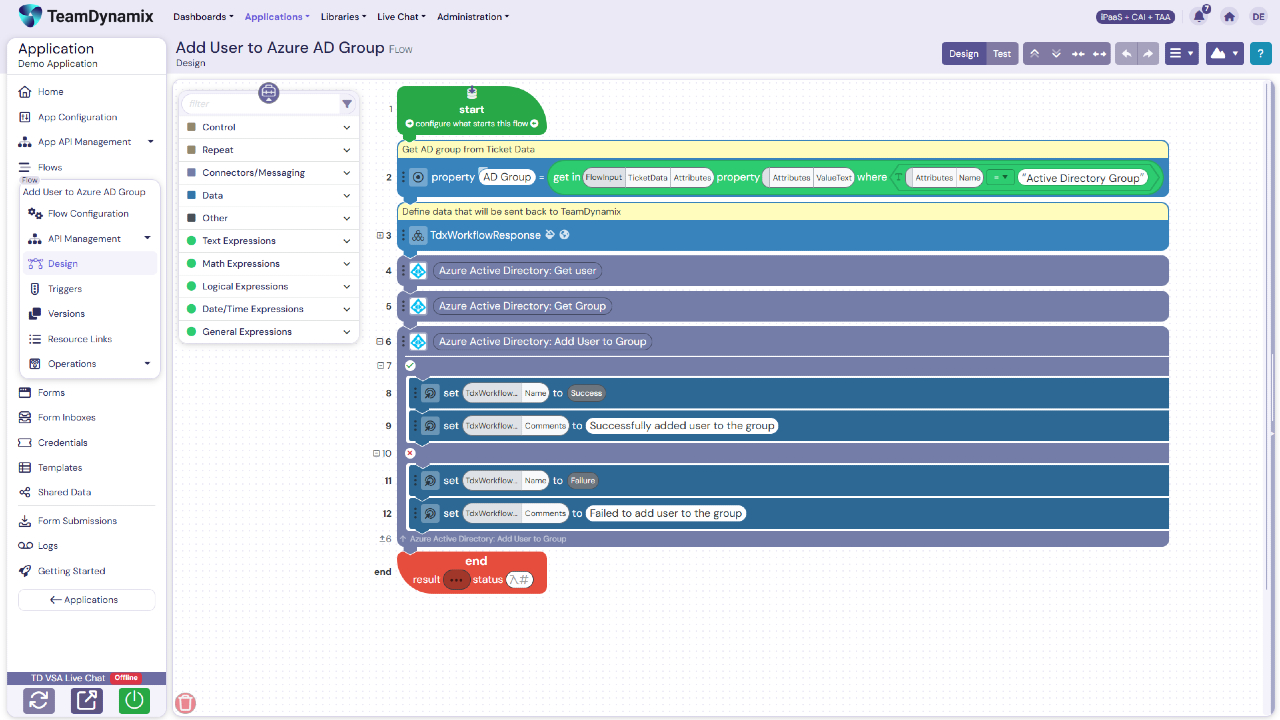
Screenshot of Active directory flow with comments
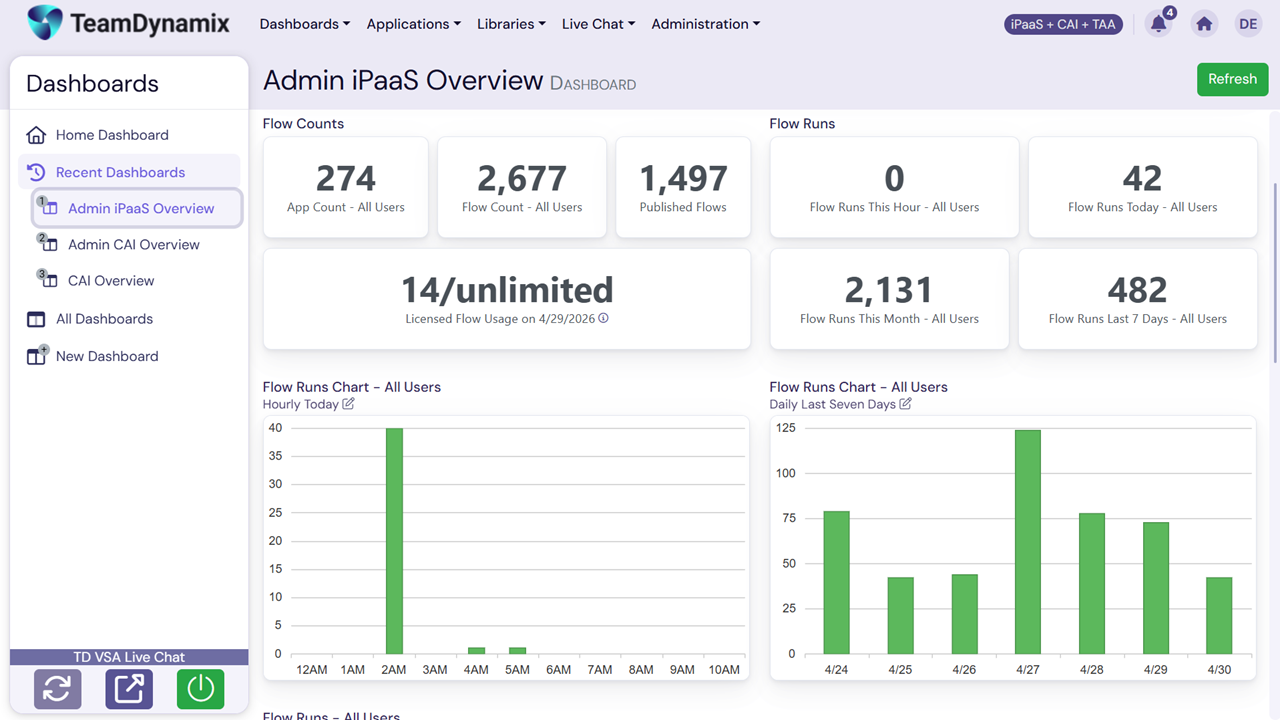
Screenshot of Admin dashboard
Screenshot of Dynamic forms
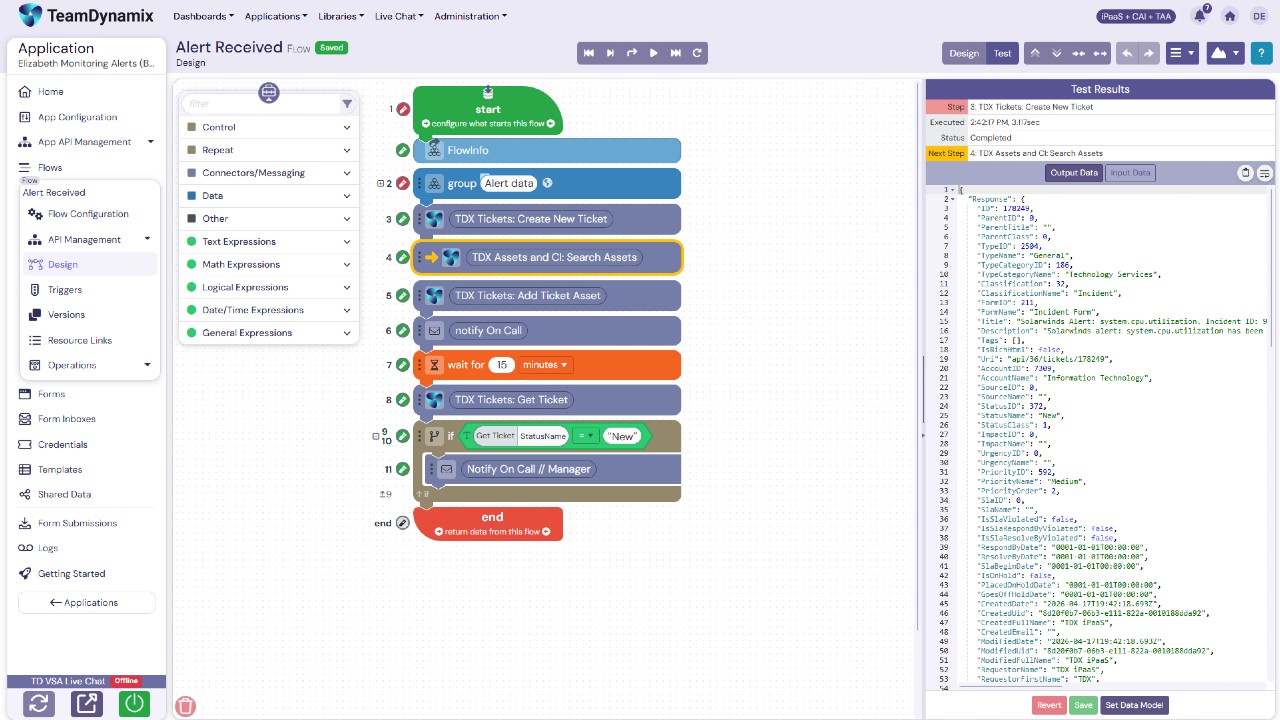
Screenshot of Flows and testing
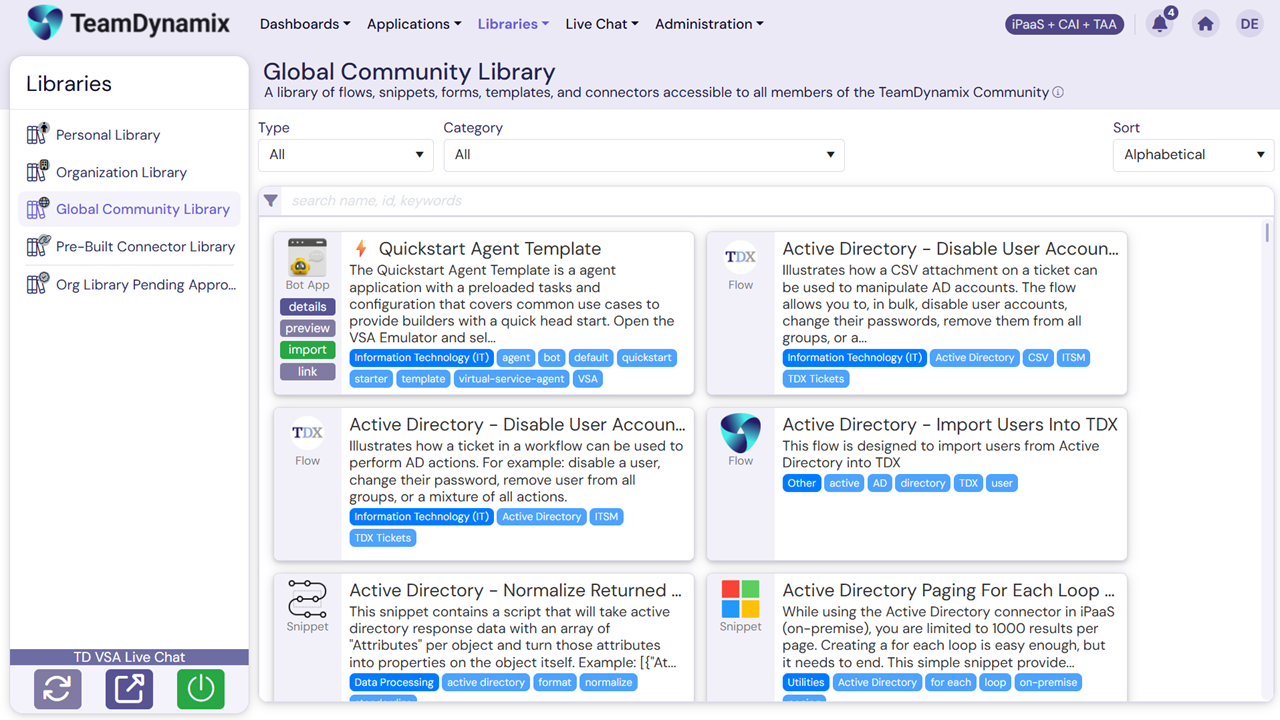
Screenshot of Global community library

1 / 5

Screenshot of Active directory flow with comments

Top Performing Features

  • Data security features

    Data security features include rights management, LDAP integration, password encryption, etc.

    Category average: 8.1

  • Monitoring console

    Central console for monitoring resource utilization, system health, ability to start and stop processes, etc.

    Category average: 7.7

  • Support for real-time and batch integration

    Software supports both real-time and batch integrations

    Category average: 7.7

Areas for Improvement

  • Data quality services

    Software includes capability to perform data profiling, deduplication, cleansing etc.

    Category average: 8

  • Pre-built connectors

    Pre-built, tested connectors to a wide variety of applications such as ERP, CRM, HCM, Marketing Automation, etc.

    Category average: 8.4

  • Connector modification

    Provision for modification of pre-built connectors to suit specific environments

    Category average: 7.8

Ultimate no-code solution to platform integrations and process automation

Use Cases and Deployment Scope

iPaaS is used to build low-code/no-code integrations for various systems and services. We also use it to build customer-facing forms that can trigger actions within the TdX ITSM solution and can be used standalone, depending on what we need. We leverage it consistently to enhance and automate a number of our ITSM processes.

Pros

  • No-code/low-code build functions don't require high-end developer knowledge
  • Leverage dynamic forms to fit various purposes
  • Create integrations between systems and services
  • Enhance the TeamDynamix ITSM platform capabilities

Cons

  • Permissions: permissions to individual flows vs. higher-level applications
  • AI to help author javascript steps

Return on Investment

  • We've been able to create processes that give time back to our employees
  • The ROI has been immeasurable

Usability

Other Software Used

TeamDynamix IT Service Management (ITSM), TeamDynamix ITAM

Product Owner who uses TDx iPaaS

Use Cases and Deployment Scope

Automate project workflows and eliminate the need for manual data entry.

Pros

  • Eliminate data entry
  • Reduce backlogs
  • No-code automated workflows
  • Deep integration with ticket routing

Cons

  • Lack of real-time monitoring
  • User interface inconsistency
  • Learning curve because of the massive scale of options

Return on Investment

  • Empowers non-developers
  • Targets operational efficiency
  • Training is difficult due to vast usage needs

Usability

Alternatives Considered

Oracle Analytics and Oracle BPM Suite

Other Software Used

Oracle Analytics, Microsoft 365, Genesys Cloud CX

TeamDynamix - Likely the best solution available today

Use Cases and Deployment Scope

We use it for project management and ticket submission/resolution
We keep tack of issues, people search, the Application Dashboard, TDX Knoweledge base.
So what is has resolved is our ticket system and keeping track of projects and tickets.
Also, communication is more clear because we can put in conversations, excel documents, and images of communication and documentation.

Pros

  • Governance and Monitoring
  • Visual Workflow Builder
  • No-Code Integration Hub

Cons

  • The learning curve is a little steep. sometimes its hard to close a ticket properly.
  • When there are multiple tasks in a ticket, it can be confusing just closing your tasks
  • The performance and real-time processing can be improved

Return on Investment

  • Cost Savings
  • Service Quality
  • Operational Efficiency Gains

Usability

Alternatives Considered

BMC FootPrints

Other Software Used

Adobe Acrobat, CCH Axcess, Microsoft Powerpoint

IPAAS Rocks.

Use Cases and Deployment Scope

TeamDynamix iPaaS (Integration Platform as a Service) acts as a centralized, codeless automation hub that connects disparate cloud and on-premises software. Instead of relying on manual data transfers or fragile, custom-coded API scripts, organizations use its visual drag-and-drop workflow builder to coordinate end-to-end data flows across IT, HR, Facilities, and Finance.

Pros

  • Visual, Strictly Codeless Administration.
  • Native Integration of Tickets and Projects.
  • Effortless, Powerful Reporting Features.

Cons

  • Hard Floor on Advanced Logic & Edge-Case Customization.
  • High Friction with Custom Target Credentials.
  • Surface-Level Documentation & Spec Generation.

Return on Investment

  • Massive Reduction in Integration Build Time.
  • Cost Avoidance via Democratized "No-Code" Upkeep.
  • Recovery of Productive Hours from Repetitive Tasks.

Usability

TeamDynamix iPaaS Experience.

Use Cases and Deployment Scope

We have been using TDX iPaaS for less than a year and have focused on migrating existing integrations from another iPaaS system we no longer own. The TDX iPaaS environment allows us to avoid connector license restrictions. Even though we are discovering that the TDX Oracle connector is somewhat limiting when reusing existing Oracle PL/SQL, the interface is much closer to programming language constructs.

Pros

  • The components are easy to relate back to actual programming.

Cons

  • Developer user permissions for DEV, TEST and PROD.
  • Improved Oracle Connector.
  • Easier flow promotion up to production.

Return on Investment

  • We have not seen any ROI yet.

Usability

Alternatives Considered

Boomi