TrustRadius: an HG Insights company

Vmaker AI

Score8.3 out of 10

3 Reviews and Ratings

What is Vmaker AI?

Vmaker AI is a video editing platform that helps creators, marketers, and teams transform long-form videos into short, shareable content. From podcasts and webinars to tutorials, interviews, and product videos, Vmaker AI helps users to create short-form clips, add captions, and prepare videos for platforms like YouTube Shorts, Instagram Reels, and TikTok.

Media

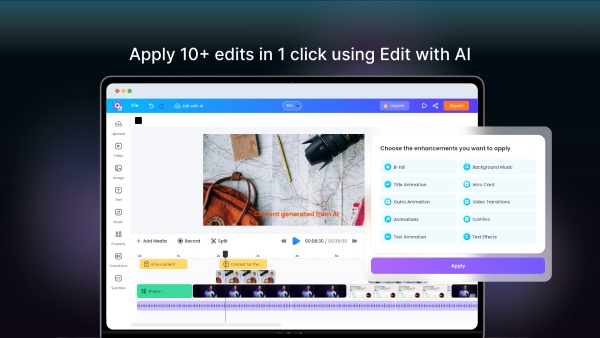
Screenshot of AI Video Editor Dashboard
Screenshot of Long to Short Video AI
Screenshot of AI Highlight Video Maker
Screenshot of AI Subtitle Generator

1 / 4

Screenshot of AI Video Editor Dashboard

Vmaker is a 'Loom Beater'

Use Cases and Deployment Scope

Iuse Vmaker mainly for creating short Vlogs and video introductions for my Podcast.

I like that it allows you to easily select the portion of the screen to be recorded. Plus it allows Picture In Picture with the webcam video also being captured. On paid plans, it also allows you to set a webcam virtual background which most competitors do not offer.

I moved from Loom since they no longer allow you to download videos on the Free plan.

Pros

  • Picture in Picture (screen+webcam) Recording
  • Virtual Backgrounds for the Webcam (most other platforms don't support this)
  • Super easy to use

Cons

  • Wish they allowed virtual webcam backgrounds or blurred background on the Free plan.
  • Some of the messaging on the site is a bit inconsistent re pricing of the plans (some refer to annual pricing paid monthly vs monthly pricing)

Most Important Features

  • Screen+Webcam capture
  • Virtual and blurred webcam backgrounds
  • Very reasonable price vs competitors
  • Cloud based

Return on Investment

  • Makes recording video intros for my Podcast super easy
  • I can record from anywhere (eg my AirBnB while traveling and still look professional
  • Totally affordable for my relatively small business

Alternatives Considered

Snagit, Gemoo Recorder, Camtasia, ScreenApp and Loom

Other Software Used

Descript, Camtasia

My new go-tool for video communication

Use Cases and Deployment Scope

I use Vmaker in my business to highlight and annotate importance things on my screen, record meetings that I am unable to attend live, but primarily to communicate with prospects and clients on a daily basis. Im a coach who sends lots of screen-recordings and videos explaining concepts and lessons to my clients. VMaker, of all the platforms I've tried like it (and there's been a lot) is by far the most seamless option.

Pros

  • Easy to highlight and annotate parts of my screen while recording
  • Records meetings including computer audio and mic simultaneously
  • easy to use video editor that allows you to edit videos to just include the necessary information

Cons

  • I would love to see a Vmaker mobile app eventually
  • Sometimes there are issues connecting to my camera
  • I would like to be able to pick a default camera and mic

Most Important Features

  • Record computer audio and mic
  • Record meetings you are unable to attend
  • Easily send links to your videos

Return on Investment

  • Has allowed me to greatly speed up client communication and increase the amount of clients I can work with at once
  • Vmaker has allowed me to contact prospects quickly and promptly so I don't lose potential opportunities due to time

Alternatives Considered

Loom

Other Software Used

InVideo, Kajabi, Dubb - Video Communication Platform

Great Screenrecorder!

Use Cases and Deployment Scope

I needed a reliable screenrecorder and Vmaker is the best I've found!

Pros

  • Screen Record
  • Send screen records via links to others

Cons

  • There are a couple of streaming platforms I'm not able to screen record

Most Important Features

  • Screen record

Return on Investment

  • I've been able to streamline my video content creation