
Adobe Illustrator CC vs. AmoyShare PixEraser
| Product | Rating | Most Used By | Product Summary | Starting Price |
|---|---|---|---|---|
 Adobe Illustrator | Score9.3 out of 10 | N/A | Adobe Illustrator CC is a vector-based graphic design software. | $20.99 per month |
 PixEraser | N/A | N/A | Designed specifically for eliminating watermark from image, AmoyShare's PixEraser is a prior photo watermark removal choice. It is equipped with AI capable of offering premium-quality results. It is presented as simple to use for those who are not tech experts and an option for erasing unwanted objects precisely and easily. It allows users to take watermark and any undesired thing out of photos online, on Android, PC, and Mac. | $9.90 50 times per user |
| Adobe Illustrator | PixEraser | |||||||||||||||
|---|---|---|---|---|---|---|---|---|---|---|---|---|---|---|---|---|
| Editions & Modules |
|
| ||||||||||||||
| Offerings |
| |||||||||||||||
| Entry-level Setup Fee | No setup fee | Optional | ||||||||||||||
| Additional Details | — | — | ||||||||||||||
| More Pricing Information | ||||||||||||||||
| Adobe Illustrator | PixEraser | |
|---|---|---|
| Considered Both Products | No answer on this topic | No answer on this topic |
| Key User Insights | ||
| Would buy again | ||
99% Would buy again 66 Answers | No answers on this topic | |
| Delivers good value for the price | ||
97% Delivers good value for the price 59 Answers | No answers on this topic | |
| Happy with the feature set | ||
100% Happy with the feature set 67 Answers | No answers on this topic | |
| Lived up to sales and marketing promises | ||
100% Lived up to sales and marketing promises 58 Answers | No answers on this topic | |
| Implementation went as expected | ||
97% Implementation went as expected 62 Answers | No answers on this topic | |
| Adobe Illustrator | PixEraser | |
|---|---|---|
| Small Businesses |  GIMP Score8 out of 10 | GIMP Score8 out of 10 |
| Medium-sized Companies |  Adobe PhotoShop Score9.2 out of 10 | Adobe Illustrator Score9.3 out of 10 |
| Enterprises | Adobe PhotoShop Score9.2 out of 10 | Adobe PhotoShop Score9.2 out of 10 |
| All Alternatives | View all alternatives | View all alternatives |
| Adobe Illustrator | PixEraser | |
|---|---|---|
| Likelihood to Recommend | 9.3 | - |
| Likelihood to Renew | 9.0 | - |
| Usability | 9.4 | - |
| Support Rating | 5.0 | - |
| Implementation Rating | 10.0 | - |
| Adobe Illustrator | PixEraser | |
|---|---|---|
| Likelihood to Recommend |
| No answers on this topic |
| Pros |
| No answers on this topic |
| Cons |
| No answers on this topic |
| Likelihood to Renew |
| No answers on this topic |
| Usability |
| No answers on this topic |
| Support Rating |
| No answers on this topic |
| Implementation Rating |
| No answers on this topic |
| Alternatives Considered |
| No answers on this topic |
| Return on Investment |
| No answers on this topic |
| ScreenShots | PixEraser Screenshots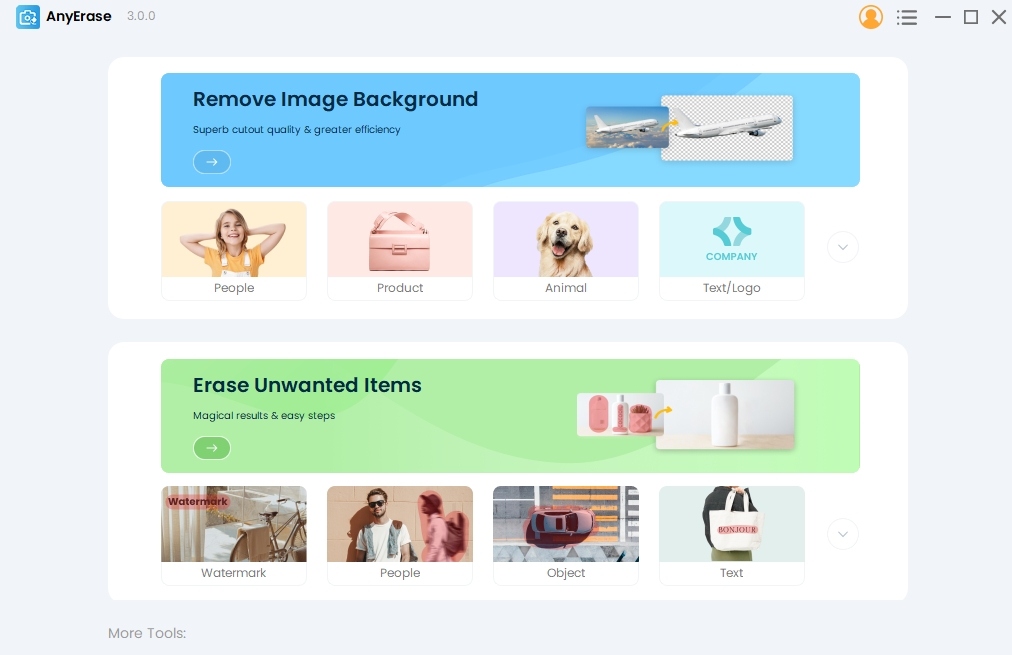 |


