Adobe InDesign supports creating digital and print documents such as flyers, stationary, posters, and other types of media, with rich graphics, images, and more. Adobe InDesign is available standalone or as part of the Adobe Creative Suite collection of media management and creation products.
$31.49
per month
Scribus
Score 7.0 out of 10
N/A
Scribus is open source desktop publishing software.
N/A
VistaCreate
Score 9.3 out of 10
N/A
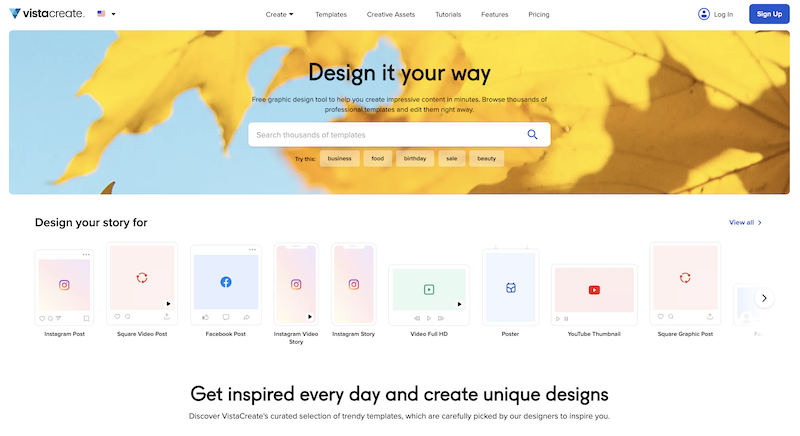
What is VistaCreate (ex-Crello)? VistaCreate is an online visual editing tool for creating videos, animations, graphic designs for social media, print, websites, or virtually any kind of static and animated design for commercial, business, or personal needs. On October 27, 2021 Crello joined the Vista group of companies and changed its brand name to VistaCreate. It includes 50,000 professionally designed templates that are already preformatted and…
Adobe InDesign is much more intuitive, has much more advanced tools, and is fully integrated with Adobe's other image and graphics editing software. It works better with text distribution and combining text with images. It provides better dynamic resources for a more …
Adobe InDesign is very well-suited to creating professional-looking page designs. If you want a newspaper or magazine to have attractive pages that go beyond simple templates, InDesign is the best option out there, to my knowledge. It's less suited to scenarios where people without page design skills are responsible for creating pages, as it requires some training and skills to use effectively.
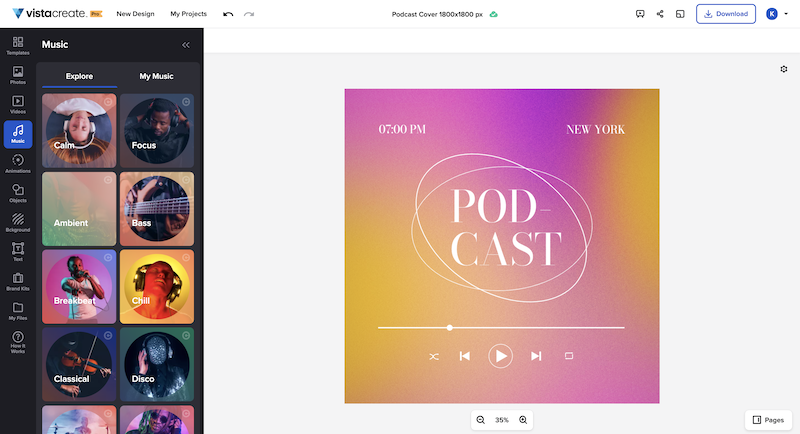
VistaCreate is well suited for creating engaging content for users of all age groups. There are beautiful, modern templates and a variety of shapes and animations to choose from. Most importantly, the cost is inexpensive, and you get that bang for your buck. An attractive feature is the ability to upload music, or choose from the library, to add to your content piece. It's quite clever, as this allows the reader to engage in more than one sense e.g., animated content versus static text. The reader hears music, and the content is animated and visually appealing. This allows keywords to be highlighted. The probability of communicating your message in this manner is increased.
Customization - With Adobe InDesign, as well as many other applications in the Adobe Creative Suite, I can fully customize my workspaces and save different workspaces. This makes it easy to navigate through my project and have the panels and tools I need easily accessible and configured based on my project needs.
Styles - Adobe InDesign has character styles, object styles, and tables styles. This speeds up my workflows and allows me to easily apply the same format across multiple elements. This is super helpful, especially when working with length documents.
File compatibility - I can easily export my files into so many different file types.
The Book feature - This feature is really helpful when creating books or very long documents with multiple sections.
I've had great experiences with the product and plan to continue to use it. It has been my go-to product for designing and creating materials. I have had great luck with it and have been able to create all of the needed marketing materials that have been requested for our company.
If you know what you are doing it is an amazingly granular and powerful application. You can control pretty much any aspect of the design and layout of your documents and make changes globally and rapidly. But, if you don't know what you are doing...you will be staring at your screen in bewilderment for a long time. You can learn it, but be ready for a hefty time investment.
Adobe support is ok but not great. Chat support often doesn't initially understand the question at-hand and it takes awhile to get to the right agent. Phone support has long wait times, and though I've had more luck there, it does take quite a time investment if you are looking for help. However, Adobe does have some online learning solutions available as well as a knowledgebase for frequently asked questions. If you're looking to learn how to use the platform, there are lots of resources which can typically be found in a few Google searches. If you have a technical issue with the system, that's going to be a bit more of a time investment as far as getting a tech's assistance to resolve the problem.
Microsoft products do not match the aesthetic tools that [Adobe] InDesign offers, cannot support the customizable options available for export, and do not produce documents with as high a degree of accessibility. That said, they do have their place in collaboration in a team- I'd consider Office to be the first step and [Adobe] InDesign to be the final product.
In my view, VistaCreate is easier to navigate and design content. The templates are fun and appealing. The availability of Shutterstock photos is endless. The version history is saved so that work is not lost. There is a brand feature that automatically selects color themes to support branding. It is easy to export content to your desired file type.
A great ROI for time in my small architectural practice, [especially] when a design has been updated and a report needs to be submitted. We can be submitting many reports that all look similar, clean and beautiful. We just save as the file and replace the images with more updated images. This way the client finds it easy to navigate updated reports, as many as they can be.