Altium Develop vs. eCADSTAR PCB

Overview
ProductRatingMost Used ByProduct SummaryStarting Price
Altium Develop
Score 9.0 out of 10
N/A
Altium Develop is a platform that unifies multidisciplinary teams across engineering, sourcing, and manufacturing to support seamless co-creation. It provides real-time visibility into designs, requirements, and supply chain data, enabling contributors to work together concurrently rather than in silos.N/A
eCADSTAR PCB
Score 7.0 out of 10
N/A
eCADSTAR's PCB design provides the streamlining of the design process, with a common and familiar user interface across all applications.N/A
Pricing
Altium DevelopeCADSTAR PCB
Editions & Modules
No answers on this topic
Offerings
Pricing Offerings
Altium DevelopeCADSTAR PCB
Free Trial
YesYes
Free/Freemium Version
NoYes
Premium Consulting/Integration Services
NoNo
Entry-level Setup FeeNo setup feeNo setup fee
Additional DetailsAltium Develop is offered as an annual subscription starting at $1,990 per year, which includes one Altium Designer ECAD Design Author and a shared workspace for projects, libraries, and collaboration. The subscription provides unlimited workspace users at no additional cost, enabling broad participation in reviews, commenting, task management, BOM access, and change workflows. Teams can add up to four additional Altium Designer ECAD Design Authors for $995 per Author per year, allowing organizations to scale active design capacity while keeping contributors and collaborators included at no extra charge.
More Pricing Information
Community Pulse
Altium DevelopeCADSTAR PCB
Considered Both Products
Altium Develop
Chose Altium Develop
Altium is easier to use and more intuitive. Altium provides more feature updates. Autodesk Fusion was technically Eagle when I used it.
Chose Altium Develop
Altium is rapidly losing ground to Kicad and Allegro. The cost of Allegro is not significantly different from that of Altium now, and Cadence still offers perpetual licenses, whereas Altium mandates a subscription. KiCad offers a powerful and free alternative that rivals Altium …
Chose Altium Develop
Altium Develop is a lot better than the PADS version the company had. The PCB view interface is a lot better in AD; PADS seemed very old (although we did not have the latest version). There was not 3d viewer with actual components in PADS; Altium has this feature, which means …
Chose Altium Develop
Altium being the professional defacto software is the main thing that it has got going for it. It is more stable than KiCAD
Chose Altium Develop
Altium is more powerful than KiCAD and a cleaner implementation of UI controls. KiCAD does have a wonderful interactive HTML BOM output that combines an assembly drawing and BOM that highlights components between the two views and is a standalone document not needing additional …
Chose Altium Develop
Allegro/Orcad is the old way of doing things - it's unintuitive, clunky, and has poor community support. EasyEDA is basically just an online copy of Altium - many of the hotkeys/features are in the same places. Altium is by far the best of the three.
Chose Altium Develop
I have used other software's in the past, but I feel altium is very comprehensive. I am unable to do a fair comparison now, since I don't use them now
Chose Altium Develop
Much better. I transitioned my previous company from Orcad to Altium Develop and it really helped development efficiency once everyone got on board and trained and all our libraries got converted over which was pretty easy to do.
Chose Altium Develop
KiCAD and EasyEDA are much better for simple designs with only one engineer. EasyEDA works well especially if you are using a service like JLCPCB or LCSC since the integrate seamlessly and can be run in the web browser. That being said, they have a lot of limitations in …
Chose Altium Develop
Altium has the best feature set among EDA software suites, but it is a bit harder to use out of the box than EasyEDA. KiCAD is powerful, but it takes a lot more effort to get working well.
Chose Altium Develop
Altium is considered "professional" software and has a better narrative when delivering eCAD artifacts and projects to end clients.
Chose Altium Develop
Altium Develop gave the most cohesive experience compared to other platforms. Most others feel like several pieces of software kludged together (and often are). Altium Develop was clearly a unified system and felt like a much more modern piece of software. At the time it was …
Chose Altium Develop
Previously used both products listed. When selecting a product at this company, I decided upon Altium Develop as it appeared to be the most common platform utilized in this area by other companies. This would mean that new-hires were more likely to be familiar with the software.
Chose Altium Develop
Altium Develop seems like it will be much better for library management, schematic capture, and 3D file generation. However, it is not as intuitive and easy to use when creating layouts. We chose Altium Develop because we believe the time savings of the areas where Altium is …
Chose Altium Develop
It's better for collaboration and version control
Chose Altium Develop
Much more professional, the library management is much easier on Altium
Chose Altium Develop
Altium definitely has a more rounded capability than KiCad and a better pricepoint than Cadence, but that gap is closing with KiCad.
Chose Altium Develop
There is no comparison between Altium Develop and Autodesk Fusion. Altium Develop is light years ahead of Autodesk Fusion in every aspect.
There is no way I would ever go back to Autodesk Fusion after switching to Altium Develop.
Chose Altium Develop
Generally, KiCad is missing the component management system that Altium has. It really is very useful.

Chose Altium Develop
We were already using Altium Designer with all of the libraries andprijects in Altium, so it will take too much time to convert to other software at this point.
Chose Altium Develop
PADS feels like Solidworks - the legacy system that works well but hasn't moved forward with everything else.

Altium Develop feels like OnShape - another large provider but much effort spent on modernization and upkeep of the technology.
Chose Altium Develop
Altium Develop is more user friendly and allows enterprises to quickly set up their design workflow on one pane of glass.
eCADSTAR PCB

No answer on this topic

Best Alternatives
Altium DevelopeCADSTAR PCB
Small Businesses
SOLIDWORKS
SOLIDWORKS
Score 8.8 out of 10
SOLIDWORKS
SOLIDWORKS
Score 8.8 out of 10
Medium-sized Companies
SOLIDWORKS
SOLIDWORKS
Score 8.8 out of 10
SOLIDWORKS
SOLIDWORKS
Score 8.8 out of 10
Enterprises
Autodesk Fusion
Autodesk Fusion
Score 7.8 out of 10
Autodesk Fusion
Autodesk Fusion
Score 7.8 out of 10
All AlternativesView all alternativesView all alternatives
User Ratings
Altium DevelopeCADSTAR PCB
Likelihood to Recommend
9.2
(0 ratings)
-
(0 ratings)
Likelihood to Renew
7.0
(0 ratings)
-
(0 ratings)
Usability
8.2
(0 ratings)
-
(0 ratings)
Availability
6.4
(0 ratings)
-
(0 ratings)
Performance
7.3
(0 ratings)
-
(0 ratings)
Support Rating
4.6
(0 ratings)
-
(0 ratings)
Online Training
9.1
(0 ratings)
-
(0 ratings)
Implementation Rating
7.1
(0 ratings)
-
(0 ratings)
Product Scalability
2.7
(0 ratings)
-
(0 ratings)
User Testimonials
Altium DevelopeCADSTAR PCB
Likelihood to Recommend
Altium is my 4th PCBA layout tool used and was very easy to learn how to use and more powerful than the others (except for MentorGraphics Expedition). it is well suited for schematics and layouts for simple to complex boards handling multi-hundred element schematics and placements while easily keeping track of items.
Read full review
No answers on this topic
Pros
  • BOM management - with just a little bit of extra care any designer produces a usable bom along with their pcb design ready to be ordered
  • 365 - being able to view and review (placing comments) projects without the need to have the software installed locally
  • Multi-pcb projects
Read full review
No answers on this topic
Cons
  • The move to constraint management vs. design rules is half-baked. requiring saving separate constraints to schematics vs. PCBs results in constraints being overwritten constantly when pushing updates.
  • Forcing subscriptions - removing the option for perpetual licenses.
  • Integrated simulation is still un-intuitive and difficult to use.
  • Requirements management feels completely separate, and I forget it's even part of Altium.
  • No easy way to manage or layout schematics with "generic components" - every item is forced to be a manufacturer part at design time, slowing down initial schematic capture.
Read full review
No answers on this topic
Likelihood to Renew
ALTIUM DESIGNER is the reference tool in the electronic circuit design sector, its use is widespread worldwide. Although there are other alternatives, some of them free do not rival ALTIUM DESIGNER in terms of features and reliability. It is also very practical to request quotes with ALTIUM DESIGNER BOM reports since all suppliers are accustomed to using the tool.
Read full review
No answers on this topic
Usability
I originally chose Altium Develop for its superior usability. All operations being handled in one cohesive platform greatly improves efficiency. When handling many different designs, project setup and component creation eat into every project's productivity. Templates, defaults and design reuse all speed up design. I hold back from a higher rating because development focus on those usability features seems to have stagnated a bit. Simple missing features requested seem to remain missing. New collaboration features, simulation and sourcing features are released, but I just want to be able to draw dashed lines! I think this reflects a general focus on the 10% of datacenter/AI/smartphone customers over the 90% of 2-4 layer designs. The lack of information available during the platform transition gave me significant pause before buying in as well.
Read full review
No answers on this topic
Reliability and Availability
Not very stable. Sudden lack of functionality when the license expires is not indicated clearly and can lead to loss of work.
Read full review
No answers on this topic
Support Rating
I use the educational Program. And so far is the best technical support. Every time that I need one or I have a question. They respond so far and with excellent advice.
Read full review
No answers on this topic
Online Training
easy to follow, Good technical materials. good videos The platform is easy to use.
Read full review
No answers on this topic
Implementation Rating
Overly complex, not designed for small organizations, core functionality poorly implemented to focus on flashy features.
Read full review
No answers on this topic
Alternatives Considered
Altium Develop is a lot better than the PADS version the company had. The PCB view interface is a lot better in AD; PADS seemed very old (although we did not have the latest version). There was not 3d viewer with actual components in PADS; Altium has this feature, which means that we can share 3d images of the PCB with customers before manufacturing.
Read full review
No answers on this topic
Scalability
Because, in my opinion, usage for small organization is poor, it is difficult to set up initial configuration to support scaling.
Read full review
No answers on this topic
Return on Investment
  • Quick PCB design allows for quick sales, thus generating a large ROI for a company
  • Altium Designer's built in BOM price tracker allows the user to have a general idea of the cost of their PCB, so they can plan accordingly when budgeting
  • In addition to the BOM, Altium Designer provides different manufacturers and their part numbers for different components so the user can choose the cheapest option to move forward with
Read full review
No answers on this topic
ScreenShots

Altium Develop Screenshots

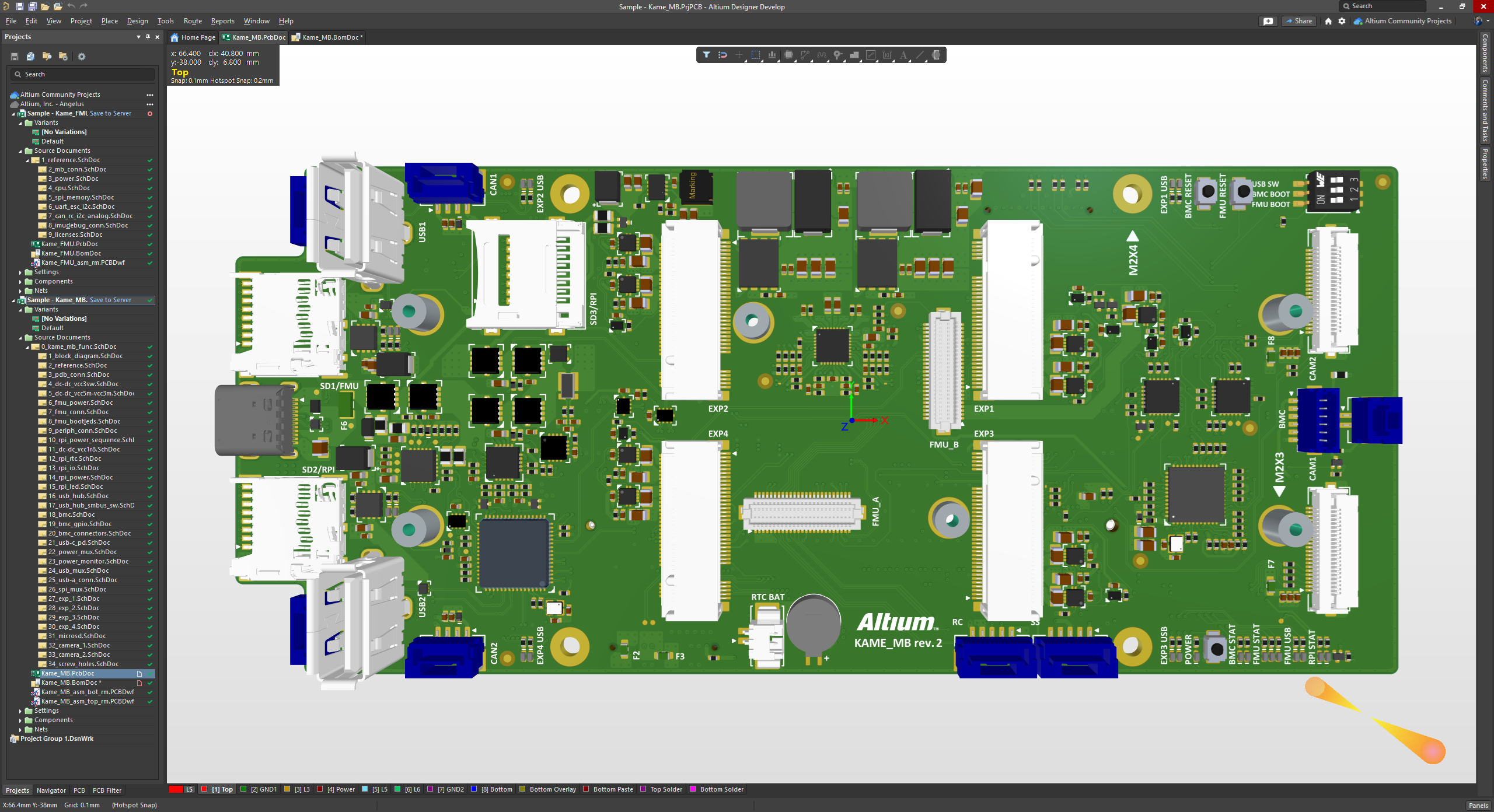
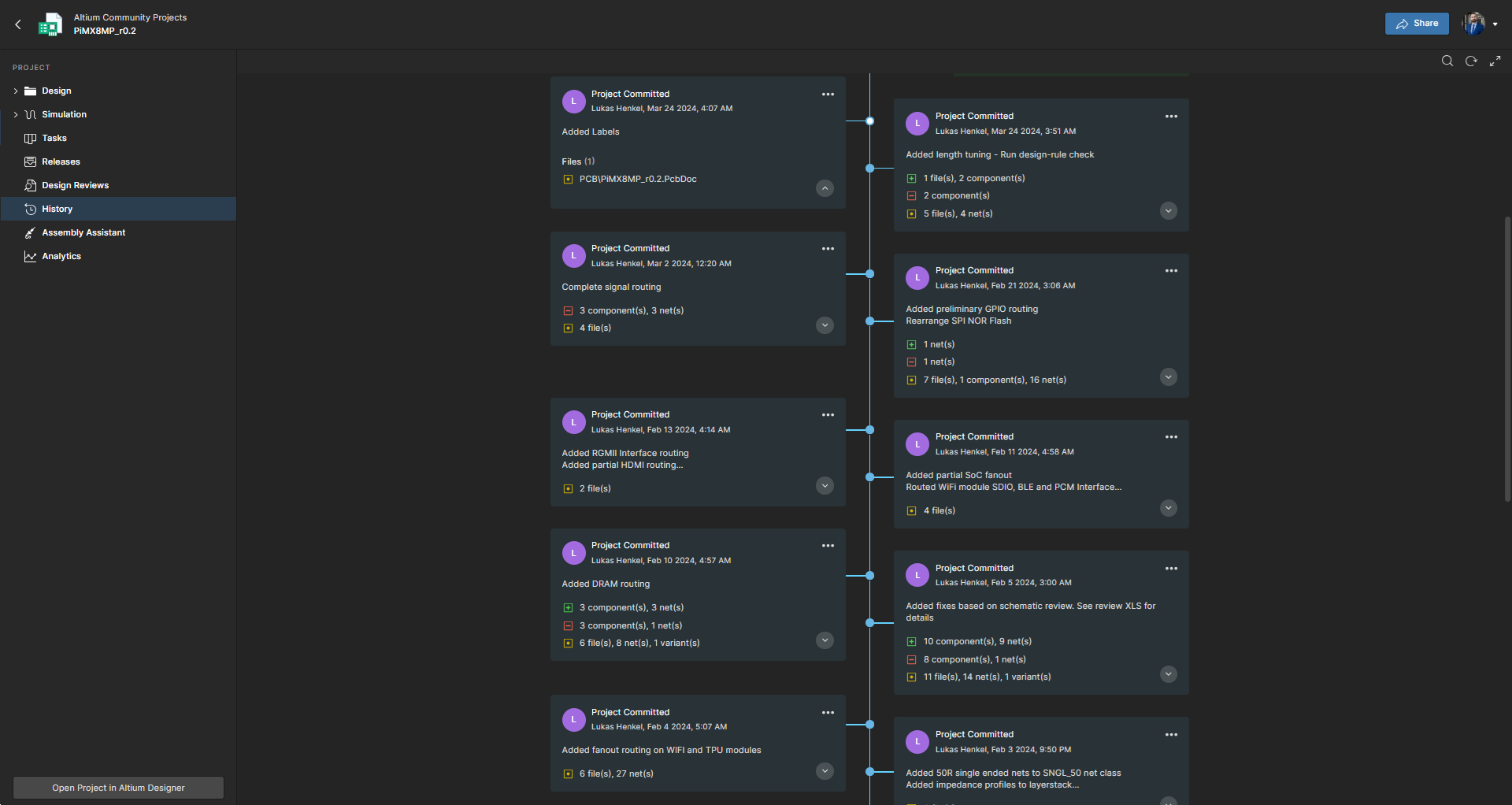
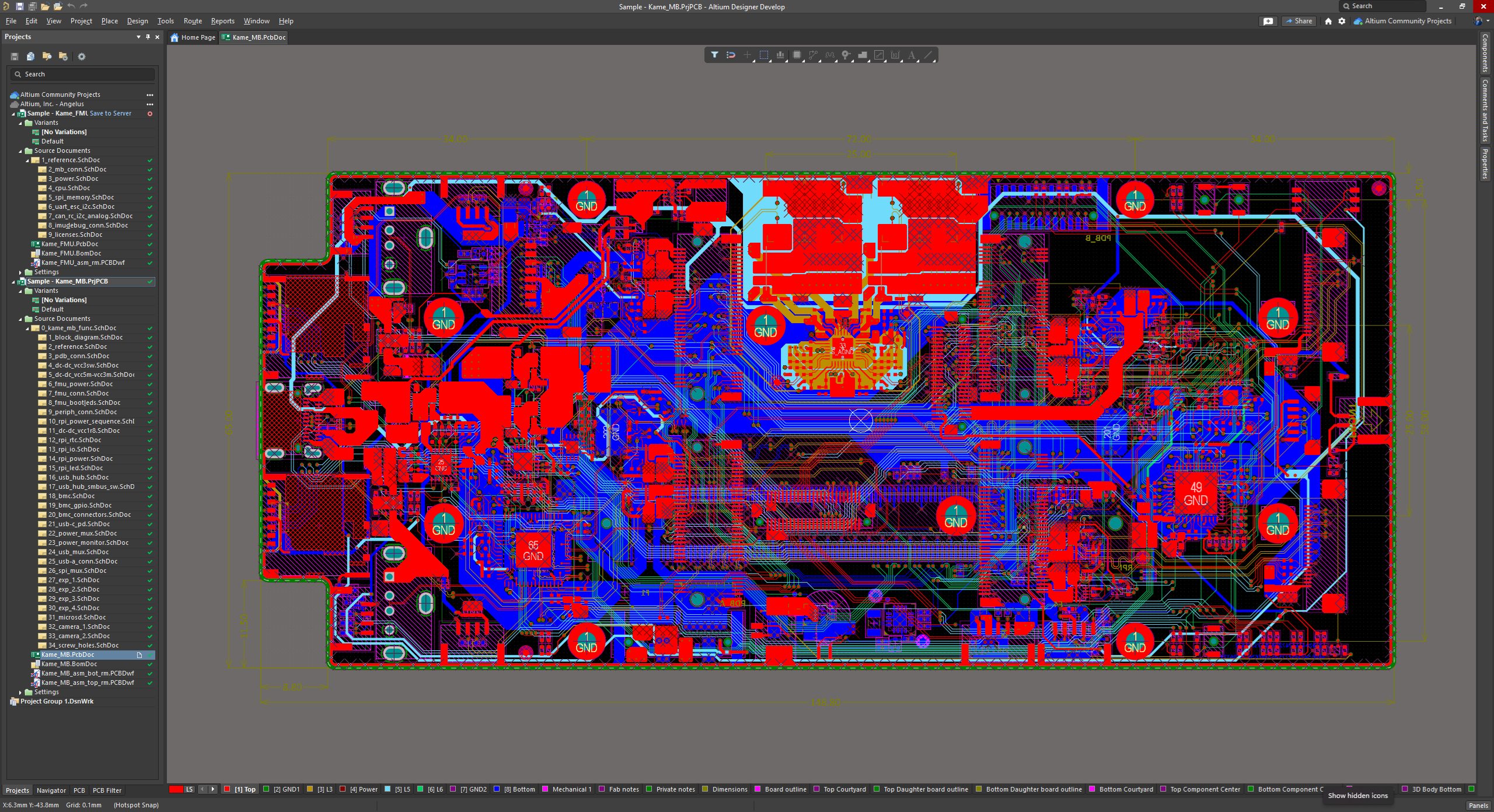
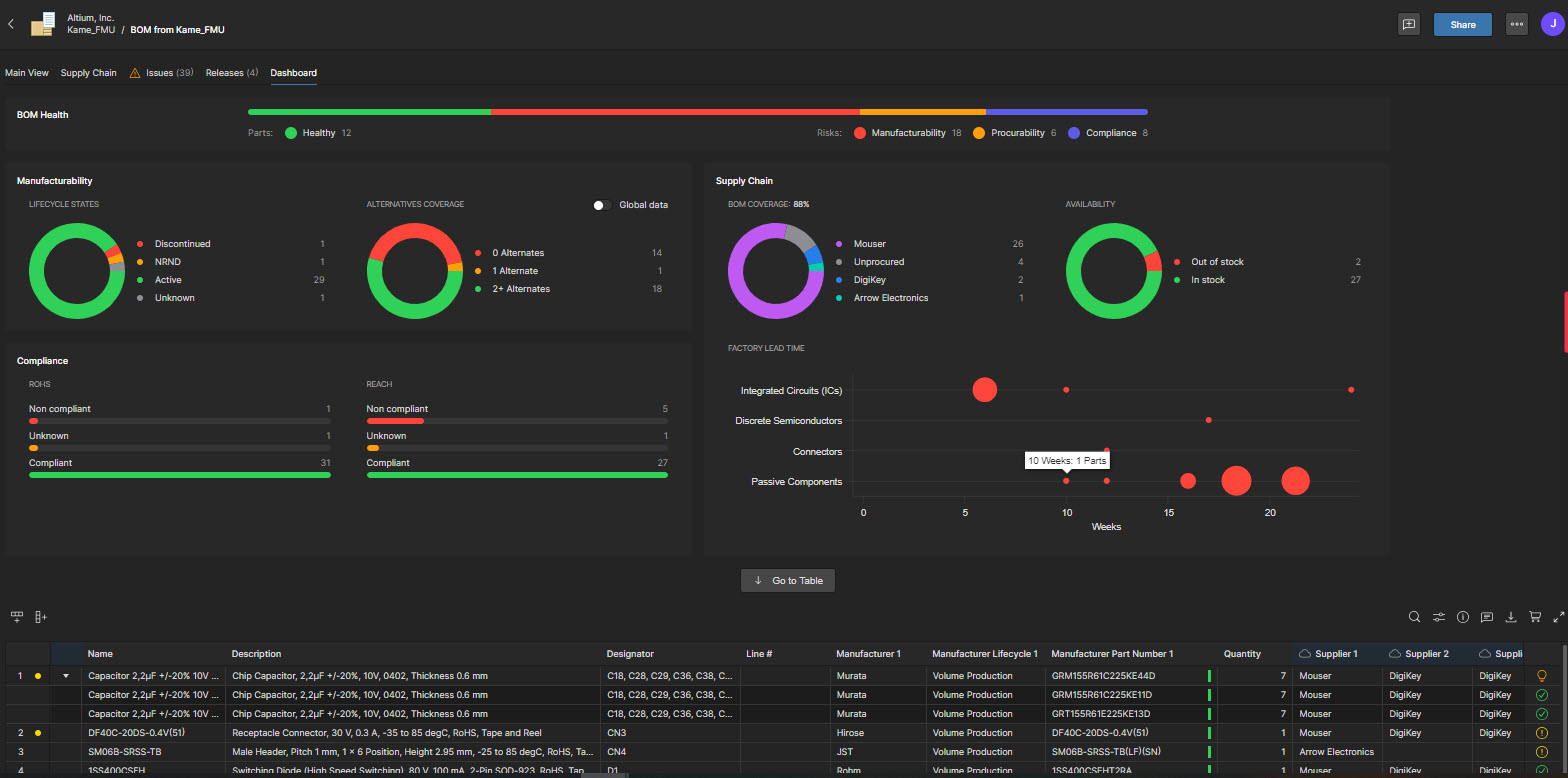
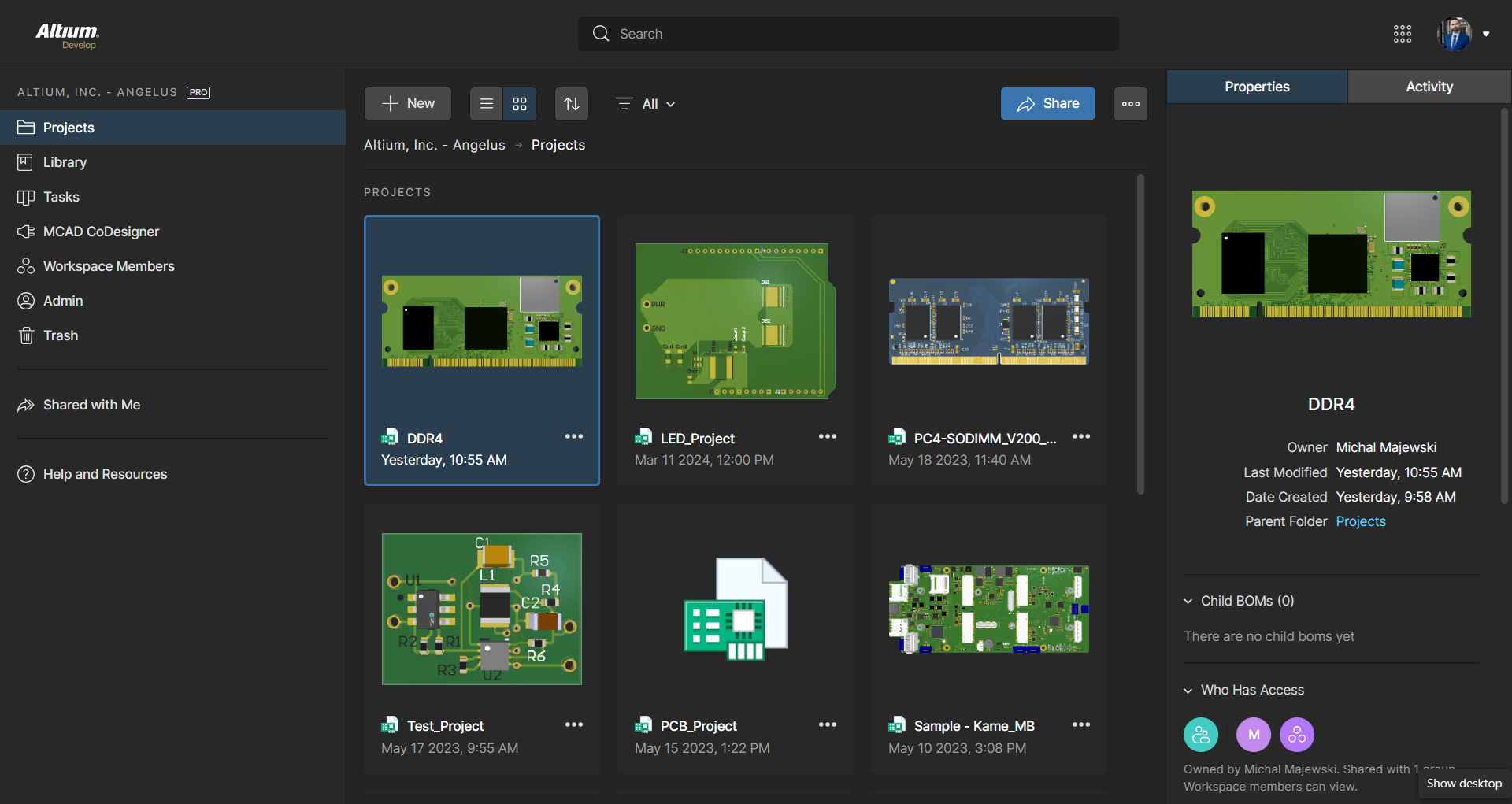
Screenshot of The 3D View Editor in Altium Develop that transforms the standard 2D PCB workspace into a fully interactive, three‑dimensional design environment. Users can toggle between 2D and 3D modes, then zoom, pan, and rotate the board freely using tools like a directional sphere for precise pivot control and adjust display settings (such as transparency or coloring) via the View Configuration panel to visually explore and inspect PCB layouts in realistic detail.Screenshot of Project History in Altium Develop, which provides a browser-based, visually chronological timeline of a project's key events such as: creation, commits, releases, clones, and MCAD exchanges offering version control transparency directly within workspace.Screenshot of Altium Develop's unified design environment built on a single data model. From schematic capture to PCB layout, routing, and assembly preparation, every step flows seamlessly. Smart placement and routing features make complex designs faster, easier, and more reliable.Screenshot of ActiveBOM, which is a dynamic, table-based Bill of Materials (BOM) editor integrated into Altium Develop that elevates component management to a real-time, design-aware process. It automatically aggregates supply chain data such as pricing, stock, lifecycle status, and lead times - from sources like Octopart and IHS Markit, enabling parts selection, alternates, cost calculation, rule-based verification, and traceability - within the same environment as the schematic and PCB design.Screenshot of BOM Portal, which is a cloud-native, procurement-focused tool within Altium Develop that transforms traditional Excel-like Bill of Materials (BOM) workflows by integrating live supply chain, compliance, and pricing data. It enables collaboration between engineering and procurement, helps identify supply risks like obsolescence or shortages, supports BOM consolidation and alternates, and ensures thorough version control and traceability bridging design to manufacturing with real-time visibility and control.Screenshot of Workspace Projects, which provide a cloud-native, version-controlled hub within Altium Develop that simplifies electronic project management with centralized storage, collaboration, and built-in Git-based version control. This interface enables real-time design navigation (including schematic, 2D/3D PCB, BOM, and Draftsman views), task tracking, release and manufacturing management, historical timeline review, and sharing.

eCADSTAR PCB Screenshots

Screenshot of eCADSTAR