Amplenote vs. Workflowy

Overview
ProductRatingMost Used ByProduct SummaryStarting Price
Amplenote
Score 0.0 out of 10
N/A
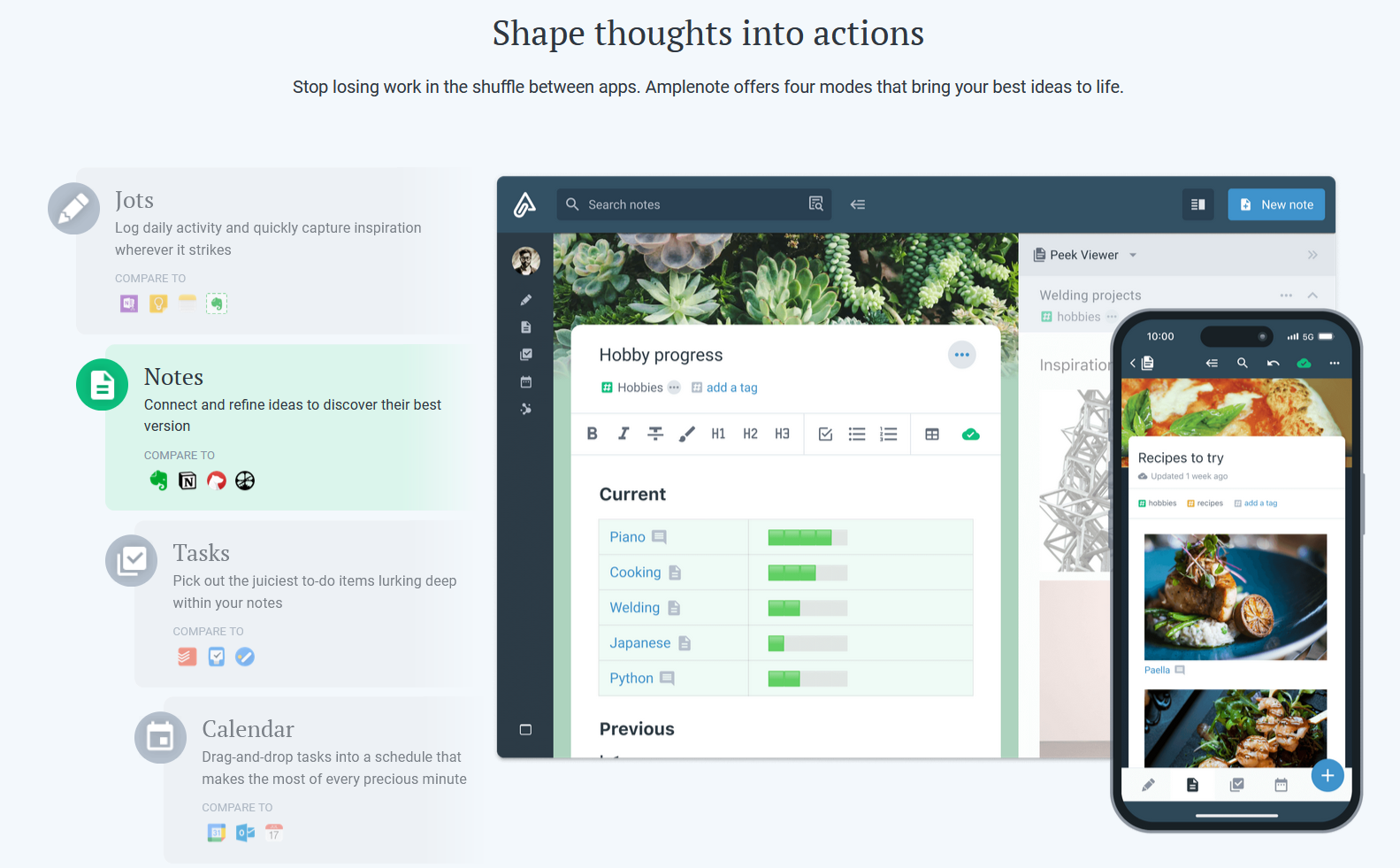
Amplenote is a productivity app combining note-taking, task management, and calendar planning. It is used to capture ideas, organize them with tags and folders, and turn them into actionable plans using its "Task Score" system to prioritize tasks by importance.
$5.84
per month, billed annually per user
Workflowy
Score 9.6 out of 10
N/A
Workflowy is a note-taking and organizational tool designed to help users manage their tasks, notes, and projects. Its simplicity and features make it a choice for individuals and teams looking to streamline their workflow. Infinite Nesting Structure: Workflowy allows users to create lists within lists to an infinite degree, enabling a detailed and structured way to organize information Global Search: Its search function is used to search through all their…
$0
per user
Pricing
AmplenoteWorkflowy
Editions & Modules
Pro
$5.84
per month, billed annually per user
Unlimited
$10
per month, billed annually per user
Founder
$20
per month, billed annually per user
Workflowy basic
$0
per user
Workflowy pro - Monthly
$8.99
per month per user
Workflowy pro - Yearly
$83.88
per year per user
Offerings
Pricing Offerings
AmplenoteWorkflowy
Free Trial
YesYes
Free/Freemium Version
YesYes
Premium Consulting/Integration Services
NoNo
Entry-level Setup FeeNo setup feeNo setup fee
Additional Details
More Pricing Information
Community Pulse
AmplenoteWorkflowy
Considered Both Products
Amplenote

No answer on this topic

Workflowy
Chose Workflowy
There is also IndiGrid and Calculist. Workflowy outshines them all with it's various layouts, which other apps do not have (except maybe Todoist). Did I mention the ability to keep my hands on the keyboard while I can think and create without interruption?
Chose Workflowy
Workflowy seems to have less constraints than those other products. It is easier to use and more versatile.
Best Alternatives
AmplenoteWorkflowy
Small Businesses
Notion
Notion
Score 8.7 out of 10
Notion
Notion
Score 8.7 out of 10
Medium-sized Companies
Notion
Notion
Score 8.7 out of 10
Notion
Notion
Score 8.7 out of 10
Enterprises
Notion
Notion
Score 8.7 out of 10
Notion
Notion
Score 8.7 out of 10
All AlternativesView all alternativesView all alternatives
User Ratings
AmplenoteWorkflowy
Likelihood to Recommend
-
(0 ratings)
9.6
(0 ratings)
Usability
-
(0 ratings)
9.0
(0 ratings)
User Testimonials
AmplenoteWorkflowy
Likelihood to Recommend
No answers on this topic
It is one of the few apps I’ve ever found that handles outlining as well as the ancient program called “ThinkTank” did. It’s better in that it’s accessible anywhere I have web access. Anyway, to address the specific question: I think better if I can just pour my thoughts out onto the screen, and then worry about sorting, editing, and outlining afterwords. Before Workflowy, I was stuck trying everything else. But all the outlining programs were too complex, and all the word processors that offered outlining SUCKED at outlining. Workflowy hits that sweet spot.
Read full review
Pros
No answers on this topic
  • Task management
  • Planning - Short and long-term
  • Viewing my information from different perspectives. I am visual so I can fully exploit the visual nature of Workflowy and still get granular if and when I need to
Read full review
Cons
No answers on this topic
  • I think a scheduling feature would be a powerful addition. Users should be able to set points to pop up again on a schedule.
Read full review
Usability
No answers on this topic
I now have 12+ years of notes stored in Workflowy - everything from song lyrics to book outlines to classroom notes. It makes it VERY easy to find, VERY easy to sort, and VERY easy to organize.
Read full review
Alternatives Considered
No answers on this topic
There is also IndiGrid and Calculist. Workflowy outshines them all with it's various layouts, which other apps do not have (except maybe Todoist). Did I mention the ability to keep my hands on the keyboard while I can think and create without interruption?
Read full review
Return on Investment
No answers on this topic
  • Workflowy allows me to keep all of my business and personal information in one place. I can quickly organize, reorganize, link, and add information whether on my phone or on my laptop.
Read full review
ScreenShots

Amplenote Screenshots

Screenshot of Jots Mode, a tool to capture ideas. Jots mode can be used for daily notes and capture ideas into a centralized, distraction-free place.Screenshot of Notes Mode, consolidates ideas. Notes can be shared for collaboration or published to the web in under 3 clicks.Screenshot of Tasks Mode turns ideas into actions. The task scoring algorithm suggests what to work on next. The task widget visualizes these tasks.Screenshot of the calendar mode, with task details.Screenshot of the graph view. This visualize linked notes and their relationships with one another.Screenshot of Notes Mode, where the user can categorize notes using hierarchical tagging.

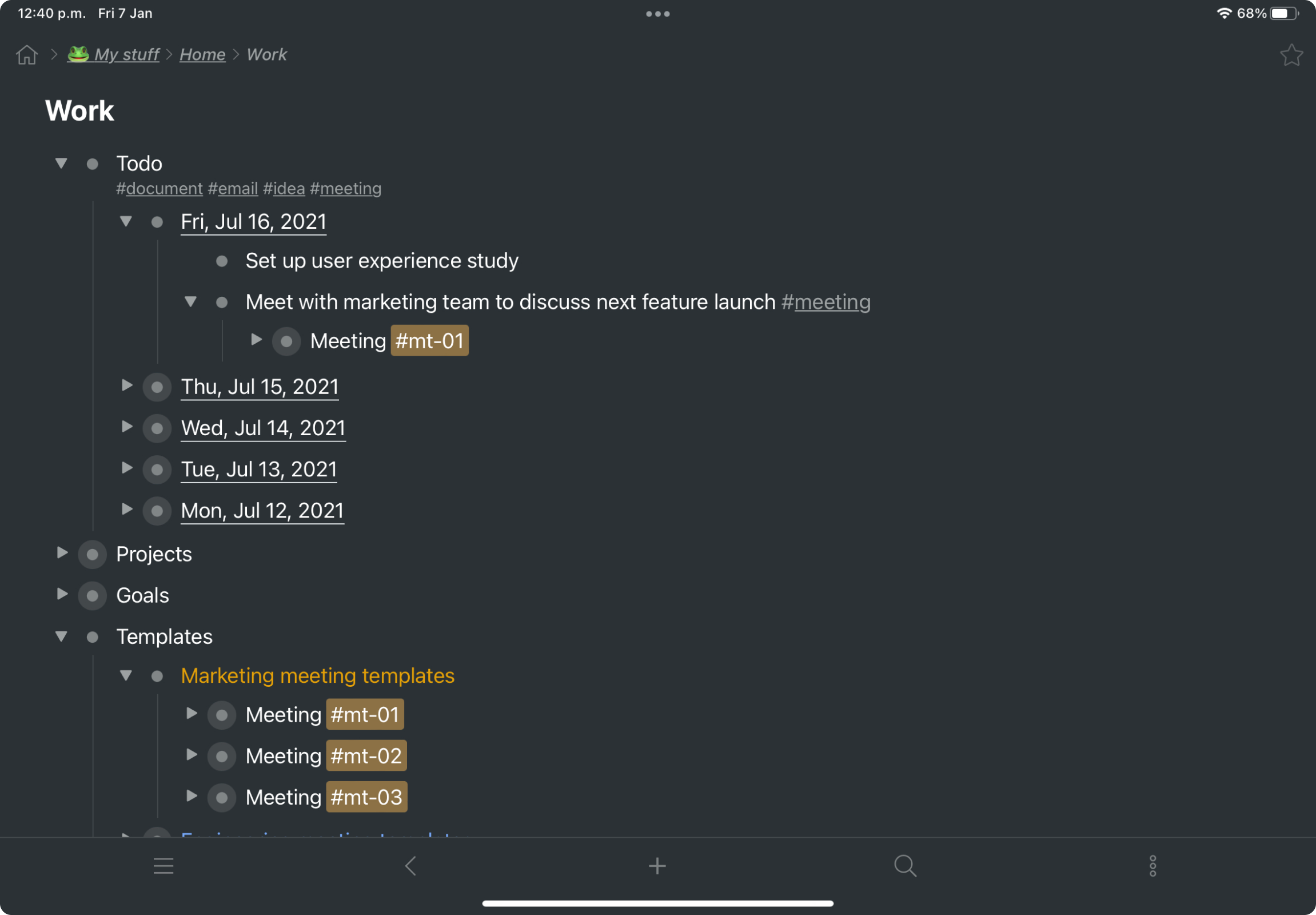
Workflowy Screenshots

Screenshot of a kanban board in Workflowy, used to organize files and images.Screenshot of the interface to draft complex documents and artistic works while keeping everything organized.Screenshot of Workflowy's task management interface, where boards boards and lists can be managed and combined.Screenshot of item highlighting, with search by highlight color.Screenshot of tags, used to find anything in an account, no matter where it is.