
Animotica vs. ScreenFlow
| Product | Rating | Most Used By | Product Summary | Starting Price |
|---|---|---|---|---|
 Animotica | N/A | N/A | Animotica is a video editing program for Windows 10/11 that was developed to assist businesses in producing and editing movies, slideshows, and videos on a single platform. It is designed so that event planners, marketers, salespeople, and bloggers can utilize the program, whether they are experienced editors or novices. Since its launch in 2019, the vendor states Animotica has gained a community of more than 4 to 5 million customers and boasts being one of the more popular video editors… | $6.99 one-time fee per user |
 ScreenFlow | Score9.1 out of 10 | N/A | Telestream in Nevada City offers ScreenFlow, a video editing and screen recording application for Mac boasting a range of editing tools, graphics and effects, and easy video sharing. | N/A |
| Animotica | ScreenFlow | |||||||||||||||
|---|---|---|---|---|---|---|---|---|---|---|---|---|---|---|---|---|
| Editions & Modules |
| No answers on this topic | ||||||||||||||
| Offerings |
| |||||||||||||||
| Entry-level Setup Fee | $6.99 one-time fee per user | No setup fee | ||||||||||||||
| Additional Details | The Price and Discount depend on the Microsoft Store Region | — | ||||||||||||||
| More Pricing Information | ||||||||||||||||
| Animotica | ScreenFlow | |
|---|---|---|
| Considered Both Products | No answer on this topic | No answer on this topic |
| Key User Insights | ||
| Would buy again | ||
No answers on this topic | 100% Would buy again 6 Answers | |
| Delivers good value for the price | ||
No answers on this topic | 100% Delivers good value for the price 5 Answers | |
| Happy with the feature set | ||
No answers on this topic | 100% Happy with the feature set 6 Answers | |
| Lived up to sales and marketing promises | ||
No answers on this topic | 100% Lived up to sales and marketing promises 5 Answers | |
| Implementation went as expected | ||
No answers on this topic | 100% Implementation went as expected 6 Answers | |
| Animotica | ScreenFlow | |
|---|---|---|
| Small Businesses |  iMovie Score10 out of 10 | iMovie Score10 out of 10 |
| Medium-sized Companies | iMovie Score10 out of 10 | iMovie Score10 out of 10 |
| Enterprises |  Adobe Premiere Pro Score9.2 out of 10 | Adobe Premiere Pro Score9.2 out of 10 |
| All Alternatives | View all alternatives | View all alternatives |
| Animotica | ScreenFlow | |
|---|---|---|
| Likelihood to Recommend | - | 9.0 |
| Likelihood to Renew | - | 10.0 |
| Usability | - | 8.0 |
| Support Rating | - | 9.0 |
| Animotica | ScreenFlow | |
|---|---|---|
| Likelihood to Recommend | No answers on this topic |
|
| Pros | No answers on this topic |
|
| Cons | No answers on this topic |
|
| Likelihood to Renew | No answers on this topic |
|
| Usability | No answers on this topic |
|
| Support Rating | No answers on this topic |
|
| Alternatives Considered | No answers on this topic |
|
| Return on Investment | No answers on this topic |
|
| ScreenShots | Animotica Screenshots   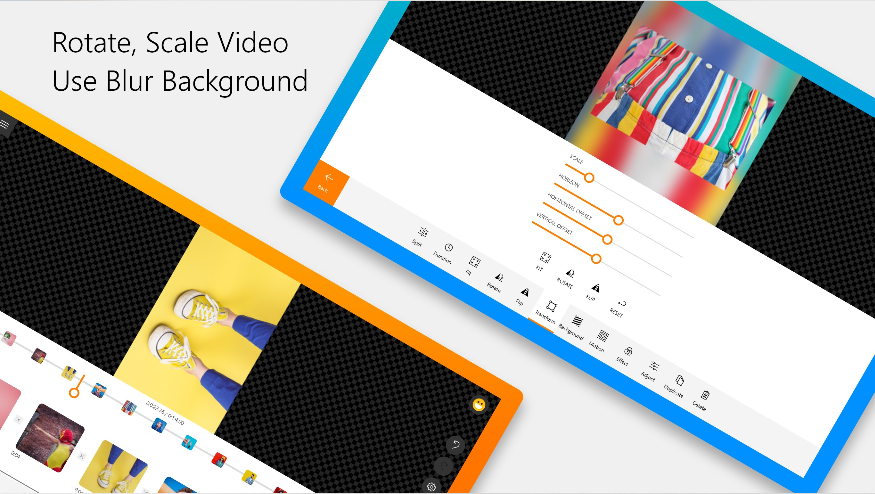   |


