Apache Tomcat vs. Tricentis qTest

Overview
ProductRatingMost Used ByProduct SummaryStarting Price
Apache Tomcat
Score 8.0 out of 10
N/A
Tomcat is an open-source web server supported by Apache.N/A
Tricentis qTest
Score 8.5 out of 10
N/A
Tricentis qTest (formerly QASymphony) provides enterprise-level agile testing tools giving businesses visibility and control needed to ensure application quality in fast-paced development environments. Tricentis and QASymphony merged in summer 2018.
$1,200
per year per user
Pricing
Apache TomcatTricentis qTest
Editions & Modules
No answers on this topic
Offerings
Pricing Offerings
Apache TomcatTricentis qTest
Free Trial
NoYes
Free/Freemium Version
NoNo
Premium Consulting/Integration Services
NoYes
Entry-level Setup FeeNo setup feeOptional
Additional Details
More Pricing Information
Community Pulse
Apache TomcatTricentis qTest
Features
Apache TomcatTricentis qTest
Application Servers
Comparison of Application Servers features of Product A and Product B
Apache Tomcat
9.2
24 Ratings
14% above category average
Tricentis qTest
-
Ratings
IDE support10.022 Ratings00 Ratings
Security management9.024 Ratings00 Ratings
Administration and management8.224 Ratings00 Ratings
Application server performance8.124 Ratings00 Ratings
Installation10.024 Ratings00 Ratings
Open-source standards compliance10.024 Ratings00 Ratings
Test Management
Comparison of Test Management features of Product A and Product B
Apache Tomcat
-
Ratings
Tricentis qTest
8.2
39 Ratings
1% above category average
Centralized test management00 Ratings7.938 Ratings
Manage test hosts and schedules00 Ratings8.533 Ratings
Map tests to user stories00 Ratings7.78 Ratings
Test execution reporting00 Ratings8.938 Ratings
Defect management00 Ratings7.933 Ratings
Best Alternatives
Apache TomcatTricentis qTest
Small Businesses
NGINX
NGINX
Score 9.1 out of 10
BrowserStack
BrowserStack
Score 8.5 out of 10
Medium-sized Companies
NGINX
NGINX
Score 9.1 out of 10
OpenText ALM/Quality Center
Score 9.1 out of 10
Enterprises
NGINX
NGINX
Score 9.1 out of 10
OpenText ALM/Quality Center
Score 9.1 out of 10
All AlternativesView all alternativesView all alternatives
User Ratings
Apache TomcatTricentis qTest
Likelihood to Recommend
9.0
(24 ratings)
8.7
(39 ratings)
Likelihood to Renew
10.0
(1 ratings)
6.0
(2 ratings)
Usability
8.0
(3 ratings)
8.0
(1 ratings)
Availability
6.0
(1 ratings)
-
(0 ratings)
Performance
9.0
(2 ratings)
-
(0 ratings)
Support Rating
9.1
(3 ratings)
1.0
(1 ratings)
Implementation Rating
-
(0 ratings)
5.0
(1 ratings)
Configurability
8.0
(1 ratings)
-
(0 ratings)
Ease of integration
9.0
(1 ratings)
-
(0 ratings)
Product Scalability
9.0
(1 ratings)
-
(0 ratings)
User Testimonials
Apache TomcatTricentis qTest
Likelihood to Recommend
Apache
Excellent value for companies wishing to host Java applications in the cloud. Utilizing hosting tools such as load balancers and network and application firewalls, Tomcat can be part of a powerful system to host web applications to thousands of users. There has been consistency in the development and support of Tomcat since its initial release in the late '90s and the best commonalities have been carried forward. If you host Java web applications, Tomcat is as good as any for an application server.
Read full review
Tricentis
Tricentis qTest integrates seamlessly with Jira, making it ideal for teams that manage user stories and defects in Jira while keeping test cases and execution in qTest. When paired with automation tools like tosca, Selenium, or WebdriverIO, qTest is excellent for aggregating both manual and automated test results in one place.
Read full review
Pros
Apache
  • Fast to start up, which is useful when we need to just check that our changes are working correctly.
  • Free, which allows us to not be involved with the finance/legal team about using it.
  • Bundled with Spring Boot, which makes it even more convenient for our testing.
Read full review
Tricentis
  • As a fresher, when I started using qTest it was very handy and easy to understand.
  • It helps us trace the test cases that are used to test the quality in a single location
  • The main thing is its integration with JIRA as soon as we create a ticket we would be getting all the requirements in the qTest so it became easy for me
Read full review
Cons
Apache
  • Using tomcat manager to troubleshoot is not very informative. Error messages are vague, you have to dig into log files for more information about the problems.
  • Is great for simple web applications, but may not work for heavy development which may require a full J2EE stack, might like JBoss better.
  • Security in tomcat is not straightforward, as I discovered that you have to understand how to set up realms in tomcat in order to hash passwords, which I was not overly familiar with, which is a big deal when setting up users in the tomcat-users.xml file.
Read full review
Tricentis
  • In requirements , we can't add multiple test cases at once, or search multiple cases at once, need to do one by one. Here actually qtest needs to improve.
  • Linking cloud hosted qtest and on-premise TOSCA is very difficult especially when you are working with client system with security wall. It requires tunnelling software which is not recommended.
Read full review
Likelihood to Renew
Apache
We have a huge knowledge of the product within our company and we're satisfied with the performance.
Read full review
Tricentis
This has been a core QA management tool for our organization and integrates well with our other SDLC platforms (Azure DevOps/Jira/Katalon).
Read full review
Usability
Apache
Tomcat has a very rich API set which allows us to implement our automation script to trigger the deployment, configure, stop and start Tomcat from the command line. In our projects, we embedded Tomcat in our Eclipse in all of the developer's machines so they could quickly verify their code with little effort, Azure Webapp has strong support for Tomcat so we could move our application to Azure cloud very easy. One drawback is Tomcat UI quite poorly features but we almost do not use it.
Read full review
Tricentis
First and foremost, getting access to the tool for any user for a specific project is easy. Once the user access is provisioned, in a matter of few clicks, he can understand the navigation and various tabs and features like the test plan, test set, test lab, test case creation, review and approval.
Read full review
Reliability and Availability
Apache
Tomcat doesn't have a built-in watchdog that ensures restart upon failure, so you have to provide it externally. A very good solution is java service wrapper. The community edition is able to restart Tomcat upon out of memories exceptions.
Read full review
Tricentis
No answers on this topic
Performance
Apache
Tomcat support to customize memory used and allow us to define the Connection pool and thread pool to increase system performance and availability, Tomcat server itself consume very little memory and almost no footprint. We use Tomcat in our production environment which has up to thousands of concurrent users and it is stable and provides a quick response.
Read full review
Tricentis
No answers on this topic
Support Rating
Apache
Well, in actuality, I have never needed support for Apache Tomcat since it is configured and ready-to-go with no configuration needed on my end.
Read full review
Tricentis
The actual answer is 0. I have never experienced worse support, whether personal or professional
Read full review
Implementation Rating
Apache
No answers on this topic
Tricentis
Again, supporting documentation could have been a lot better
Read full review
Alternatives Considered
Apache
Eclipse Jetty is the best alternative for Apache Tomcat because which is also an open-source and lightweight servlet container like Tomcat. A major advantage of this over Tomcat is that Jetty server can easily be embedded with the source code of web applications. Since it requires less memory to operate, you may realize that it is very efficient.
Read full review
Tricentis
All of them offer formidable solutions in the test management realm, but each one caters to different niche and need. qTest distinguishes itself with its deep integration capabilities, especially with Agile and DevOps tools, enabling streamlined CI/CD process. Its modern, user-centric interface contrasts with ALM's more dated appearance and complex setup. While TestRail provides a clean user experience and caters to a broad spectrum of business, qTest's scalability, from SMBs to large enterprises, stands out. PractiTest's cloud-based solution is geared towards mid-sized companies, but qTest's flexibility, advanced analytics, and robust reporting grant teams actionable insights. qTest' approach to a more holistic test management closely aligning with modern software development practices
Read full review
Scalability
Apache
It's very easy to add instances to an existing deployment and, using apache with mod proxy balancer, to scale up the serving farm
Read full review
Tricentis
No answers on this topic
Return on Investment
Apache
  • Tomcat is cheap and very quick to deploy, so it has benefited much when situation needs applications to be deployed quickly without wasting time on licensing and installations.
  • Plenty of documentation available so no vendor training is required. Support contract is not needed as well.
Read full review
Tricentis
  • In comparison to other Testing tools, Tricentis qTest was the most expensive.
  • We were able to quickly bring international users up to speed on how to use the tool.
  • The ability to clone a project rather than create a new one from scratch was a valuable time saver.
Read full review
ScreenShots

Tricentis qTest Screenshots

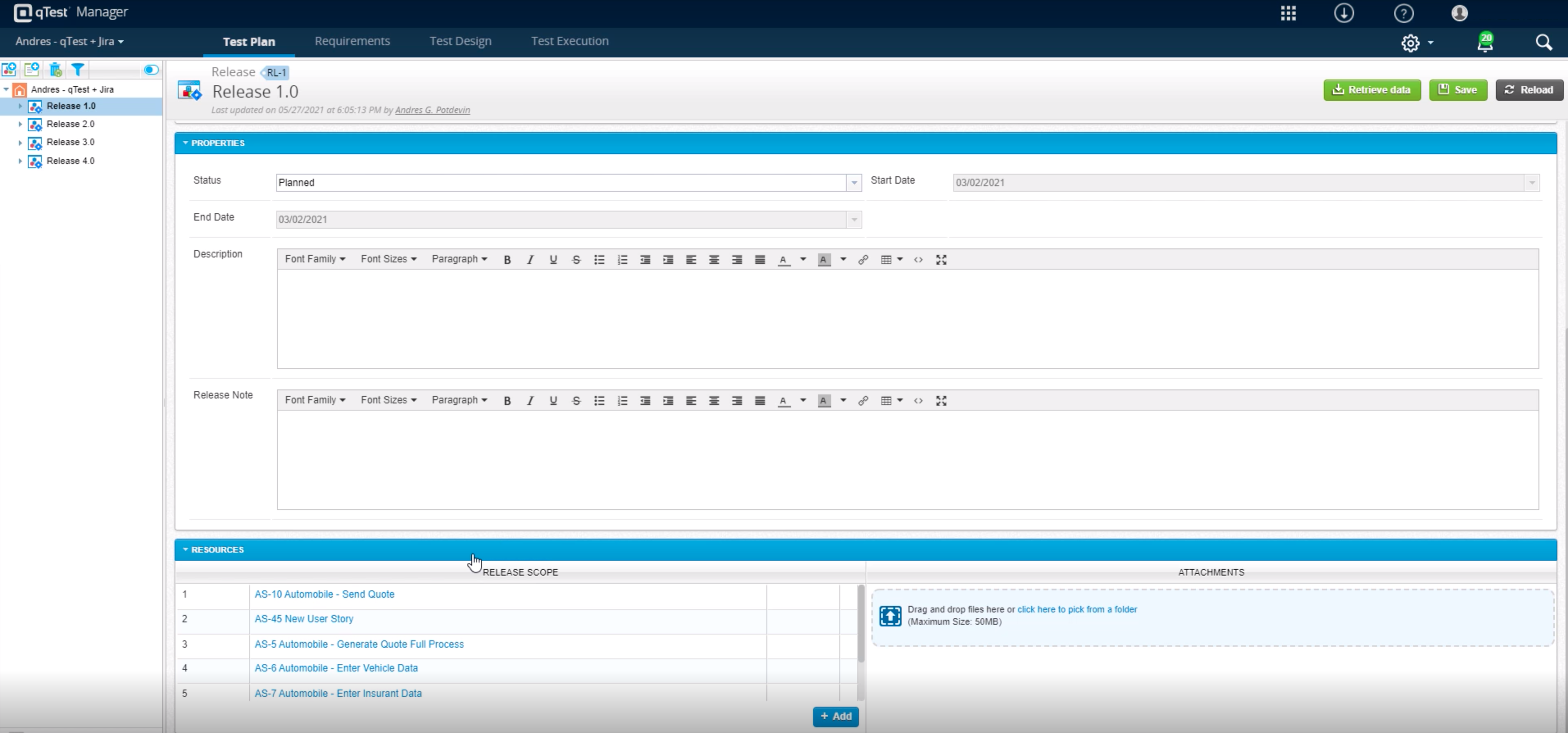
Screenshot of Customizable analytics and reports can be shared across the organization - additional read license requiredScreenshot of Centrally manage automated testing and environments, as well as schedule and or kickoff automated testing with any open source or proprietary toolScreenshot of qTest allows for true test case sharing across teams and projects to help standardize and scale knowledge and best practicesScreenshot of qTest integrates in real-time with Jira for full traceability to requirements during Agile test and developmentScreenshot of Build custom, event-driven workflows with any third-party solution, including ChatOps tools like Slack and Microsoft Teams, to streamline testing and drive collaborationScreenshot of Tricentis qTest comes with over 60 out-of-the-box metrics, with drag-and-drop capabilities to build custom dashboards