Autodesk Vault vs. Roadmunk

Overview
ProductRatingMost Used ByProduct SummaryStarting Price
Autodesk Vault
Score 9.7 out of 10
N/A
At its core, Autodesk Vault is a product data management software that connects distributed teams with multisite collaboration and delivers insights. Vault helps streamline workflows. Everyone works from a central source of organized data—collaborating to reduce errors, and save time. The upgraded Vault PLM combines Vault Professional with Fusion 360 Manage for enterprise-wide collaboration and product lifecycle management. According to the vendor, the solution is designed…
$735
per year
Roadmunk
Score 5.4 out of 10
N/A
Roadmunk is a roadmap visualization platform that is designed to enable product managers and their teams to communicate the strategic roadmap throughout their organization. The vendor says product leaders can easily input milestones, roadmap data and create unlimited pivots in real time. The vendor says it has differentiated itself through intuitive user-centric design, seamless manipulation of roadmap views and enterprise data security. Since late 2021, Roadmunk is part of Tempo.
$19
per seat
Pricing
Autodesk VaultRoadmunk
Editions & Modules
Vault Professional
$735
per year
Starter
$19
per seat
Business
$49
per seat
Professional
$99
per seat
Enterprise
Custom
per seat
Offerings
Pricing Offerings
Autodesk VaultRoadmunk
Free Trial
YesYes
Free/Freemium Version
NoNo
Premium Consulting/Integration Services
NoNo
Entry-level Setup FeeNo setup feeNo setup fee
Additional DetailsReady to roadmap? All our plans start with a free 14-day trial.
More Pricing Information
Community Pulse
Autodesk VaultRoadmunk
Considered Both Products
Autodesk Vault
Chose Autodesk Vault
-Better team sharing.-One place to store drawings and design as well as template to improve the work.-Improve the efficiency with the integration of all the Autodesk software's.- High customizable and easy to use.- Initial setup for the organization is easy with the auto desk …
Chose Autodesk Vault
We never used any other data management software before Autodesk Vault. The other software that Autodesk provides and we use, like Autodesk Inventor, Autodesk Autocad, Autodesk Navisworks and others are very fit with Autodesk Vault. It cannot be any other better solution than …
Chose Autodesk Vault
A great tool for the designers to monitor their work, they can track the entire the entire product development cycle from the beginning to the the design competition and if any revision or correction is required they can do it instantly, furthermore it also offers cloud based …
Roadmunk
Chose Roadmunk
Roadmunk beats Aha! through visualization and Gantt connections between work items. We originally turned to Lucid (Spark and Chart) and Miro to get away from Aha's difficulties, but those platforms presented significant challenges in terms of relationships and dependencies.
Chose Roadmunk
We've used Google Calendar, Microsoft Office products, Trello, and others. Roadmunk seems to combine the best of all of those, and then offers a little more.
Chose Roadmunk
I was not involved in product selection for Roadmunk, but for our business need, it is much lighter weight and easier to onboard and use than Aha!
Chose Roadmunk
Roadmunk has an actual product management workflow design built into it vs trying to use eg generic e-post-it software like Trello. Trello is better at free-forming prioritization, which is actually much better than (again) the awkward item navigation in Roadmunk, but the …
Chose Roadmunk
Much easier to use Roadmunk than PowerPoint. The template is already set and the box heights are fixed. Having less flexibility is actually useful here, since you don’t have to build everything from scratch, you can just focus on the insights. The Gantt chart functionality in …
Chose Roadmunk
We moved from Roadmunk to Jira to consolidate platforms.
Chose Roadmunk
To be quite transparent, Roadmunk was the cheaper option. However, it also provided a ready-to-use solution for the team that required little to no training to get up and running. It provided the needed results almost from Day 1. Aha! had the more robust feature set and the …
Chose Roadmunk
In my opinon Roadmunk has the best UX and very friendly interface. The decision to purchase Roadmunk was based also on the great customer service and help provided by the team. Roadmunk team is open to suggestions and is constantly working on their product. It's great to see …
Best Alternatives
Autodesk VaultRoadmunk
Small Businesses
Craft.io
Craft.io
Score 10.0 out of 10
Craft.io
Craft.io
Score 10.0 out of 10
Medium-sized Companies
ProductPlan
ProductPlan
Score 9.5 out of 10
ProductPlan
ProductPlan
Score 9.5 out of 10
Enterprises
Roadmunk
Roadmunk
Score 5.4 out of 10
Miro
Miro
Score 9.1 out of 10
All AlternativesView all alternativesView all alternatives
User Ratings
Autodesk VaultRoadmunk
Likelihood to Recommend
9.0
(0 ratings)
9.0
(0 ratings)
Likelihood to Renew
10.0
(0 ratings)
-
(0 ratings)
Usability
10.0
(0 ratings)
8.0
(0 ratings)
Support Rating
10.0
(0 ratings)
10.0
(0 ratings)
User Testimonials
Autodesk VaultRoadmunk
Likelihood to Recommend
Managing the data of different project was always tedious task. With the integration of the Autodesk Vault, the data management of the current and previous projects become easy. With the help of this, we can easily collaborate with the team for the sharing of data as well as the information. The quick Integration of the different software made it so useful.
Read full review
Roadmunk allows us to configure and share customized views of our roadmaps. As a platform, it has demonstrated progress in its scalability and performance, which has accommodated the growth our team has seen over the last two-plus years. Particular strengths include configurability and customization, along with options for views, exports, and sharing with internal and external audiences.
Read full review
Pros
  • Work In Progress data management
  • AutCAD Integration
  • Streamline Documents and workflow
Read full review
  • Collaboration – Roadmunk makes it very easy to work and edit within a team structure.
  • User Experience – The usability of the product made it quite easy for the entirety of the team to hit the ground running (i.e. very little training was required).
  • Rollups – Each product line and therefore each product owner could easily focus on their particular roadmap without having to sort through the master roadmap making it highly efficient, while at the same time making it quite easy to pull all updates into one high-level document.
Read full review
Cons
  • more searching capabilities
  • creating reports
  • using the software in the cloud
Read full review
  • The fact that you have to add a date to everything; dates stick to people’s minds.
  • Connecting bars to milestones; unclear which to use when.
  • Collaboration isn’t great; can’t track changes, add comments, etc.
Read full review
Likelihood to Renew
We are very happy using this product, it helps us a lot in managing files
Read full review
No answers on this topic
Usability
Vault is very easy to use. It works directly with Autodesk design products like Inventor, Autocad Electrical and AutoCAD, so for CAD users the workflows (check-in/check-out, version control, BOM management) feel familiar and streamlined. It's very good in managing files, revisions, and data security. All our users generally appreciate having a central repository for engineering data, as we have several offices across the globe
Read full review
Performance has improved meaningfully over the last 12 months or so, especially in our views that contain many roadmap items. Some challenges remain, however, particularly when changing the timeline and in scenarios of multiple users interacting with the roadmap simultaneously.
Read full review
Support Rating
Autodesk Support for Vault is very good and fast. The quality of support depends heavily on whether users are working with a Value-Added Reseller (VAR) or Autodesk directly. In my case I am the support specialist for Autodesk Vault at my company and have full support from them. Also, having subscription is important
Read full review
The Roadmunk team has been great to work with...whether proactive communications about new features or the occasional outage, or when we reach out to them with feature requests, assistance/support, or even license management and renewals - they are top notch.
Read full review
Alternatives Considered
A great tool for the designers to monitor their work, they can track the entire the entire product development cycle from the beginning to the the design competition and if any revision or correction is required they can do it instantly, furthermore it also offers cloud based hosting service. It offers transparency by providing unique user access and login options
Read full review
Roadmunk has an actual product management workflow design built into it vs trying to use eg generic e-post-it software like Trello. Trello is better at free-forming prioritization, which is actually much better than (again) the awkward item navigation in Roadmunk, but the other Roadmunk advantages post-prioritization win out in the end.
Read full review
Return on Investment
  • Efficiency of the Project is improved.
  • Data management become easy
  • Ensured no duplication and standardized the flow.
Read full review
  • Roadmunk has reduced the number of meetings that product needs to attend with customers by 20-25%
  • Roadmunk has eliminated a whole set of churn in our workstream management tool (JIRA) by abstracting the planning step away from the steps where we monitor work progress
Read full review
ScreenShots

Roadmunk Screenshots

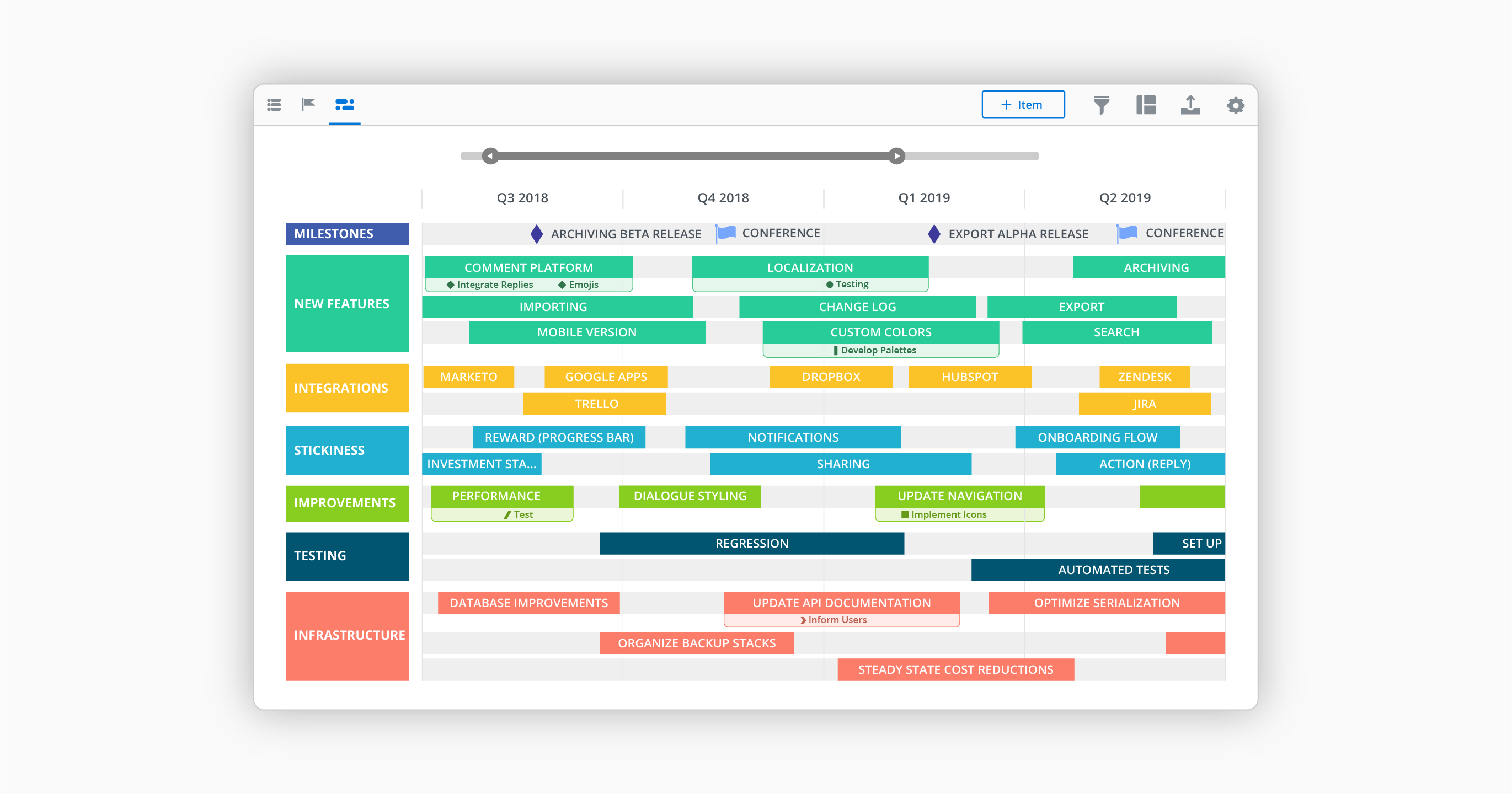
Screenshot of IT roadmap UIScreenshot of Timeline View - Create alignment around initiatives, objectives and milestones by visualizing your strategy on a timeline.Screenshot of Roadmap Example - Find a roadmap template, then make it your own. All our roadmap templates can be accessed and edited within Roadmunk. No more gymnastics in Excel and PPT.Screenshot of Swimlane view - Flexible teams need flexible roadmaps. Swimlane is the roadmap of choice for agile teams and beyond.Screenshot of Master Roadmapping - Teams build their own roadmaps, which can be rolled into a high-level Master view.Screenshot of Pre-designed templates - Over 35 roadmap templates to map your journey.