Microsoft's Azure Backup is a cloud backup service.
$5
pCloud
Score 6.5 out of 10
N/A
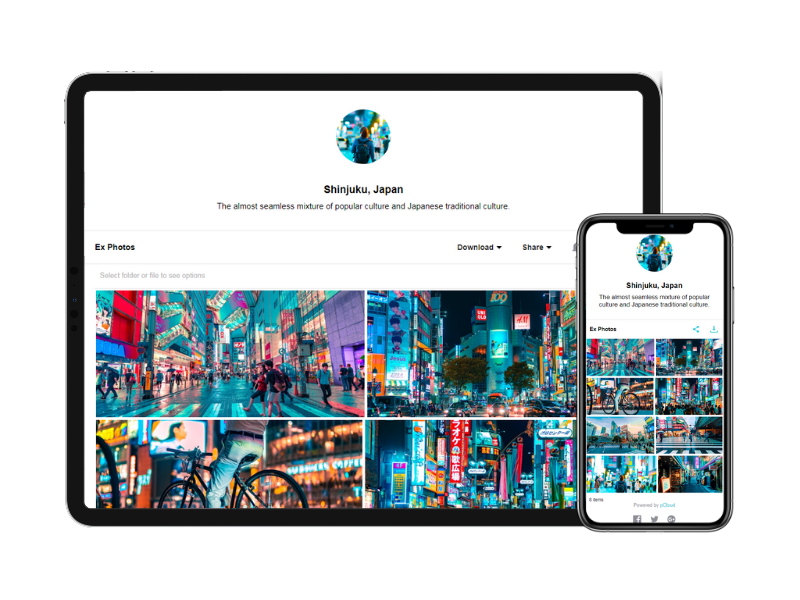
pCloud is a cloud- based digital asset management platform that provides access to all digital content including images,video, audio, documents, and more, anytime, anywhere, on any device. Users can keep important files safe and centralized in one place, and share with team members, clients, etc. across the globe with controlled access and permissions to the digital library. The vendor says that the product has a user-friendly interface that clearly shows where everything is located and…
$9.99
per month per user (1 TB storage per user, 3+ users)
Pricing
Azure Backup
pCloud
Editions & Modules
Storage in GB/Month
$0.0224 to $0.0569
per GB
Backup Instance <50GB
$5.00 + storage consumed
Backup Instance > 50 GB but < or = 500 GB
$10.00 + storage consumed
Backup Instance Instance is > 500 GB
$10 for each 500 GB increment + storage consumed
pCloud Business
$9.99
per month per user (1 TB storage per user, 3+ users)
Business Pro
$19.98
per month per user (2 TB storage per user, 3+ users)
Offerings
Pricing Offerings
Azure Backup
pCloud
Free Trial
No
No
Free/Freemium Version
No
Yes
Premium Consulting/Integration Services
No
No
Entry-level Setup Fee
No setup fee
Optional
Additional Details
—
Discount available for annual pricing.
More Pricing Information
Community Pulse
Azure Backup
pCloud
Considered Both Products
Azure Backup
Verified User
Anonymous
Chose Azure Backup
Azure Backup’s biggest advantage is seamless integration with Azure workloads, identity, networking, storage, monitoring, and automation. Advantage: - No extra infrastructure -Unified identity (Azure AD) -Integrated monitoring (Azure Monitor / Backup Center) - Policy-based …
Azure Backup, Commvault, Acronis Data Protector, and Veeam Backup are popular backup solutions that offer similar functionality to protect data and applications.Azure Backup vs CommvaultCommvault is a comprehensive data backup and recovery solution that covers everything from …
Azure Backup is cheaper however Veeam is more visually pleasing and allows you to send the backups to other places including Azure, or other competitors remote DR vaults.
Cost and SLA were important [in our] decision to prefer Azure Backup over others. The customization of existing policy with an archive of data was not available in competitors so we had preferred Azure Backup.
Azure Backup works on Azure, the most famous of the cloud systems that the whole world has switched to, which is now a very large part of the Microsoft ecosystem that we have been used to using for years. Therefore, it is less tiring to use the additional service of an …
I won't say Azure Backup stacks up against these mentioned backup solutions, they're just for different approaches/implementations. Depending on your requirements, you may have a mix of Azure Backups for 'simpler' backups and another backup tool for the most complex applications …
Azure Backup is based on the most secure and encrypted cloud storage facility available...Microsoft. They have been doing this a long time and have ironed out all the kinks, leaving only the good and dependable solution in place. Azure Backup is fast also, you do not have major …
When it comes to protecting VM's in Azure, Azure Backup is the way to go versus offerings from Commvault. If you only have the infrastructure in Azure, Azure Backup is the much more attractive solution because it's built into the product, offers ease of configuration, and ties …
The reason why we love pCloud over similar tools is because of its neat and clean interface. We also love options for file encryption through pCloud Crypto, which is unavailable on Google Drive, Dropbox, or OneDrive. Also, the upload speed on pCloud is fantastic and it is a lot …
pCloud has a virtual drive which Google Drive does not offer. Sharing links using a custom page is much more professional than Google Drive. I feel pCloud is more value for money than paying for the upgraded Google Drive plan. If pCloud has its own built-in app …
pCloud offers features that go above OneDrive's in many areas such as file versioning and file sharing (particularly external sharing). In addition, pCloud's security is unrivaled.
When compared to other devices, pCloud offers a superb user interface that is incredibly simple for anyone to navigate. It also incorporates cryptographic technology, which makes it extremely safe and efficient. Other platforms do not have the same level of protection as ours, …
pCloud's pricing is cheaper than alternatives. pCloud is modern and easy to understand.pCloud has mobile sync which is an amazing feature for me. Even it allows me to upload from a direct download link! pCloud has every feature that an average user required as a cloud backup or …
pCloud is miles away from the competition. We chose it because of their flexible pricing and great support. Plus the feature set is really tough to beat.
pCloud has a wonderful UI that is very simple for anyone to use as compared to another device. It also has crypto technology which makes it highly secure and efficient. Other platform doesn't have that level of security in them. It also has great features to use like pCloud …
By using Azure Backup, you can back up your NAS device you use locally as a file server, virtual machines you use in [a] production environment, critical databases, and everything you can think of. I do not know if there are scenarios that are not suitable, it meets all my needs.
Our normal team meeting was taking place, and we were transferring our data to pCloud. pCloud had supplied us with a platform from which we could download our critical data whenever we needed it. We also need to provide our project status report, and for this, we upload our PowerPoint presentation to the cloud, which has proven to be useful anytime we have needed it. It may be used in a variety of ways, including storing, sharing, and backing up essential files in a folder on your computer.
pCloud helps us to store data very well and it is accessible from anywhere. It makes it easy for anyone to use it and secure the data. It is easy to upload data and access it while having a meeting with our client.
pCloud easily stores files from another platform as well like Google Drive or Dropbox. It easily exchanges information like images, videos, and documents. This feature is amazing as it gives access to files from other storage.
It had one feature known as pCloud Crypto which gives high-end security to the data when stored. It is highly secure and encrypted. It uses blockchain technology which requires a key to use called Crypto Pass to unlock your data. Really like it.
Having an admin console that you can use to manage backup schedules across your network would be useful. Going machine to machine to check the current settings is ok but would be better in a GUI.
Maybe an agent utility installed on each workstation where the user can specify or customize the backup, perhaps just a set of folders, or ignore certain folders, would be helpful to eliminate garbage in the cloud.
Azure backup is easy to implement, accessible by using the web portal GUI, and has the ability to restore at the file level or the complete VM. We have experienced zero issues with the backup process or performing file-level restorations. We have not restored an entire VM to date.
It is very easy to use, fast loading and the product team keeps adding updates. Like now I can listen to all my audiobooks from a playlist in pCloud. I am ask for files or send files easier than ever before. I also have access to all my files whereever I am.
One of the differentials of the solution is the high level of guarantee and support of the Azure Backup solution. Microsoft is a reference in a technology company with a highly trained support team and helps us with any questions or technical problems with the tool. Service is fast and efficient with trained engineers.
The cost, not only in the short term, but in our long-term calculations.
Even in need of improvements, the pre-sale and post-sale support is very good.
The ease, like many Microsoft products about scheduling backups, the friendly interface, the fact that there is no need for an expensive resource dedicated to this backup and some other details, made us choose Azure Backup.
pCloud has a virtual drive which Google Drive does not offer. Sharing links using a custom page is much more professional than Google Drive. I feel pCloud is more value for money than paying for the upgraded Google Drive plan. If pCloud has its own built-in app editor/viewers like Google Docs/Sheets etc that would be even better!
pCloud had worked very well for us. It had given the best service and features to us whenever we needed our data. It was there safe and secure.
The Synchronization issue is there with pCloud Data Storage. It needs to be updated by the developers if possible.
pCloud has helped us with the improvement of our business requirements, as it makes our work easier and fast enough to deliver the project details on time to clients.