Azure DevOps Server (formerly Team Foundation Server, or TFS) is the on-premise version of Azure DevOps. To license Azure DevOps Server an Azure DevOps license and a Windows operating system license (e.g. Windows Server) for each machine running Azure DevOps Server.
N/A
GitGuardian
Score 9.0 out of 10
N/A
GitGuardian is an end-to-end NHI security platform designed to help organizations strengthen their Non-Human Identity (NHI) security posture and address compliance standards and regulations. As attackers increasingly target NHIs, such as service accounts, service principals, and applications, protecting and managing these critical assets has become paramount. NHIs rely on “secrets” like API keys and certificates for authentication, and their rapid proliferation has led to significant…
Azure DevOps is good to use if you are all-in on the Microsoft Azure stack. It's fully integrated across Azure so it is a point-and-click for most of what you will need to achieve. If you are new to Azure make sure you get some outside experience to help you otherwise it is very easy to overcomplicate things and go down the wrong track, or for you to manually create things that come out of the box.
I do think it'll absolutely fit everyone who codes integrates with another platform or services. We all forget that one credentials one in a while, and especially those who managed public repository, it is important to keep an eye on accidentally committed credentials. While I think you don't really needs it for personal project, it's a nice to have, you don't want to waie up to 50k USD of sudden surcharge on resources you don't use.
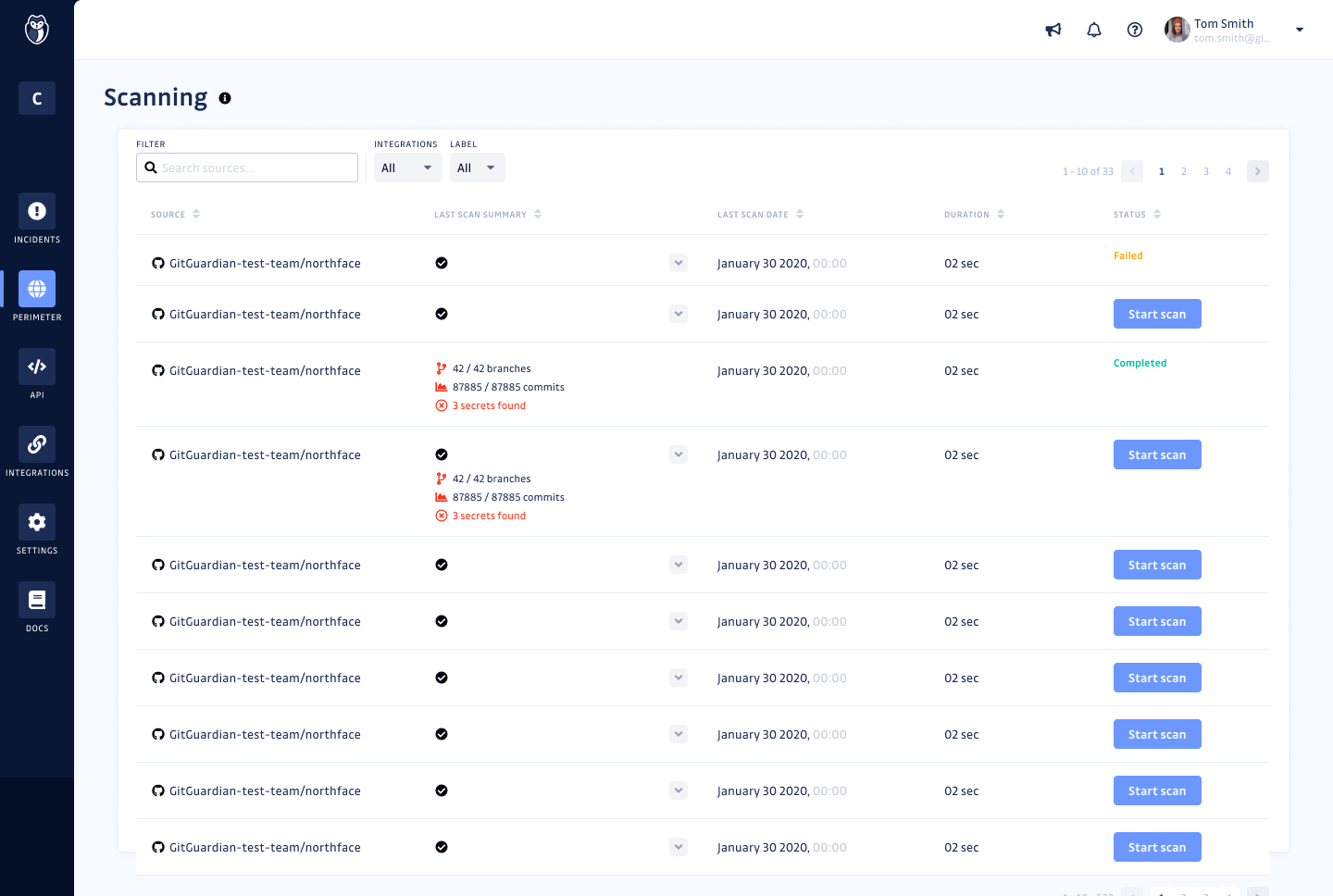
GitGuardian monitors every public or private GitHub commit ( that have GitGuardian installed) and event in real-time for secrets and sensitive data. In a leak scenario it immediately notifies us.
It uses sophisticated pattern matching techniques to detect credentials that cannot be strictly defined with a distinctive pattern (like unprefixed credentials)
It covers several API providers, database connection strings, private keys, certificates, usernames and passwords etc
GitGuardian have high True Positive Rate of around 91% and reduces alert fatigue with smart occurrences regrouping
Improved user interface: It would be beneficial to have a more intuitive and user-friendly interface for Internal Monitoring on GitGuardian. This would make it easier for users to quickly access the data they need and understand the results of their scans.
Automated alerts: It would be helpful to have automated alerts when certain conditions are met, such as when a scan reveals sensitive data or when a new repository is created. This would help users stay informed and take action in a timely manner.
More detailed reports: Currently, Internal Monitoring reports are limited in terms of the depth of information they provide. It would be useful to have more detailed reports that include additional metrics, such as the number of repositories scanned and the types of sensitive data found.
Faster scan times: Scan times can be slow at times, making it difficult to stay on top of changes in repositories quickly. It would be beneficial to have faster scan times so that users can take action quickly when needed.
Because we are a Microsoft Gold Partner we utilize most of their software and we have so much invested in Team Foundation Server now it would take a catastrophic amount of time and resources to switch to a different product.
For standard users the interface is friendly. but if you are a manager some tools are a little confusing to use, like the query system that you always need to create from scratch. Templates should be more helpful for queries and for standard procedures that you need to duplicate PBIs over time. The search history of Work Items is a little painful to use.
I have not had to use the support for Azure DevOps Server. There have never been any issues where I was not able to figure it out or quickly resolve. Our Scrum Master has used support before though, and the service has always been prompt and clear with a customer-focus
In my opinion, DevOps covers the development process end to end way better than Jira or GitHub. Both competitors are nice in their specific fields but DevOps provides a more comprehensive package in my opinion. It is still crazy to see that the whole suite can be used for free. The productivity increase we realized with DevOps is worth real money!
I've evaluated quite a few other tools, like git-secrets, Git-leaks, scan, and maybe a few more. They're all great but quite surprisingly none of them detected Github OAuth Secrets for us. A lot of the FOSS tools out there focus on much simpler, generic secrets, which is good in itself but with GitGuardian, it was dead simple from day one. I just connected our Github Account and set up the gg-shield cli and that was all.
It has streamlined the pipeline and project management for our agile effort.
It has helped our agile team get organized since that is a new methodology being leveraged within the Enterprise.
The calendar has improved visibility into different OOOs across the project team since we all come from different departments across the larger organization.
GitGuardian Internal Monitoring has had a positive impact on our overall business objectives. By providing visibility into our code repositories and alerting us to potential security risks, we have been able to identify and mitigate security issues before they become a problem. This has allowed us to focus more on developing our product and less on responding to security incidents. We have also seen an increase in customer confidence in our product as a result of using GitGuardian Internal Monitoring, which has led to increased customer loyalty and retention. Overall, the ROI of using GitGuardian Internal Monitoring has been very positive for our business.
We have seen an increase in the security of our codebase, as well as an improvement in the speed and accuracy of our code reviews. This has enabled us to quickly identify and address any potential security issues before they become a problem. Additionally, we have seen an increase in our ROI as a result of using GitGuardian Internal Monitoring, as it has allowed us to save time and money by preventing costly security breaches.