TrustRadius: an HG Insights company

Save this comparison

Save this comparison

Add Product

Recommended Comparisons

    Overview
    ProductRatingMost Used ByProduct SummaryStarting Price

    Azure DevOps

    Score8.1 out of 10
    N/AAzure DevOps (formerly VSTS, Microsoft Visual Studio Team System) is an agile development product that is an extension of the Microsoft Visual Studio architecture. Azure DevOps includes software development, collaboration, and reporting capabilities.

    $2

    per GB (first 2GB free)

    WSO2 Developer Platform

    Score8.7 out of 10
    N/AWSO2 Developer Platform (formerly WSO2 Choreo) is an AI-native Internal Developer Platform (IDP) that functions as a unified control plane for cloud-native application delivery. The platform provides a centralized internal developer portal and execution engine to abstract underlying infrastructure complexity, standardize deployments, and automate the software development lifecycle across Kubernetes environments.

    $0

    1 project, up to 5 components

    Pricing
    Azure DevOpsWSO2 Developer Platform
    Editions & Modules
    Azure Artifacts
    $2
    per GB (first 2GB free)
    Basic Plan
    $6
    per user per month (first 5 users free)
    Azure Pipelines - Self-Hosted
    $15
    per extra parallel job (1 free parallel job with unlimited minutes)
    Azure Pipelines - Microsoft Hosted
    $40
    per parallel job (1,800 minutes free with 1 free parallel job)
    Basic + Test Plan
    $52
    per user per month
    Free
    $0
    1 project, up to 5 components. $100 in Choreo infrastructure credits per month.
    Pay-As-You-Go
    $150
    per month Up to 10 projects and 30 components. $150 per component per month. Pass-through infrastructure costs.
    Enterprise
    Custom Quote
    per year Unlimited projects and components. Discounts based on annual commitments available. Pass-through infrastructure costs, or use a data plane.
    Offerings
    Pricing Offerings
    Azure DevOpsWSO2 Developer Platform
    Free Trial
    NoNo
    Free/Freemium Version
    NoYes
    Premium Consulting/Integration Services
    NoYes
    Entry-level Setup FeeNo setup feeNo setup fee
    Additional Details—1 step is a maximum of 500ms of compute time. An incoming event, message, or outgoing API call is a minimum of 1 step.
    More Pricing Information
    Community Pulse
    Azure DevOpsWSO2 Developer Platform
    Considered Both Products
    Microsoft
    No answer on this topic
    WSO2
    No answer on this topic
    Key User Insights
    Would buy again
    97%
    Would buy again
    38 Answers
    No answers on this topic
    Delivers good value for the price
    100%
    Delivers good value for the price
    37 Answers
    No answers on this topic
    Happy with the feature set
    100%
    Happy with the feature set
    39 Answers
    No answers on this topic
    Lived up to sales and marketing promises
    96%
    Lived up to sales and marketing promises
    23 Answers
    No answers on this topic
    Implementation went as expected
    100%
    Implementation went as expected
    32 Answers
    No answers on this topic
    Best Alternatives
    Azure DevOpsWSO2 Developer Platform
    Small Businesses
    No answers on this topic
    No answers on this topic
    Medium-sized Companies
    Azure DevOps Server
    Score8.5 out of 10
    No answers on this topic
    Enterprises
    Azure DevOps Server
    Score8.5 out of 10
    No answers on this topic
    All AlternativesView all alternativesView all alternatives
    User Ratings
    Azure DevOpsWSO2 Developer Platform
    Likelihood to Recommend
    8.9
    (74 ratings)
    9.0
    (1 ratings)
    Likelihood to Renew
    10.0
    (3 ratings)
    -
    (0 ratings)
    Usability
    8.4
    (13 ratings)
    -
    (0 ratings)
    Support Rating
    8.1
    (11 ratings)
    -
    (0 ratings)
    Implementation Rating
    10.0
    (1 ratings)
    -
    (0 ratings)
    User Testimonials
    Azure DevOpsWSO2 Developer Platform
    Likelihood to Recommend
    Microsoft
    Azure DevOps works well when you’ve got larger delivery efforts with multiple teams and a lot of moving parts, and you need one place to plan work, track it properly, and see how everything links together. It’s especially useful when delivery and development are closely tied and you want backlog items, code and releases connected rather than spread across tools. Where it’s less of a fit is for small teams or simple pieces of work, as it can feel like more setup and process than you really need, and non-technical users often struggle with the interface. It also isn’t great if you want instant, easy programme-level views or a very visual planning experience without putting time into configuration.
    Incentivized
    Read full review
    WSO2
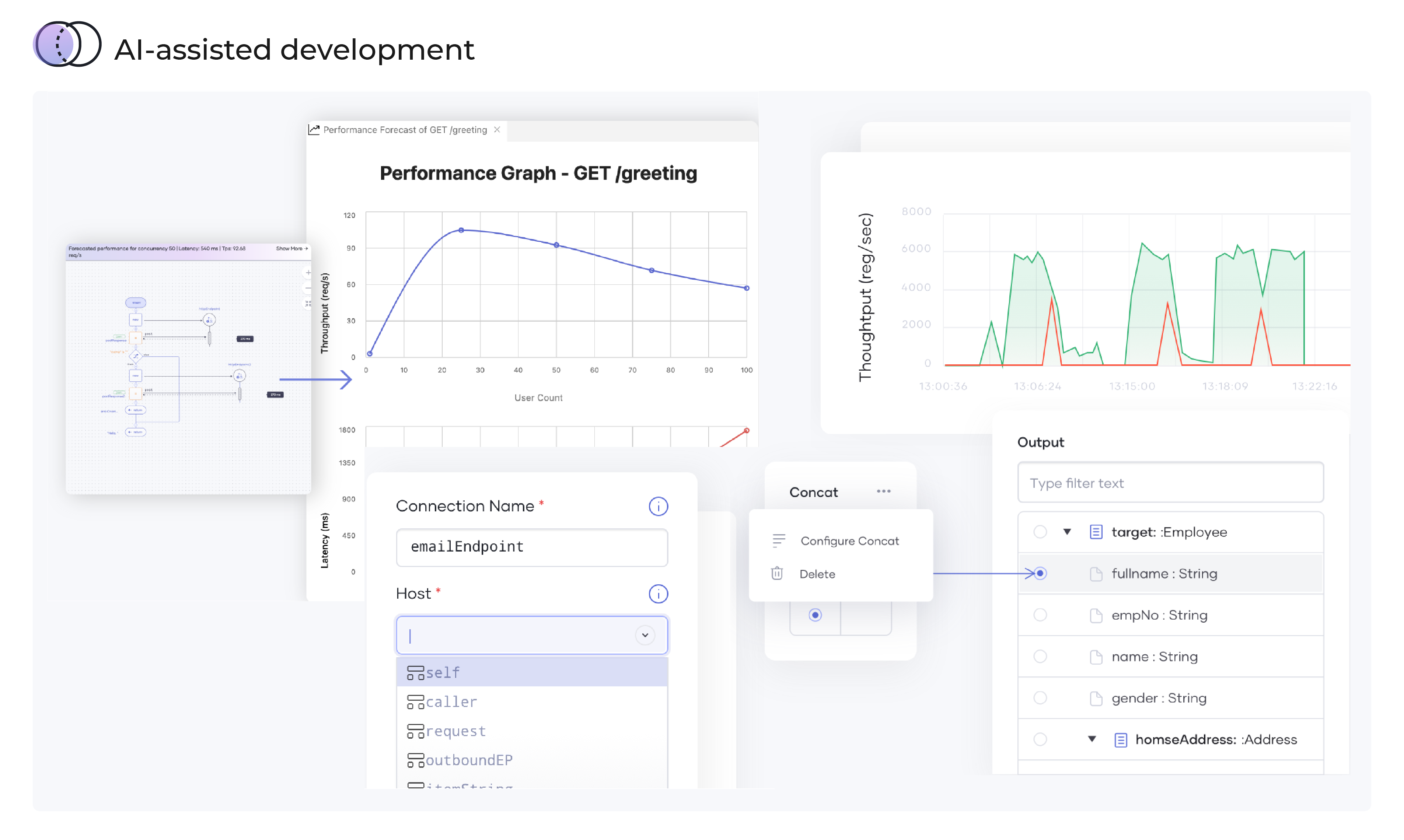
    While you are developing your code, my case is codes for bots, you'll have more power and if you have an API ally that shows forecasts of latencies and throughputs: Choreo by WS02 is that friend. It is very ideal in giving insights on intelligent data mapping, code anomalies as you develop the codes or applications.
    Incentivized
    Read full review
    Pros
    Microsoft
    • Utilize Git as a repository to share work between multiple users
    • Ability to configure Pipelines to build containers to run virtual deployments and testing scripts.
    • Split individual tasks and relate to master documents for quick navigation and ability to see overall picture of project.
    • Track status of each task
    • Integrate with Git to utilize branches, merging, approvals, history, etc.
    Incentivized
    Read full review
    WSO2
    • Provides feedback in real time which sorts most of the API performance challenges.
    • Displays the estimated application performance as you compose your code.
    Incentivized
    Read full review
    Cons
    Microsoft
    • I did mention it has good visibility in terms of linking, but sometimes items do get lost, so if there was a better way to manage that, that would be great.
    • The wiki is not the prettiest thing to look at, so it could have refinements there.
    • It could improve the search slightly better.
    Read full review
    WSO2
    • Latency curves may be inaccurate sometimes or provide over/under estimates
    Incentivized
    Read full review
    Likelihood to Renew
    Microsoft
    I don't think our organization will stray from using VSTS/TFS as we are now looking to upgrade to the 2012 version. Since our business is software development and we want to meet the requirements of CMMI to deliver consistent and high quality software, this SDLC management tool is here to stay. In addition, our company uses a lot of Microsoft products, such as Office 365, Asp.net, etc, and since VSTS/TFS has proved itself invaluable to our own processes and is within the Microsoft family of products, we will continue to use VSTS/TFS for a long, long time.
    Incentivized
    Read full review
    WSO2
    No answers on this topic
    Usability
    Microsoft
    It's a great help to get more information about new feature release and stay updated on what the dev team is working on. I like how easy it is to just login and read through the work items. Each work item has basic details: Title, Description, Assigned to, State, Area (what it belongs to), and iteration (when it’s worked on). See image above.They move through different states (New → Discovery → Ready for Prod → etc.).
    Incentivized
    Read full review
    WSO2
    No answers on this topic
    Support Rating
    Microsoft
    When we've had issues, both Microsoft support and the user community have been very responsive. DevOps has an active developer community and frankly, you can find most of your questions already asked and answered there. Microsoft also does a better job than most software vendors I've worked with creating detailed and frequently updated documentation.
    Incentivized
    Read full review
    WSO2
    No answers on this topic
    Implementation Rating
    Microsoft
    Was not part of the process.
    Incentivized
    Read full review
    WSO2
    No answers on this topic
    Alternatives Considered
    Microsoft
    Microsoft Planner is used by project managers and IT service managers across our organization for task tracking and running their team meetings. Azure DevOps works better than Planner for software development teams but might possibly be too complex for non-software teams or more business-focused projects. We also use ServiceNow for IT service management and this tool provides better analysis and tracking of IT incidents, as Azure DevOps is more suited to development and project work for dev teams.
    Incentivized
    Read full review
    WSO2
    No answers on this topic
    Return on Investment
    Microsoft
    • We have saved a ton of time not calculating metrics by hand.
    • We no longer spend time writing out cards during planning, it goes straight to the board.
    • We no longer track separate documents to track overall department goals. We were able to create customized icons at the department level that lets us track each team's progress against our dept goals.
    Incentivized
    Read full review
    WSO2
    • over 90 percent accuracy in performance prediction of bots under development
    • It's possible to trace on faulty codes, down to the machine-level details.
    Incentivized
    Read full review
    ScreenShots

    WSO2 Developer Platform Screenshots
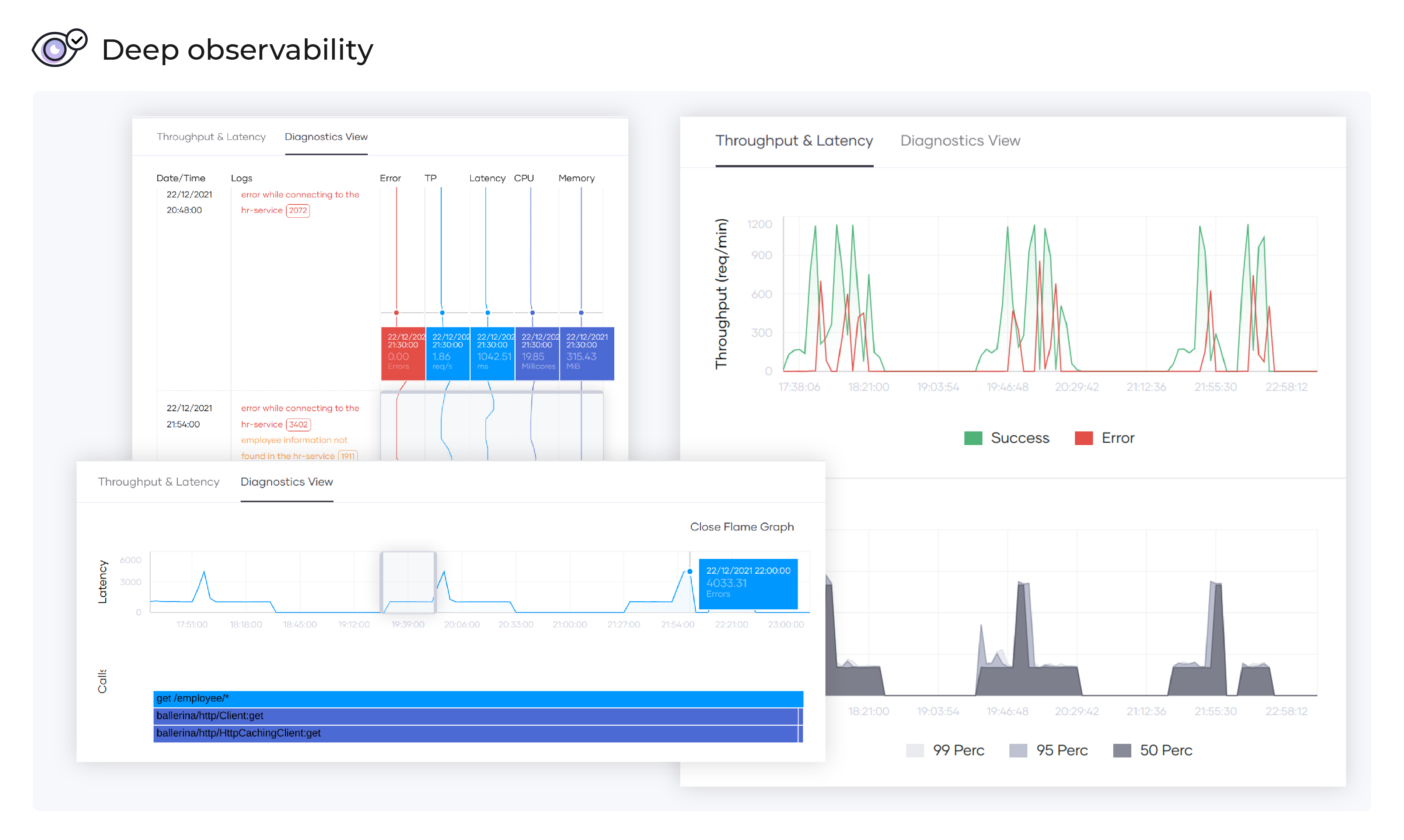
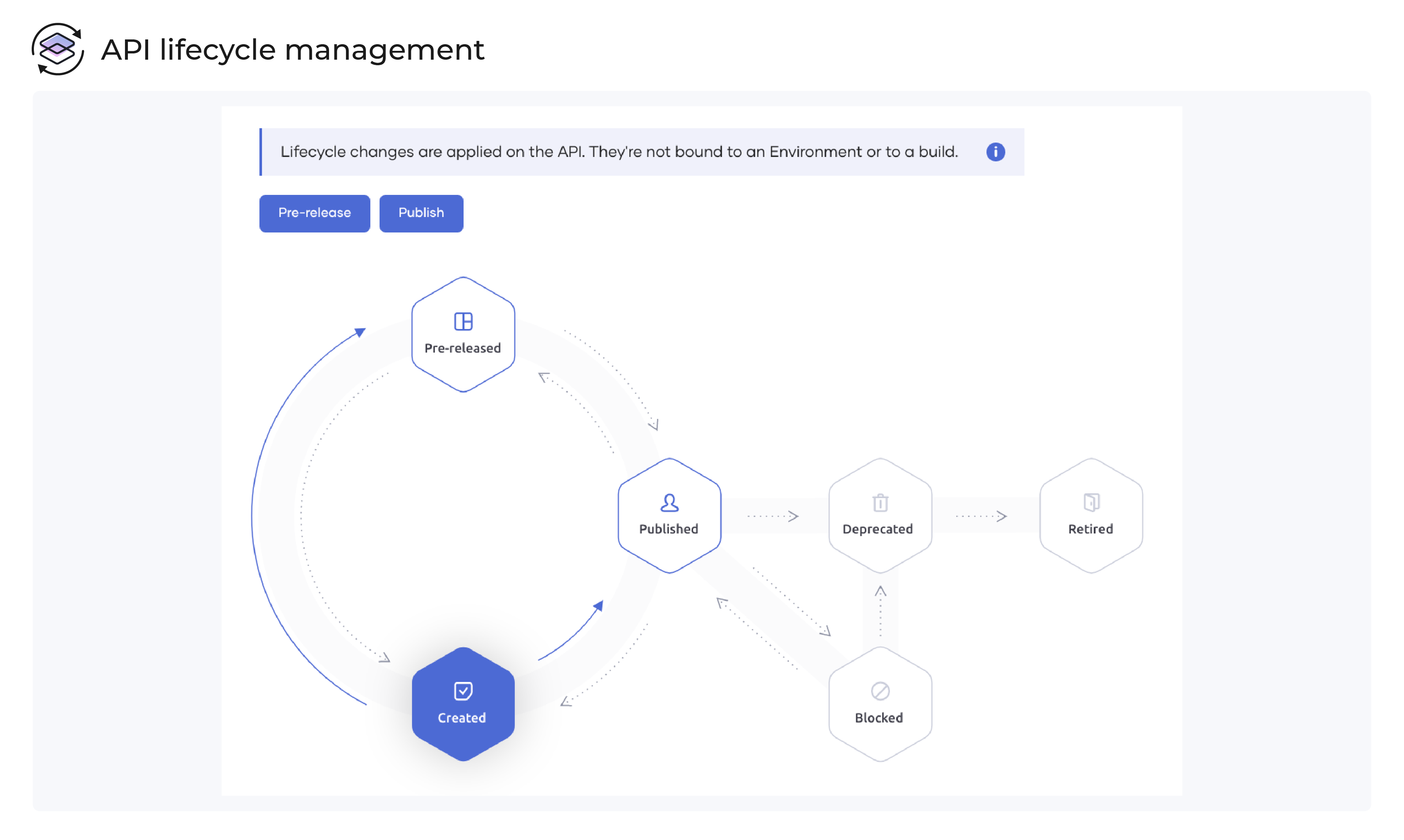
    Screenshot of Simultaneous graphical view and code viewScreenshot of API lifecycle managementScreenshot of Automated deploymentScreenshot of API marketplaceScreenshot of Deep observabilityScreenshot of AI-assisted development