BDRShield vs. Hornetsecurity 365 Total Protection

Overview
ProductRatingMost Used ByProduct SummaryStarting Price
BDRShield
Score 7.5 out of 10
N/A
Vembu BDR Suite is a universal backup solution catering to the backup, recovery, and disaster recovery needs of diverse IT environments. It is also optimized for service providers who deliver BaaS and DRaaS to their customers.
$12
per year per endpoint
Hornetsecurity 365 Total Protection
Score 10.0 out of 10
N/A
With 365 Total Protection, Hornetsecurity offers users enterprise security management in conjunction with Microsoft Office 365. The Enterprise version gives users enhanced functionality and protection, and covers legally compliant email archiving with advanced features such as eDiscovery and 10-year email retention. It also offers protection against advanced persistent threats through the use of AI-based analysis mechanisms.N/A
Pricing
BDRShieldHornetsecurity 365 Total Protection
Editions & Modules
Endpoint / Workstation Backup
$12
per year per endpoint
SaaS Backup
$12
per year per user
VMs, Servers & Cloud Backup
$48
per year per VM
Apps & DB Backup
$72
per year Apps
No answers on this topic
Offerings
Pricing Offerings
BDRShieldHornetsecurity 365 Total Protection
Free Trial
YesNo
Free/Freemium Version
NoNo
Premium Consulting/Integration Services
NoNo
Entry-level Setup FeeNo setup feeOptional
Additional Details
More Pricing Information
Community Pulse
BDRShieldHornetsecurity 365 Total Protection
Features
BDRShieldHornetsecurity 365 Total Protection
Data Center Backup
Comparison of Data Center Backup features of Product A and Product B
BDRShield
9.2
61 Ratings
8% above category average
Hornetsecurity 365 Total Protection
-
Ratings
Universal recovery9.750 Ratings00 Ratings
Instant recovery8.951 Ratings00 Ratings
Recovery verification9.752 Ratings00 Ratings
Business application protection8.543 Ratings00 Ratings
Multiple backup destinations9.143 Ratings00 Ratings
Incremental backup identification9.158 Ratings00 Ratings
Backup to the cloud8.536 Ratings00 Ratings
Deduplication and file compression9.648 Ratings00 Ratings
Snapshots9.245 Ratings00 Ratings
Flexible deployment9.354 Ratings00 Ratings
Management dashboard8.759 Ratings00 Ratings
Platform support9.459 Ratings00 Ratings
Retention options9.557 Ratings00 Ratings
Encryption9.451 Ratings00 Ratings
Best Alternatives
BDRShieldHornetsecurity 365 Total Protection
Small Businesses
Cove Data Protection
Score 9.7 out of 10
Cove Data Protection
Score 9.7 out of 10
Medium-sized Companies
Bacula Enterprise
Bacula Enterprise
Score 9.6 out of 10
Druva Security Cloud
Score 9.5 out of 10
Enterprises
Bacula Enterprise
Bacula Enterprise
Score 9.6 out of 10
Druva Security Cloud
Score 9.5 out of 10
All AlternativesView all alternativesView all alternatives
User Ratings
BDRShieldHornetsecurity 365 Total Protection
Likelihood to Recommend
7.4
(64 ratings)
-
(0 ratings)
Likelihood to Renew
9.0
(4 ratings)
-
(0 ratings)
Usability
7.2
(62 ratings)
-
(0 ratings)
Support Rating
9.0
(6 ratings)
-
(0 ratings)
Implementation Rating
8.0
(3 ratings)
-
(0 ratings)
User Testimonials
BDRShieldHornetsecurity 365 Total Protection
Likelihood to Recommend
Vembu Technologies
It provides reliable daily backup tasks and it is important for us to have no worries of system crush. BDRSuite is full featured, I had been using BDRSuite to replicate servers from Hyper-v to ESXi, it's quite useful and easily to process than other VM migration tools between different platform. BDRSuite costs less than other backup product because I can decrease/increase/allocate license between VMs easily. The license charge two ways, server or VM. We choose VM license.
Read full review
Hornetsecurity Inc.
No answers on this topic
Pros
Vembu Technologies
  • Seed an offsite backup. A simple checkbox to seed a large backup prior to backing it up to our datacenter. Previously with another well knows backup provider this was convoluted and time-consuming.
  • Backup Speed. Vembu BDR is fast and allows me to schedule multiple jobs within time constraints that prohibit some backup products from working.
  • DR - Vembu BDR provides an option to mirror your backups to an offsite datacenter without taxing production servers with a secondary backup job.
  • Bare Metal Recovery: the ability to create a custom bootable ISO that you can quickly recover a failed physical server or workstation.
  • Ease of use: The console is consistent and very easy to use. From initial install to being fully configured takes just a few minutes.
Read full review
Hornetsecurity Inc.
No answers on this topic
Cons
Vembu Technologies
  • User interface on the servers do not have enough tools to better monitor the systems and finding information is difficult.
  • User interface at portal is difficult to navigate and confusing
  • Support documentation is too generic and rarely answers my questions.
  • Licensing and acquisition. As a reseller and partner the licensing model is confusing and the portal interface to manage licensing should be scrapped and rebuilt. It is difficult to navigate and the available information is too vague.
  • Recently, communication with new channel contact. My previous contact was articulate and answered my questions.
  • Did I mention licensing? This is the most confusing and difficult process I've dealt with in 25 years. Makes Microsoft look simple.
Read full review
Hornetsecurity Inc.
No answers on this topic
Likelihood to Renew
Vembu Technologies
Because of the product functions and possibilities: - it's easy to use through WEB browser - installation process is not complicated - Vembu BDR solution is reliable, and works properly. It does the job. This product could get extra points for the appliance that could be imported to virtual environment (no need for windows server license or some linux knowledge).
Read full review
Hornetsecurity Inc.
No answers on this topic
Usability
Vembu Technologies
Friendly web interface very clear, nicely and professionally designed. Usability, setup and forget. It has all features you need for hybrid environments even if you don't use it. You know the features are there when you needed. Email report is so informative. You get all the details about completed backup without logging in the system
Read full review
Hornetsecurity Inc.
No answers on this topic
Support Rating
Vembu Technologies
It often takes a very long time to get an issue fixed. the support folks seem committed to getting it fixed but they often seem to be trying different things and hoping something works. I did not get the sense that they had a clear idea what was wrong.
Read full review
Hornetsecurity Inc.
No answers on this topic
Implementation Rating
Vembu Technologies
It wasn't difficult at all, it fact, it was mostly simple, implementation doesn't require much skills and knowledge, but the configuration part does require some skills to create the jobs and configure certain settings, overall, its an easy implementation, especially for experienced IT People
Read full review
Hornetsecurity Inc.
No answers on this topic
Alternatives Considered
Vembu Technologies
I tested Vembu against Veeam and for the price, Vembu was the better option. I also had a great support experience as I had to contact Vembu twice after mistakes I made. While using Veeam the software was not as intuitive and support responses were not as swift and accurate.
Read full review
Hornetsecurity Inc.
No answers on this topic
Return on Investment
Vembu Technologies
  • For organizations that use different tools for Backup and recovery, this could be the single tool for Storage and Backup Administrators to automate and work effectively.
  • Software cost is lesser thus the money can be invested for other tools/software procurement
  • I don't think there is any negative impact as of now
Read full review
Hornetsecurity Inc.
No answers on this topic
ScreenShots

BDRShield Screenshots

Screenshot of EncryptionScreenshot of Multiple recovery optionsScreenshot of ReportsScreenshot of RetentionScreenshot of SchedulingScreenshot of VM Selection

Hornetsecurity 365 Total Protection Screenshots
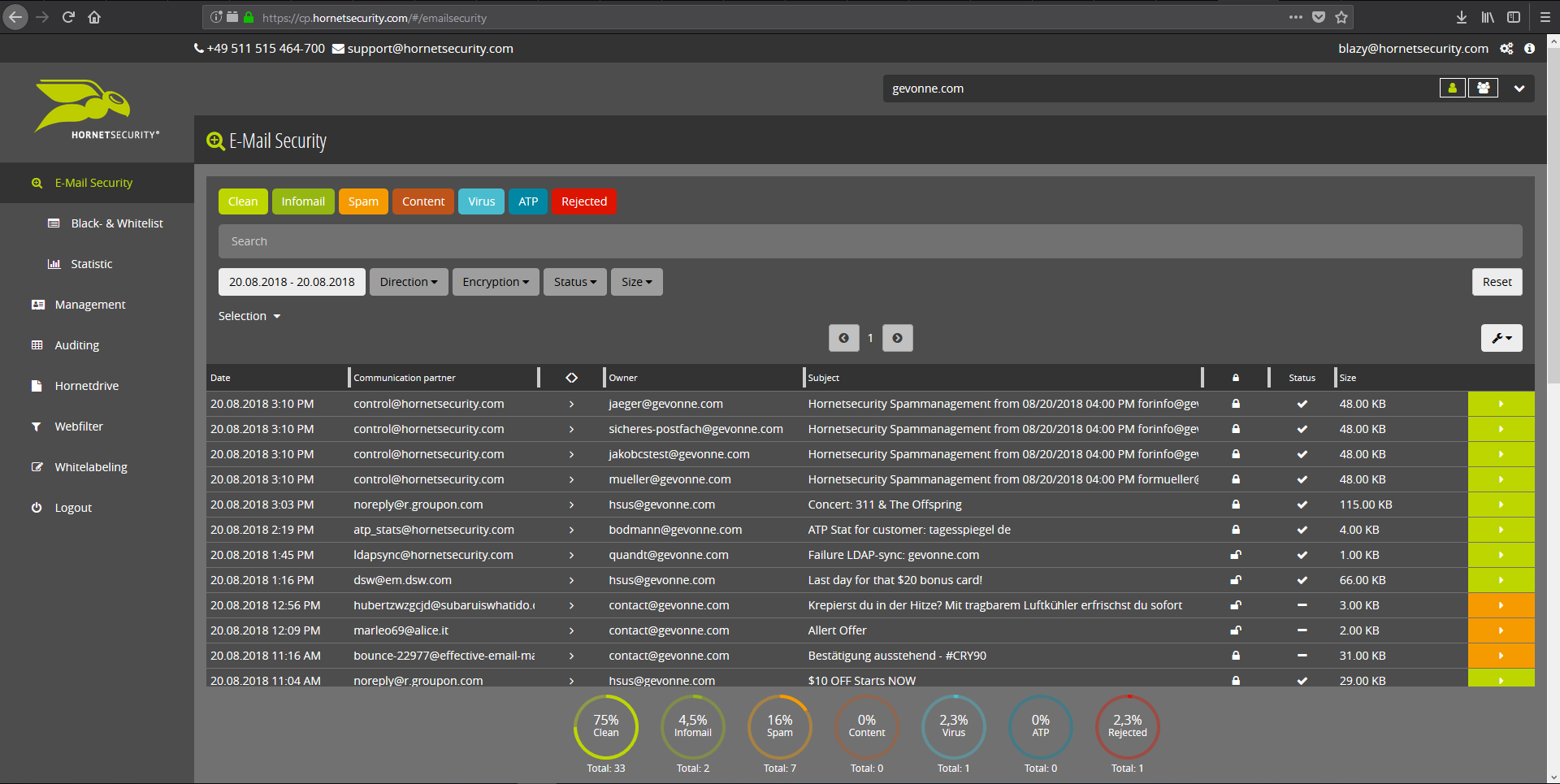
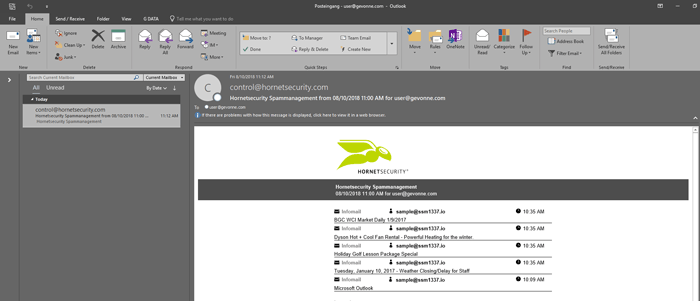
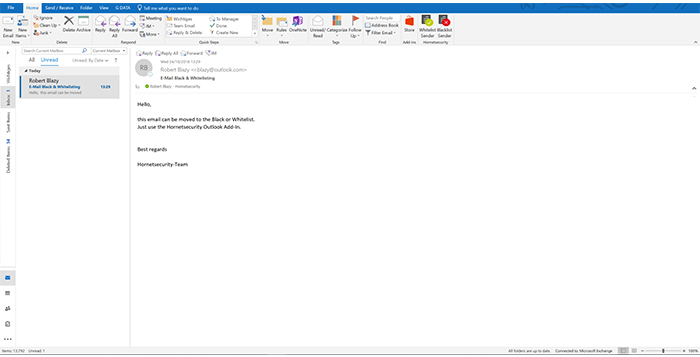
Screenshot of Email Live Tracking with user-defined settings offers users a complete overview of all Emails addressed to them. If an incoming Email has, for example, been classified as spam, you will receive comprehensive information and can individually determine any further interaction. This means that you can always quickly find any email you are searching for and delivery options can be defined for the future.Screenshot of With the help of Infomail Handlings, the inboxes or smartphones of your users will no longer be flooded with newsletters and ad mails. Users are no longer distracted by the constant arrival of unimportant emails, thus making it easier for them to keep track of relevant business matters.Screenshot of Content Control protects your email communication from receiving or sending unwanted or unauthorized file attachments in keeping with your company policy. When running Content Control, umbrella terms and categories (e.g., .docmacro or .executable) may be blocked, for example in the default group (mailboxes that are not allocated to any particular group). For a department such as Marketing, however, the receipt of media files and macros can, on the other hand, be necessary for daily business: In this respect, one can create, for example, a group for the Marketing department and adjust the settings in Content Control so that only potentially dangerous, e.g. executable, file formats are blocked for this group.Screenshot of If an incoming email (e.g. phishing or spam mail) constitutes a threat, the attack is immediately detected by the multi-stage filter systems of 365 Total Protection. Unwanted emails are directly rejected by the Threat Blocking function or detected in later analyses by Threat Intelligence and sent straight to Quarantine. In both cases, these emails will not be delivered to your mailbox.Screenshot of If you do not want to receive emails from one or several specific senders, you can put these on your personal Blacklist. With just one click directly in your in-box the selected senders can be added to the Blacklist to prevent emails from the same sender from being delivered to you in future. If an email from a generally unobjectionable sender lands in Quarantine by mistake, thus appearing in the spam report, the “Whitelist” function can be used. Emails from senders on your Whitelist will always be delivered to your in-box in future.Screenshot of Every email sent out by a company is not only relevant to the business, but is also your company’s business card. In terms of content, a company-wide standardized structure and the completeness of signature datasets are essential. In this context, all email signatures also have the same visual design and layout. This task can also be allocated to the Marketing department or office management via the “What You See is What You Get” editor.