
busybusy vs. Clockify
busybusy vs. Clockify
| Product | Rating | Most Used By | Product Summary | Starting Price |
|---|---|---|---|---|
 busybusy | N/A | Created by contractors for contractors, the busybusy mobile time tracking app automates time and GPS labor tracking, job costing, and documentation. Mobile time tracking in the cloud allows remote service crews to clock in and out through their iOS and Android devices in addition to any web browser. With busybusy, smartphones become advanced management tools simplifying and automating the process of tracking time, documenting project progress, and monitoring project… | $9.99 per month per user | |
 Clockify | Small Businesses (1-50 employees) | Clockify, from COING in Palo Alto, is a time tracker and employee timesheet software for teams of all sizes. Clockify lets users track how much time is spent working on tasks, as well as keep track of employee timesheets and billable hours, project completion, reports, and schedules. | $0 forever, unlimited everything |
| busybusy | Clockify | |||||||||||||||
|---|---|---|---|---|---|---|---|---|---|---|---|---|---|---|---|---|
| Editions & Modules | No answers on this topic |
| ||||||||||||||
| Offerings |
| |||||||||||||||
| Entry-level Setup Fee | Required | Optional | ||||||||||||||
| Additional Details | — | Unlimited usage and number of users for free. Paid plans are solely for access to additional features. Self-hosting software on own servers available. | ||||||||||||||
| More Pricing Information | ||||||||||||||||
| busybusy | Clockify |
|---|
| busybusy | Clockify | |
|---|---|---|
| Small Businesses |  Traqq Score 9.1 out of 10 | Traqq Score 9.1 out of 10 |
| Medium-sized Companies |  TimeClock Plus Score 9.5 out of 10 | TimeClock Plus Score 9.5 out of 10 |
| Enterprises |  Zoho People Score 8.9 out of 10 | Zoho People Score 8.9 out of 10 |
| All Alternatives | View all alternatives | View all alternatives |
| busybusy | Clockify | |
|---|---|---|
| Likelihood to Recommend | 8.2 (2 ratings) | 7.0 (12 ratings) |
| Likelihood to Renew | - (0 ratings) | 10.0 (1 ratings) |
| Usability | 8.0 (1 ratings) | 7.0 (2 ratings) |
| Availability | - (0 ratings) | 10.0 (1 ratings) |
| Performance | - (0 ratings) | 9.0 (1 ratings) |
| Support Rating | - (0 ratings) | 8.2 (4 ratings) |
| Product Scalability | - (0 ratings) | 10.0 (1 ratings) |
| busybusy | Clockify | |
|---|---|---|
| Likelihood to Recommend | busybusy
 Michaela Maxwell Assistant Director of Business Operations | CAKE.com, Inc
 Keith James Veloso Virtual Assistant |
| Pros | busybusy
| CAKE.com, Inc
 Quentin Goin Integration Engineer |
| Cons | busybusy
Michaela Maxwell Assistant Director of Business Operations | CAKE.com, Inc
Keith James Veloso Virtual Assistant |
| Likelihood to Renew | busybusy No answers on this topic | CAKE.com, Inc
Quentin Goin Integration Engineer |
| Usability | busybusy
| CAKE.com, Inc
Keith James Veloso Virtual Assistant |
| Reliability and Availability | busybusy No answers on this topic | CAKE.com, Inc
Quentin Goin Integration Engineer |
| Performance | busybusy No answers on this topic | CAKE.com, Inc
Quentin Goin Integration Engineer |
| Support Rating | busybusy No answers on this topic | CAKE.com, Inc
|
| Alternatives Considered | busybusy
Michaela Maxwell Assistant Director of Business Operations | CAKE.com, Inc
 McKay Salisbury Owner |
| Scalability | busybusy No answers on this topic | CAKE.com, Inc
Quentin Goin Integration Engineer |
| Return on Investment | busybusy
| CAKE.com, Inc
McKay Salisbury Owner |
| ScreenShots | busybusy Screenshots     | Clockify Screenshots     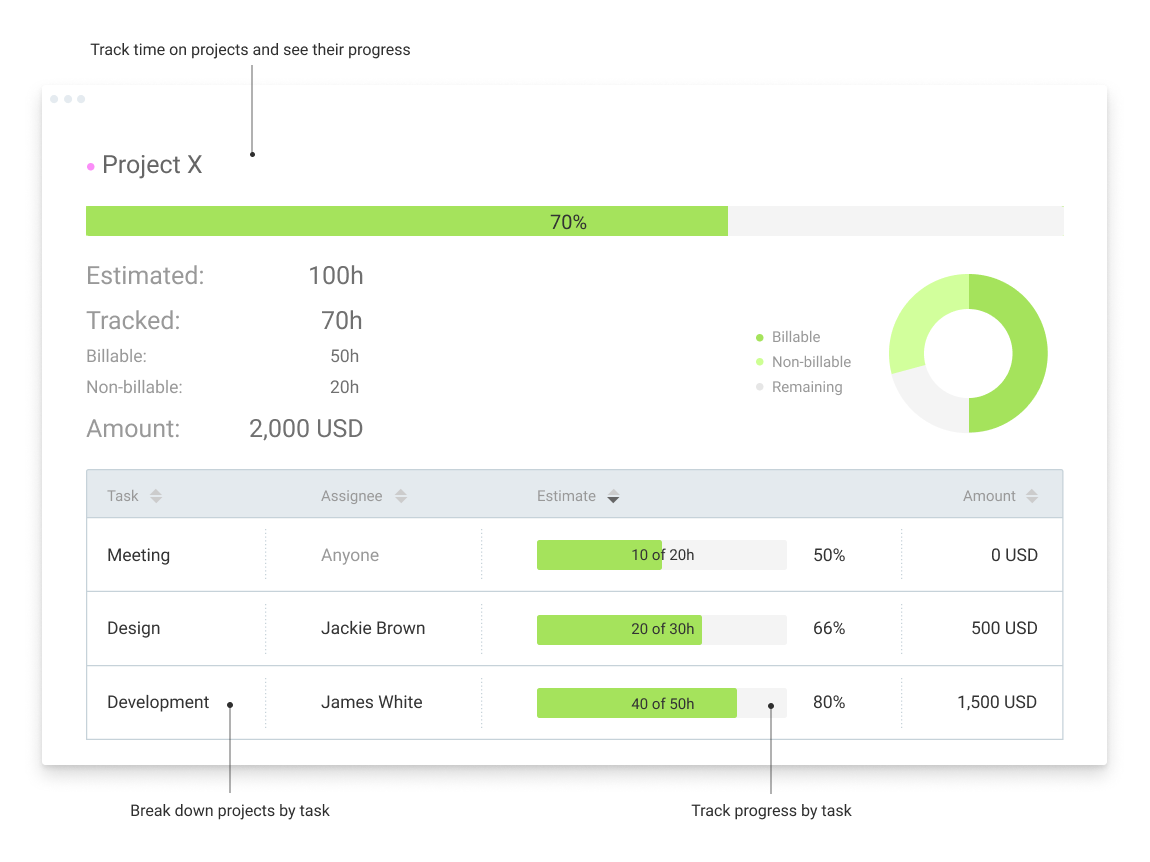 |