Instructure is an educational software company based in Sandy, Utah. It is the developer of the Canvas learning management system, which is a comprehensive software package that competes with such systems as Blackboard Learning System, SumTotal and Saba.
N/A
Jostle
Score 9.9 out of 10
N/A
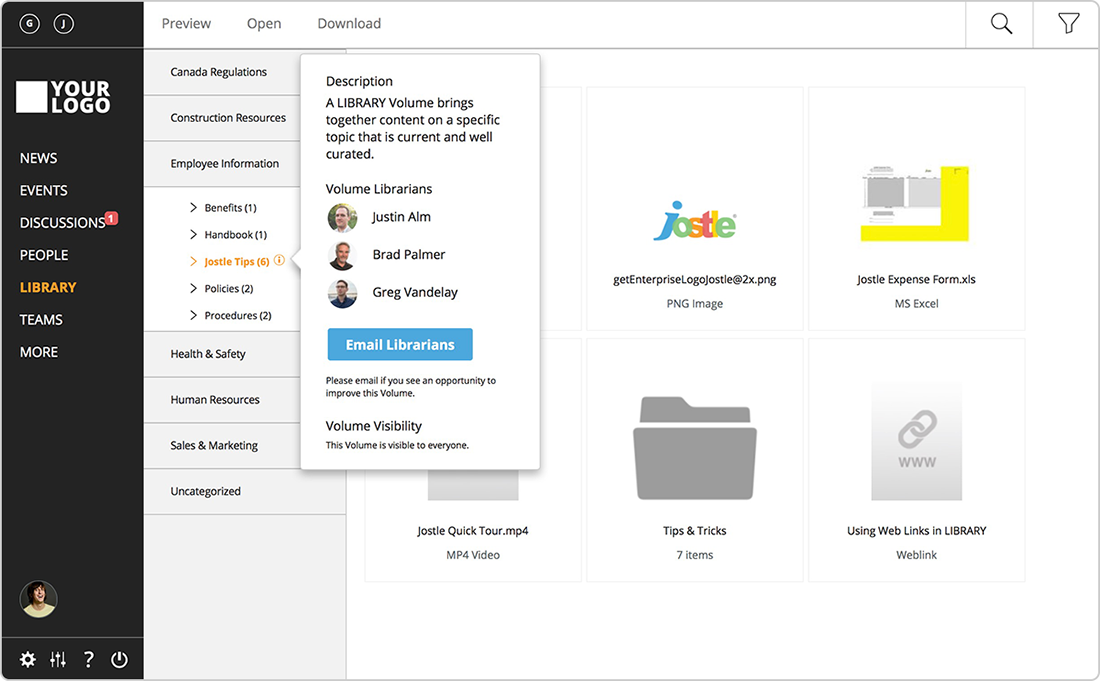
Jostle is intranet software for collaboration. Jostle is designed to make it easier to inform and connect employees to get work done. Users can share news, align teams, recognize contributions and invite participation from others. According to the vendor, Jostle can help improve employee engagement; Jostle reports engagement rates 5X higher than both traditional employee portals and social intranets. Company leaders can use Jostle to communicate plans, reinforce culture, and celebrate successes.…
N/A
Pricing
Canvas
Jostle
Editions & Modules
No answers on this topic
No answers on this topic
Offerings
Pricing Offerings
Canvas
Jostle
Free Trial
Yes
No
Free/Freemium Version
Yes
No
Premium Consulting/Integration Services
No
No
Entry-level Setup Fee
No setup fee
No setup fee
Additional Details
Must contact vendor for pricing information.
—
More Pricing Information
Community Pulse
Canvas
Jostle
Features
Canvas
Jostle
Learning Management
Comparison of Learning Management features of Product A and Product B
It is really well suited for school situations like knowing what [assignments] need to be done when, getting feedback, getting points, finding the slides that the teacher used for explaining an [assignment] or theory. I think It would be less suited in business situations because it's [primarily] made to be a [one-way] communication tool for schools. Businesses need more control on individual levels I think[.]
I love how Jostle connects our company and allows us to celebrate milestones while also being able to share important messages. Being able to store Job Aids in the library as a resource to your team is amazing, especially when they are out in the field and they do not have a computer they can still look up how to do something.
Creativity options for teachers to create a virtual space that still has fun graphics and accessibility options.
Canvas has versatility in viewing options for assignment due dates such as the calendar built in feature as well as the dashboard options to display upcoming and due assignments.
Allowing teachers to create community with each other and collaborate in each-other's space.
Discussion platforms within classrooms for students to communicate with each-other and with their teachers.
Easy messaging portal within each virtual classroom.
I have been using this application and I feel like this is a good solution to all the relevant problems.
Communication is key when it comes to organizations and Jostle is rightfully solving this problem so that is why I like using the software because it has many positive things.
The intranet software of Jostle offers well-balanced functions and all possible features that are important for an organization.
The biggest drawback that I have been facing for a very long time is that Jostle’s dashboard is not well designed and has all the feature that I needed on the go. I have to go through a lot of navigation panels to actually land on the right page or tool.
Secondly, needs more customization with the events function, which has to add more flexibility in operations to be able to customize the calendar. The library needs a lot of customization and a lot of features need to be added like different categories to easily access the different things.
The other LMS tools have fallen behind. One reason is they are not able to update their systems, features, toolsets in a timely manner. While other LMS providers release bug fixes and new features several times a year, schools struggle to install and implement them in a timely manner. It is not uncommon for a school to take 6 months to a year to fully install and implement new releases on other LMS platforms. With Canvas, those features are released every 3 weeks, and there is nothing for a school to do other than choose to turn them on once released. This has allowed Instructure to innovate faster, and get new features and tools to customers quicker. Other factors include great pricing, customer support, and the innovative way in which LTI is implemented in the tool.
The functions in Canvas are well integrated and consistent across the application, and mostly intuitive. Overall navigation and setup is streamlined through integrated features and navigation. The feedback we've gotten from our program participants is that it is easy to learn to use. It also integrates well with third party software like Google Docs and Blackboard Collaborate web conferencing software
It's a wonderful product that can be used from a computer or from the ease of an app on your phone. I love that my team can have access to Job Aids from their phones while working out in the field. I have not personally had any issues while using Jostle and I highly recommend it for your business.
I do not personally use Canvas support since we have a central office that helps us. However, our central office always has the answers we need and are always able to solve our issues - so I would assume that get great support from the Canvas team on their end. They also offer great training, which uses materials directly from Canvas
Once you purchase and sign the contract there is nothing to install or hardware to buy. You can almost immediately start using it and have courses up and going within weeks. We signed in December and had pilot courses online ready to go for the start of school in January
Canvas is more secure, has a cleaner design, and has more features. For the features, they have in common canvas still stacks up against [Smart school] by going for the extra mile. Besidfor e that, [the] canvas looks a lot more [professional] than [Smart school]. I didn't make the decision myself to get canvas instead of [Smart school] but I'm happy they did.
Jostle is a communication-based intranet fix that is easily accessible and available in the market to resolve one of the most common problems of communication within organizations.
I like how Jostle has made all of us unite on a single platform where we can share all files and ideas as well.
Jostle has proved to me that it is the best mode for our department.